
1. Introduction
Thank you for choosing the Roseland Boombox 20W TWS Bluetooth Speaker. This manual provides essential information for the safe and efficient operation of your device. Please read it thoroughly before use and retain it for future reference.
The Roseland Boombox 20W TWS Bluetooth Speaker delivers rich, powerful sound. Connect wirelessly via Bluetooth, or use AUX and USB inputs for versatile playback. Enjoy up to 5.5 hours of playtime on a single charge. The integrated color-changing light enhances your listening experience. This lightweight speaker features a convenient handle for portability and supports True Wireless Stereo (TWS) pairing for an expanded soundstage.
2. Package Contents
Ensure all items are present in the package:
- Roseland Boombox 20W TWS Bluetooth Speaker
- USB-C Charging Cable
- Auxiliary (AUX) Cable
- Instruction Manual (this document)
3. Product Features
- Audio Output: 20W for powerful sound.
- True Wireless Stereo (TWS): Connect two speakers wirelessly for stereo sound.
- Connectivity: Bluetooth, AUX Input, USB Port.
- Battery Life: Up to 5.5 hours of playtime.
- Charging Time: Approximately 2.5 hours.
- Lighting: Integrated color-changing light.
- Control Method: Touch controls.
- Portability: Lightweight design with a convenient handle.
- Durability: Waterproof construction.
4. Controls and Indicators
The control panel is located on the rear of the speaker. Specific button functions are detailed below. (Refer to the image for visual reference).
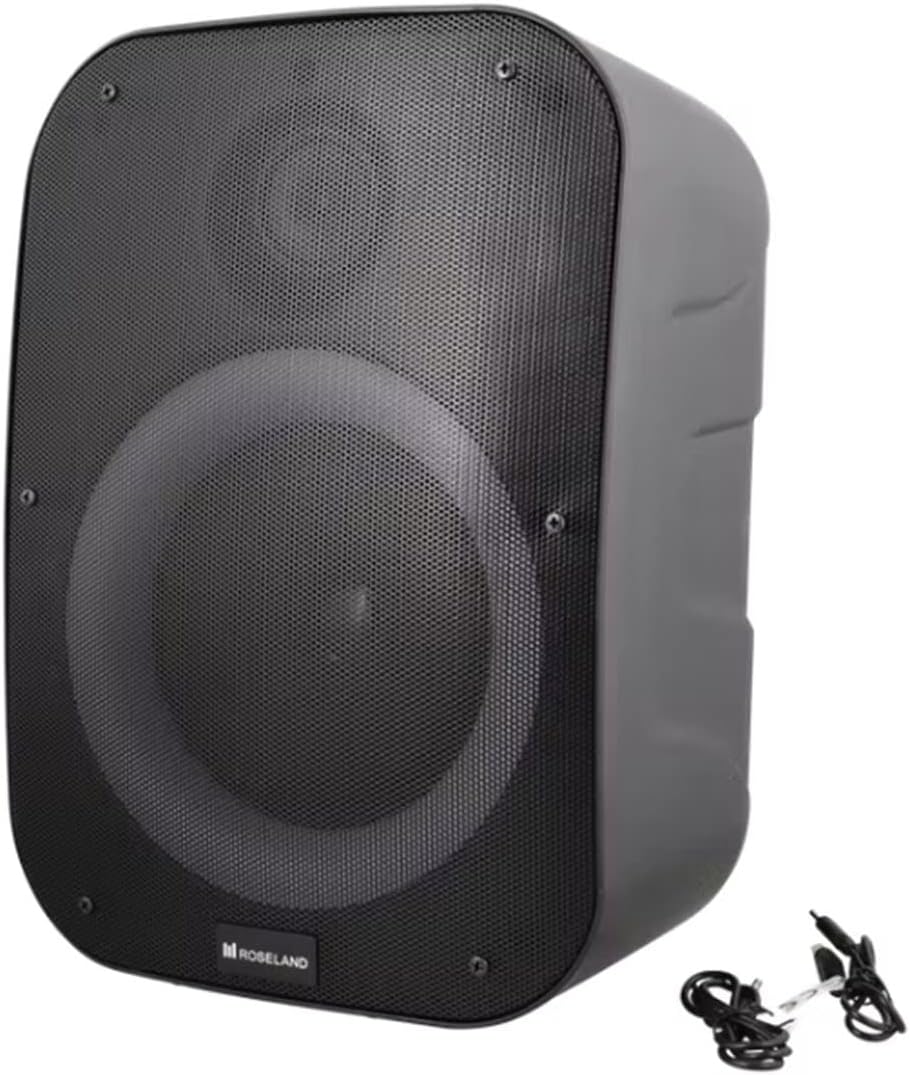
Image: Rear view of the Roseland Boombox, highlighting the control panel and integrated handle for portability.
- Power Button: Press and hold to turn the speaker ON or OFF.
- Mode Button (M): Press to switch between Bluetooth, AUX, and USB playback modes.
- Play/Pause Button (▶❚❚): Press to play or pause audio.
- Volume Down / Previous Track Button (-): Press to decrease volume. Press and hold to go to the previous track.
- Volume Up / Next Track Button (+): Press to increase volume. Press and hold to go to the next track.
- Light Mode Button: Press to cycle through different color-changing light modes or turn the lights off.
- TWS Pairing Button: Press to initiate True Wireless Stereo pairing (see Section 5.4).
- Charging Port (USB-C): Connect the USB-C cable for charging.
- AUX Input Port: Connect an external audio device using the auxiliary cable.
- USB Port: Insert a USB flash drive for audio playback.
5. Setup
5.1 Charging the Speaker
- Connect the supplied USB-C charging cable to the speaker's USB-C charging port.
- Connect the other end of the USB-C cable to a compatible USB power adapter (not included) or a computer's USB port.
- The charging indicator light will illuminate, typically red, during charging. It will turn off or change color (e.g., blue) when fully charged.
- A full charge takes approximately 2.5 hours.
5.2 Powering On/Off
- To Power On: Press and hold the Power Button for a few seconds until you hear an audible prompt or see an indicator light.
- To Power Off: Press and hold the Power Button again for a few seconds until the speaker powers down.
5.3 Bluetooth Pairing
- Ensure the speaker is powered on and in Bluetooth mode. If not, press the Mode Button (M) until you hear a "Bluetooth mode" prompt or see a flashing blue indicator light.
- Enable Bluetooth on your smartphone, tablet, or other Bluetooth-enabled device.
- Search for "Roseland Boombox" in the list of available Bluetooth devices.
- Select "Roseland Boombox" to connect. Once connected, you will hear a confirmation sound, and the indicator light will become solid blue.
- The speaker will automatically attempt to reconnect to the last paired device when powered on.
5.4 True Wireless Stereo (TWS) Pairing
TWS allows you to connect two Roseland Boombox speakers wirelessly for a stereo sound experience.
- Ensure both Roseland Boombox speakers are powered on and in Bluetooth mode, but not yet connected to any device.
- On one of the speakers (this will be the primary speaker), press the TWS Pairing Button. You will hear a prompt indicating it's searching for another speaker.
- The two speakers will automatically connect to each other. You will hear a confirmation sound once TWS pairing is successful.
- Now, connect your Bluetooth device to the primary speaker (the one you pressed the TWS button on) as described in Section 5.3. The audio will now play in stereo through both speakers.
5.5 AUX Connection
- Connect one end of the supplied AUX cable to the AUX Input Port on the speaker.
- Connect the other end of the AUX cable to the headphone jack or audio output of your external audio device.
- Press the Mode Button (M) on the speaker until you hear an "AUX mode" prompt.
- Control playback and volume directly from your connected audio device.
5.6 USB Playback
- Insert a USB flash drive containing MP3 audio files into the USB Port on the speaker.
- Press the Mode Button (M) on the speaker until you hear a "USB mode" prompt.
- The speaker will automatically begin playing audio files from the USB drive.
- Use the Play/Pause, Volume Up/Down, and Next/Previous Track buttons on the speaker to control playback.
6. Operating Instructions
6.1 Music Playback
- Play/Pause: Press the Play/Pause button.
- Next Track: Press and hold the Volume Up (+) button.
- Previous Track: Press and hold the Volume Down (-) button.
- Volume Adjustment: Press the Volume Up (+) or Volume Down (-) buttons to adjust the volume.
6.2 Light Modes
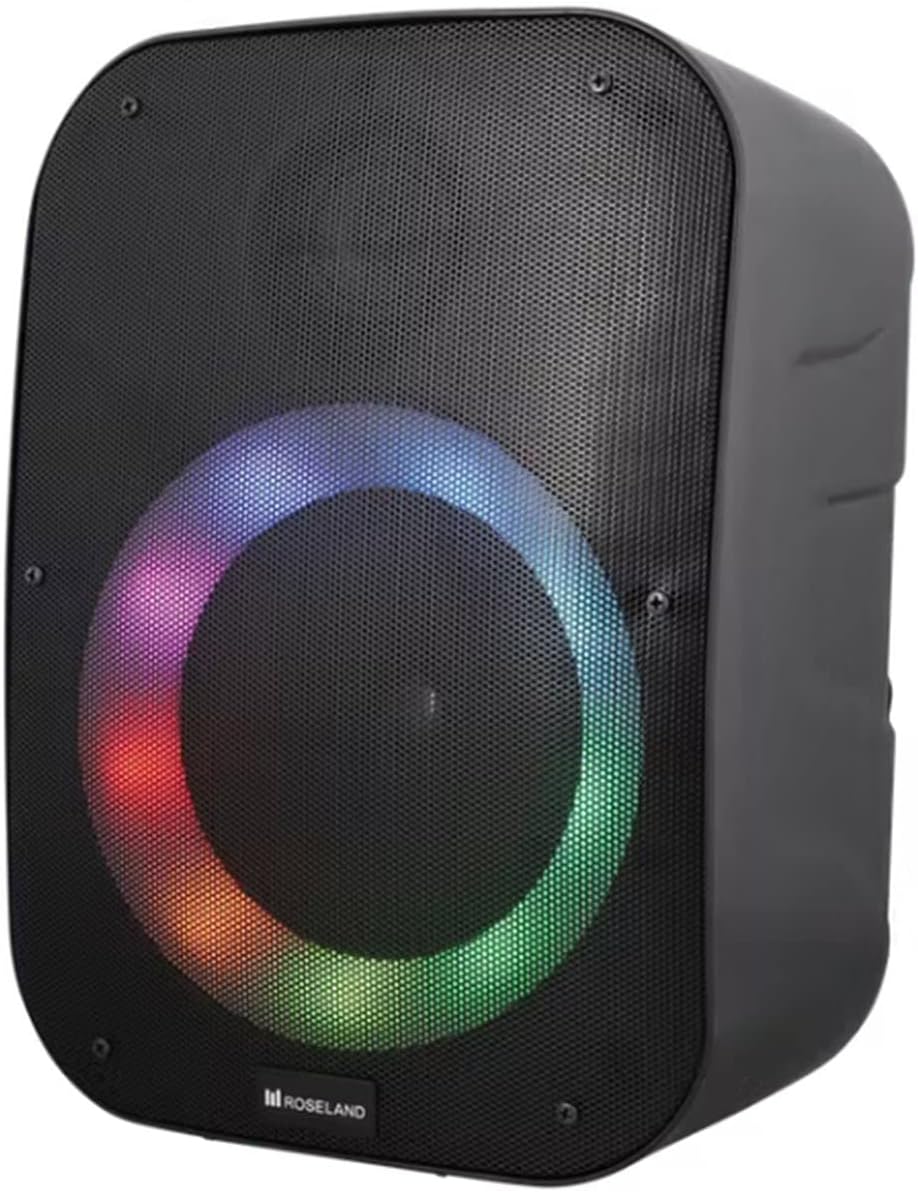
Image: Front view of the Roseland Boombox showcasing its dynamic color-changing light feature.
Press the Light Mode Button on the control panel to cycle through various color-changing light patterns. Continue pressing to find your preferred mode or to turn the lights off.
7. Maintenance
- Cleaning: Use a soft, dry cloth to clean the speaker's surface. Do not use abrasive cleaners or solvents.
- Storage: Store the speaker in a cool, dry place away from direct sunlight and extreme temperatures when not in use for extended periods.
- Battery Care: To prolong battery life, fully charge the speaker before first use and recharge it at least once every three months if not used regularly.
8. Troubleshooting
| Problem | Possible Cause | Solution |
|---|---|---|
| Speaker does not power on. | Low battery. | Charge the speaker using the supplied USB-C cable. |
| No sound. | Volume too low; incorrect mode; device not connected. | Increase volume; ensure correct mode (Bluetooth/AUX/USB); re-pair Bluetooth device or check AUX/USB connection. |
| Bluetooth pairing fails. | Speaker not in pairing mode; device too far; interference. | Ensure speaker is in Bluetooth pairing mode; move device closer; turn off other Bluetooth devices. |
| TWS pairing fails. | Speakers too far apart; one speaker already paired to a device. | Ensure both speakers are in TWS pairing mode and close to each other; disconnect any Bluetooth devices from both speakers before TWS pairing. |
9. Specifications
| Feature | Detail |
|---|---|
| Model Name | Roseland Boombox 20W TWS Bluetooth Speaker |
| Brand | Roseland |
| Speaker Output Power | 20 Watts |
| Connectivity Technology | Bluetooth, Auxiliary (AUX), USB |
| Wireless Communication | Bluetooth |
| Audio Output Mode | Stereo |
| Surround Sound Channel Configuration | 2.0 |
| Control Method | Touch |
| Power Source | Wireless (Rechargeable Battery) |
| Battery Life | Up to 5.5 hours |
| Charging Time | Approximately 2.5 hours |
| Special Features | Bluetooth, USB Port, Color-changing Light, Waterproof |
| Recommended Use | For smartphone or tablet |
| Compatible Devices | Personal Computer, Television, Tablet, Smartphone, Laptop |
| Mounting Type | Floor Mount |
| ASIN | B0B58VP4RH |
10. Warranty Information
This Roseland Boombox 20W TWS Bluetooth Speaker comes with a 1-year manufacturer's limited warranty from the date of purchase. This warranty covers defects in materials and workmanship under normal use. It does not cover damage caused by misuse, accident, unauthorized modification, or external causes.
For warranty claims or support, please contact your retailer or the manufacturer's customer service with your proof of purchase.
11. Safety Information
- Do not expose the speaker to extreme temperatures, direct sunlight, or open flames.
- Do not disassemble, repair, or modify the speaker yourself. This may void the warranty and pose safety risks.
- Keep the speaker away from children and pets.
- Use only the supplied charging cable. Using incompatible chargers may damage the device or cause fire.
- Avoid listening at high volumes for extended periods to prevent hearing damage.
- Although waterproof, avoid submerging the speaker in water for prolonged periods or exposing it to high-pressure water jets.