
Introduction
This manual provides essential information for the safe and proper assembly, operation, and maintenance of your Lionel Army Freight Electric O Gauge Bluetooth 5.0 Train Set. Please read all instructions carefully before use to ensure optimal performance and longevity of your train set.

Image: Overview of the Lionel Army Freight Electric O Gauge Train Set.
What's Included
Your Lionel Army Freight Electric O Gauge Bluetooth 5.0 Train Set includes the following components:
- 1 RS-3 Diesel Locomotive
- 1 Ammunition Stock Car
- 1 Missile Launching Car with 2 Missiles
- 1 Security Caboose
- 8 Curved O36 FasTrack sections
- 2 Straight Ten Inch FasTrack sections
- 1 Terminal FasTrack section
- 1 Plug-Expand-Play Power Lock-on section
- 1 Wall-pack Power Supply
- 1 LionChief Remote

Image: All components of the Lionel Army Freight Train Set laid out for inspection.
Setup
- Track Assembly: Connect the FasTrack sections by aligning the track ends and pressing them firmly together until they snap into place. Ensure all connections are secure to form a complete oval (40 inches x 60 inches).
- Power Connection: Attach the Plug-Expand-Play Power Lock-on section to the track. Connect the Wall-pack Power Supply to the Power Lock-on section and then plug the power supply into a standard electrical outlet.
- Remote Batteries: The LionChief Remote requires three (3) AAA alkaline batteries (not included). Use a Phillips screwdriver (not included) to open the battery compartment, insert the batteries with correct polarity, and secure the cover.
- Placement: Carefully place the RS-3 Diesel Locomotive and all cars onto the assembled track, ensuring all wheels are properly seated on the rails.
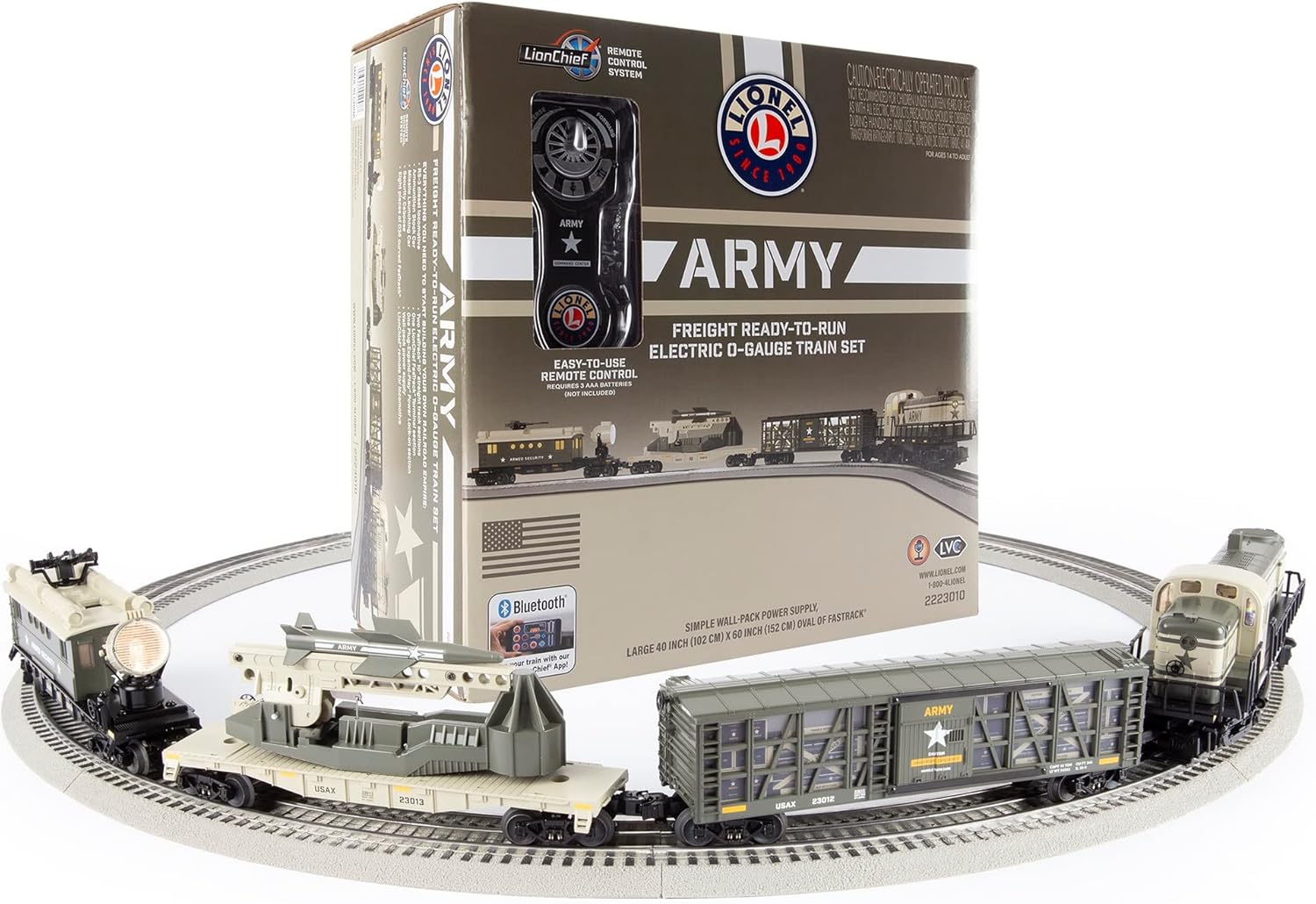
Image: The Lionel Army Freight Train Set fully assembled on the track.
Operating Instructions
Your train set can be operated using the included LionChief Remote or via the Lionel LionChief App on a compatible smart device using Bluetooth 5.0 technology.
LionChief Remote Control
- Speed Control: Use the forward and reverse speed control knob to adjust the train's speed and direction.
- Sound Functions: Press the dedicated buttons for whistle, bell, and special announcements.
Lionel LionChief App (Bluetooth 5.0)
Download the Lionel LionChief App from your device's app store. The app allows for advanced control features:
- Bluetooth 5.0: Operate your train via any compatible smart device.
- Lionel Voice Control (LVC): Run your locomotive by speaking commands into your phone.
- Voice Streaming & Recording (VSR): Record your own voice to generate custom train announcements, or stream your voice live through the engine.
- RailSounds RC Sound System: Control train sounds and announcements directly from the app.
Special Features
- Operating Directional Headlights: The locomotive features working headlights that change direction with the train.
- Illuminated Cab Interior: The locomotive's cab interior is illuminated.
- Illuminated Caboose with Rotating Searchlight: The security caboose has an illuminated interior and a rotating searchlight.
- Manual Launch-able Missiles: The missile launching car allows for manual launching of the included missiles.
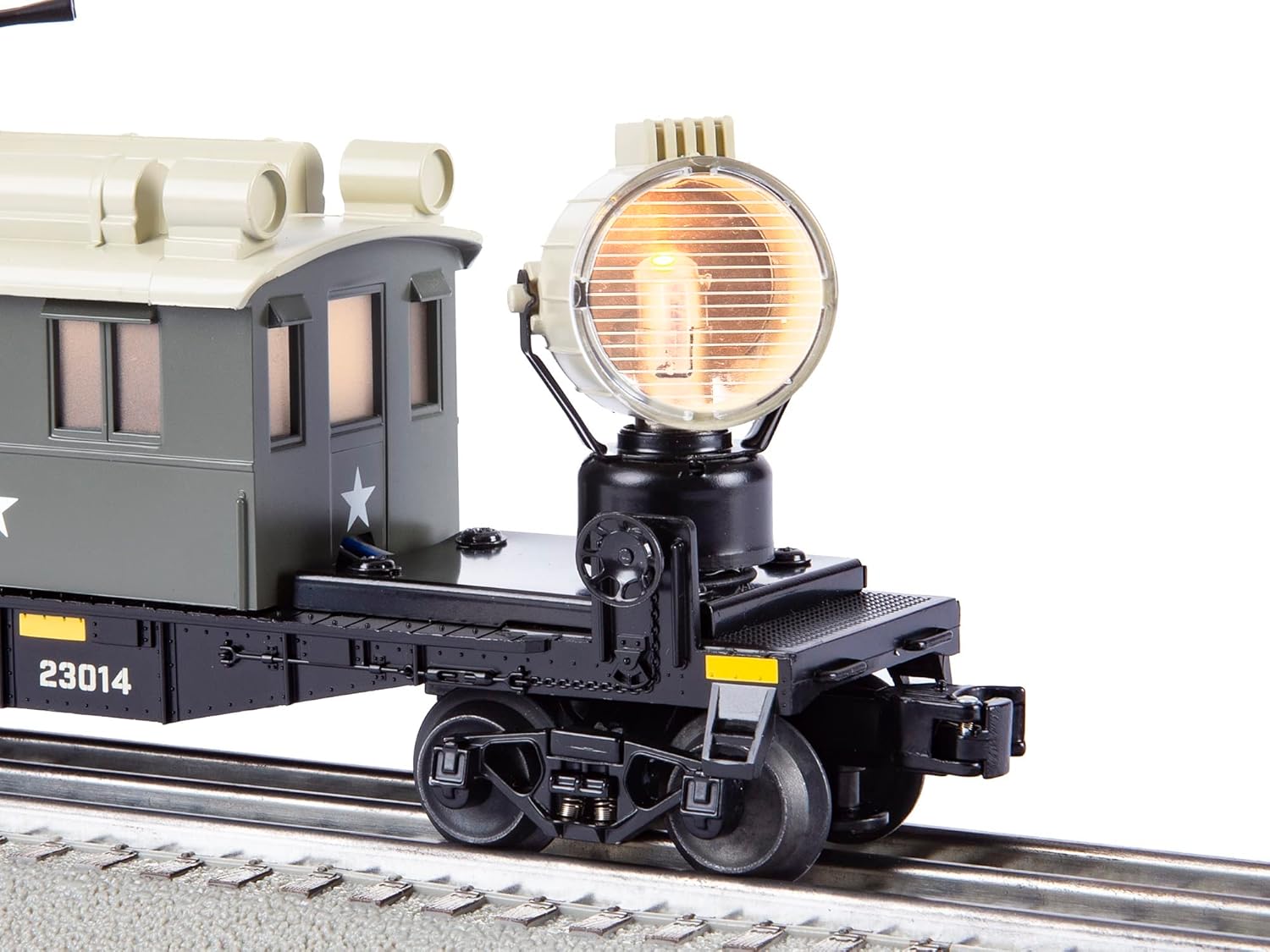
Image: Close-up of the locomotive's operating headlight.

Image: The missile launching car with a missile in position.

Image: The security caboose featuring a rotating searchlight.
Video: A demonstration of the Lionel Army Freight LIONCHIEF Set in operation, showcasing its features and sounds.
Maintenance
- Lubrication: Lubricate wheels, axles, and linkage regularly to ensure smooth operation.
- Cleaning: Wipe the train and track components with a soft cloth occasionally to clean dust and debris.
- Storage: Remove all batteries from the remote control when not in use for an extended period of time to prevent corrosion.
Troubleshooting
If you encounter issues with your train set, please refer to the following common solutions:
- Train Not Moving: Ensure the power supply is securely plugged into the wall and the track. Check that the Power Lock-on section is firmly connected to the track. Verify that the remote control has fresh batteries and is properly paired with the locomotive.
- Intermittent Operation: Clean the track and wheels to remove any dirt or dust that may be interfering with electrical contact. Ensure all track connections are tight.
- Sound Issues: Check the volume settings on the remote or the LionChief App. Ensure the 'On/Off switch for sounds' on the locomotive is in the 'On' position.
- App Connectivity: Ensure Bluetooth is enabled on your smart device and that the device is within range of the locomotive. Restart the app and the locomotive if connection issues persist.
Specifications
| Feature | Detail |
|---|---|
| Brand | Lionel |
| Model Number | 2223010 |
| Gauge | O Gauge |
| Power Source | Electric (Corded) |
| Control Type | Remote Control, App Control, Bluetooth Control |
| Minimum Curve | O31 |
| Track Dimensions | 40 in x 60 in Oval (with included track) |
| Recommended Age | 14 years and up |
| Assembly Required | Yes |
| Remote Batteries | 3 AAA batteries (not included) |
Safety Information
Please observe the following safety precautions:
- CHOKING HAZARD: Small parts. Not for children under 3 years of age.
- CAUTION - ELECTRIC TOY: Not recommended for children under fourteen years of age. As with all electric products, precautions should be observed during handling and use to prevent electric shock.
- WARNING: This product can expose you to chemicals including lead, which is known in the State of California to cause cancer, birth defects, or other reproductive harm.
Warranty and Support
For warranty information or technical support, please refer to the manufacturer's official website or contact their customer service department. Keep your purchase receipt for warranty claims.