
Zizo SPK-AMPFY-BKOR
Zizo Amplify True Wireless Speaker User Manual
Model: SPK-AMPFY-BKOR | Brand: Zizo
1. Introduction
The ZIZO AMPLIFY redefines portability and fun. With an integrated handle for easy mobility anywhere, anytime, it brings the party wherever you go. Elevate your experience with an impressive LED light show that brings your music to life. Thanks to Bluetooth technology, easily connect to any device with just a touch and wirelessly stream your sound. Accompanied by True Wireless Stereo (TWS) technology, you can immerse yourself in double the high-definition music by combining two ZIZO AMPLIFY speakers, making it the easy choice to take your sound with you on the go.
2. Features
- Bluetooth 5.0: Advanced Bluetooth transmission technology allows you to pair with your smartphone, laptop, or gaming console without needing to install additional applications or software.
- High-Definition 20W Sound: Crystal-clear deep bass speakers designed for active outdoor and indoor use.
- LED Lightshow: Start the party with stunning LED visuals that dynamically respond to your music.
- Rechargeable Battery: Enjoy countless hours of music with the integrated high-capacity 2400 mAh rechargeable battery and fast charging via the included USB charging cable.
- True Wireless Pairing (TWS): Wirelessly connect two ZIZO AMPLIFY speakers together to create a stereo sound experience, playing left and right music channels to double your audio output.
3. Package Contents
Please ensure all items are present in the package:
- Zizo Amplify True Wireless Speaker
- USB Charging Cable
- User Manual

Image: The Zizo Amplify speaker packaging, showing the front and back of the box with product details and features.
4. Setup
4.1 Charging the Speaker
Before first use, fully charge the speaker. Connect the included USB charging cable to the speaker's charging port and the other end to a USB power adapter (not included) or a computer's USB port. The LED indicator will show charging status and turn off or change color when fully charged.
4.2 Powering On/Off
- To Power On: Press and hold the Power button for a few seconds until you hear an audible prompt and the LED lights illuminate.
- To Power Off: Press and hold the Power button again for a few seconds until the speaker powers down.
4.3 Bluetooth Pairing (First Time)
- Ensure the speaker is powered on and in Bluetooth pairing mode (indicated by a flashing LED).
- On your device (smartphone, tablet, etc.), enable Bluetooth and search for available devices.
- Select "ZIZO AMPLIFY" from the list of found devices.
- Once connected, the speaker will provide an audible confirmation, and the LED indicator will stop flashing.
4.4 True Wireless Stereo (TWS) Pairing
To enjoy stereo sound, you can pair two Zizo Amplify speakers together:
- Ensure both Zizo Amplify speakers are powered on and not connected to any other Bluetooth device.
- On one speaker, press and hold the TWS pairing button (refer to speaker controls for exact button, usually indicated by a TWS icon).
- The speakers will automatically search for and connect to each other. You will hear a confirmation tone once paired.
- Once TWS paired, connect your device to one of the speakers via Bluetooth as described in section 4.3. The audio will now play in stereo through both speakers.
5. Operating Instructions
5.1 Playing Audio
Once connected via Bluetooth, simply start playing audio from your paired device. The sound will be transmitted wirelessly to your Zizo Amplify speaker.
5.2 Controls
The speaker features intuitive controls for managing your audio playback:
- Power Button: Press and hold to power on/off.
- Play/Pause Button: Press once to play or pause audio.
- Volume Up (+): Press to increase volume. Press and hold for continuous volume increase.
- Volume Down (-): Press to decrease volume. Press and hold for continuous volume decrease.
- Next Track: Press and hold the Volume Up (+) button.
- Previous Track: Press and hold the Volume Down (-) button.
- LED Light Mode Button: Press to cycle through different LED light patterns or turn them off.

Image: Front view of the Zizo Amplify speaker, showcasing its illuminated LED light ring around the speaker cone and the sturdy handle.

Image: An angled view of the Zizo Amplify speaker, highlighting its robust grille and the orange accents on the handle and top panel.
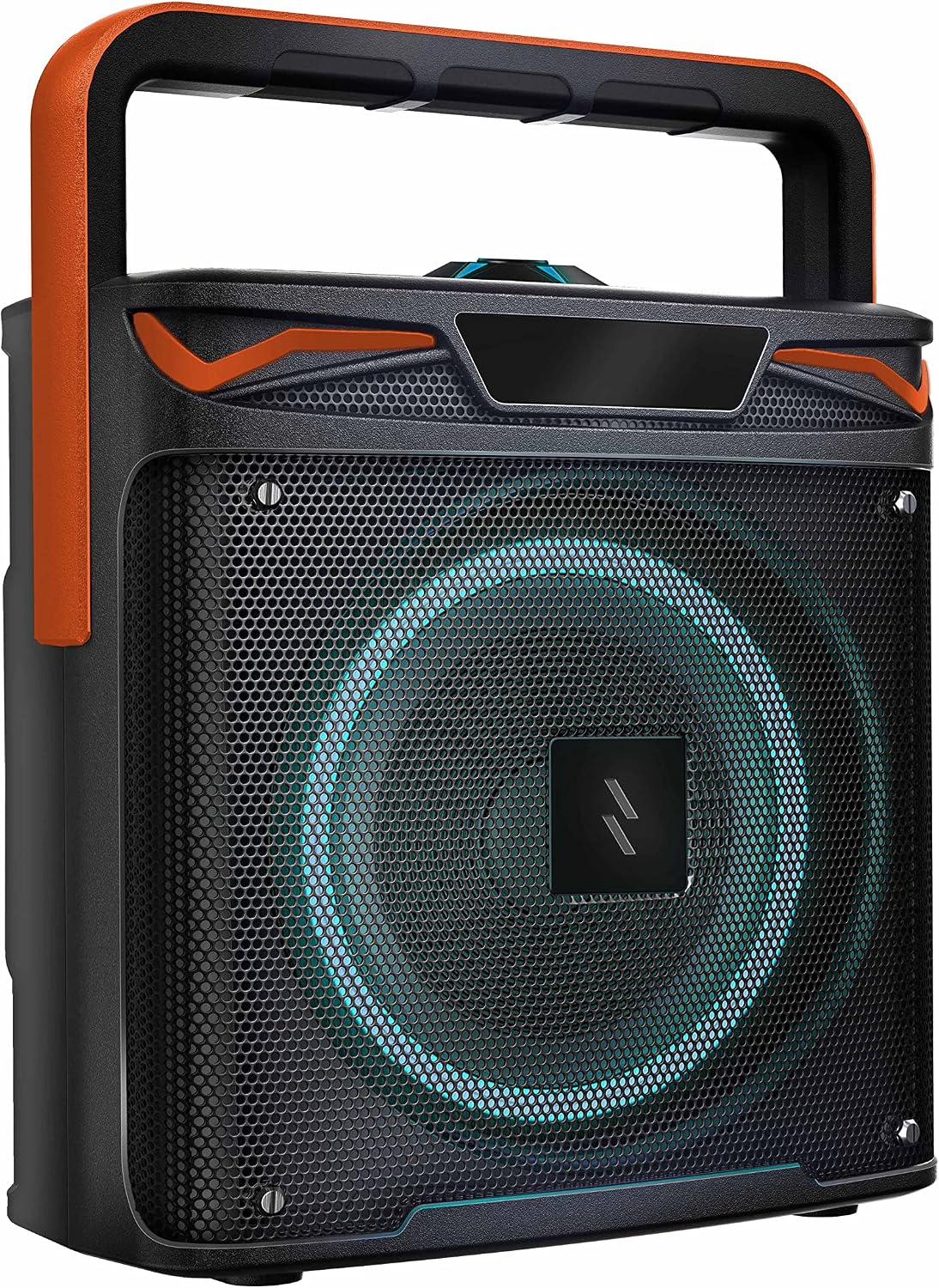
Image: A slightly different angled perspective of the Zizo Amplify speaker, emphasizing its portable design and the texture of the speaker grille.

Image: A hand gripping the integrated orange handle of the Zizo Amplify speaker, demonstrating its portability and ease of carrying.

Image: The Zizo Amplify speaker placed outdoors on a paved surface, with a person in the background jumping, illustrating its suitability for active, on-the-go use.
6. Maintenance
6.1 Cleaning
Wipe the speaker with a soft, dry cloth. Do not use abrasive cleaners, waxes, or solvents. Avoid getting moisture into any openings.
6.2 Storage
Store the speaker in a cool, dry place away from extreme temperatures and direct sunlight. If storing for an extended period, charge the battery to approximately 50% every few months to maintain battery health.
6.3 Battery Care
To prolong battery life, avoid fully discharging the battery frequently. Charge the speaker regularly, even if not in use for long periods.
7. Troubleshooting
| Problem | Possible Cause | Solution |
|---|---|---|
| Speaker does not power on. | Battery is depleted. | Charge the speaker using the provided USB cable. |
| Cannot pair via Bluetooth. | Speaker is not in pairing mode; device Bluetooth is off; speaker is already connected to another device. | Ensure speaker is in pairing mode. Turn Bluetooth on your device. Disconnect speaker from other devices. |
| No sound or low volume. | Volume on speaker or device is too low; speaker is not connected. | Increase volume on both speaker and device. Re-establish Bluetooth connection. |
| Poor sound quality. | Device is too far from speaker; interference. | Move device closer to the speaker. Avoid obstacles between devices. |
| TWS pairing fails. | Speakers are too far apart; one speaker is already paired to a device. | Ensure speakers are close to each other. Disconnect both speakers from any other Bluetooth devices before TWS pairing. |
8. Specifications
| Model Number | SPK-AMPFY-BKOR |
| Brand | Zizo |
| Color | Black/Orange |
| Connectivity Technology | Bluetooth, USB |
| Bluetooth Version | 5.0 |
| Maximum Speaker Output Power | 20 Watts |
| Power Source | Battery |
| Battery Capacity | 2400 mAh |
| Speaker Type | Outdoor |
| Mounting Type | Tabletop Mount |
| Compatible Devices | Smartphone |
| Special Features | Rugged protection, Slim fit |
| Product Dimensions (L x W x H) | 34.1 x 27.5 x 14.9 cm |
| Product Weight | 2.1 kg |
9. Warranty and Support
The Zizo Amplify True Wireless Speaker comes with a 1-Year Limited Warranty from the date of purchase. This warranty covers manufacturing defects and workmanship under normal use.
For technical support, warranty claims, or general inquiries, please refer to the contact information provided on the Zizo official website or your purchase documentation. Please have your model number (SPK-AMPFY-BKOR) and proof of purchase ready when contacting support.
Related documentsSPK-AMPFY-BKOR

Ask a question about this manual
Ask about setup, troubleshooting, compatibility, parts, safety, or missing instructions. Manuals+ will review the question and use this page’s manual context to help answer it.