
HUTT C6
HUTT C6 Robot Window Cleaner User Manual
Model: C6
1. Introduction
Thank you for choosing the HUTT C6 Robot Window Cleaner. This intelligent device is designed to simplify window cleaning with its advanced features, including automatic water spray, strong suction, and smart navigation. Please read this manual thoroughly before use to ensure safe and optimal performance.
2. Safety Information
- Always connect the safety rope to a secure anchor point before operating the robot, especially on high windows.
- Ensure the power cord is securely connected and not tangled during operation.
- Do not use the robot on cracked or damaged glass surfaces.
- Keep hands, hair, and loose clothing away from moving parts.
- Do not allow children or pets near the robot during operation.
- Use only clean water or recommended window cleaning solution in the water tank. Do not use corrosive liquids.
- In case of power failure, the robot will maintain suction for 20-30 minutes and emit an alarm. Retrieve the robot promptly.
- For extremely dirty windows, it is recommended to pre-clean them manually before using the robot for best results.
3. Package Contents
Verify that all items are present in the package:
- HUTT C6 Robot Window Cleaner
- Remote Control
- Microfiber Cleaning Mops (10x)
- Power Adapter and Cord
- Safety Rope
- Water Filling Bottle
- Storage Suitcase
- User Manual

Image 3.1: HUTT C6 Robot Window Cleaner and its included accessories, including the remote control, cleaning mops, and storage suitcase.
4. Product Overview
Familiarize yourself with the main components of your HUTT C6:
- Main Unit: Houses the motor, suction fan, and control electronics.
- Water Tank (80ml): Integrated tank for automatic water spray.
- Spray Nozzle: Dispenses water evenly during cleaning.
- Cleaning Pads: Two rotating microfiber mops for effective cleaning.
- Suction Ports: Generate strong vacuum to adhere to surfaces.
- Remote Control: For manual operation and mode selection.
- Safety Rope Attachment Point: For securing the device.
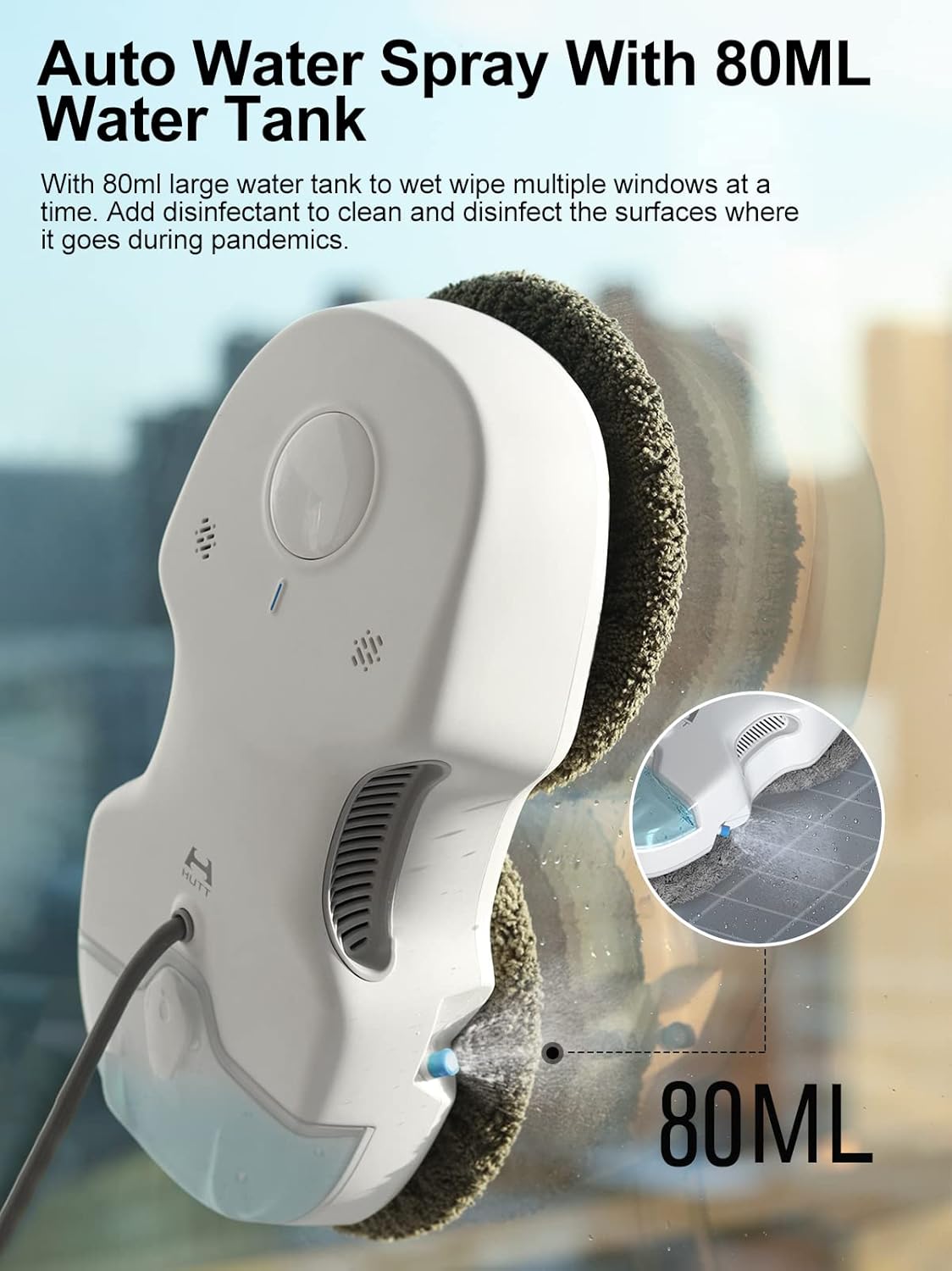
Image 4.1: Close-up view of the HUTT C6 demonstrating its 80ml water tank and automatic spray function, which evenly distributes water every 5 seconds.

Image 4.2: Diagram illustrating the internal mechanism of the HUTT C6, highlighting its 3800Pa strong suction capability which adjusts based on dirt detection.

Image 4.3: Visual representation of the HUTT C6's dimensions (29.5cm x 14.5cm x 8cm) and its flexible obstacle avoidance path, optimized for navigating around frames.
5. Setup
- Charge the Robot: Connect the power adapter to the robot and a power outlet. Ensure the robot is fully charged before first use.
- Attach Cleaning Mops: Securely attach two clean microfiber mops to the rotating pads on the bottom of the robot.
- Fill Water Tank: Open the water tank cap and fill the 80ml tank with clean water or a suitable window cleaning solution using the provided bottle. Close the cap tightly.
- Connect Safety Rope: Attach one end of the safety rope to the robot's designated attachment point and the other end to a sturdy, immovable object (e.g., a heavy piece of furniture, a window frame anchor) that can support the robot's weight.
- Power On: Connect the robot to the power cord. The robot requires continuous power during operation.
6. Operating Instructions
- Placement: Place the robot firmly on the glass surface you wish to clean. Ensure it has a flat, unobstructed area to adhere to.
- Start Cleaning: Press the power button on the robot or the start button on the remote control. The robot will automatically adhere to the glass and begin its cleaning path.
- Smart Frame Detection: The robot is equipped with smart sensors to detect window frames. It will reduce speed and stop spraying water when approaching frames to prevent overspray.
- Water Spray Function: The robot will automatically spray water every 5 seconds during cleaning. This function ensures even wetting and effective dirt removal.
- Dry and Wet Mopping Modes: Use the remote control to select between non-spray (dry mopping) and spray (wet mopping) cleaning modes. For optimal results, especially on very dirty surfaces, it is recommended to perform a dry mopping cycle first, followed by a wet mopping cycle.
- Adjustable Suction: The robot automatically detects the level of dirt and adjusts its 3800Pa suction power accordingly, increasing suction for heavily soiled areas.
- Voice Transmission: The robot provides voice prompts for various statuses and operations.
- Stopping Operation: To stop the robot, press the stop button on the remote control or the power button on the robot. Carefully remove the robot from the glass once suction is released.
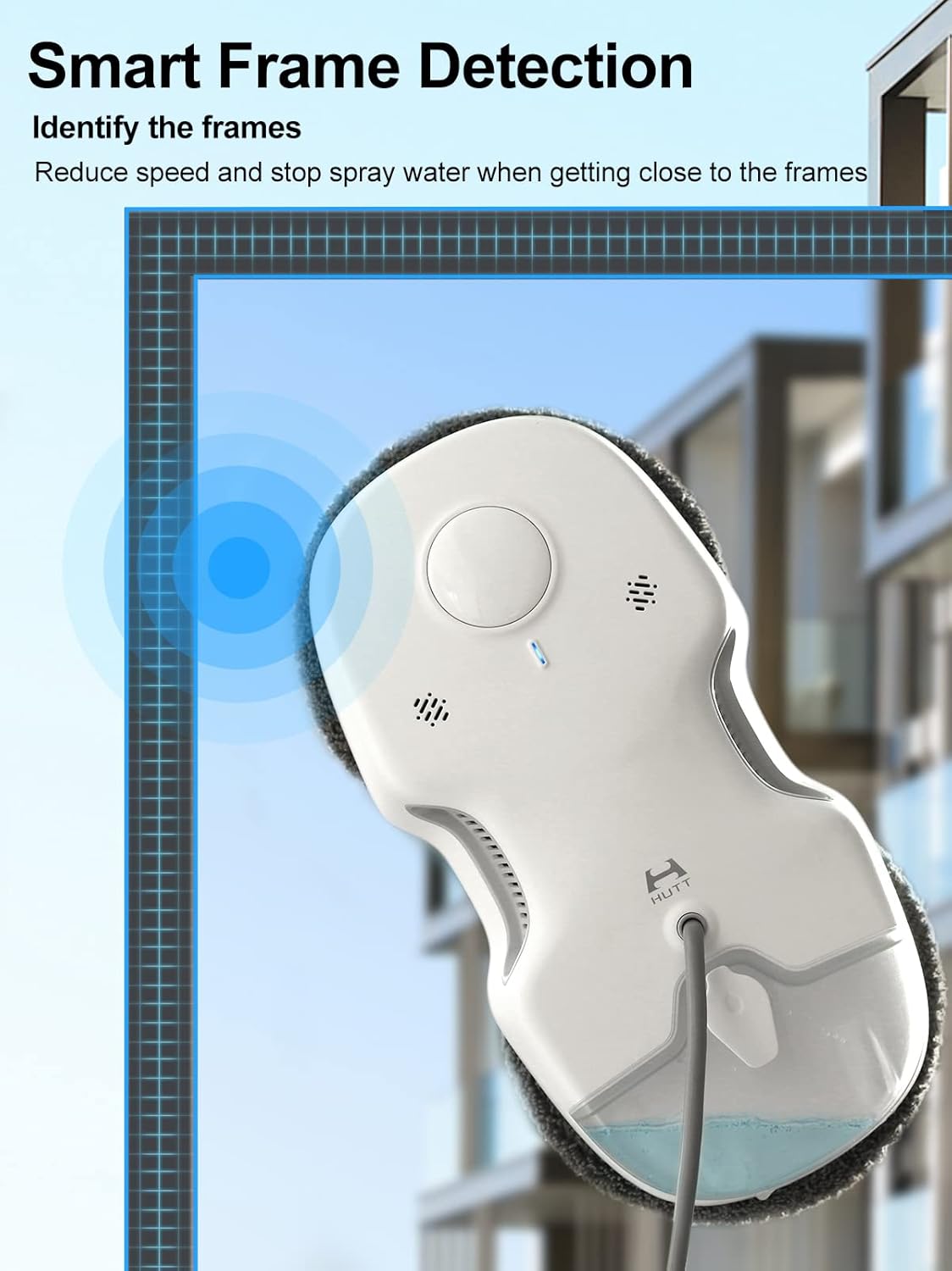
Image 6.1: Illustration of the HUTT C6's smart frame detection system, showing how it identifies and adjusts its operation near window edges.
7. Maintenance
- Cleaning Mops: After each use, remove the microfiber mops and wash them. They are machine washable. Ensure they are completely dry before reattaching.
- Clean Water Tank: Periodically rinse the water tank to prevent residue buildup.
- Clean Spray Nozzle: If the spray becomes uneven, gently clean the nozzle with a soft brush to remove any blockages.
- Wipe Robot Body: Use a soft, dry cloth to wipe down the robot's exterior. Do not use harsh chemicals or immerse the robot in water.
- Storage: Store the robot and its accessories in the provided suitcase in a cool, dry place away from direct sunlight.

Image 7.1: The HUTT C6 robot neatly stored within its custom-designed suitcase, emphasizing ease of storage and organization.
8. Troubleshooting
| Problem | Possible Cause | Solution |
|---|---|---|
| Robot not adhering to glass. | Insufficient power; dirty cleaning pads; uneven surface. | Ensure continuous power supply; clean or replace mops; ensure surface is flat. |
| Streaks left on window. | Mops are dirty; insufficient water; wrong cleaning mode; very dirty window. | Replace or clean mops; refill water tank; use wet mopping mode; pre-clean very dirty windows. |
| Robot stops unexpectedly. | Power disconnection; obstacle detected; safety alarm triggered. | Check power cord connection; remove obstacles; retrieve robot if alarm sounds. |
| Water spray not working. | Water tank empty; nozzle clogged; dry mopping mode selected. | Refill water tank; clean spray nozzle; switch to wet mopping mode. |
9. Specifications
| Feature | Detail |
|---|---|
| Brand | HUTT |
| Model Number | HUB-HUTT-IT |
| Color | C6 |
| Product Dimensions | 13.97 x 28.96 x 35.56 cm |
| Item Weight | 3.06 Kilograms |
| Suction Power | 3800Pa (adjustable) |
| Water Tank Capacity | 80ml |
| Special Features | Wet, Dry, Auto Water Spray, Smart Frame Detection, Voice Transmission |
| Controller Type | Remote Control |
| Surface Recommendation | Window |
10. Warranty and Support
For warranty information and technical support, please refer to the warranty card included in your product packaging or visit the official HUTT website. Keep your purchase receipt as proof of purchase for any warranty claims.
Related documentsC6

Ask a question about this manual
Ask about setup, troubleshooting, compatibility, parts, safety, or missing instructions. Manuals+ will review the question and use this page’s manual context to help answer it.