
1. Introduction
This manual provides essential information for setting up, operating, and maintaining your TAGG Verve Connect Ultra Smartwatch. Please read it thoroughly to ensure optimal performance and longevity of your device.

Image: The TAGG Verve Connect Ultra Smartwatch, showcasing its sleek design.
2. What's in the Box
Upon unboxing your TAGG Verve Connect Ultra Smartwatch, you will find the following components:
- TAGG Verve Connect Ultra Smartwatch
- Charging Cable
- User Manual (this document)
- Warranty Card

Image: The smartwatch, its strap, and the charging cable laid out, representing the box contents.
For a visual guide to unboxing and initial setup, please refer to the video below:
Video: A detailed unboxing and overview of the TAGG Verve Connect Ultra Smartwatch, demonstrating its features and included accessories.
3. Setup and Initial Use
3.1 Charging the Smartwatch
Before first use, fully charge your smartwatch. Connect the magnetic charging cable to the charging points on the back of the watch and plug the USB end into a power source. The watch display will indicate charging status.

Image: The smartwatch connected to its charging cable, displaying the charging indicator.
3.2 Pairing with Your Smartphone
- Download the official TAGG Sports app from the Google Play Store or Apple App Store.
- Enable Bluetooth on your smartphone.
- Open the TAGG Sports app and follow the on-screen instructions to pair your smartwatch.
- Ensure the smartwatch is close to your phone during the pairing process.
3.3 Password Protection
For enhanced security, you can set up password protection on your smartwatch. Navigate to the security settings within the watch or the companion app to configure a PIN.
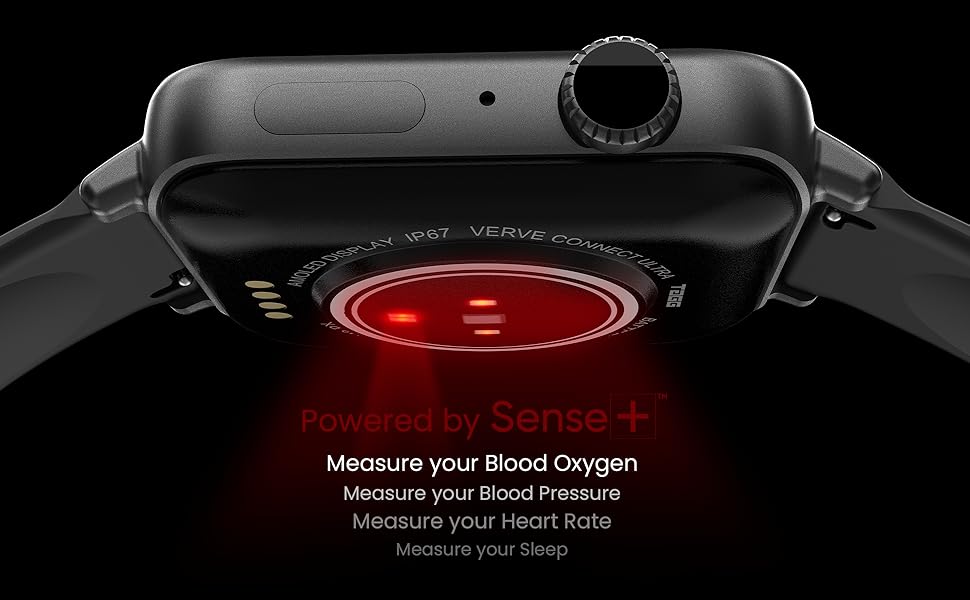
Image: Illustration of the password protection feature and low power mode on the smartwatch.
4. Operating Instructions
4.1 Display and Navigation
The smartwatch features a 1.78-inch AMOLED display with 600 NITS brightness and 368x448 pixels HD resolution, offering clear and vibrant visuals. It also supports an Always-On Display mode.

Image: The smartwatch display highlighting its high-definition visuals.
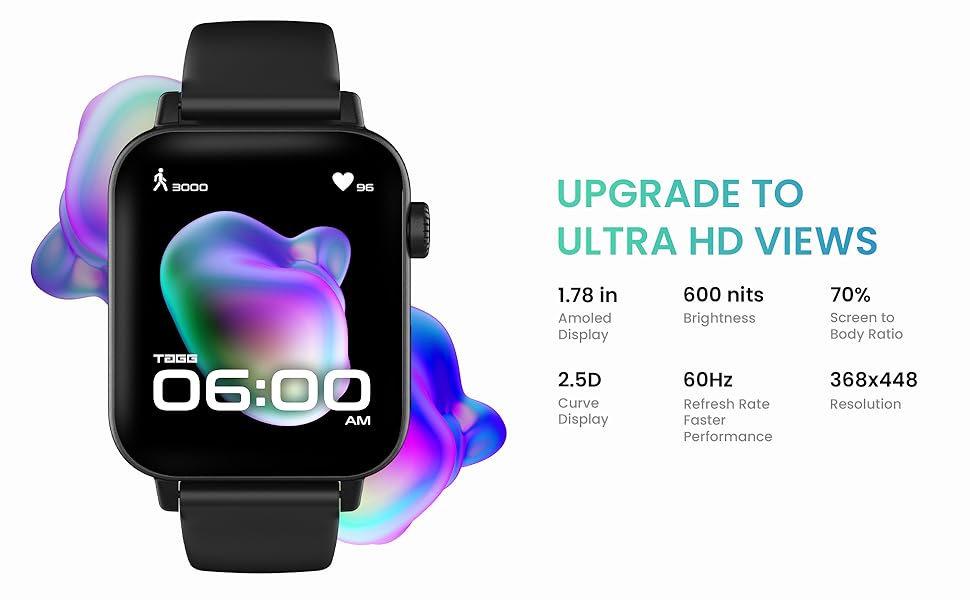
Image: The Always-On Display feature of the smartwatch.
4.2 Functional Crown
The functional crown on the side of the smartwatch allows for easy navigation and control:
- Change Watch Face: Rotate the crown to browse and select different watch faces.
- Zoom In & Out: Use the crown to zoom in or out of the app store or other interfaces.
- Scroll Menus: Rotate the crown to scroll through menus and lists.
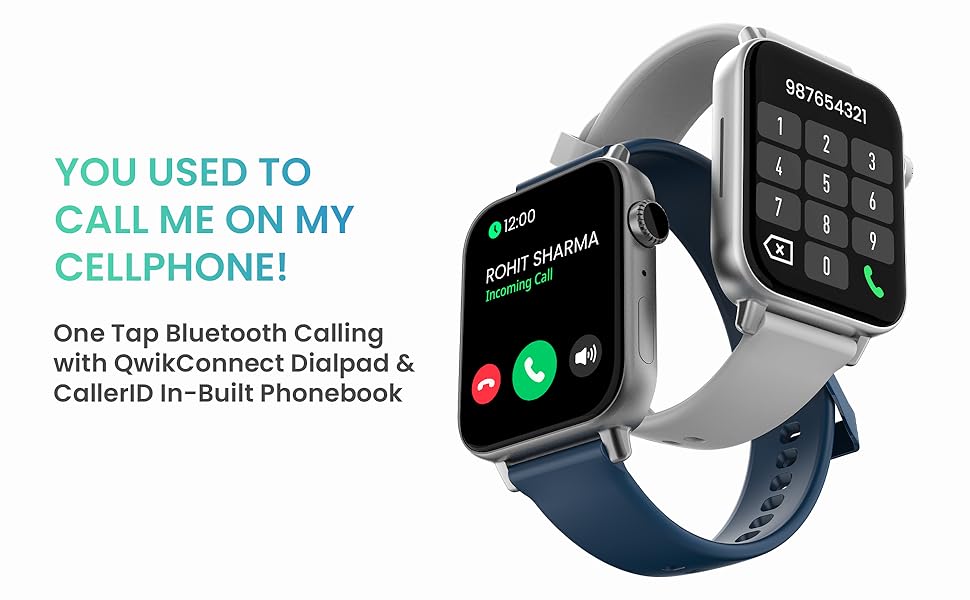
Image: The functional crown of the smartwatch, used for navigation.
4.3 Bluetooth Calling
Stay connected by making and receiving calls directly from your wrist. The smartwatch features a responsive dial pad and allows you to store favorite contacts and access recent call logs.

Image: Smartwatches demonstrating Bluetooth calling features with dial pad and contact display.
4.4 Intelligent Voice Assistance
Utilize the built-in voice assistant to control your smartwatch and connected phone. You can play music, make calls, and issue various commands hands-free.

Image: Smartwatches showing voice assistant functionality for commands like setting alarms or making calls.
4.5 Sports Modes and GPS
The smartwatch supports over 120 sports modes and features in-app GPS to accurately track your workouts and map your activity routes.

Image: The smartwatch highlighting its extensive range of sports modes for activity tracking.
4.6 Health Tracking
Equipped with TAGG Sense+ Technology, the smartwatch provides comprehensive health monitoring:
- Blood Oxygen (SpO2): Real-time SpO2 monitoring.
- Heart Rate: Continuous heart rate tracking.
- Sleep Tracking: Monitor your sleep patterns and quality.
- Breath Exercise: Guided breathing exercises for relaxation.
- Female Menstrual Cycle Tracking: Helps track and predict menstrual cycles.
Note: The smartwatch is not a medical device and should not be used for medical diagnosis or treatment.
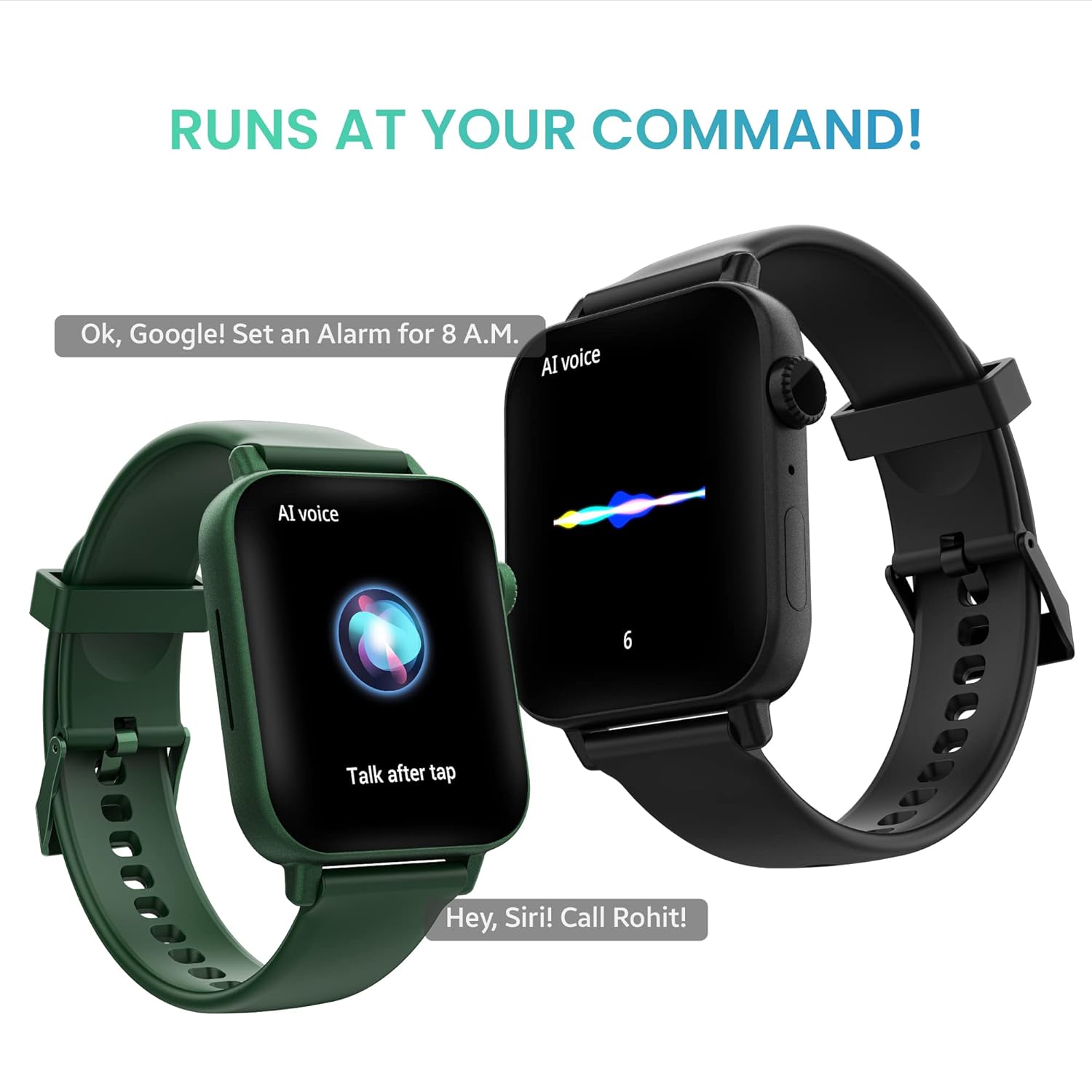
Image: The smartwatch's sensors for health monitoring, including SpO2 and heart rate.
4.7 Smart Notifications and Reminders
Receive smart notifications for messages, calls, and other important alerts directly on your wrist. The watch also provides helpful reminders such as:
- Drink Water Reminders
- Sedentary Reminders
- Menstrual Cycle Reminders

Image: Smartwatch screens showing various reminder types like drink water and sedentary alerts.
4.8 Watch Faces
Personalize your smartwatch with over 150 cloud watch faces to match your style and mood.

Image: A selection of customizable watch faces available for the smartwatch.
5. Battery Life and Management
The TAGG Verve Connect Ultra offers impressive battery performance:
- Up to 10 days of battery life without Bluetooth calling.
- Up to 5 days of battery life with Bluetooth calling enabled.
To optimize battery life, consider using the Low Power Mode, which reduces vibration, quick view functionality, and screen brightness.
6. Specifications
| Feature | Specification |
|---|---|
| Model Name | Verve Connect Ultra |
| Display Size | 1.78 Inches |
| Display Type | AMOLED |
| Resolution | 368 x 448 Pixels |
| Brightness | 600 NITS |
| Battery Life (without BT calling) | Up to 10 Days |
| Battery Life (with BT calling) | Up to 5 Days |
| Battery Capacity | 200 Milliamp Hours |
| Connectivity | Bluetooth, USB |
| Water Resistance Depth | 10 meters |
| Item Weight | 45 g |
| Product Dimensions | 4.5 x 4.5 x 1.1 cm |
| Special Features | Sleep Monitor, Notifications, Heart Rate Monitor, Oxymeter (SpO2), Phone Call, Sedentary Reminder, Music Player, Voice Control, Time Display, Cycle Tracking, Always On Display |

Image: Dimensions of the smartwatch case and strap.
6.1 Available Colors
The TAGG Verve Connect Ultra Smartwatch is available in several color options:
- Black
- Blue
- Gold Black
- Grey
- Emerald Green
- Midnight Blue
- Astro Grey
- Onyx Black
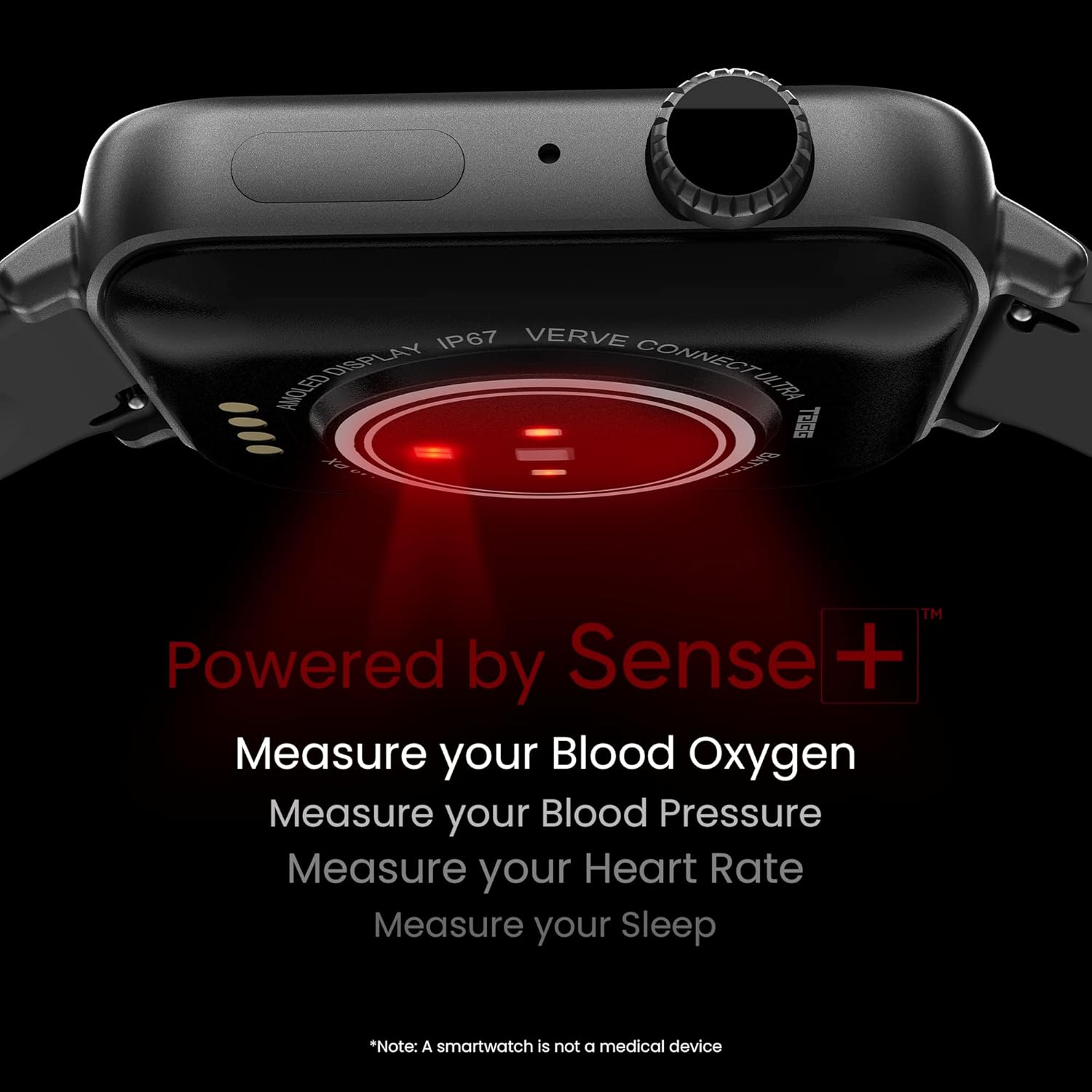
Image: Various color options for the TAGG Verve Connect Ultra Smartwatch.
7. Maintenance and Care
To ensure the longevity and proper functioning of your smartwatch:
- Clean the watch regularly with a soft, dry cloth.
- Avoid exposing the watch to extreme temperatures or harsh chemicals.
- Ensure the charging contacts are clean and dry before charging.
- The watch has a water resistance depth of 10 meters, suitable for daily use and light water activities, but avoid hot water or prolonged submersion.
8. Troubleshooting
If you encounter issues with your smartwatch, try the following steps:
- Connectivity Issues: Ensure Bluetooth is enabled on your phone and the watch is within range. Restart both devices.
- App Not Responding: Close and reopen the TAGG Sports app. If the issue persists, clear the app's cache or reinstall it.
- Charging Problems: Check if the charging cable is securely connected and the contacts are clean. Try a different USB power source.
- Inaccurate Readings: Ensure the watch is worn snugly on your wrist. Clean the sensors on the back of the watch.
For specific app-related issues, such as the TAGG Sports app stopping unexpectedly, refer to the video below for potential solutions:
Video: Troubleshooting steps for when the TAGG Sports app stops working on a smartphone.
9. Warranty and Support
Your TAGG Verve Connect Ultra Smartwatch comes with a manufacturer's warranty. Please refer to the included Warranty Card for details on coverage, terms, and conditions. For further assistance or technical support, please visit the official TAGG website or contact customer service.