
Introduction
Thank you for choosing the VAVOFO KM-6775 Rechargeable Book Light. This manual provides essential information for the safe and efficient operation of your device. This book light is designed with 14 LEDs, offering eye-care amber light and a total of 9 brightness modes. Its flexible goose neck and non-slip clip ensure versatile use for various reading environments.

Image: The VAVOFO Rechargeable Book Light in black, clipped to a book, providing illumination for a child and parent reading together.
What's in the Box
Upon unpacking, please ensure all items are present and in good condition:
- VAVOFO KM-6775 Rechargeable Book Light
- USB Type-C Charging Cable
- User Manual (this document)
Product Features
- 14 LEDs & Eye-Care Amber Light: Equipped with 14 upgraded SMD LEDs. The warm amber light mode filters 99.95% of blue spectrum light, reducing eye strain.
- 9 Brightness Modes & Memory Function: Offers 3 color temperatures (Amber, Amber+Cool White, Cool White) and 3 brightness settings (Low, Medium, High) for a total of 9 modes. The memory function recalls the last used color temperature mode.
- Rechargeable & Long-lasting: Built-in 1000mAh rechargeable battery provides up to 80 hours of use on low mode, or 5 hours on high mode. Includes a Type-C charging cable.
- 360° Flexible Goose Neck & Non-slip Clip: The adjustable neck allows precise light positioning. The multi-use non-slip clip securely attaches to books, tables, or headboards.
- Low Battery Display: A red indicator light flashes every 4 seconds when the battery is low, signaling the need for charging.

Image: Visual representation of the 9 lighting modes, illustrating the three color temperatures (Amber, Cool White, Amber+Cool White) each with three brightness levels (Low, Medium, High).
Setup
- Unpack: Carefully remove the book light and all accessories from the packaging.
- Initial Charge: For optimal performance, fully charge the book light before its first use. Refer to the 'Charging and Battery' section for details.
- Attach: Use the non-slip clip to attach the light to your desired surface, such as a book, e-reader, headboard, or desk. Ensure the clip is secure.
- Adjust: Bend the 360° flexible goose neck to position the light beam precisely where needed for comfortable reading.
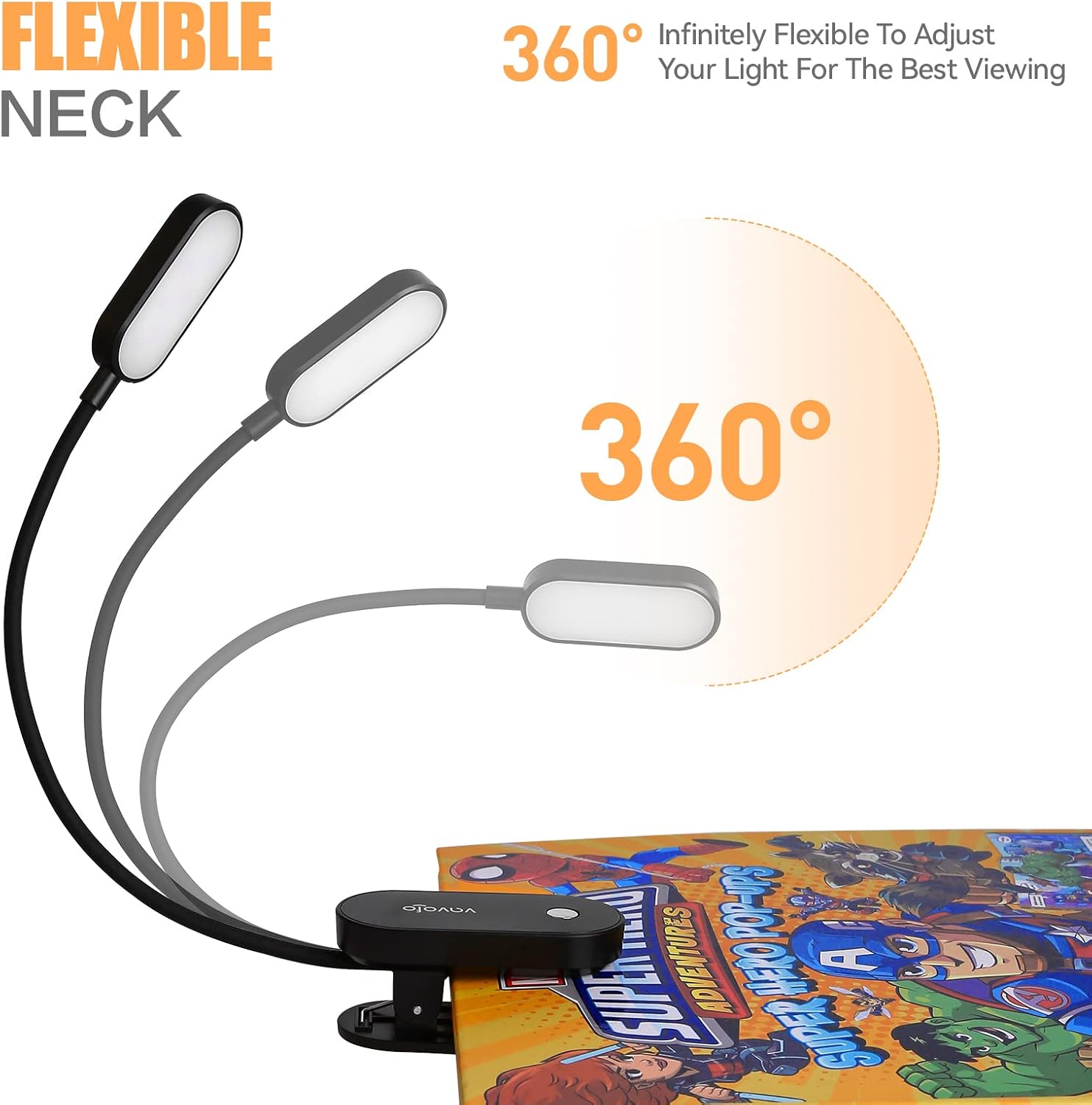
Image: The flexible neck of the VAVOFO book light demonstrated in various 360-degree adjustments, showing its versatility.
Operating Instructions
The book light features a single button for controlling both brightness and color temperature.
Power On/Off and Brightness Adjustment:
- To Turn On: Short press the switch button once. The light will turn on in low illumination.
- To Adjust Brightness: While the light is on, short press the button repeatedly to cycle through brightness levels: Low > Medium > High.
- To Turn Off: After cycling through High brightness, a fourth short press will turn the light off.
Color Temperature Adjustment:
- To Change Color Temperature: While the light is on, long press the switch button. The color temperature will cycle through: Cool White > Amber Light > Amber Light + Cool White. Release the button when your desired color temperature is reached.
Memory Function: The book light will automatically remember the last used brightness and color temperature settings when turned off and on again.

Image: Detailed diagram showing the single button control for the VAVOFO book light, explaining short press for brightness and long press for color temperature adjustments.
Video: An official VAVOFO video demonstrating the 14 LEDs Rechargeable Eye-cared Book Light, showcasing its features and operation.
Charging and Battery
The VAVOFO book light is equipped with a 1000mAh rechargeable battery and charges via a Type-C USB cable.
Charging Procedure:
- Connect the provided Type-C USB cable to the charging port on the book light.
- Connect the other end of the USB cable to a power source such as a power bank, charger adapter, laptop, or PC.
- The power indicator light will show charging status (specific indicator behavior not detailed, assume solid light while charging and off/different color when full).
- A full charge can provide up to 80 hours of light on the lowest setting or 5 hours on the highest setting.
Low Battery Indication:
During use, if the red indicator light flashes every 4 seconds, it signifies that the battery is low and requires charging. Please charge the book light promptly to ensure continued operation and battery longevity.

Image: Illustration of the VAVOFO book light's charging port and power indicator light, along with various charging methods like power bank, charger adapter, laptop, and PC.
Maintenance
- Cleaning: Wipe the book light with a soft, dry cloth. Do not use abrasive cleaners or immerse the device in water.
- Storage: If the book light will not be used for an extended period, fully charge it before storing. Store in a cool, dry place away from direct sunlight and extreme temperatures.
- Battery Care: To maintain battery health, charge the book light every 3 months, even if it has not been used.

Image: The VAVOFO book light connected to a laptop for charging, highlighting the recommendation to charge the light every 3 months for battery longevity.
Troubleshooting
| Problem | Possible Cause | Solution |
|---|---|---|
| Light does not turn on. | Battery is depleted. | Charge the book light using the provided Type-C cable. |
| Light does not charge. | Faulty charging cable or power source. | Try a different Type-C cable or a different USB power adapter/port. Ensure connections are secure. |
| Brightness/Color temperature cannot be changed. | Incorrect button press duration. | Short press the button to cycle brightness. Long press the button to cycle color temperatures. |
| Light flickers. | Low battery. | Charge the book light. |
Specifications
| Feature | Detail |
|---|---|
| Model Number | KM-6775 |
| Light Source Type | LED (14 LEDs) |
| Color Temperatures | Amber (1400-1800K), Amber+Cool White (2200-3400K), Cool White (6000-7000K) |
| Brightness Levels | 3 (Low, Medium, High) |
| Battery Capacity | 1000mAh |
| Charging Port | USB Type-C |
| Max Battery Life (Low Mode) | Up to 80 hours |
| Max Battery Life (High Mode) | Up to 5 hours |
| Goose Neck Flexibility | 360 degrees |
| Weight | 2.9 ounces |
| Dimensions (D x W x H) | 1.97"D x 1.97"W x 3.94"H |
| Material | Aluminum Alloy, ABS Plastic |
| Wattage | 2 watts |
| Voltage | 3.7 volts |
Warranty and Support
VAVOFO products are designed for quality and reliability. For any questions, concerns, or support needs regarding your KM-6775 Rechargeable Book Light, please refer to the contact information provided with your purchase or visit the official VAVOFO website. Please retain your proof of purchase for warranty claims.