
1. Product Overview
The ELECOM P-TPACST03BK is a universal active touch pen designed for use with various smartphones and tablets, including iPad, iPhone, and Android devices. It features a fine 1.5mm tip for precise input and is rechargeable via USB Type-C.
Key Features:
- Universal Compatibility: Works with a wide range of touch panel devices. Note: Operation is not guaranteed for all touch panel electronic devices.
- Ultra-Fine Tip: 1.5mm conductive polyacetal pen tip for delicate and precise drawing and writing.
- Durable and Smooth: The polyacetal tip offers smooth gliding and superior durability compared to rubber, while being less likely to scratch LCD screens than metal tips.
- Magnetic Attachment: A flat side of the pen allows it to attach magnetically to tablets or desks made of magnetic materials (e.g., iron). Note: Attachment may not be possible depending on the tablet case.
- Anti-Roll Design: The flat side of the pen barrel prevents it from rolling off surfaces.
- Glass Film Compatibility: Enables smooth operation even over glass screen protectors.
- Clean Operation: Allows for touch operations without smudging the LCD screen with fingerprints.
- Easy to Use: No troublesome pairing is required; simply turn on the power to use.
- Long Battery Life: Approximately 18 hours of continuous use on a full charge. Actual usage time may vary depending on conditions.
- Auto-Sleep Function: Automatically powers off after 5 minutes of inactivity to prevent forgetting to turn off the power. Note: The auto-sleep function is vibration-sensitive and may not activate if the pen detects vibrations in a pocket or bag.
- Replaceable Pen Tip: The pen tip can be replaced with a separately sold tip (P-TIPACST02) to maintain optimal performance.
- Battery Indicator: An LED lamp blinks red when the battery capacity is low, indicating it's time to charge.
2. Setup
2.1 Package Contents
- ELECOM Active Touch Pen P-TPACST03BK
- USB Type-C(TM) (USB-C(TM)) charging cable
2.2 Charging the Pen
Before initial use, fully charge the pen. Use the included USB Type-C cable to connect the pen to a USB output adapter (not included). A USB output adapter with an output of 5V/500mA or higher is required.
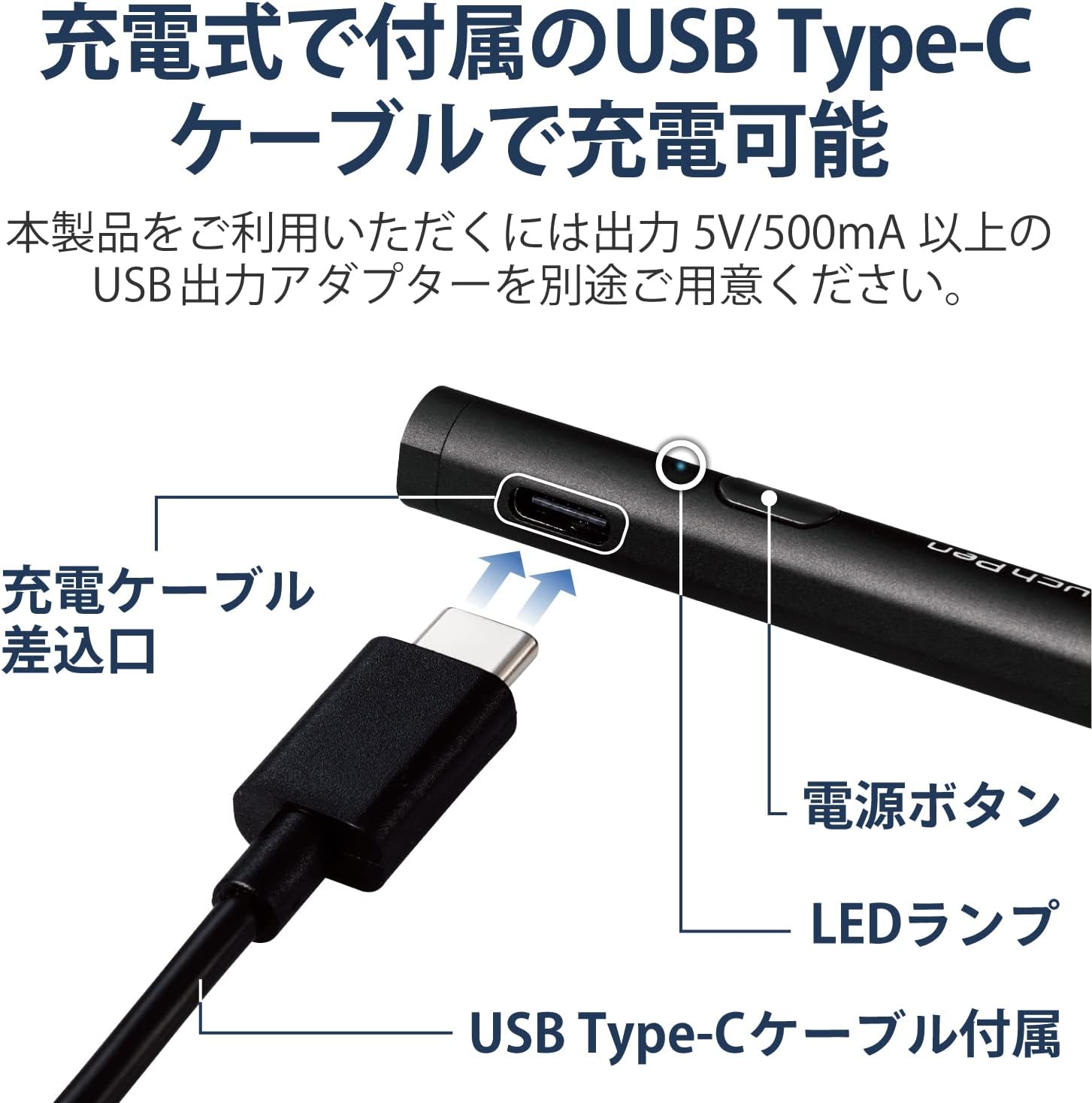
Image: Charging port and components of the pen.
The charging time is approximately 1 hour. The LED lamp indicates the charging status:
- Charging: Red LED (Power OFF), Purple LED (Power ON)
- Charging Complete: Green LED (Power OFF), Cyan LED (Power ON)

Image: LED indicator status guide.
2.3 Power On/Off
Press the power button located near the charging port to turn the pen ON or OFF. When the power is ON, the LED lamp will illuminate blue.
3. Operating Instructions
3.1 Basic Operation
Once powered on, the pen is ready for use. Simply touch the pen tip to your device's screen to perform touch, slide, and swipe operations. The fine tip allows for precise input, making it suitable for detailed tasks.
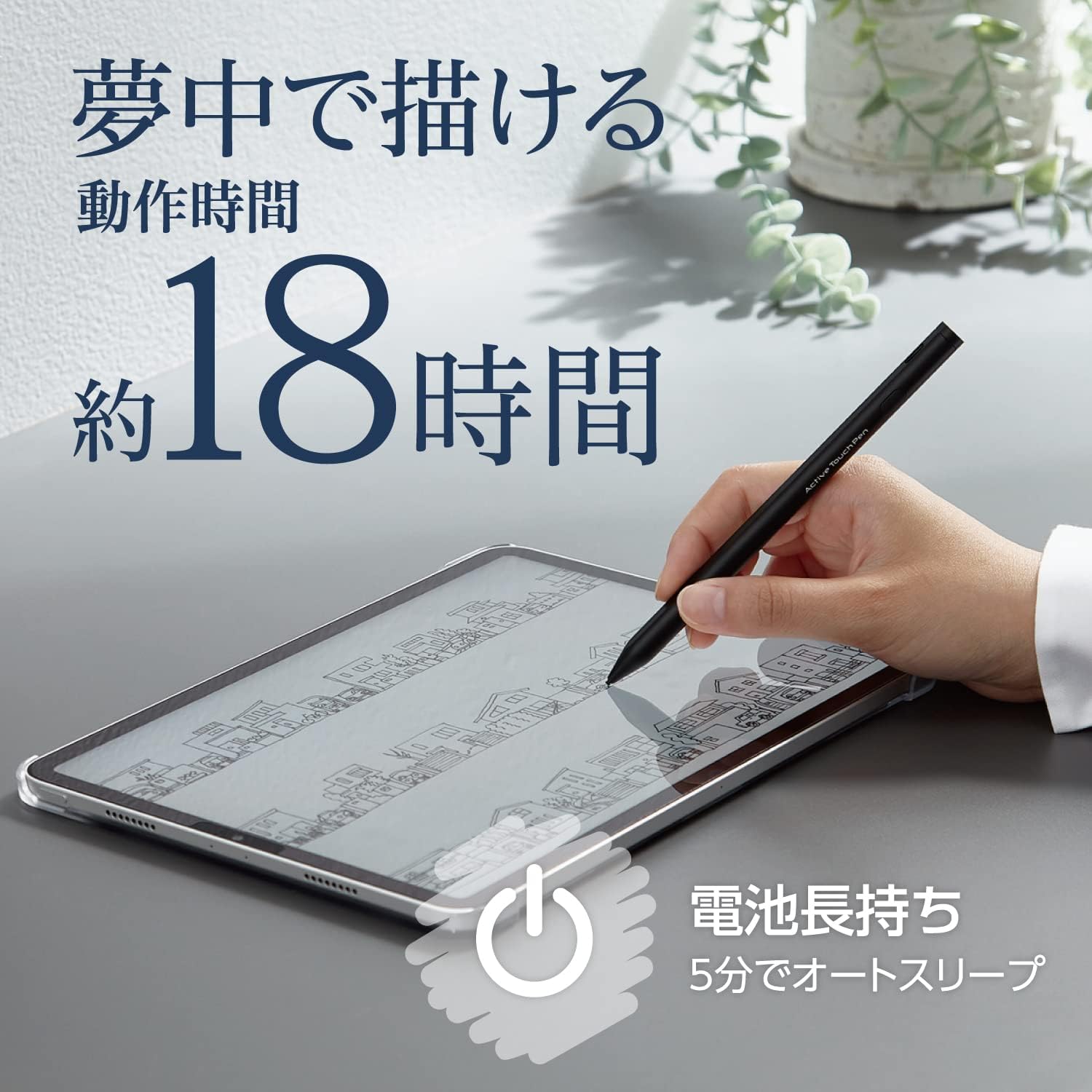
Image: Pen in use on a tablet, demonstrating its precision and battery life.
3.2 Magnetic Attachment
The pen can be conveniently attached to the side of your tablet or a magnetic surface (e.g., a metal desk) thanks to its magnetic flat side. This helps prevent loss and keeps the pen accessible.

Image: Pen magnetically attached to a tablet.
3.3 Using with Screen Protectors
The pen is designed to work smoothly even when a glass screen protector is applied to your device. This ensures consistent performance without resistance.

Image: Pen used on a smartphone with a glass film.
4. Maintenance
4.1 Replacing the Pen Tip
Over time, the pen tip may wear down. To maintain optimal performance, replace the tip with a new one (model P-TIPACST02, sold separately). Gently pull the old tip out and insert the new one firmly.
4.2 Cleaning
Wipe the pen body with a soft, dry cloth. Do not use abrasive cleaners or solvents, as they may damage the finish.
5. Troubleshooting
5.1 Pen Not Responding
- Ensure the pen is powered on. Press the power button and check if the blue LED illuminates.
- Check the battery level. If the LED is blinking red, the battery is low and requires charging.
- Inspect the pen tip for damage or excessive wear. Replace if necessary.
- Ensure your device's screen is clean and free of debris.
- Some applications may be optimized for specific stylus types and may not fully support universal active pens.
5.2 Intermittent Response or Lag
- If using a screen protector, certain types may affect pen responsiveness or cause a scratching sound.
- Ensure the pen is adequately charged. Low battery can affect performance.
- Restart both the pen and your device.
5.3 Auto-Sleep Not Activating
The auto-sleep function is vibration-sensitive. If the pen is in a pocket or bag and experiences constant minor vibrations, it may not enter auto-sleep mode. Manually turn off the pen when not in use to conserve battery.
6. Specifications
| Model Number | P-TPACST03BK |
| Compatibility | Various smartphones and tablets (iPad, iPhone, Android) |
| Dimensions (Length x Diameter) | Approx. 155mm x 9.5mm |
| Pen Tip Diameter | Approx. 1.5mm |
| Weight | Approx. 13g |
| Materials | Pen Tip: Polyacetal, Body: Aluminum |
| Color | Black |
| Battery Type | Lithium-ion battery |
| Continuous Use Time | Approx. 18 hours (varies by usage conditions) |
| Charging Time | Approx. 1 hour (varies by usage conditions and environment) |
| Charging Connector | USB Type-C(TM) (USB-C(TM)) |
| Pressure Sensitivity | Not supported |
| Wireless Charging | Not supported |
| Tilt Detection | Not supported |
| Palm Rejection | Not supported (Cannot draw with hand touching the screen) |
7. Warranty
This product comes with a 1-year warranty from the date of purchase. Please retain your proof of purchase for warranty claims. The warranty covers manufacturing defects under normal use. It does not cover damage caused by misuse, accidents, unauthorized modifications, or normal wear and tear.
8. Support
For further assistance, product information, or to purchase replacement parts, please visit the official ELECOM website or contact ELECOM customer support. Contact details can typically be found on the manufacturer's website or product packaging.


