
BERCOL W-5114
BERCOL Rechargeable Spotlight Flashlight User Manual
Model: W-5114 | Brand: BERCOL
1. Introduction
Thank you for choosing the BERCOL Rechargeable Spotlight Flashlight. This powerful and versatile device is designed for various outdoor activities, offering exceptional brightness, multiple lighting modes, and convenient charging options. Please read this manual thoroughly to ensure safe and optimal use of your new spotlight.

Figure 1: BERCOL Rechargeable Spotlight Flashlight
2. Product Features
- Brightest Spotlight: Embedded with the latest XHP90.2 chip, offering a maximum output of 100,000 lumens and an irradiation distance of up to 2,625 feet (800 meters).
- Large Capacity & Long Runtime: Built-in 10,000mAh rechargeable battery provides over 100,000 hours of battery life. Main light runs 12-18 hours, side light 20-24 hours on a full charge.
- Two Rechargeable Ways & Power Display: Features a built-in USB fast charging port (5-8 hours charging time) and a solar panel for charging (10-20 hours). A 3-blue indicator shows power levels (35%-65%-100%).
- 6 Light Modes: Main light offers high, medium, and strobe modes. Side light offers high, medium, and red and blue warning modes. Double-click to switch side light; long press 2s to turn off in any mode.
- IPX5 Waterproof: Super sealing protection against splashing water from all angles. Suitable for regular harsh conditions, but avoid direct submersion in rainwater.
- Sophisticated Design: Constructed from durable ABS and aluminum alloy to resist drops and impacts. Ideal for camping, hunting, and boating.
- 5 Color Lights: Includes 3-color lenses (red, yellow, blue) to create various light colors in main light mode: white, blue, red, yellow, and green (blue and yellow superimposed).
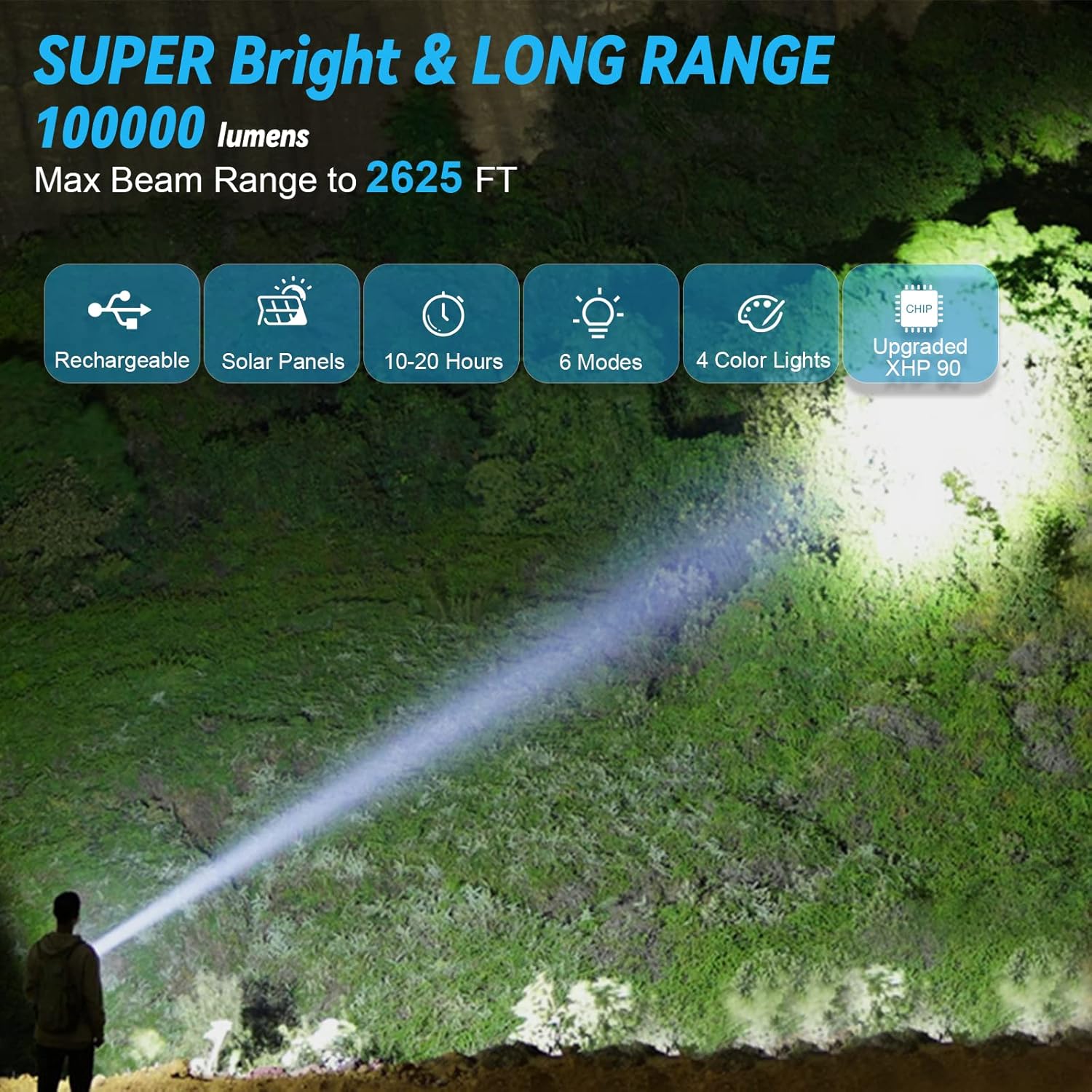
Figure 2: Super Bright and Long Range Illumination
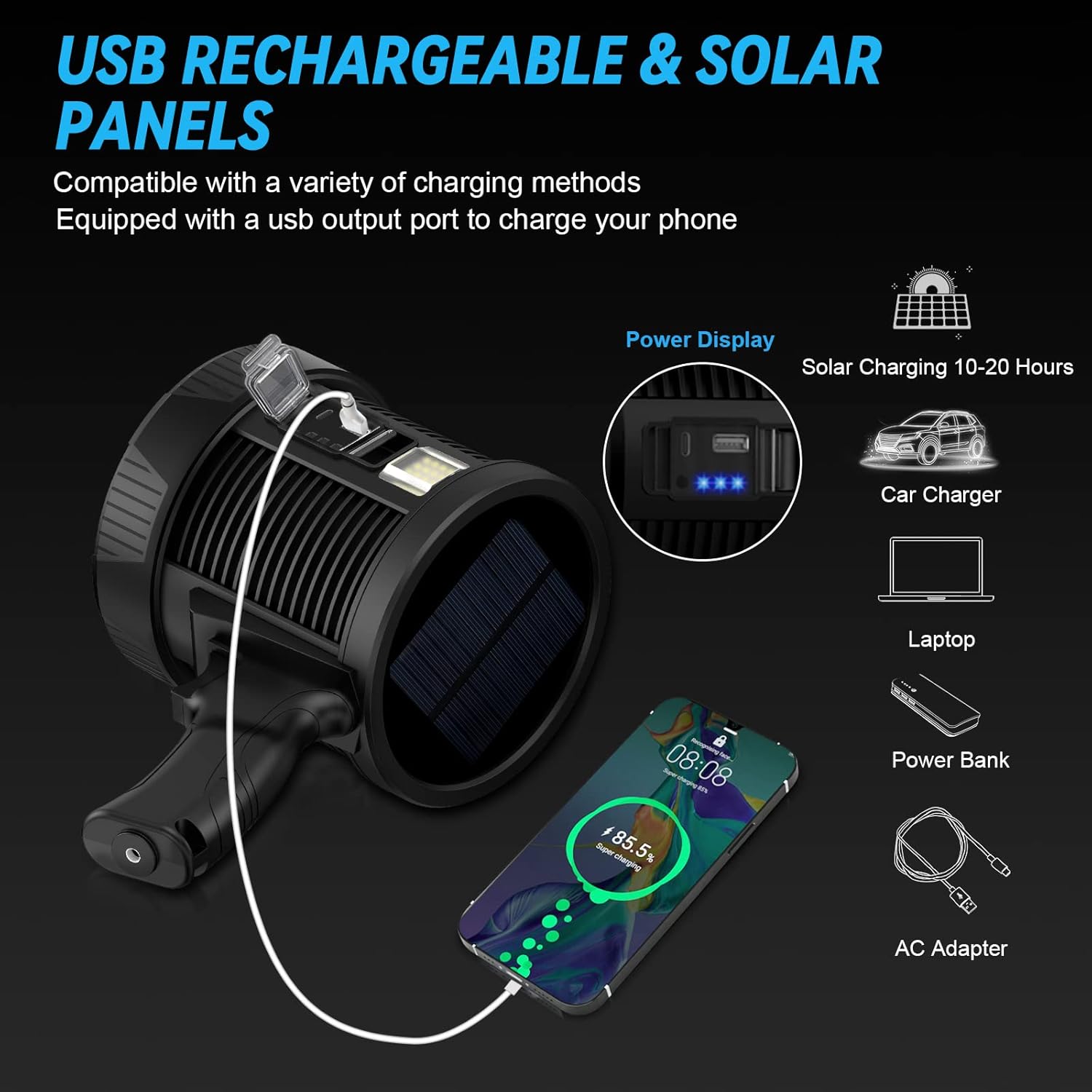
Figure 3: USB Rechargeable and Solar Panel Charging

Figure 4: Multi-level Lighting Modes and Battery Life
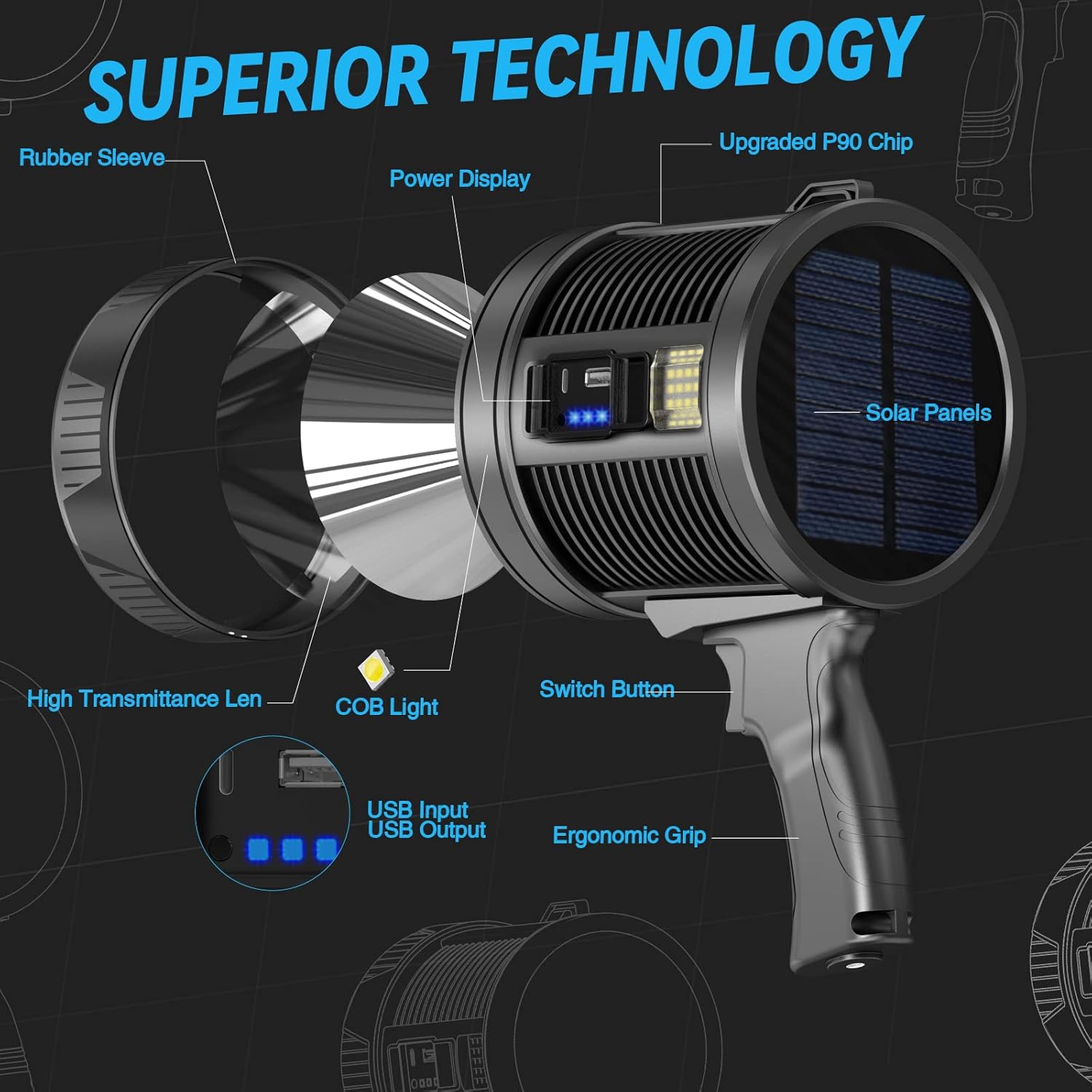
Figure 5: Internal Components and Superior Technology

Figure 6: IPX5 Water Resistance

Figure 7: Versatile Color Light Options with Lenses

Figure 8: Ideal for Home, Camping, and Hunting

Figure 9: Powerful Illumination for Outdoor Paths
3. What's in the Box
- 1 x BERCOL Rechargeable Spotlight Flashlight
- 1 x Embedded 10000mAh Battery (pre-installed)
- 1 x USB Charging Cable
- 3 x Color Lenses (Red, Yellow, Blue)
- 1 x Lanyard
- 1 x Operation Guide (this manual)
4. Setup and Charging
4.1 Initial Charge
Before first use, fully charge the spotlight using the provided USB cable. The power indicator lights will show charging progress.
4.2 USB Charging
- Locate the USB charging port on the side of the spotlight (under the protective cover).
- Connect the provided USB cable to the spotlight's USB input port.
- Connect the other end of the USB cable to a compatible USB power source (e.g., wall adapter, power bank, computer USB port).
- The blue power indicator lights will illuminate and flash during charging. All three lights will be solid when fully charged. Charging time is approximately 5-8 hours.
4.3 Solar Charging
The integrated solar panel provides an alternative charging method, ideal for outdoor use when a power source is unavailable. Place the solar panel directly under strong sunlight. Solar charging time is approximately 10-20 hours, depending on sunlight intensity.
4.4 Power Bank Function
The spotlight can also function as a power bank to charge other devices. Connect your device's USB cable to the USB output port on the spotlight. The power indicator lights will show the remaining battery level.
Video 1: Demonstrating the Rechargeable LED Spotlight's features, including charging and power bank functionality.
Video 2: Highlighting the 100,000 Lumens Rechargeable Spotlight Flashlight's brightness and various light modes.
5. Operating Instructions
5.1 Main Light Operation
- Press the main power button (located on the handle) once to turn on the main light in High mode.
- Press again to cycle through modes: Medium > Strobe.
- Long press the button for 2 seconds in any mode to turn off the main light.
5.2 Side Light Operation
- Double-click the main power button to activate the side light in High mode.
- Press again to cycle through modes: Medium > Red and Blue Warning.
- Long press the button for 2 seconds in any mode to turn off the side light.
5.3 Using Color Lenses
The included red, yellow, and blue lenses can be attached to the front of the main light to change the beam color. This is useful for specific applications like hunting (red light for night vision preservation) or signaling. Simply place the desired lens over the main light reflector.
6. Maintenance
6.1 Cleaning
Wipe the spotlight with a soft, damp cloth to remove dirt and debris. Do not use abrasive cleaners or solvents, as they may damage the surface or internal components. Ensure the USB port cover is securely closed after charging to prevent dust and water ingress.
6.2 Storage
Store the spotlight in a cool, dry place away from direct sunlight and extreme temperatures. If storing for an extended period, charge the battery every 3-6 months to maintain battery health.
6.3 Water Resistance
The spotlight has an IPX5 waterproof rating, meaning it is protected against low-pressure water jets from any direction. However, it is not designed for submersion. Do not place the spotlight directly in rainwater or submerge it in water.
7. Troubleshooting
| Problem | Possible Cause | Solution |
|---|---|---|
| Spotlight does not turn on. | Battery is depleted. | Charge the spotlight using the USB cable or solar panel. |
| Spotlight not charging. | USB cable or adapter faulty; USB port cover not fully open; solar panel not exposed to sufficient sunlight. | Try a different USB cable/adapter. Ensure USB port cover is fully open. Place solar panel in direct, strong sunlight. |
| Light output is dim. | Low battery; lens is dirty. | Recharge the battery. Clean the lens with a soft cloth. |
| Side light not activating. | Incorrect button press. | Ensure you are double-clicking the main power button to activate the side light. |
If you encounter issues not listed here, please refer to the Warranty and Support section for assistance.
8. Specifications
| Model Number | W-5114 |
| Brightness | 100,000 Lumens (Max) |
| Irradiation Distance | Up to 2,625 feet (800 meters) |
| Battery Capacity | 10,000mAh |
| Main Light Runtime | 12-18 hours |
| Side Light Runtime | 20-24 hours |
| Charging Methods | USB Fast Charging, Solar Panel |
| USB Charging Time | 5-8 hours |
| Solar Charging Time | 10-20 hours |
| Water Resistance Rating | IPX5 |
| Material | ABS, Aluminum Alloy |
| Dimensions | 3.94 x 8.66 x 5.91 inches |
| Weight | 2.05 pounds |
9. Warranty and Support
BERCOL offers a 2-year free replacement service for this product. If you encounter any issues or are not satisfied with your purchase, please do not hesitate to contact our customer support team. We provide 7*24 hours customer service to assist you.
Ask a question about this manual
Ask about setup, troubleshooting, compatibility, parts, safety, or missing instructions. Manuals+ will review the question and use this page’s manual context to help answer it.