
1. Introduction
This manual provides detailed instructions for the installation, operation, and maintenance of your Sanus WSWM22 Wireless Speaker Wall Mount. This product is designed to securely mount Sonos ONE, ONE SL, Play:1, and Play:3 speakers, offering optimal listening angles and integrated in-wall cable management for a clean aesthetic.
The WSWM22 mount features Invisigrip technology, utilizing ultra-thin, strong wires to hold your speaker securely. It also includes a pre-wired in-wall cable management kit for a streamlined installation process.
2. Safety Information
Please read and understand all instructions before installation and use. Failure to follow these instructions may result in property damage, serious injury, or death. If you do not understand these instructions, or have doubts about the safety of the installation, contact Sanus Customer Care.
- Weight Capacity: Do not exceed the maximum weight capacity of 10 pounds (4.5 kg).
- Wall Structure: Ensure the mounting surface can safely support the combined weight of the mount and speaker. This mount is designed for wood stud or solid concrete walls.
- Electrical Safety: The in-wall cable management kit is pre-wired and designed for low-voltage applications. Do not attempt to modify the wiring or connect to high-voltage circuits. No electrician or hard wiring is required for this kit.
- Tools: Use appropriate tools for installation. Wear safety glasses and other protective gear as needed.
- Children: Keep small parts away from children.
3. Package Contents
Verify that all components are present and undamaged before beginning installation. If any parts are missing or damaged, do not attempt to install. Contact Sanus Customer Care for replacement parts.
- Speaker Wall Mount (WSWM22)
- In-Wall Cable Management Kit (includes power cord and wall plates)
- Mounting Hardware (screws, anchors, etc.)
- Installation Template
- Instruction Manual

Image: Components of the Sanus WSWM22 Wireless Speaker Wall Mount and In-Wall Cable Management Kit.
4. Setup and Installation
The installation process is designed to be straightforward and can be completed in approximately 15-30 minutes. Ensure you have the necessary tools (e.g., drill, screwdriver, stud finder) before starting.
4.1 Speaker Compatibility
This mount is specifically designed for Sonos ONE, ONE SL, Play:1, and Play:3 speakers.

Image: The Sanus WSWM22 mount is compatible with Sonos ONE, ONE SL, Play:1, and Play:3 speakers.
4.2 Mounting the Speaker Bracket
- Select Location: Choose a suitable wall location, ensuring it is a wood stud or solid concrete. Use a stud finder to locate studs if applicable.
- Mark Drill Holes: Use the provided installation template to mark the drill holes for the wall mount bracket.
- Drill Pilot Holes: Drill pilot holes according to the template and hardware specifications.
- Attach Bracket: Securely attach the wall mount bracket to the wall using the provided screws.
4.3 Installing In-Wall Cable Management
The in-wall cable management kit provides a clean, integrated look for your speaker's power cable.
- Cut Openings: Using the provided templates, cut openings in the wall for the upper and lower cable management wall plates. Ensure the upper opening is near the speaker mount and the lower opening is near a power outlet.
- Route Cable: Feed the pre-wired power cable through the upper wall opening, down inside the wall, and out through the lower wall opening.
- Install Wall Plates: Secure the upper and lower wall plates into their respective openings. The lower plate will connect to your power outlet.

Image: Visual guide for the easy 3-step installation process, including drilling and cable routing.

Image: The 10-foot ETL listed power cord integrated with the in-wall cable management system.
4.4 Attaching the Speaker
- Connect Power: Connect the speaker's power cable to the cable routed through the upper wall plate.
- Secure Speaker: Place your Sonos speaker onto the mount. Utilize the exclusive Invisigrip technology by wrapping the two ultra-thin, strong wires around the top and bottom of your speaker to snugly hold it in place.
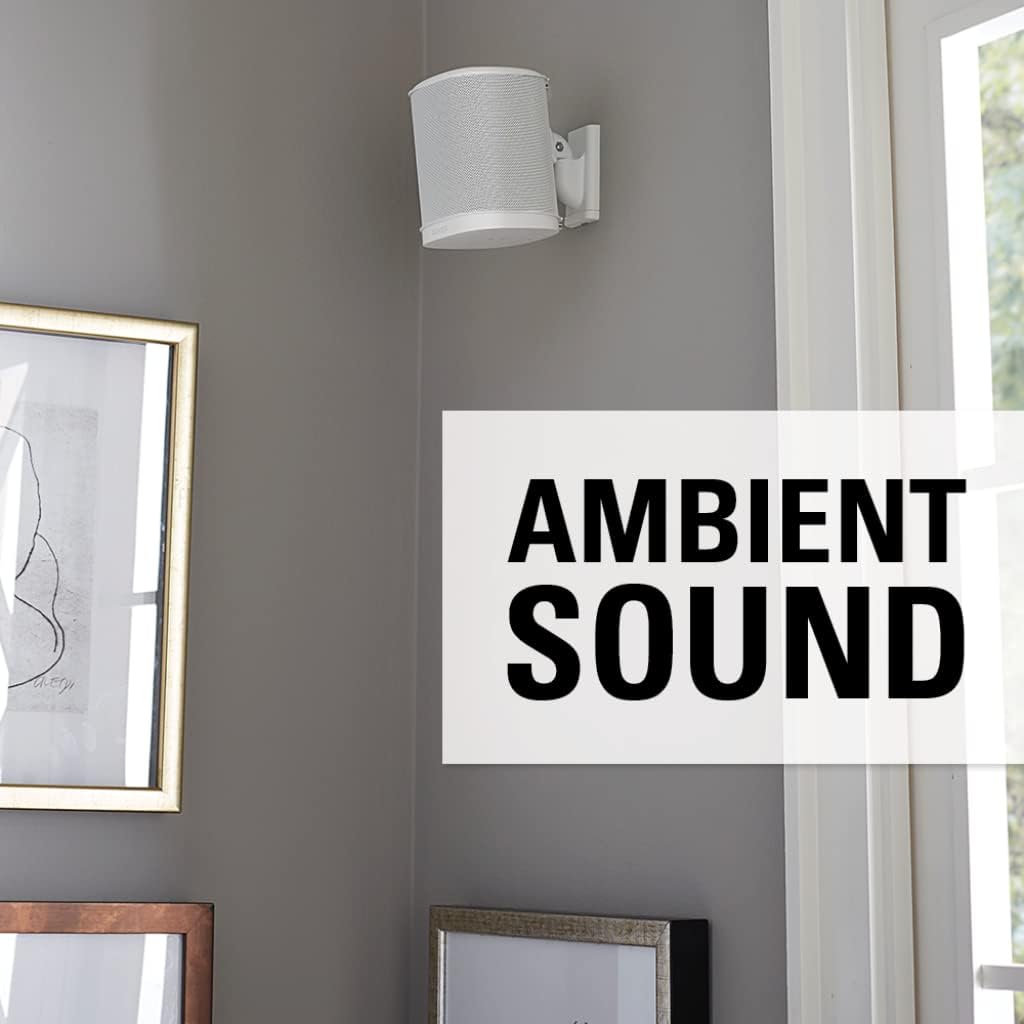
Image: The clean, post-installation appearance with the speaker mounted and cables hidden.
5. Operating Instructions
Once installed, the Sanus WSWM22 mount allows for flexible speaker positioning to optimize your audio experience.
5.1 Adjusting Speaker Angle
The mount features tool-free tilt and swivel adjustments:
- Swivel: The speaker can swivel up to 132 degrees (66 degrees left and 66 degrees right) to direct sound precisely where needed.
- Tilt: The speaker can tilt down up to 30 degrees to further refine the listening angle.
Gently adjust the speaker to your desired position. The mount is designed to hold its position once set.

Image: Illustration of the tool-free tilt (30 degrees down) and swivel (132 degrees) capabilities of the mount.
6. Maintenance
The Sanus WSWM22 mount requires minimal maintenance.
- Cleaning: Wipe the mount with a soft, dry cloth to remove dust. Avoid abrasive cleaners or solvents.
- Periodic Checks: Periodically check all mounting screws and connections to ensure they remain secure. Do not overtighten.
- Invisigrip Wires: Ensure the Invisigrip wires are properly seated and securely holding the speaker.
7. Troubleshooting
If you encounter issues during or after installation, refer to the following common solutions:
| Problem | Possible Cause | Solution |
|---|---|---|
| Speaker feels loose on the mount. | Invisigrip wires not properly secured. | Ensure the Invisigrip wires are snugly wrapped around the top and bottom of the speaker. |
| Mount is not secure on the wall. | Mounting screws are loose or incorrect hardware used. | Re-tighten all mounting screws. Verify that the correct hardware was used for your wall type. If necessary, remove and re-install following instructions carefully. |
| Cable management plates do not fit flush. | Wall opening is incorrect size or debris is present. | Ensure wall openings match the template precisely. Clear any debris from the opening. |
| Speaker power not working after cable management installation. | Cable not fully connected or power outlet issue. | Check all connections within the cable management system. Ensure the power outlet is functional. |
If you continue to experience issues, please contact Sanus Customer Care.
8. Specifications
- Model Name: WSWM22
- Brand: Sanus
- Color: Black
- Compatible Devices: Sonos ONE, ONE SL, Play:1, Play:3 Speakers
- Mounting Type: Wall Mount
- Special Feature: Wireless (refers to speaker type compatibility), In-Wall Cable Management
- Weight Capacity Maximum: 10 pounds (4.5 kg)
- Material: Plastic
- Swivel Range: Up to 132 degrees
- Tilt Range: Up to 30 degrees down
9. Warranty and Support
Sanus products are designed and engineered in the U.S. and come with a limited warranty. For specific warranty details, please refer to the warranty card included with your product or visit the official Sanus website.
For technical assistance, installation questions, or troubleshooting, Sanus offers U.S.-based expert customer care 7 days a week.
Contact Information: Please visit the Sanus website or refer to your product packaging for the most current customer support contact details.


