
1. Introduction
Thank you for choosing the VITCOCO Ear Wax Removal Kit with Camera. This device is designed to provide a clear view of your ear canal, assisting in safe and effective ear wax removal. Featuring a 1296P HD camera, 6 LED lights, and intelligent temperature control, it offers a comfortable and precise ear cleaning experience. Please read this manual thoroughly before use to ensure proper operation and safety.
2. Safety Information
- Consult a Professional: If you experience ear pain, discharge, or have a history of ear surgery, consult a medical professional before using this device.
- Gentle Use: Always insert the ear camera gently into the ear canal. Avoid excessive force or deep insertion to prevent injury to the eardrum or ear canal.
- Not for Children: This device is not intended for use by children without adult supervision.
- Water Resistance: The camera lens is IP67 waterproof for easy cleaning. However, the main body of the otoscope is not waterproof. Do not immerse the entire device in water.
- Temperature Control: The device features an intelligent temperature control chip to maintain a safe temperature for the lens, preventing burns.
- Hygiene: Always clean the ear tips before and after each use to prevent cross-contamination.
3. Package Contents
Verify that all items are present in your package:
- VITCOCO Ear Wax Removal Otoscope with Camera
- Soft Silicone Ear Tips (5 pieces)
- USB Type-C Charging Cable
- User Manual

Image 3.1: Contents of the VITCOCO Ear Wax Removal Kit.
4. Product Overview
The VITCOCO Ear Wax Removal Kit features a compact design with advanced technology for clear visualization and safe cleaning.
- 1296P HD Camera: Provides high-resolution images of the ear canal.
- 6 LED Lights: Illuminates the ear canal for optimal visibility.
- 3.5mm Ultra-Thin Lens: Designed for comfortable and safe insertion into various ear canal sizes.
- Integrated Aluminum Ear Spoon: Durable and designed for effective wax removal when used with silicone tips.
- Intelligent Temperature Control: Maintains a safe and comfortable temperature for the lens.
- 350 mAh Rechargeable Battery: Provides extended usage time.

Image 4.1: VITCOCO Ear Wax Removal Otoscope in use with a smartphone.

Image 4.2: Internal components highlighting WiFi and temperature control.
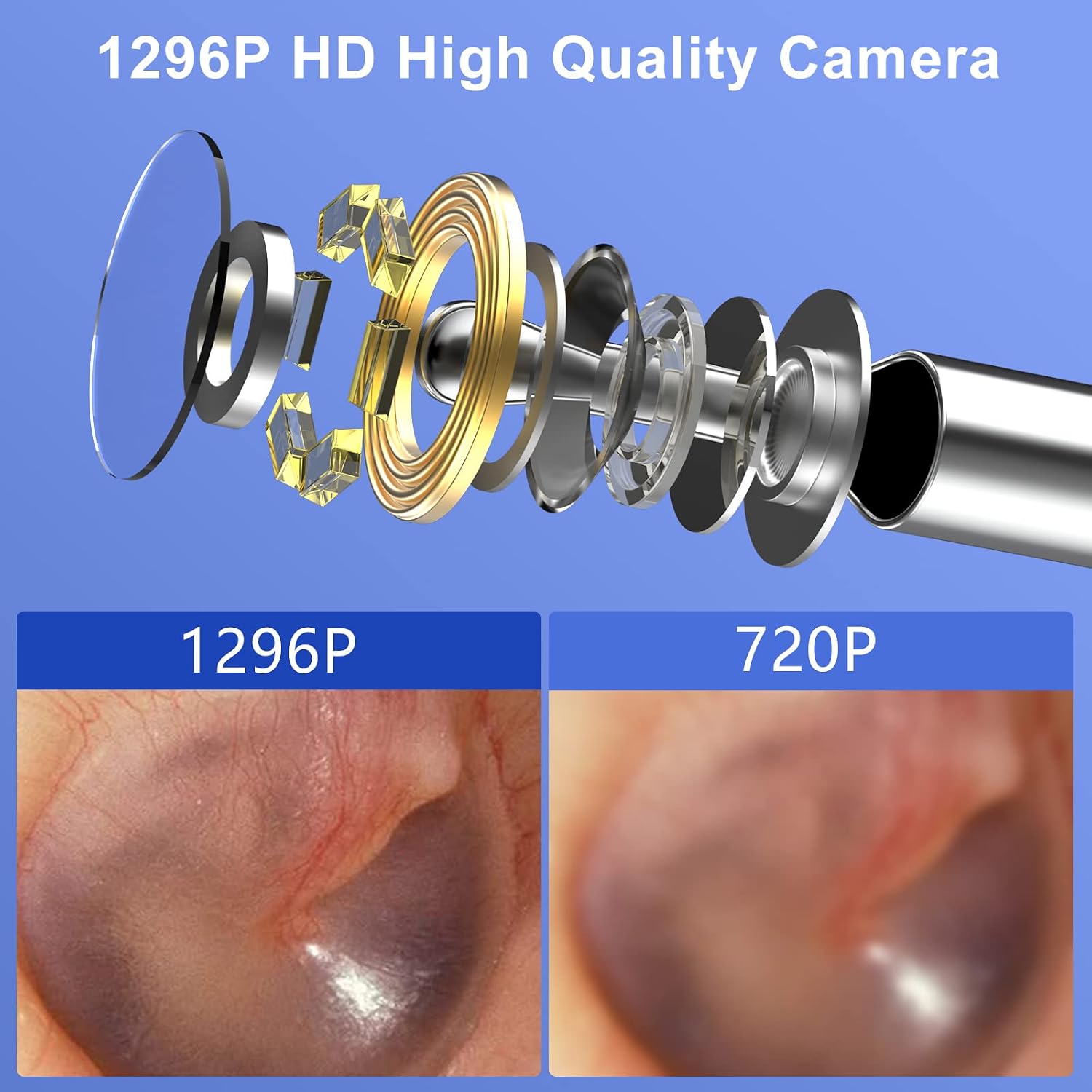
Image 4.3: 1296P HD High Quality Camera detail.

Image 4.4: IP67 Waterproof Camera Lens and 6 LED Lights.
5. Setup
5.1 Charging the Device
- Connect the provided USB Type-C charging cable to the charging port on the otoscope.
- Plug the other end of the cable into a standard USB power adapter (not included) or a computer USB port.
- The indicator light will show charging status. Ensure the device is fully charged before first use.
5.2 App Installation & Connection
The VITCOCO Ear Wax Removal Kit is compatible with Android, iOS, and iPad devices.

Image 5.1: Wide Compatibility with iOS and Android Systems.
- Download the App: Scan the QR code provided in the physical manual or search for "AiSee Pro" in your device's app store (Apple App Store for iOS/iPad, Google Play Store for Android). Download and install the application.
- Power On the Otoscope: Long press the power button on the otoscope until the light indicator flashes.
- Connect to Wi-Fi: Go to the Wi-Fi settings on your smartphone or tablet. Locate and connect to the Wi-Fi network named "AiSee-XXXX" (where XXXX is a unique identifier for your device).
- Launch App: Return to the "AiSee Pro" app. The live view from the ear camera should now be displayed.
5.3 Attaching Ear Tips
Select a clean, soft silicone ear tip and gently push it onto the end of the otoscope's camera lens until it is securely in place.
6. Operating Instructions
6.1 Basic Operation
- Ensure the otoscope is charged and connected to your device via the "AiSee Pro" app.
- Gently insert the otoscope with an attached ear tip into your ear canal. Observe the live feed on your device's screen.
- Use the controls within the app to capture photos or record videos of your ear canal.
- Carefully maneuver the otoscope to view different areas of the ear canal.
- To remove ear wax, use the soft silicone ear tip with extreme caution and gentle movements. Avoid pushing wax deeper into the ear.
- When finished, gently remove the otoscope from your ear.
- Long press the power button to turn off the otoscope.
6.2 Wide Application
Beyond ear wax removal, the VITCOCO ear camera can be used for inspecting other areas:
- Oral Cavity: Check teeth and gums.
- Nasal Passages: Inspect nasal lining.
- Throat: Examine the back of the throat.
- Scalp: Observe scalp conditions.
- Pets: Inspect pet ears or skin (use dedicated clean tips).
- Small Spaces: Inspect hard-to-reach areas in electronics or other equipment.

Image 6.1: Wide Application of the VITCOCO Ear Camera.
7. Maintenance
7.1 Cleaning the Lens
The camera lens is IP67 waterproof. After each use, gently clean the lens with water or wipe it with an alcohol swab. Ensure no liquid enters the main body of the otoscope.
7.2 Cleaning Ear Tips
The soft silicone ear tips are reusable. Wash them with soap and water or disinfect them with an alcohol solution after each use. Allow them to dry completely before storage or next use.
7.3 Storage
Store the otoscope and its accessories in a clean, dry place, away from direct sunlight and extreme temperatures. Use the provided otoscope lid for hygienic storage when not in use.
8. Troubleshooting
- No Image on App:
- Ensure the otoscope is powered on and its indicator light is flashing.
- Verify that your device is connected to the "AiSee-XXXX" Wi-Fi network.
- Restart both the otoscope and the "AiSee Pro" app.
- Poor Image Quality:
- Clean the camera lens as described in Section 7.1.
- Ensure sufficient lighting from the built-in LEDs.
- Check your device's screen resolution.
- Device Not Charging:
- Ensure the charging cable is securely connected to both the otoscope and the power source.
- Try a different USB power adapter or USB port.
- Check the charging cable for any damage.
- App Crashing/Freezing:
- Close and reopen the "AiSee Pro" app.
- Ensure your device's operating system is up to date.
- Clear the app's cache or reinstall the app if issues persist.
9. Specifications
| Feature | Specification |
|---|---|
| Model Number | AX-IT-FB |
| Camera Resolution | 1296P HD |
| Lens Diameter | 3.5mm |
| LED Lights | 6 |
| Waterproof Rating (Lens) | IP67 |
| Battery Capacity | 350 mAh |
| Charging Port | USB Type-C |
| Compatibility | Android, iOS, iPad |
| Item Weight | 50 g |
| Package Dimensions | 16.9 x 6.5 x 1.9 cm |
10. Warranty and Support
For warranty information or technical support, please refer to the contact details provided on the product packaging or the official VITCOCO website. Keep your purchase receipt as proof of purchase.