
Product Overview
The Okaysou Apollo 810 GT True HEPA Air Purifier is designed to provide cleaner air for large rooms, offering a comprehensive 5-stage filtration system. It is certified by Energy Star, FCC, ETL, and CARB, ensuring efficient and effective air purification.

Image: The Okaysou Apollo 810 GT Air Purifier, showcasing its sleek white design with a prominent circular grey front panel.
This air purifier is capable of cleaning rooms up to 1,145 sq ft in one hour, or 573 sq ft in 30 minutes. Its advanced BlueHEPA filtration system targets 99.97% of airborne pollutants as small as 0.3 microns, including dust, pollen, smoke, dander, hair, and household odors; it also helps break down harmful gases like formaldehyde and VOCs.

Image: The air purifier positioned in a spacious living room, highlighting its suitability for large areas and its Energy Star certification for energy efficiency.
User-friendly features include 4 fan speeds, a 2/4/6/8 hour timer, sleep mode, a filter replacement indicator, child lock, and a display off function. The HaloVortex Technology and DC motor ensure quiet operation, with a noise level as low as 24dB in sleep mode, while consuming only 45 watts at the highest speed.
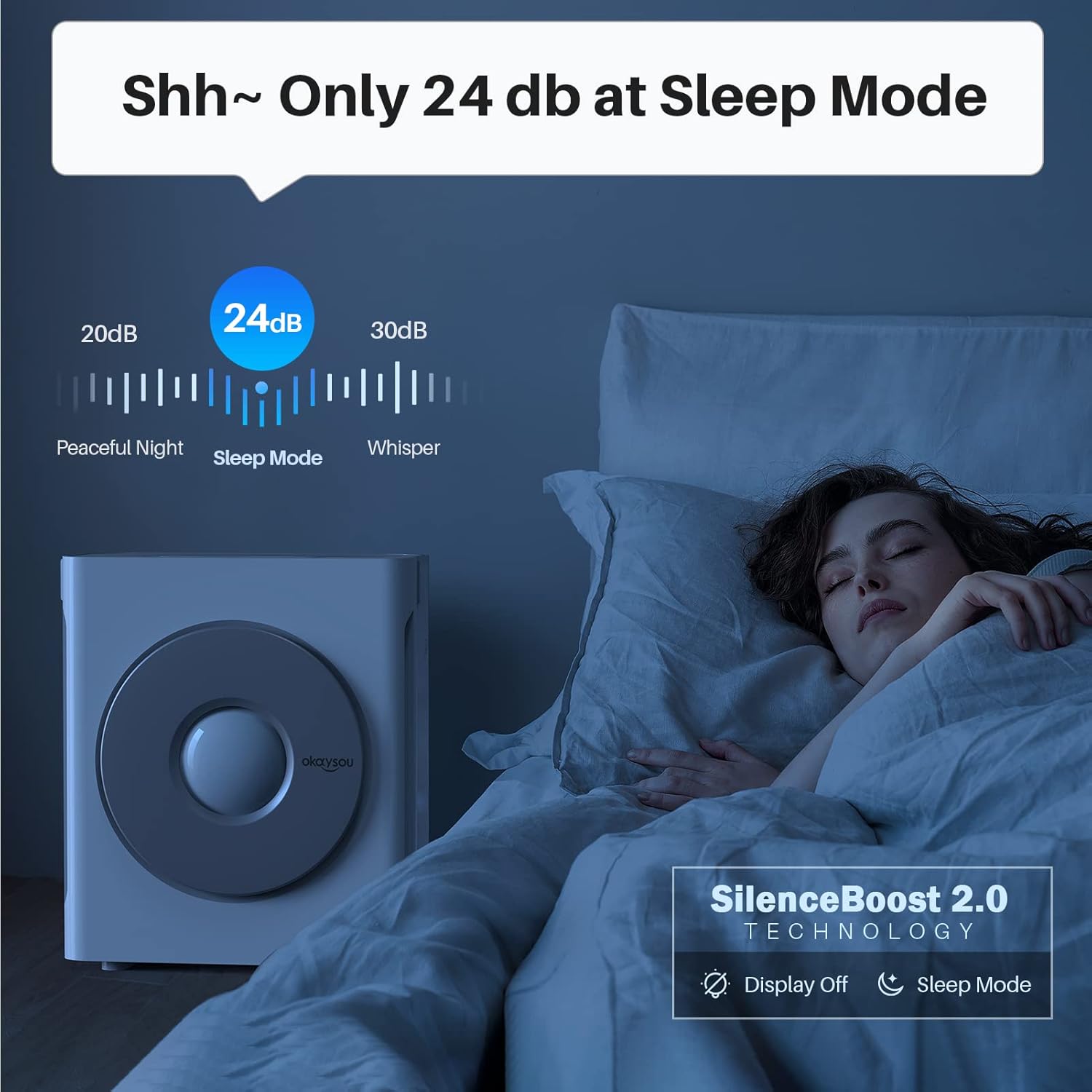
Image: The air purifier operating quietly on a nightstand, demonstrating its low noise level of 24dB in sleep mode, ideal for undisturbed rest.
A built-in PM2.5 sensor detects indoor air quality in real-time, automatically adjusting fan speeds to maintain optimal air quality. The LED indicator displays air quality status as excellent (blue), moderate (orange), or polluted (red).

Image: A visual representation of the HaloVortex Technology and the LED display, which changes color (blue, orange, red) to indicate air quality levels from good to unhealthy.
Setup
Before first use, it is essential to remove the protective packaging from the filters inside the unit.
- Carefully open the front cover of the air purifier.
- Locate the filter assembly inside the unit.
- Remove the plastic packaging from all filter layers.
- Reinsert the filters into the air purifier, ensuring they are correctly seated.
- Close the front cover securely.
- Place the air purifier on a flat, stable surface, ensuring adequate space around it for optimal airflow.
- Plug the power cord into a suitable electrical outlet.
Video: This video demonstrates the initial setup of the Okaysou Apollo 810 GT Air Purifier, including how to open the unit, remove the filter packaging, and reinsert the filters correctly before first use.
Operating Instructions
The control panel on top of the air purifier allows for easy operation of its various functions.
- Power On/Off: Press the power button to turn the unit on or off.
- Fan Speed: Cycle through 4 fan speeds (low, medium, high, turbo) by pressing the fan speed button.
- Auto Mode: Activate Auto Mode for intelligent air quality management. The unit will automatically adjust fan speed based on real-time PM2.5 sensor readings. The LED indicator will change color to reflect air quality (Blue: Good, Orange: Moderate, Red: Unhealthy).
- Timer Settings: Set the operating timer for 2, 4, 6, or 8 hours. The unit will automatically turn off after the selected duration.
- Sleep Mode: Engage Sleep Mode for quiet operation and dimmed display lights, ideal for nighttime use. The noise level will be reduced to 24dB.
- Child Lock: Press and hold the child lock button to prevent accidental changes to settings. Repeat to unlock.
- Display Off: Turn off the display lights for an undisturbed environment, especially useful in bedrooms.
Video: This video illustrates the various operating functions of the air purifier, including fan speed adjustments, auto mode, timer settings, sleep mode activation, and child lock feature.
Maintenance
Regular maintenance ensures optimal performance and extends the lifespan of your air purifier.
Filter Replacement
The filter replacement indicator will illuminate when it's time to replace the filters. The Okaysou BlueHEPA filtration system includes a Washable Pre-filter, Okaysou Nanois-Filter, H13 True HEPA Filter, Honeycomb Activated Carbon Filter, and Cold Catalyst Filter. Refer to the product packaging for specific filter replacement intervals.
- Unplug the air purifier from the power outlet.
- Open the front cover.
- Remove the old filter assembly.
- Dispose of the old filters responsibly.
- Install new filters, ensuring they are properly aligned.
- Close the front cover.
- Plug the air purifier back in.
- Reset the filter replacement indicator by pressing and holding the appropriate button (refer to control panel diagram).

Image: An exploded view illustrating the five distinct layers of the Okaysou BlueHEPA filtration system, each designed for specific pollutant removal.
Cleaning the Unit
- Wipe the exterior of the air purifier with a soft, dry cloth.
- Do not use abrasive cleaners or solvents.
- Periodically vacuum the pre-filter to remove larger particles and extend its life.
Troubleshooting
If you encounter issues with your Okaysou Apollo 810 GT Air Purifier, please refer to the following common solutions:
| Problem | Possible Cause | Solution |
|---|---|---|
| Unit does not turn on | Power cord not securely plugged in; No power from outlet. | Ensure power cord is firmly plugged into both the unit and the wall outlet. Test the outlet with another device. |
| Reduced airflow or purification efficiency | Filters are dirty or clogged; Filter packaging not removed. | Check and replace filters if the filter indicator is on. Ensure all protective plastic packaging has been removed from the filters. |
| Unusual noise | Object caught in fan; Unit not on a stable surface. | Unplug the unit and check for any obstructions. Ensure the unit is placed on a flat, stable surface. |
| Air quality indicator always blue/green (Good) despite poor air | PM2.5 sensor is dirty or obstructed. | Gently clean the PM2.5 sensor opening with a dry cotton swab. |
If the problem persists after attempting these solutions, please contact customer support.
Specifications
- Model Number: 810GT
- Product Dimensions: 9.68"D x 17.83"W x 20.31"H
- Item Weight: 7.34 Pounds
- Color: White
- Floor Area Coverage: 600 sq ft (CADR for 1145 sq ft in 1 hour, 573 sq ft in 30 mins)
- Noise Level (Sleep Mode): 24dB
- Rated Power (Highest Speed): 45W
- Certifications: Energy Star, CARB Certified, ETL Listed, FCC Certified
- Filtration System: BlueHEPA (Washable Pre-filter, Nanois-Filter, H13 True HEPA Filter, Honeycomb Activated Carbon Filter, Cold Catalyst Filter)

Image: A visual representation of the air purifier's dimensions, indicating its height, width, and depth.
Warranty and Support
Okaysou products are designed for reliability and performance. For warranty information, product registration, or technical support, please refer to the warranty card included with your purchase or visit the official Okaysou website.
If you require assistance, please contact Okaysou customer service through their official channels. Provide your model number (810GT) and a detailed description of the issue for prompt support.
Legal Disclaimer: Statements regarding dietary supplements have not been evaluated by the FDA and are not intended to diagnose, treat, cure, or prevent any disease or health condition. This product is an air purifier and not a dietary supplement.


