

Introduction
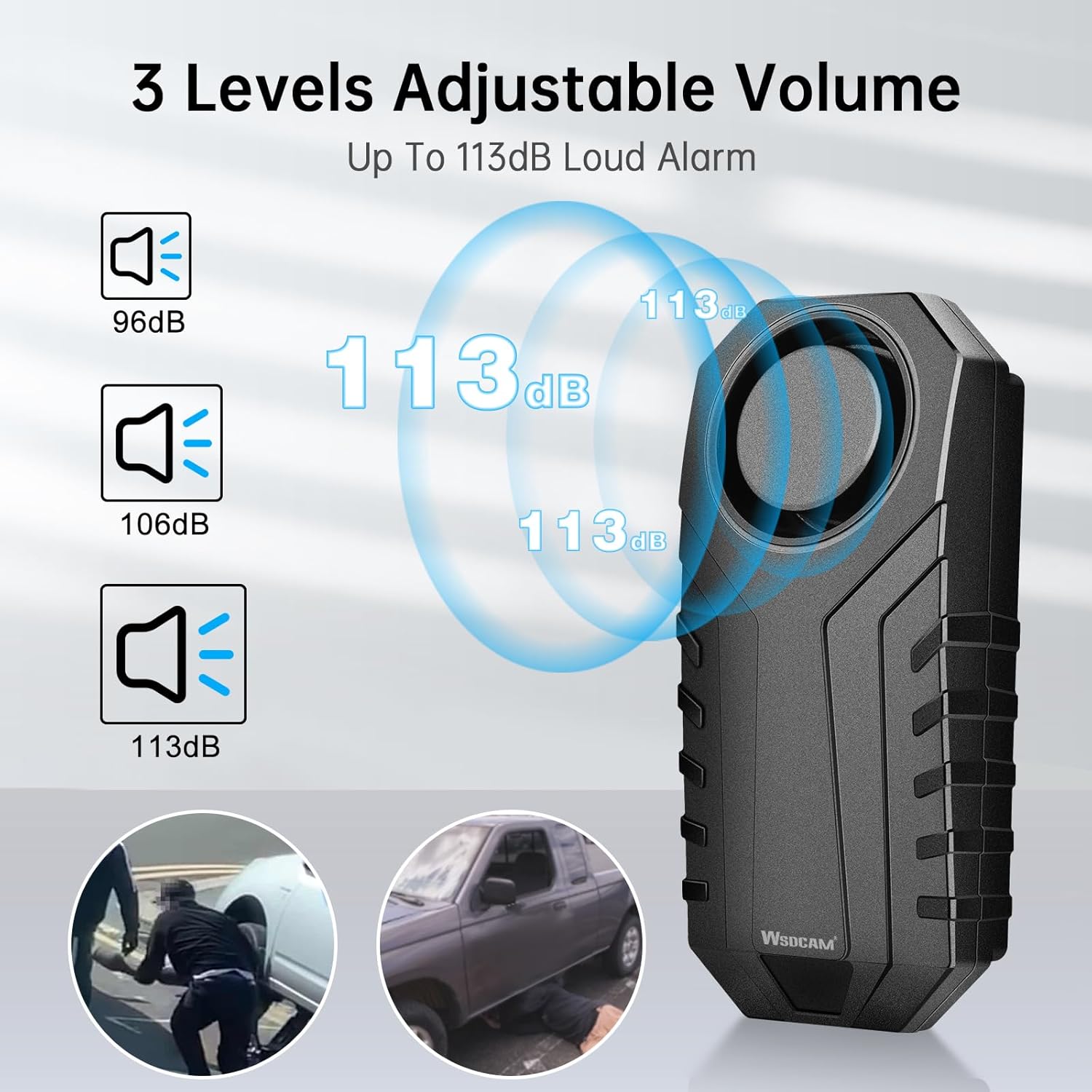
The WSDCAM Catalytic Converter Alarm (Model 22R) is designed to protect your vehicle's catalytic converter from theft. This wireless vibration-triggered alarm system features a loud 113dB siren, adjustable sensitivity, and remote control operation. Its robust design includes triple-layer heat insulation and an IP55 waterproof rating, ensuring reliable performance in various conditions. This manual provides comprehensive instructions for installation, operation, and maintenance.
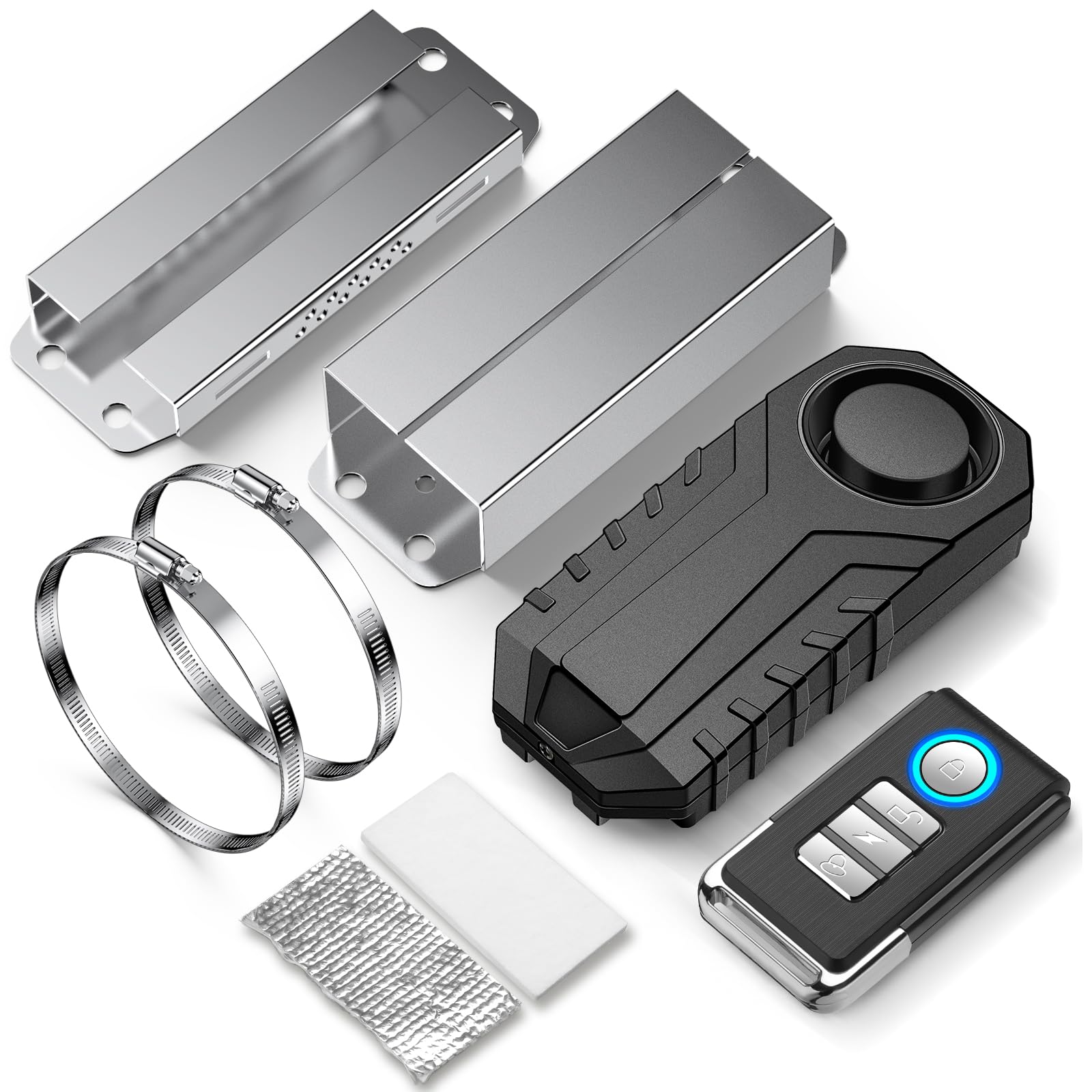
Package Contents
Please verify that all items are present in your package:
- WSDCAM Catalytic Converter Alarm Unit
- Remote Control
- Heat Guard Tape (2 pieces)
- Stainless Steel Straps (for mounting)
- Heat-Resistant Box (pre-installed on alarm unit)
Specifications
| Model Number | 22R |
| Brand | WSDCAM |
| Item Weight | 6.4 ounces |
| Package Dimensions | 4.45 x 4.13 x 3.23 inches |
| Noise Level | Up to 113 Decibels |
| Maximum Remote Range | 66 Feet |
| Waterproof Rating | IP55 |
| Special Features | Adjustable sensitivity, Adjustable volume, Remote Control |
| Other Display Features | Wireless |
| Compatible Devices | Cars |

Setup and Installation
Proper installation is crucial for the alarm's effectiveness and longevity. Follow these steps carefully:
- Prepare the Alarm Unit: Place the provided double-sided stickers on the back of the alarm unit. Then, attach the silver heat guard tape onto the double-sided stickers, followed by the white heat guard tape on top of the silver tape. This creates a triple-layer insulation for heat protection.
- Cool Down Vehicle: Ensure your vehicle's exhaust system is completely cool before beginning installation to prevent burns.
- Position the Alarm: Run the stainless steel straps through each end of the alarm unit. Attach the alarm securely to the vehicle's connecting pipe or tailpipe.
- Important Placement Note: DO NOT place the alarm directly in front of the catalytic converter or muffler. These components become extremely hot during vehicle operation, which can damage the alarm despite its heat insulation. Install the alarm further down the exhaust system on a cooler section of the connecting pipe or tailpipe.
- Secure the Straps: Tighten the stainless steel straps firmly around the pipe. Once secured, fold each strap back or cut off any excess length to prevent snagging or rattling.


Installation Video Guide
This video demonstrates the step-by-step process of installing the WSDCAM Catalytic Converter Alarm, including preparing the unit with heat insulation and securely attaching it to the vehicle's exhaust pipe.
Operating Instructions
The WSDCAM Catalytic Converter Alarm is operated using the included remote control.
- Arming the Alarm: Press the ARM button on the remote. The alarm will emit a single beep, indicating it has entered armed mode.
- Disarming the Alarm: Press the DISARM button on the remote. The alarm will emit a series of beeps, indicating it has been disarmed.
- Vibration Detection and Alarm Sequence:
- Upon detecting initial vibration, the alarm will emit warning beeps (short, less disruptive sounds). This helps reduce noise pollution from accidental movements.
- If more motions are detected within 12 seconds after the warning beeps, the full 113dB alarm will sound for 30 seconds.
- Adjusting Volume: The alarm features 3 adjustable volume levels, up to 113dB. Refer to the remote control instructions for specific steps to cycle through volume settings.
- Adjusting Sensitivity: There are 7 levels of adjustable sensitivity, from low to high. The factory default setting is the highest level. You can adjust this based on your environment and vehicle's susceptibility to false alarms.
- Vehicle Search Function: The remote control includes a vehicle search function, which can help you locate your vehicle in a parking lot. It also offers 3 different bell types for this function.


Operation Video Guide
This video demonstrates the alarm's operation, including arming, disarming, and the alarm sequence when triggered by vibration.
Maintenance
To ensure the longevity and optimal performance of your WSDCAM Catalytic Converter Alarm, consider the following maintenance tips:
- Water Resistance: The alarm unit is rated IP55 waterproof, meaning it is protected against dust ingress and low-pressure water jets from any direction. This makes it suitable for outdoor use and exposure to rain.
- Cleaning: Periodically clean the exterior of the alarm unit with a damp cloth to remove dirt and grime. Avoid using harsh chemicals or abrasive cleaners.
- Battery Replacement: The alarm unit and remote control are battery-powered. While specific battery types and replacement instructions are not provided in this manual, it is recommended to replace batteries when performance degrades (e.g., weaker alarm sound, reduced remote range). Access to the battery compartment typically involves removing screws on the cover.


Troubleshooting
If you encounter issues with your WSDCAM Catalytic Converter Alarm, refer to the following common problems and solutions:
- Alarm Not Triggering:
- Solution: Increase the sensitivity level of the alarm. The factory default is the highest, but if it was changed, ensure it's set appropriately for your needs.
- Solution: Check if the alarm is armed. Press the ARM button on the remote.
- False Alarms:
- Solution: Decrease the sensitivity level. Excessive sensitivity can lead to triggers from minor vibrations like wind or passing heavy vehicles.
- Solution: After turning off your vehicle, wait a few minutes before arming the system. The cooling of the exhaust pipe can cause 'ping' noises that might trigger the alarm.
- Alarm Unit Melted or Damaged:
- Cause: Incorrect installation location. The alarm was likely placed too close to the catalytic converter or muffler, where temperatures are extremely high.
- Solution: Ensure the alarm is installed on the cooler connecting pipe or tailpipe, as instructed in the Setup section.
- Alarm Stopped Working (No Sound/No Response):
- Solution: Check and replace the batteries in both the alarm unit and the remote control.
- Solution: If battery replacement does not resolve the issue, contact WSDCAM customer support for further assistance.
- Remote Control Not Working:
- Solution: Replace the remote control battery.
- Solution: Ensure you are within the 66-foot maximum range of the alarm unit.
Warranty and Support
WSDCAM is committed to providing high-quality products. For any warranty claims, technical support, or inquiries not covered in this manual, please contact WSDCAM customer service through the retailer where the product was purchased or visit the official WSDCAM website for contact information. Please have your product model number (22R) and purchase details ready when contacting support.