
1. Important Safety Information
Please read all instructions carefully before using the COOKTRON Induction Cooktop. Retain this manual for future reference.
- Electrical Safety: Ensure the power outlet matches the cooktop's voltage (120V) and wattage (1800W). Do not use damaged cords or plugs. Keep the appliance away from water.
- Cookware Compatibility: Use only induction-compatible cookware. Non-magnetic pots and pans will not heat. Refer to the 'Compatible Cookware' section for details.
- Hot Surface Warning: The cooktop surface may remain hot after use. The LED display will show "H" if the surface temperature is above 60°C to indicate residual heat. Avoid touching the hot surface.
- Child Safety Lock: Utilize the child safety lock feature to prevent accidental operation, especially when children are present.
- Ventilation: Ensure adequate ventilation around the cooktop during operation. Do not block air vents.
- Placement: Place the cooktop on a stable, flat, heat-resistant surface, away from flammable materials.
2. Product Overview
The COOKTRON 1800W Induction Cooktop is a portable electric countertop burner designed for efficient and versatile cooking. It features a knob control for precise adjustments and various safety functions.

Image: Overview of the COOKTRON Induction Cooktop's control panel, highlighting key components and their functions. The image shows a black cooktop with a silver base, featuring a central cooking zone and a control panel with a digital display and a rotary knob.
Control Panel Components:
- Timer Set up Button: Used to activate and adjust the cooking timer.
- Child Lock: Activates or deactivates the child safety lock feature.
- Displayer: Digital screen showing power level, temperature, or timer settings.
- Power or Temperature More Button: Used to cycle through power and temperature modes.
- On/Off Button: Powers the cooktop on or off.
- Adjust the Power or Temperature With Rotary knob: The main control for increasing or decreasing power and temperature settings.
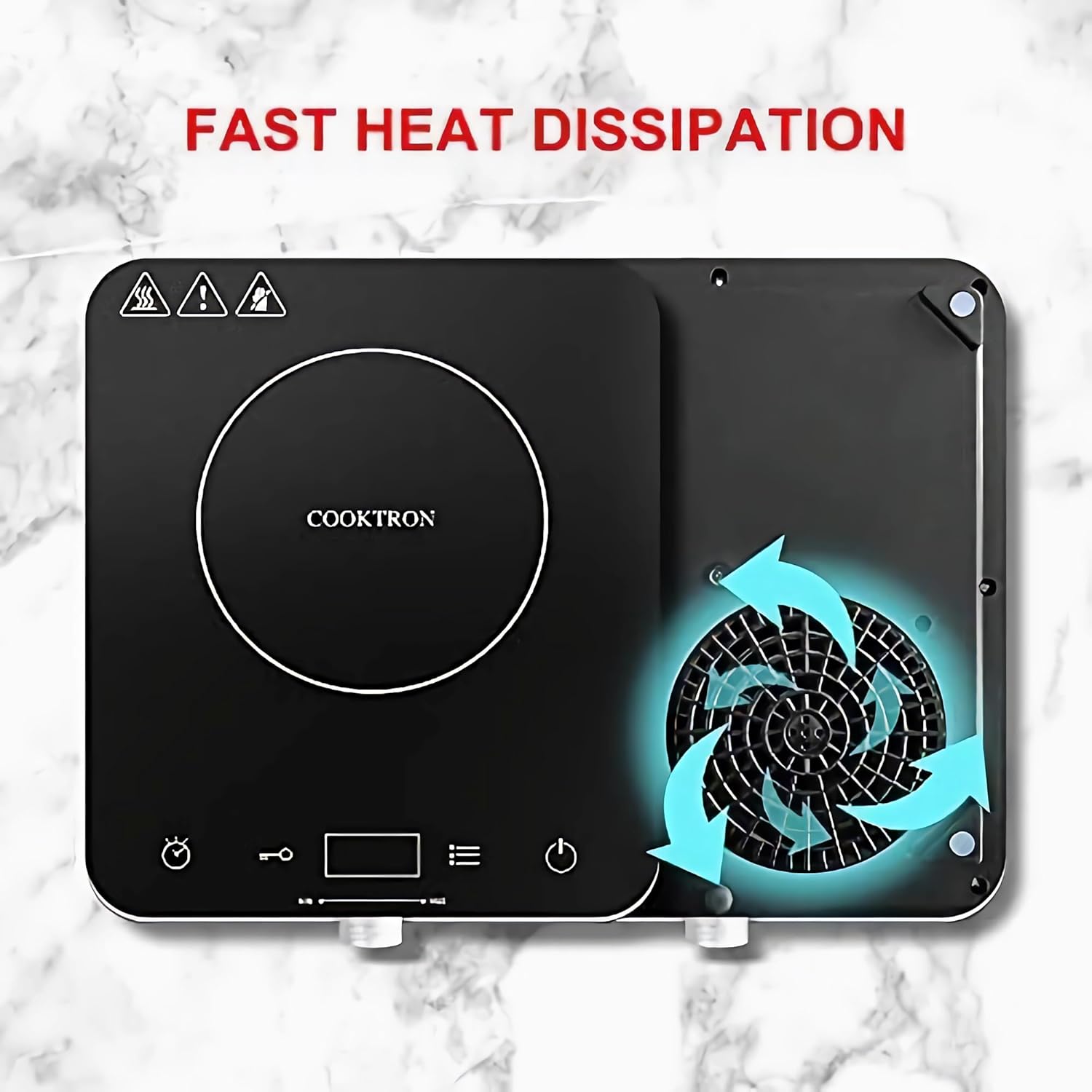
Image: Top-down view of the COOKTRON Induction Cooktop, illustrating its fast heat dissipation system with arrows indicating airflow around a fan on the underside. This design helps maintain optimal operating temperature.
3. Setup
Follow these steps to set up your induction cooktop for the first time:
- Unpacking: Carefully remove the cooktop from its packaging. Retain packaging materials for future transport or storage.
- Inspection: Check the cooktop for any signs of damage. Do not operate if damaged.
- Placement: Place the cooktop on a dry, stable, and level surface. Ensure there is at least 4-6 inches (10-15 cm) of clear space around all sides for proper ventilation. Do not place on or near heat-sensitive surfaces.
- Power Connection: Plug the power cord into a standard 120V AC electrical outlet. Ensure the outlet is properly grounded.
- Initial Cleaning: Wipe the glass surface with a damp cloth to remove any dust or residue from manufacturing.
4. Operating Instructions
4.1 Powering On and Off
- To Power On: Press the On/Off button. The display will illuminate.
- To Power Off: Press the On/Off button again. The cooktop will shut down. If the surface is still hot, an "H" will be displayed.
4.2 Adjusting Power and Temperature
The cooktop offers 9 power levels and 10 temperature levels for precise cooking control.
- After powering on, place an induction-compatible pot or pan on the cooking zone.
- Use the Power or Temperature More Button to switch between Power (Wattage) and Temperature (°F/°C) modes.
- Rotate the Rotary Knob to adjust the desired setting:
- Power Settings: Adjustable from 200W to 1800W in 200W increments.
- Temperature Settings: Adjustable from 140°F (60°C) to 464°F (240°C) in 20°F increments. Long press the knob for 60°F increments.

Image: A visual chart detailing the 9 power levels (200W to 1800W) and 10 temperature levels (140°F to 464°F) of the COOKTRON Induction Cooktop, with suggested cooking applications for each range (e.g., Braise, Stew, Steam, Porridge for lower heat; Deep Fry, Hot Pot, Saute, Simmer for higher heat).
4.3 Timer Function
- Press the Timer Set up Button.
- Rotate the Rotary Knob to set the desired cooking time, ranging from 1 minute to 4 hours.
- The cooktop will automatically turn off once the set time has elapsed.
4.4 Child Safety Lock
- To activate the Child Lock, press the Child Lock button. The lock indicator will appear on the display.
- When activated, the control panel buttons will be unresponsive, preventing accidental changes or operation.
- To deactivate, press and hold the Child Lock button again until the indicator disappears.
4.5 Compatible Cookware
For induction cooking, cookware must have a magnetic base. The cooktop is compatible with utensils ranging from 5 inches to 10 inches in diameter.
- Compatible: Stainless steel (magnetic), cast aluminum (not pure aluminum), cast iron, or enameled iron.
- Incompatible: Ceramic, glass, pure aluminum, copper, or any non-magnetic cookware.

Image: A visual guide illustrating compatible and incompatible cookware types for the COOKTRON Induction Cooktop. Compatible types shown include cast iron, stainless steel (magnetic), and enameled pots, while ceramic, glass, aluminum, and copper are marked as incompatible.
5. Maintenance and Cleaning
Proper maintenance ensures the longevity and optimal performance of your cooktop.
- Always unplug the cooktop from the power outlet before cleaning.
- Allow the cooktop to cool completely before cleaning. The "H" indicator will disappear when it's safe to touch.
- Glass Surface: Wipe the smooth glass surface with a soft, damp cloth and mild detergent. For stubborn stains, use a non-abrasive cleaner specifically designed for glass cooktops. Dry thoroughly.
- Base and Vents: Wipe the exterior base with a damp cloth. Ensure the ventilation openings are clear of dust and debris. Do not immerse the cooktop in water or spray water directly onto it.
- Storage: When not in use, store the cooktop in a dry, safe place, away from direct sunlight and extreme temperatures.

Image: A hand cleaning the smooth glass surface of the COOKTRON Induction Cooktop with a spray bottle and a yellow cloth, demonstrating the ease of cleaning the appliance.
6. Troubleshooting
If you encounter issues with your cooktop, refer to the following common problems and solutions:
| Problem | Possible Cause | Solution |
|---|---|---|
| Cooktop does not turn on. | No power supply; Power cord not plugged in; Main power switch off. | Check power outlet and plug connection. Ensure the On/Off button is pressed. |
| Cookware is not heating. | Cookware is not induction-compatible; Cookware is too small or too large; No cookware on the cooking zone. | Use induction-compatible cookware. Ensure cookware base is within 5-10 inch diameter. Place cookware centrally on the cooking zone. |
| Display shows "H". | Residual heat on the cooktop surface. | This is a safety indicator. The cooktop is still hot. Allow it to cool down. |
| Cooktop automatically shuts off. | No operation for 30 seconds; Overheating protection activated; Timer elapsed. | Restart the cooktop. Check for blocked vents. If timer was set, this is normal operation. |
| Unusual noise during operation. | Normal fan operation; Cookware vibration. | A slight humming sound from the fan is normal. Ensure cookware is stable. If noise is excessive or grinding, contact support. |
If the problem persists after trying these solutions, please contact customer support.
7. Specifications
Technical specifications for the COOKTRON 1800W Induction Cooktop:

Image: A diagram showing the dimensions of the COOKTRON Induction Cooktop (15.56"D x 4.92"W x 13.58"H) and key electrical specifications including Power (1800W), Voltage (AC 120V~60Hz), Max Current (15A), and Temperature Range (140°F-464°F).
| Feature | Specification |
|---|---|
| Brand | COOKTRON |
| Model Number | AAMUS-CT-FS-IC321-3 |
| Power | 1800 Watts |
| Voltage | 120 Volts |
| Control Type | Knob, Touch |
| Burner Type | Induction |
| Heating Elements | 1 |
| Material | Glass |
| Product Dimensions | 15.56"D x 4.92"W x 13.58"H |
| Item Weight | 6 Pounds |
| Temperature Range | 140°F (60°C) to 464°F (240°C) |
| Power Levels | 9 (200W to 1800W) |
| Timer Range | 1 minute to 4 hours |
8. Warranty and Customer Support
COOKTRON is committed to providing quality products. While specific warranty details are not included in this manual, please retain your proof of purchase for any warranty claims.
For technical assistance, troubleshooting beyond this guide, or warranty inquiries, please contact COOKTRON customer support through the retailer where the product was purchased or visit the official COOKTRON website.
Online Resources:
- Official COOKTRON Store: Visit the COOKTRON Store on Amazon
- User Manual (PDF): Download PDF Manual

