
1. Introduction
Thank you for choosing the SLuB 12000mAh Ultra-Thin Power Bank. This portable charger is designed to provide reliable power for your mobile devices on the go. Its compact and lightweight design makes it an ideal companion for travel, work, and daily use. Please read this manual carefully to ensure proper operation and to maximize the lifespan of your device.
2. Product Overview
Key Features:
- 12000mAh Capacity: Provides multiple charges for most smartphones and other mobile devices.
- Ultra-Thin and Lightweight Design: Easy to carry in pockets or bags.
- High-Speed 3A USB-C Output/Input: Supports fast charging for compatible devices and quick recharging of the power bank itself.
- Dual Output Ports: Includes one USB-C (5V/3A) and one USB-A (5V/2A) port, allowing simultaneous charging of two devices.
- LED Digital Display: Clearly indicates the remaining battery percentage (25%, 50%, 75%, 100%).
- Comprehensive Safety Protection: Built-in smart chip protects against over-voltage, over-current, over-charge, over-temperature, and short circuits.
- Airline Compliant: CE and UL certified, safe for air travel.
- Wide Compatibility: Works with iPhone, Samsung, Huawei, iPad, and other USB-powered devices.
Package Contents:
- 1 x SLuB 12000mAh Portable Charger (Model J33)
- 1 x USB-C Cable
- 1 x User Manual
Product Diagram:
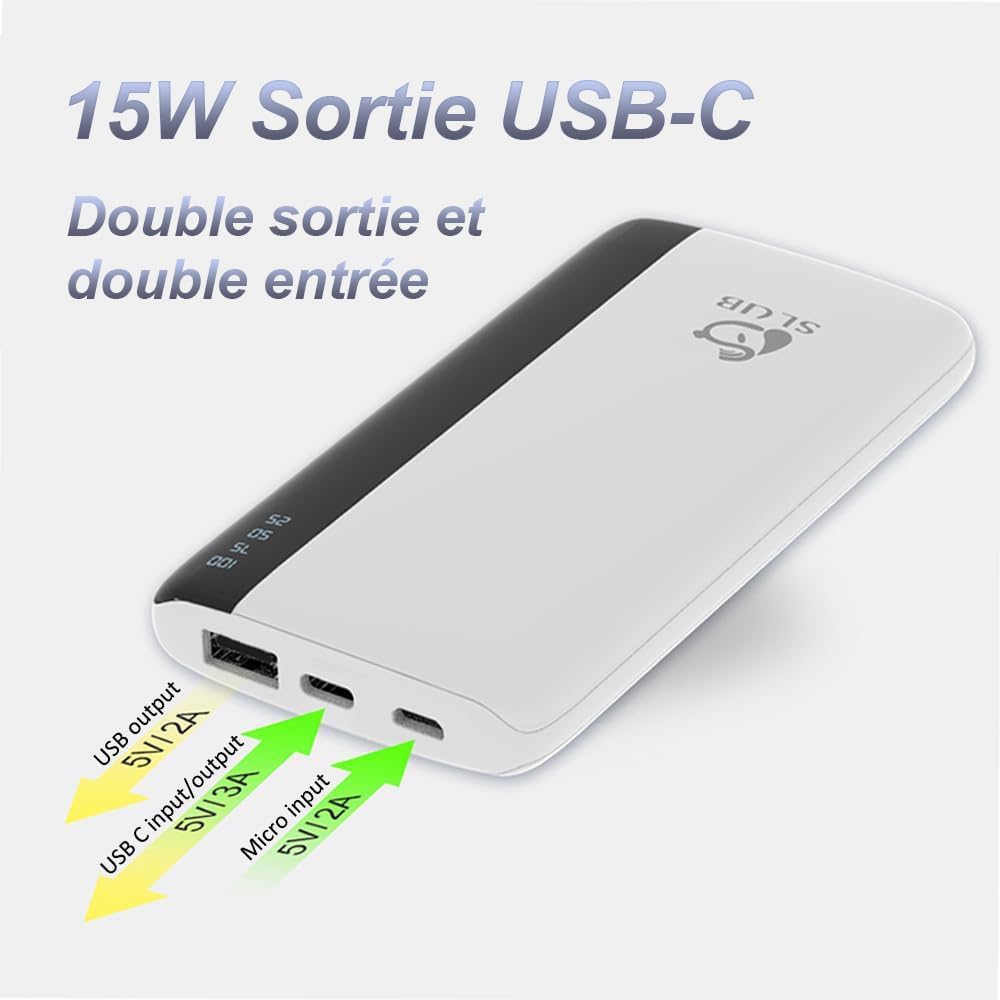
This image shows the top view of the SLuB power bank, highlighting its various ports. From left to right, you can see a standard USB-A output port, a USB-C port that functions as both input and output, and a Micro USB input port. Arrows indicate the voltage and amperage for each port.
Wide Device Compatibility:
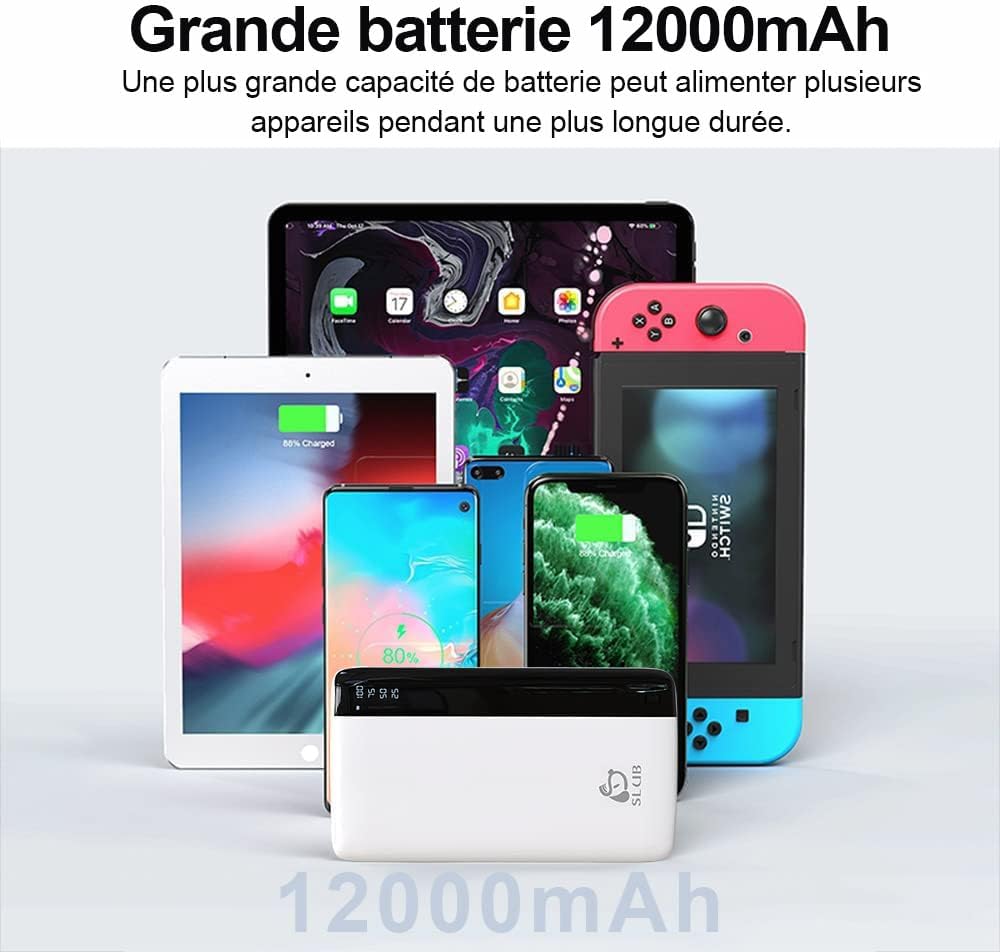
This image illustrates the broad compatibility of the SLuB power bank, showing it alongside various electronic devices such as smartphones, tablets, and a Nintendo Switch, all of which can be charged using this portable power source.
3. Setup
Initial Charging:
Before first use, fully charge your SLuB Power Bank. This ensures optimal battery performance and longevity.
- Connect the provided USB-C cable to the USB-C input/output port on the power bank, or use a Micro USB cable with the Micro USB input port.
- Connect the other end of the cable to a compatible USB wall charger (not included).
- The LED digital display will show the charging progress, indicating the battery percentage.
- The power bank is fully charged when the display shows "100".

This image illustrates the LED digital display on the SLuB power bank, which clearly shows the remaining battery charge in percentages (25, 50, 75, 100). This allows users to quickly check the power bank's status.
4. Operating Instructions
Checking Battery Level:
Press the power button once to activate the LED digital display and view the current battery percentage.
Charging Your Devices:
The power bank can charge two devices simultaneously using its USB-A and USB-C output ports.
- Connect your device's charging cable to either the USB-A output port (5V/2A) or the USB-C output port (5V/3A) on the power bank.
- Connect the other end of the cable to your mobile device.
- The power bank will automatically begin charging your device. The LED display will remain active during charging.
- Disconnect your device once it is fully charged or when you no longer need to charge.

This image demonstrates the SLuB power bank's capability to charge two smartphones at the same time. One phone is connected via a USB-C cable, and the other via a USB-A cable, showcasing the dual output functionality.
5. Maintenance
- Keep the power bank away from water, moisture, and extreme temperatures.
- Avoid dropping or subjecting the power bank to strong impacts.
- Clean the device with a soft, dry cloth. Do not use harsh chemicals or abrasive materials.
- Store the power bank in a cool, dry place when not in use.
- For optimal battery health, fully charge and discharge the power bank at least once every three months if stored for extended periods.
6. Troubleshooting
| Problem | Possible Cause | Solution |
|---|---|---|
| Power bank not charging | Cable not connected properly; faulty cable; charger not working; power bank battery depleted. | Ensure cables are securely connected. Try a different charging cable or wall adapter. Allow the power bank to charge for a few minutes. |
| Device not charging from power bank | Power bank battery depleted; faulty cable; device not compatible; power bank in protection mode. | Check power bank battery level. Try a different charging cable. Ensure your device is compatible. Disconnect and reconnect the device. |
| Slow charging | Using a low-power charger/cable; device's charging input limit; multiple devices charging simultaneously. | Use a high-quality, fast-charging cable and wall adapter. Charge one device at a time for faster charging. |
| LED display not working | Power button not pressed; power bank completely discharged; internal fault. | Press the power button. Charge the power bank. If the issue persists, contact customer support. |
7. Specifications
| Feature | Detail |
|---|---|
| Model Number | J33 |
| Battery Capacity | 12000 mAh |
| USB-C Input/Output | 5V/3A |
| Micro USB Input | 5V/2A |
| USB-A Output | 5V/2A |
| Dimensions | 16.4 x 10.5 x 2 cm (approx.) |
| Weight | 200 g |
| Battery Composition | Lithium-ion |
| Special Features | Digital Display, Fast Charge, Slim Design |
| Color | White |
8. Safety Information
- Do not disassemble, modify, or repair the device yourself.
- Do not expose the power bank to fire, direct sunlight, or high temperatures.
- Keep out of reach of children.
- Do not use the power bank if it is damaged, swollen, or leaking.
- Dispose of the power bank responsibly according to local regulations.
- Avoid using the power bank in poorly ventilated areas.
- The power bank is designed for charging electronic devices. Do not use it for any other purpose.

This image visually confirms that the SLuB power bank meets airline safety standards, allowing it to be carried on flights. The power bank is depicted within an airplane window, emphasizing its portability for travelers.
9. Warranty and Support
Your SLuB Power Bank comes with a standard warranty. For detailed warranty information, customer service, or technical support, please refer to the contact information provided on the product packaging or visit the official SLuB website. Please retain your proof of purchase for warranty claims.
10. Product Video Overview
This video provides a visual overview of the SLuB 12000mAh portable charger, demonstrating its unboxing, physical features, LED display, ultra-slim design, pocket size, fast charging capabilities for iPhones, and dual output functionality for charging multiple devices simultaneously. It also shows the Micro USB input for recharging the power bank.
