
1. Introduction
Thank you for purchasing the SZGMJIA Portable Bluetooth Speakers with LED Flame Torch Atmosphere. These speakers are designed to provide high-definition audio and create a captivating ambiance with their realistic LED flame effect. They are suitable for various indoor and outdoor settings, including parties, camping, home use, and garden decoration. This manual provides essential information for the safe and effective use of your new speakers.

Image: The SZGMJIA speaker with its LED flame effect, enhancing the atmosphere in a room.
2. Safety Information
Please read all safety instructions carefully before using the product. Keep this manual for future reference.
- Water Resistance: The speakers are IP67 waterproof, meaning they are resistant to splash, rain, and gentle spray. DO NOT immerse the speakers in water. Immersion may cause permanent damage.
- Temperature: Avoid exposing the speakers to extreme temperatures (hot or cold) or direct sunlight for prolonged periods.
- Charging: Use only the provided charging cable and a compatible power adapter. Do not use damaged cables or chargers.
- Cleaning: Clean the speakers with a soft, dry cloth. Do not use abrasive cleaners or solvents.
- Disassembly: Do not attempt to disassemble, repair, or modify the speakers. This will void the warranty and may cause harm.
- Children: Keep the speakers out of reach of small children to prevent accidental ingestion of small parts.
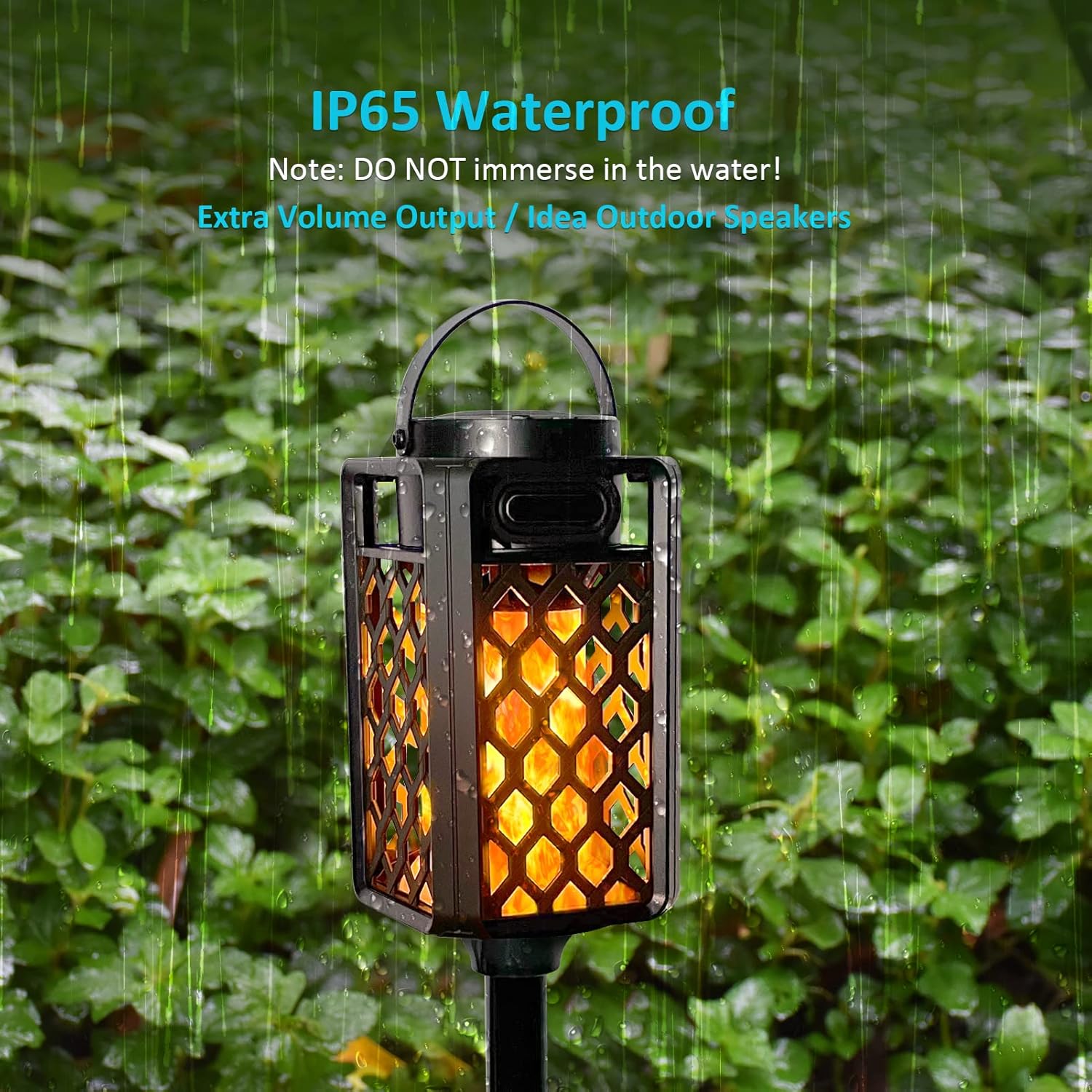
Image: The speaker is shown in a light rain environment, highlighting its water resistance. Note: It is resistant to splashes and rain, but not designed for immersion.
3. Package Contents
Verify that all items are present in your package:
- SZGMJIA Portable Bluetooth Speaker (2 units)
- USB Charging Cable (1 unit)
- Height-Adjustable Stake (2 units)
- Hook (2 units)
- Wall Mount (2 units)
- Screws and Wall Plugs (for wall mount)
- User Manual (this document)
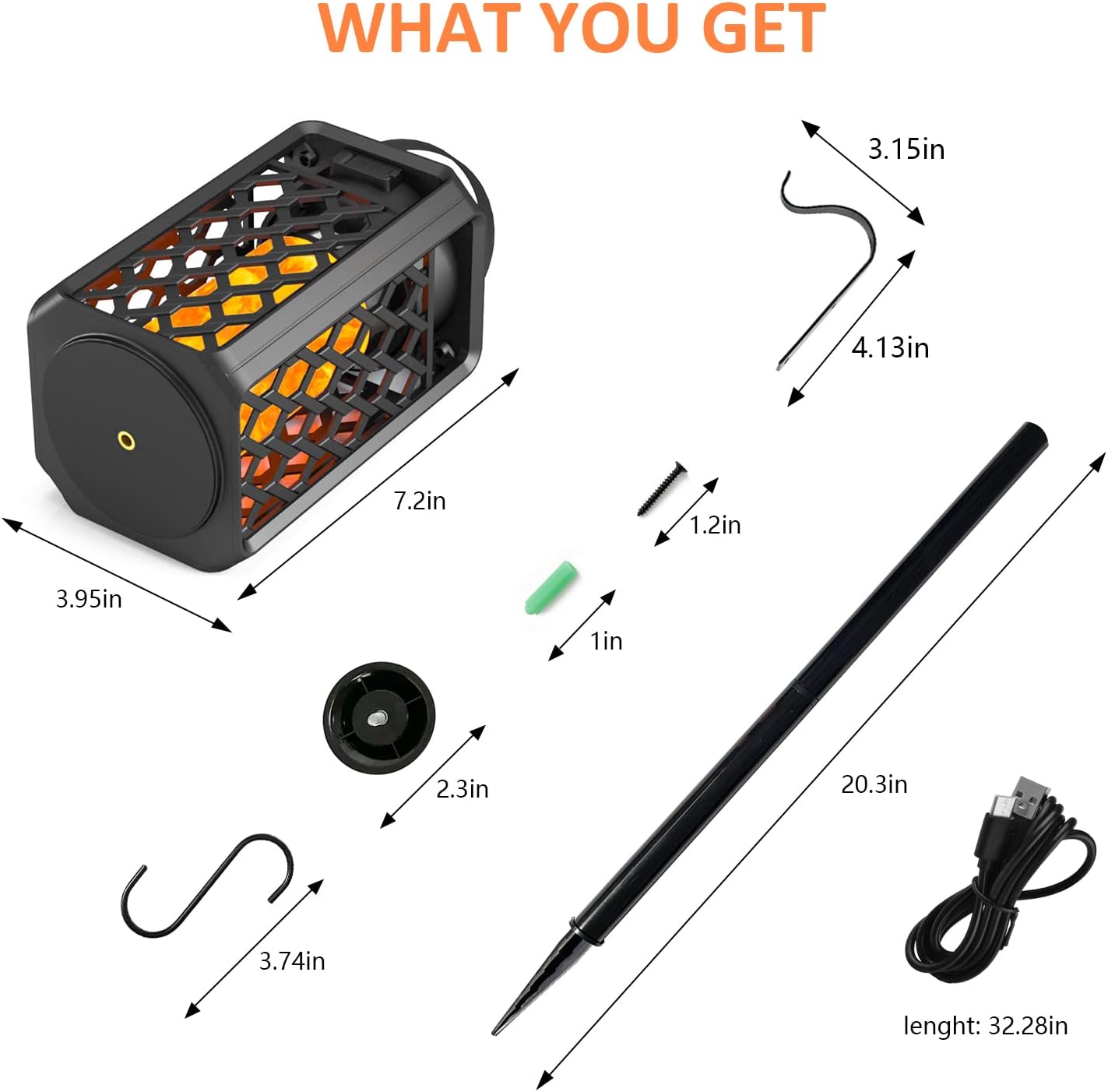
Image: A visual representation of the speaker and its accompanying accessories, including their approximate dimensions.
4. Product Overview
Familiarize yourself with the main components and controls of your speaker:
- Power Button: Located on the top panel. Used to power on/off and control flame modes.
- Bluetooth Indicator Light: Indicates Bluetooth connection status.
- Charging Port: Micro USB port for charging.
- Speaker Grille: Audio output.
- LED Flame Panel: Displays the realistic flame effect.
- Carrying Handle: For portability and hanging.
- Mounting Point: Base of the speaker for attaching stake or wall mount.

Image: The main product view showing two speakers and various attachment options for versatile placement.
5. Setup
The speakers offer multiple setup options:
- Freestanding: Place the speaker on any flat, stable surface.
- Using the Stake:
- Assemble the height-adjustable stake by screwing the sections together.
- Attach the speaker to the top of the stake by screwing it onto the mounting point.
- Insert the stake firmly into the ground in your desired outdoor location.
- Using the Hook:
- Attach the hook to the carrying handle of the speaker.
- Hang the speaker from a suitable fixture, such as a tree branch, tent pole, or pergola.
- Wall Mounting:
- Select a suitable wall location.
- Use the wall mount as a template to mark drilling points.
- Drill holes, insert wall plugs (if necessary), and secure the wall mount with screws.
- Hang the speaker onto the wall mount using its carrying handle.

Image: Various ways to set up and position the speaker, including portable use, hanging, wall mounting, and ground staking.
6. Operating Instructions
6.1 Power On/Off
- To power on, press and hold the Power Button for approximately 3 seconds. You will hear an audible prompt, and the LED flame light will illuminate.
- To power off, press and hold the Power Button for approximately 3 seconds again. You will hear an audible prompt, and the lights will turn off.
6.2 Bluetooth Pairing (Single Speaker)
- Ensure the speaker is powered on and within 10 meters (33 feet) of your Bluetooth device.
- The speaker will automatically enter Bluetooth pairing mode, indicated by a flashing blue LED light.
- On your device (smartphone, tablet, etc.), enable Bluetooth and search for available devices.
- Select "SZGMJIA Speaker" from the list of devices.
- Once connected, the LED light will turn solid blue, and you will hear a confirmation tone.
6.3 Dual Pairing (True Wireless Stereo - TWS)
To achieve a stereo sound experience, you can pair two SZGMJIA speakers together:
- Ensure both speakers are powered off.
- Power on both speakers simultaneously. They will automatically attempt to connect to each other.
- Once successfully paired with each other, one speaker will act as the master (left channel) and the other as the slave (right channel). The master speaker's LED will flash blue, while the slave speaker's LED will be solid blue.
- Now, connect your Bluetooth device to the master speaker (the one with the flashing blue LED) as described in Section 6.2.
- Both speakers will now play audio in stereo.
- Note: After initial TWS pairing, the speakers will automatically connect to each other when powered on, before connecting to any other Bluetooth devices.
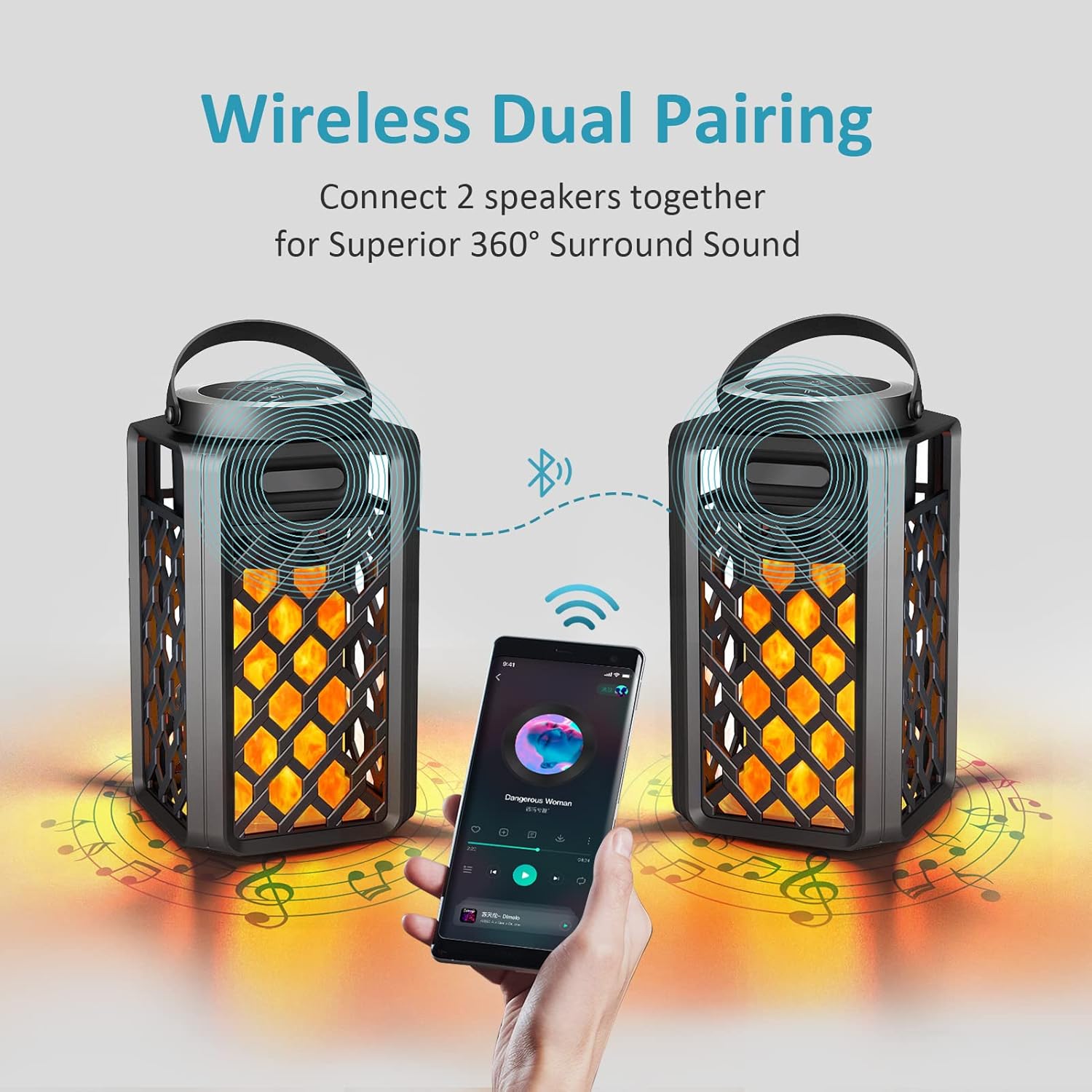
Image: A visual representation of two speakers connected wirelessly to a single device for a synchronized audio experience.
6.4 Flame Light Modes
The LED flame light has different modes:
- While the speaker is on, short press the Power Button to cycle through the flame light modes (e.g., flickering flame, solid light, light off).
- The exact number and type of modes may vary slightly.
7. Charging
To charge your SZGMJIA speaker:
- Locate the Micro USB charging port on the speaker.
- Connect the provided USB charging cable to the speaker's charging port.
- Connect the other end of the USB cable to a compatible USB power source (e.g., computer USB port, USB wall adapter).
- The charging indicator light (if present) will show the charging status. It typically turns red while charging and off or blue when fully charged.
- A full charge takes approximately 3-4 hours.
- The speaker offers a long battery life, providing up to 1000 minutes (approximately 16.6 hours) of playback on a full charge, depending on volume and light usage.
8. Maintenance
- Cleaning: Wipe the speaker with a soft, damp cloth. Do not use harsh chemicals or abrasive materials.
- Storage: When not in use for extended periods, store the speaker in a cool, dry place away from direct sunlight and extreme temperatures.
- Battery Care: To prolong battery life, avoid fully discharging the battery frequently. Charge the speaker regularly, even if not in active use.
9. Troubleshooting
| Problem | Possible Cause | Solution |
|---|---|---|
| Speaker does not power on. | Low battery. | Charge the speaker fully. |
| Cannot pair with Bluetooth device. | Bluetooth not enabled on device; speaker not in pairing mode; device too far. | Ensure Bluetooth is on, speaker is flashing blue, and device is within range. Restart both devices. |
| No sound or low volume. | Volume too low on speaker or device; speaker not connected. | Increase volume on both speaker and device. Re-pair the speaker. |
| TWS pairing failed. | Speakers not powered on simultaneously; too far apart during TWS pairing. | Power off both speakers, then power them on together. Ensure they are close during initial TWS pairing. |
| Flame light not working. | Light mode is off; speaker is off. | Short press the Power Button to cycle through light modes. Ensure speaker is powered on. |
10. Specifications
| Feature | Detail |
|---|---|
| Model Name | Led Flame Torch Atmosphere Wireless Outdoor Speaker |
| Model Number | AJ200 |
| Brand | SZGMJIA |
| Connectivity Technology | Bluetooth 5.1 |
| Wireless Range | Up to 100 feet (approx. 30 meters) |
| Speaker Type | Portable Bluetooth Speaker |
| Audio Output Mode | Surround (with TWS pairing) |
| Speaker Maximum Output Power | 3 Watts |
| Water Resistance Level | IP67 Waterproof (splash, rain, gentle spray resistant) |
| Power Source | Battery Powered (1 AAA battery included) |
| Battery Life | Up to 1000 minutes (approx. 16.6 hours) |
| Product Dimensions | 3.94"D x 3.94"W x 7.28"H |
| Item Weight | 1.44 Kilograms (3.16 pounds) |
| Material | Aluminum |
11. Warranty and Support
The SZGMJIA Portable Bluetooth Speakers come with a limited warranty. For detailed warranty information, please refer to the product packaging or contact the retailer where you purchased the product.
If you encounter any issues or have questions regarding your speakers, please contact SZGMJIA customer support through the retailer's platform or the official brand website for assistance. Please have your model number (AJ200) and purchase details ready when contacting support.