
Introduction
The SONOMO Remote Control Robot Dog Toy is an interactive robotic puppy designed to provide engaging play for children. This smart toy features various functions including programmable actions, touch response, stunt performances, dancing, and singing. It aims to stimulate creativity and curiosity through interactive play.

Image: The SONOMO Remote Control Robot Dog Toy in pink and white, showcasing its sleek design.
What's in the Box
- Robot Dog
- Remote Control
- Rechargeable Lithium Polymer Battery (for robot dog)
- USB Charging Cable
- Screwdriver
- User Manual

Image: A visual representation of all items included in the package: robot dog, remote, charging cable, screwdriver, and user manual.
Setup
Robot Dog Battery Installation & Charging
- Using the provided screwdriver, open the battery compartment on the robot dog's underside.
- Connect the rechargeable Lithium Polymer battery to the internal connector.
- Place the battery inside the compartment and close the cover, securing it with the screw.
- To charge, connect the USB charging cable to the robot dog's charging port and a USB power source. The pilot lamp will turn off automatically when fully charged (approximately 120 minutes). An adult should supervise charging.
Remote Control Battery Installation
- Open the battery compartment on the back of the remote control.
- Insert 2 AAA batteries (not included), ensuring correct polarity.
- Close the battery compartment.
Video: An unboxing and setup guide for the robot dog, demonstrating battery installation and initial power-on.
Operating Instructions
Power On/Off
Press the power button on the robot dog's underside to turn it on. The robot will enter standby mode, performing stunt actions and making dog sounds to prompt interaction. To turn off, press the power button again.
Remote Control Functions
- Movement: Use the directional buttons (forward, backward, turn left, turn right) to control the robot dog's movement.
- Volume: Adjust the volume using the volume up (+) and volume down (-) buttons.
- Programming: Press the programming button to record up to 100 commands. The robot dog will then perform the programmed sequence.
- Stunts: Dedicated buttons allow the robot dog to perform various stunts such as sit down, handstand, lie down, push-up, and act like a spoiled baby.
- Dancing & Singing: Press the music note button to make the robot dog dance to rhythmic music or sing children's songs. Pressing the button again will switch between different songs or dances.
- Follow Mode: Activate the follow mode, and the robot dog will follow the remote control within a 3-meter range.

Image: The robot dog demonstrating various stunt actions like sitting, handstand, getting down, push-up, naughty, saying hello, dancing, and singing.
Touch Response
The robot dog is equipped with a touch sensor on its chin. If you touch its chin, it will respond with dog sounds and actions, mimicking a real puppy.

Image: A child touching the robot dog's chin, illustrating its touch response feature with a 'WOOF!' speech bubble.
Programming Mode
In programming mode, you can input a sequence of up to 100 commands. The robot dog will store and execute these commands, allowing for customized play routines.

Image: The robot dog with a remote control, illustrating the programming mode where it can be taught up to 100 commands, including turning left and right.
Following Mode
When activated, the robot dog will follow the remote control, staying within a 3-meter distance. This feature adds an interactive element, making the robot dog feel like a loyal companion.

Image: A child playing with the robot dog in following mode, where the dog tracks the remote's movement.
Video: A demonstration of the robot dog's various functions, including movement, stunts, and interactive features, highlighting its entertainment value.
Video: A detailed review showcasing the robot dog's remote control capabilities and various tricks it can perform.
Maintenance
- Keep the robot dog and remote control clean by wiping with a dry cloth.
- Avoid exposing the toy to water or excessive moisture.
- Store the toy in a cool, dry place away from direct sunlight when not in use.
- Remove batteries from the remote control if the toy will not be used for an extended period.
Troubleshooting
- Robot Dog Not Responding: Ensure both the robot dog and remote control are turned on and have fresh or fully charged batteries. Check that there are no obstructions between the remote and the robot.
- Robot Dog Not Charging: Verify that the USB charging cable is securely connected to both the robot dog and the power source. Ensure the battery is correctly installed in the robot dog.
- Unexpected Behavior: If the robot dog performs unexpected actions, try turning it off and on again to reset its functions.
Specifications
| Feature | Detail |
|---|---|
| Product Dimensions | 9.44 x 5.5 x 9.84 inches |
| Item Weight | 2 pounds |
| Item Model Number | BG1533 |
| Manufacturer Recommended Age | 6 - 12 years |
| Batteries | 1 Lithium Polymer battery required (included) |
| Manufacturer | SONOMO |
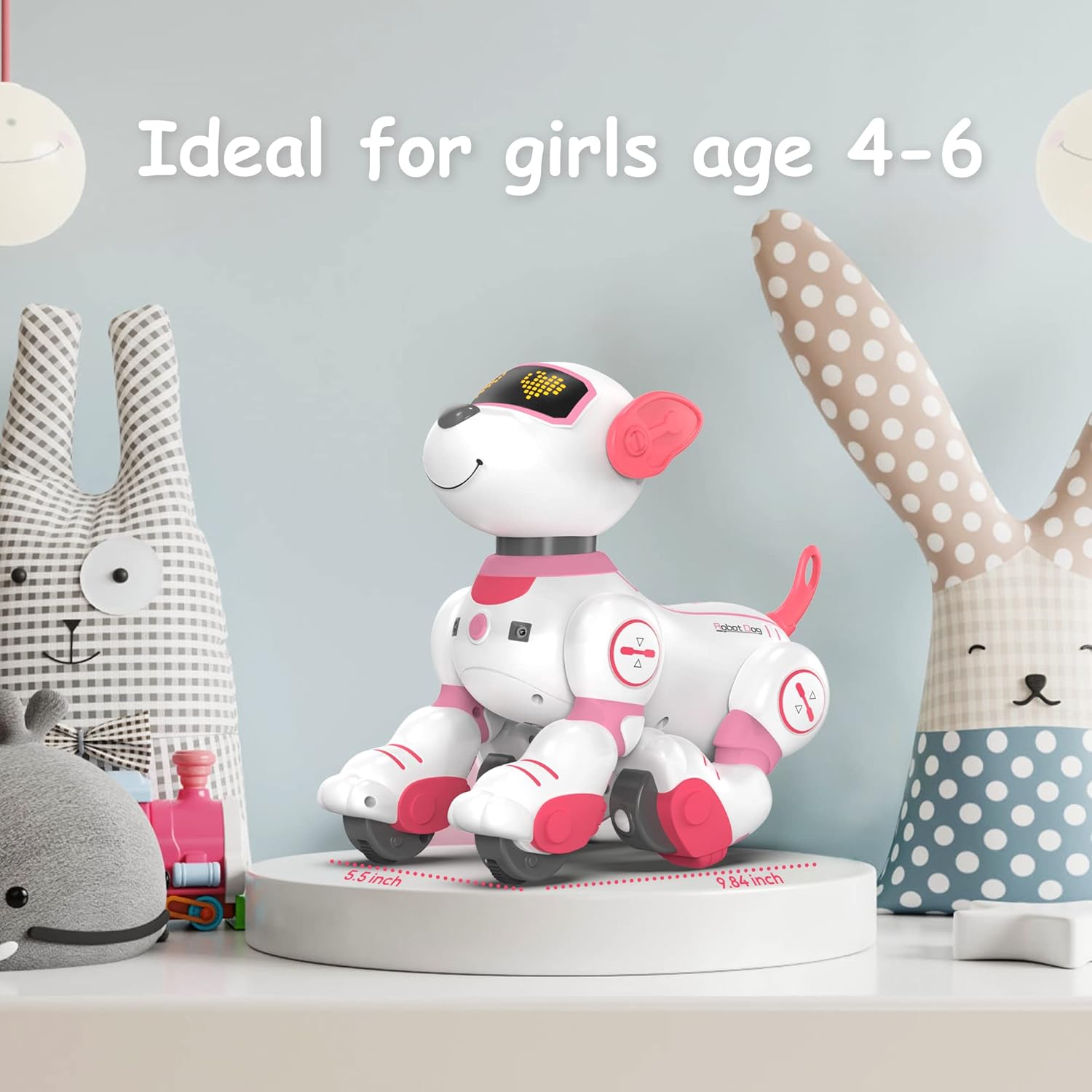
Image: The robot dog with its dimensions (9.84 inches height, 5.5 inches width) clearly marked.
Warranty and Support
For warranty information or technical support, please refer to the contact details provided on the product packaging or visit the official SONOMO website. Keep your purchase receipt for any warranty claims.