
Introduction
This manual provides detailed instructions for the safe installation, operation, and maintenance of your Patriot Lighting Criss Black Integrated LED Flush Mount Ceiling Light. Please read all instructions carefully before beginning installation and retain this manual for future reference.
Safety Information
- WARNING: Risk of electric shock. Disconnect power at the circuit breaker or fuse box before installation or servicing.
- All electrical connections must be in accordance with local codes, ordinances, or the National Electric Code (NEC). Contact a qualified electrician if you are unfamiliar with proper electrical wiring connections.
- Do not install this fixture in wet locations. It is rated for damp locations only.
- Ensure the fixture is securely mounted to a structural part of the building.
- Do not attempt to modify the integrated LED components. There are no user-serviceable parts inside.
- Wear safety glasses and gloves during installation.
What's in the Box
Verify that all components are present before beginning installation:
- Patriot Lighting Criss Integrated LED Flush Mount Ceiling Light Fixture
- Mounting Hardware
- Installation Instructions (this manual)
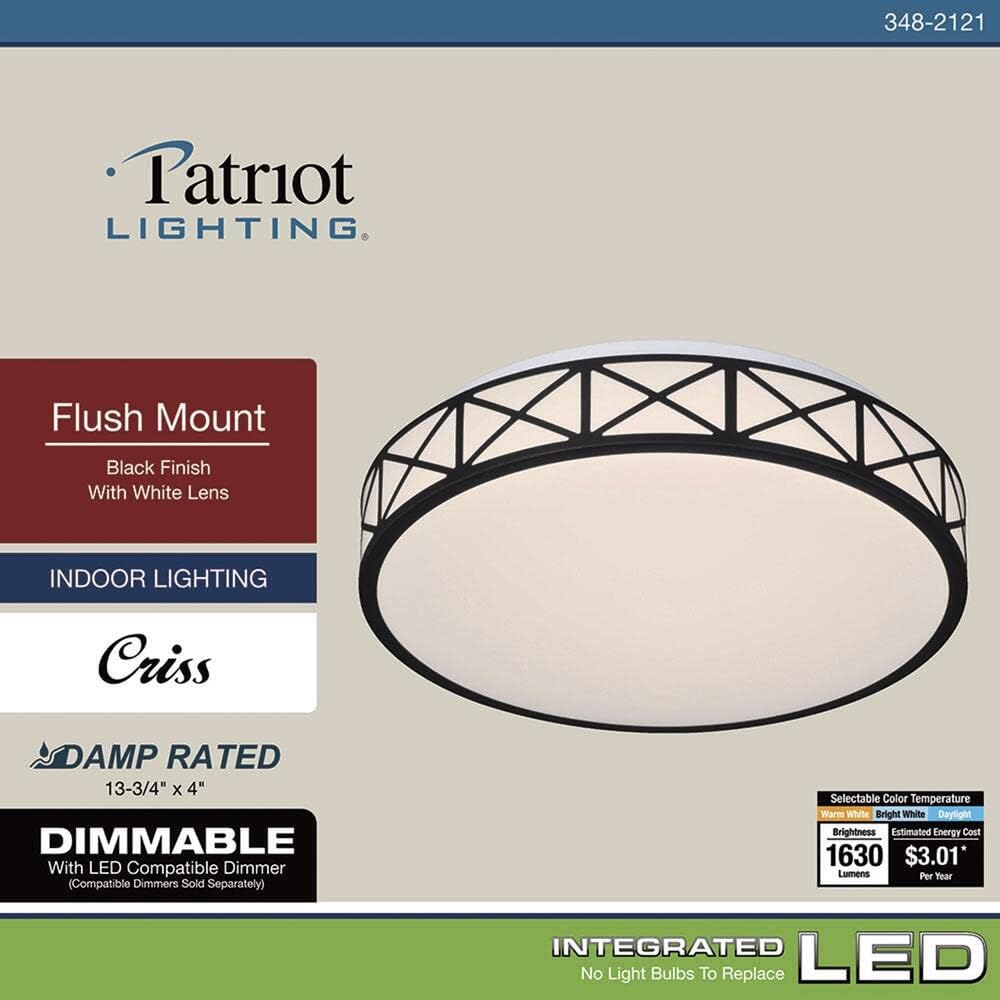
Image: The complete Patriot Lighting Criss Black Integrated LED Flush Mount Ceiling Light fixture, showing all parts.
Setup and Installation
Follow these steps to install your ceiling light fixture. It is recommended to have a second person assist during installation.
- Turn Off Power: Before starting, ensure the power to the junction box is turned off at the circuit breaker or fuse box.
- Prepare Mounting: Attach the mounting bracket to the junction box using the provided screws. Ensure it is securely fastened.
- Make Electrical Connections: Connect the fixture's wires to the corresponding household wires (black to black, white to white, ground to ground) using wire nuts. Ensure all connections are tight and secure.
- Mount Fixture: Carefully lift the light fixture and align it with the mounting bracket. Secure the fixture to the mounting bracket using the provided screws.
- Attach Diffuser: Twist the frosted diffuser onto the fixture body until it is securely in place.
- Restore Power: Once installation is complete, restore power at the circuit breaker.

Image: The flush mount ceiling light installed, viewed from below.
Operating Instructions
Your Patriot Lighting Criss LED Flush Mount Ceiling Light is designed for ease of use.
- Turning On/Off: Operate the light using a standard wall switch connected to the fixture.
- Adjusting Color Temperature: This fixture features selectable light color. To adjust, gently twist and remove the frosted diffuser. Locate the switch on the LED module. Select between 3000K (Soft White), 4000K (Bright White), or 5000K (Daylight). Reattach the diffuser by twisting it back into place.
- Dimming Functionality: This fixture is dimmable with LED compatible dimmers (sold separately). Consult your dimmer's instructions for proper operation.

Image: LED Lighting Data indicating 3000K, 4000K, and 5000K color temperature options with corresponding lumen outputs.
Maintenance
To ensure the longevity and appearance of your light fixture, follow these simple maintenance guidelines:
- Cleaning: Always turn off the power before cleaning. Wipe the fixture with a soft, dry, or slightly damp cloth. Do not use abrasive cleaners or solvents, as they may damage the finish or electrical components.
- LED Care: The integrated LED is designed for long-term use and does not require replacement. Do not attempt to open or service the LED module.
Troubleshooting
If you experience issues with your light fixture, refer to the following common problems and solutions:
| Problem | Possible Cause | Solution |
|---|---|---|
| Light does not turn on. | No power to the fixture. Loose wire connections. | Check circuit breaker or fuse. Verify all wire connections are secure (ensure power is off before checking). |
| Light flickers or dims unexpectedly. | Incompatible dimmer switch. Loose wire connections. | Ensure an LED-compatible dimmer is used. Check wire connections. |
| Light color is not as expected. | Incorrect color temperature setting. | Adjust the color temperature switch located on the LED module (refer to Operating Instructions). |
If the problem persists after attempting these solutions, please contact customer support.
Specifications
| Feature | Detail |
|---|---|
| Brand | Patriot Lighting |
| Model Name | Criss |
| Model Number | C7200 |
| Color | Black |
| Style | Modern, Contemporary |
| Light Fixture Form | Ceiling, Flush Mount |
| Room Type | Bedroom, Hallway (Indoor use only) |
| Power Source | AC/DC |
| Light Source | Integrated LED |
| Number of Light Sources | 1 |
| Voltage | 120 Volts |
| Wattage | 25 watts |
| Brightness | 1630 Lumen (at 4000K) |
| Color Temperature | 3000K (Soft White), 4000K (Bright White), 5000K (Daylight) - Selectable |
| Dimmable | Yes, with LED compatible dimmers (sold separately) |
| Fixture Type | Non-Removable (LED) |
| Item Weight | 1.66 Pounds |
| Dimensions | 13-3/4" x 4" (Diameter x Height) |

Image: Dimensional drawing of the light fixture, indicating 13-3/4" diameter and 4" height.
Warranty and Support
For warranty information or technical support, please contact Patriot Lighting customer service. Refer to your purchase documentation for specific warranty terms.
Contact Information: Please visit the official Patriot Lighting website or refer to your product packaging for the most current contact details.


