
1. Introduction
The FEINODI THT-020-2 is a wireless CarPlay adapter designed to convert your vehicle's existing wired CarPlay system into a wireless one. This device allows for automatic connection to CarPlay, eliminating the need for physical cable connections. It supports various functions including GPS navigation, voice control, music playback, phone calls, and messaging, enhancing your driving experience with convenience and safety.
The adapter is compact and includes a USB-C OTG adapter for broader compatibility. It operates on 5GHz WiFi for stable and lag-free connections.

Image 1: The FEINODI THT-020-2 Wireless CarPlay Adapter with its included USB-C adapter, showcasing its compact design.

Image 2: Dimensions of the FEINODI THT-020-2 adapter, highlighting its portable and slim design (2.56 inches length, 0.47 inches thickness).
2. Setup Instructions
Follow these steps to connect your FEINODI THT-020-2 Wireless CarPlay Adapter:
- Connect the Adapter: Plug the wireless CarPlay dongle into the USB port of your car's head unit. Ensure the port supports wired CarPlay. The indicator light on the dongle will illuminate upon successful connection.
- Activate iPhone Bluetooth & WiFi: On your iPhone, enable both Bluetooth and WiFi simultaneously.
- Pair with the Adapter: Search for the Bluetooth signal named "posmartdongle.po" on your iPhone. Tap to connect.
- Confirm CarPlay Use: When prompted on your iPhone, select "Use CarPlay" to establish the wireless connection.
- Enjoy Wireless CarPlay: Once connected, you can begin using wireless CarPlay with your iPhone in your car.

Image 3: Visual representation of the three-step connection process: 1. Connect dongle to car USB. 2. Turn on iPhone WiFi & Bluetooth. 3. Pair iPhone with dongle and select 'Use CarPlay'.
3. Operating Instructions
After the initial pairing, the FEINODI THT-020-2 adapter will automatically connect to CarPlay each time you start your car, provided your iPhone's Bluetooth and WiFi are enabled. This ensures a seamless and stable connection.
Key Features:
- Automatic Connection: Connects automatically to CarPlay after the first successful pairing.
- Stable Connection: Utilizes 5GHz WiFi for reliable and fast data transmission without delays.
- Voice Control: Supports Siri and other voice assistants for hands-free operation, allowing you to focus on driving.
- Car Control Integration: Compatible with your car's original control methods, including touch screen, OEM knob control, and steering wheel controls.
- App Synchronization: Synchronizes your iPhone applications for navigation, music, calls, and messages directly to your car's display.

Image 4: Illustration of stable 5GHz WiFi connection enabling online maps, online music, and Siri functionality through the adapter.

Image 5: Depiction of the automatic connection feature, where the iPhone seamlessly connects to the car's CarPlay system after the initial pairing.

Image 6: Demonstrates compatibility with original car control methods, including touch screen, OEM knob control, and steering wheel controls, alongside Siri voice commands.
4. Maintenance
The FEINODI THT-020-2 Wireless CarPlay Adapter requires minimal maintenance. To ensure optimal performance and longevity:
- Keep the device clean and free from dust. Use a soft, dry cloth for cleaning.
- Avoid exposing the adapter to extreme temperatures, direct sunlight, or moisture.
- Do not attempt to disassemble or repair the device yourself. Refer to the warranty information for support.
5. Troubleshooting
If you encounter issues with your FEINODI THT-020-2 adapter, consider the following:
- No Connection:
- Ensure your car has a factory-installed wired CarPlay system. This adapter is not compatible with vehicles lacking wired CarPlay.
- Verify that your iPhone is running iOS 13 or higher.
- Confirm that both Bluetooth and WiFi are enabled on your iPhone.
- Try unplugging and re-plugging the adapter into the car's USB port.
- Restart your iPhone and the car's infotainment system.
- Intermittent Connection/Lag:
- Ensure there are no other devices interfering with the 5GHz WiFi signal.
- Check for any available firmware updates for the adapter (if applicable, refer to manufacturer's website).
- Ensure your iPhone is close to the adapter and not obstructed.
- Not Compatible with Android Phones: This adapter is designed exclusively for iPhones with iOS 13 and above. It does not support Android Auto.
6. Specifications
| Feature | Detail |
|---|---|
| Brand | FEINODI |
| Model Number | THT-020-2 |
| Connectivity | Bluetooth, 5GHz WiFi |
| Compatible Devices | iPhone (iOS 13 and above) |
| Compatible Car Brands | Audi, Volvo, Porsche, Mercedes-Benz, Ford, Volkswagen, KIA, Hyundai, Skoda, Peugeot, Fiat, Renault, Jeep, Citroen, Mazda, Nissan, Opel, Toyota (for cars with factory wired CarPlay) |
| Connector Type | USB Type A (with included USB-C OTG adapter) |
| Special Features | Automatic Connection, Voice Control, Steering Wheel Control Support, Touch Screen Control Support |
| Item Weight | 35 Grams |
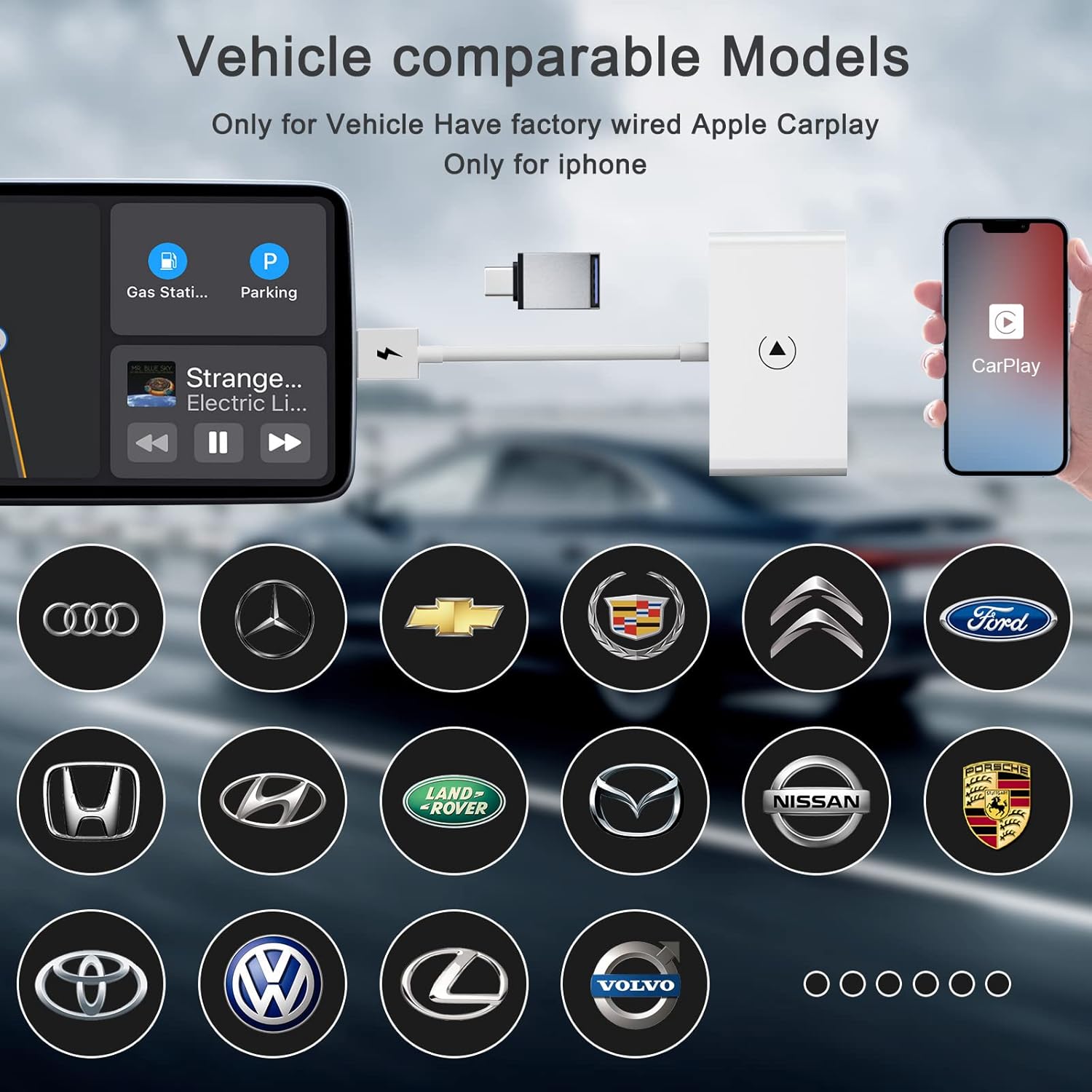
Image 7: A visual list of various car brands compatible with the FEINODI THT-020-2 adapter, emphasizing its broad vehicle support.

Image 8: Illustrates compatibility with various iPhone models (iPhone 7/7P to iPhone 13 Pro Max) and iOS 13 and above, covering 98% of cars equipped with Apple CarPlay.
7. Warranty and Support
FEINODI offers a comprehensive warranty and support for the THT-020-2 Wireless CarPlay Adapter:
- Refund Policy: 30 days unconditional refund.
- Warranty: 12 months warranty/replacement.
- Customer Support: For any questions or assistance regarding the wireless CarPlay adapter, please contact FEINODI customer service. Responses are typically provided within 24 hours.
Please retain your proof of purchase for warranty claims.
