
1. Introduction
The YYCALLING F101 Restaurant Pager System is a wireless calling solution designed to enhance efficiency and customer service in various environments such as restaurants, food trucks, and food courts. This system utilizes 315MHz radio-frequency technology to provide reliable communication between staff and customers, reducing wait times and improving operational flow. This manual provides detailed instructions for the setup, operation, and maintenance of your pager system.
2. Product Components
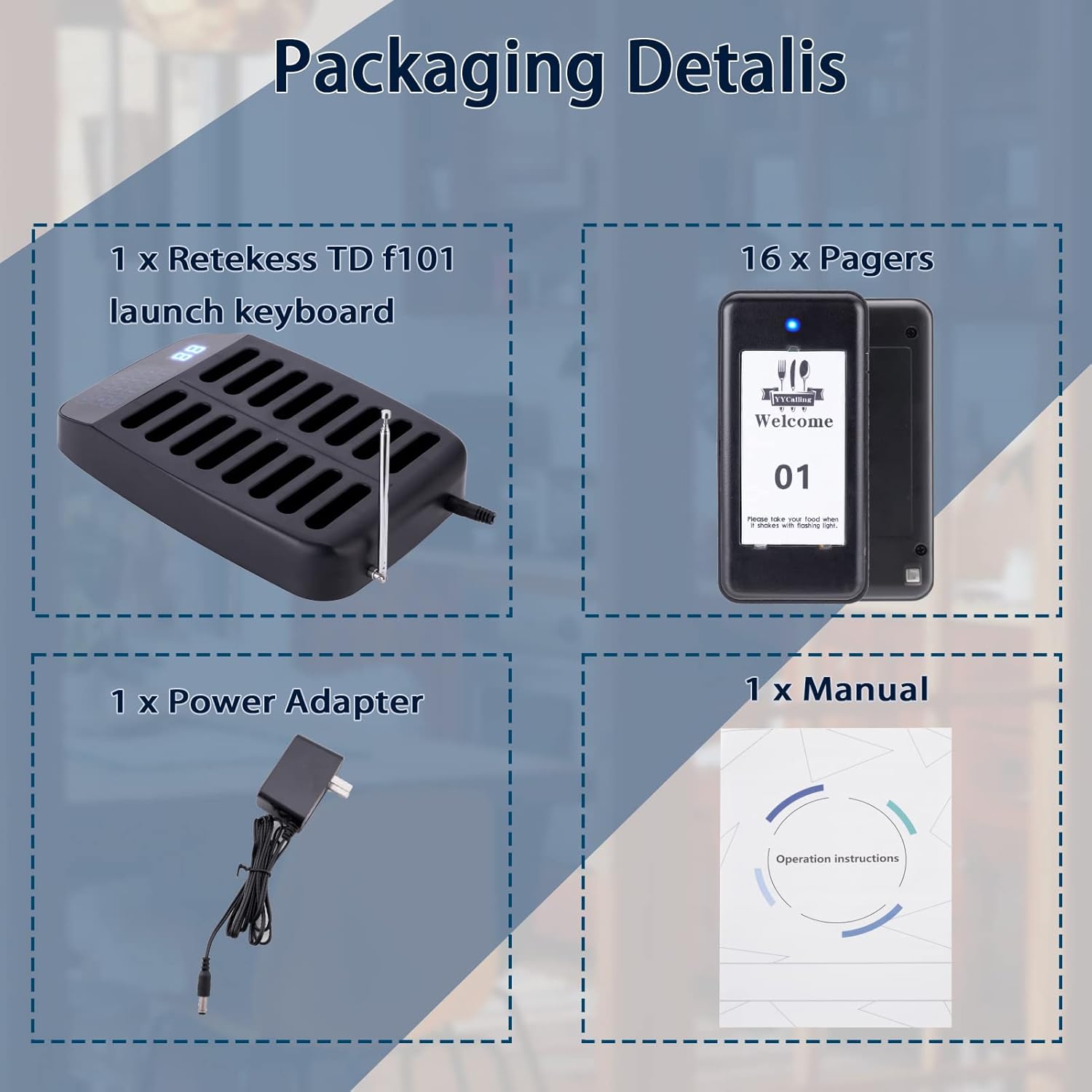
The YYCALLING F101 system typically includes the following components:
- Transmitter Keypad: The main unit used by staff to call pagers.
- Guest Pagers: Handheld devices distributed to customers, which alert them when their order is ready.
- Power Adapter: For powering the transmitter keypad.
- User Manual: This document.

3. Setup
Follow these steps to set up your YYCALLING F101 Restaurant Pager System:
- Connect Power: Plug the power adapter into the transmitter keypad and then into a standard electrical outlet. All pagers in the charging slots will automatically power on.
- Charge Pagers: Ensure all guest pagers are placed in the charging slots of the transmitter keypad. The pagers will begin charging automatically. A full charge provides approximately 24 hours of continuous use.
- Set Pager ID (if necessary): Pagers are typically pre-programmed. If you need to set or re-program a pager ID:
- Remove the sticker on the back of the pager to reveal a small dot (programming button).
- Long press this dot until LED 2 and LED 3 on the pager illuminate.
- On the transmitter keypad, enter the desired ID number (e.g., '8').
- Press the 'CALL' button on the transmitter. The pager will beep, indicating successful programming.
- Press the cancel button on the pager to stop the beeping.
4. Operation
Operating the YYCALLING F101 system is straightforward:
- Calling a Pager:
- When an order is ready, locate the corresponding pager number on the transmitter keypad.
- Enter the pager's number using the keypad.
- Press the 'CALL' button. The assigned pager will activate with its set alert mode (vibration, flash, and/or buzzer).
- Canceling a Call:
- To stop a pager's alert, the customer can press the 'CANCEL' button on the pager itself.
- Alternatively, placing the pager back into any charging slot on the transmitter will also cancel the alert.
- Turning Pagers On/Off:
- To Turn On: Connect the power supply to the transmitter. All pagers in the charging slots will automatically power on.
- To Turn Off: Ensure all pagers are in their charging slots. On the transmitter keypad, enter '99' and then press the 'CALL' button. All pagers will turn off.
- Calling Modes: The system supports two primary alert modes:
- Vibration + Flash + Buzzer: Provides a comprehensive alert.
- Vibration + Flash: A quieter alert option.
Refer to the programming section or contact support for instructions on how to switch between these modes.
5. Maintenance
Proper maintenance ensures the longevity and optimal performance of your pager system:
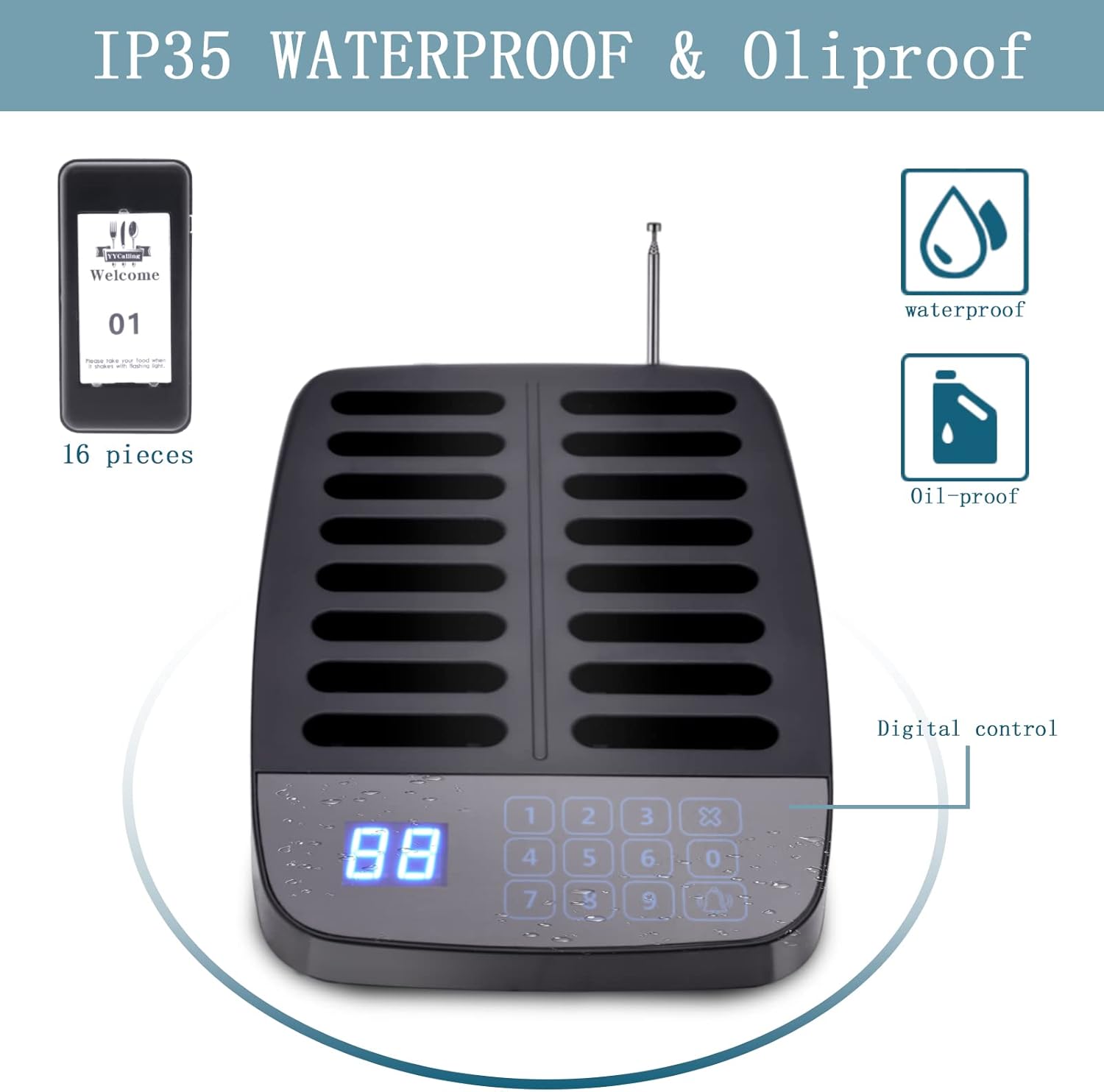
- Cleaning: The pagers feature a matte surface that resists oil and daily grime. They can be easily wiped clean with a damp cloth. Avoid using harsh chemicals or abrasive cleaners.
- Battery Care: The pagers are equipped with rechargeable Lithium Polymer batteries. Always place pagers back into the charging slots when not in use to ensure they are ready for operation. Avoid completely draining the batteries frequently.
- Water and Oil Resistance: The pagers are designed with IP55 waterproof and oil-proof ratings, making them suitable for fast-paced food service conditions. However, avoid submerging them in liquids.
6. Troubleshooting
If you encounter issues with your pager system, consider the following:
- Pager Not Responding:
- Ensure the pager is fully charged.
- Verify the pager ID is correctly programmed.
- Check if the pager is within the transmission range (984-1640 feet indoors, up to 3280 feet/1000 meters in open areas).
- Interference: Large metal structures or other radio-frequency devices may cause interference. Try repositioning the transmitter or pagers.
- System Not Powering On: Ensure the power adapter is securely connected to both the transmitter and the power outlet.
For persistent issues, please refer to the contact information in the Warranty and Support section.
7. Specifications
| Feature | Description |
|---|---|
| Brand | YYCALLING |
| Model | F101 (16 Pagers, Black) |
| Transmission Frequency | 315MHz |
| Indoor Range | 984-1640 feet |
| Open Area Range | Up to 3280 feet / 1000 meters |
| Pager Battery | Built-in 200mAh Lithium Polymer (16 included) |
| Continuous Use Time | 24 hours (fully charged) |
| Charging Slots | 16 |
| Calling Modes | Vibration + Flash + Buzzer; Vibration + Flash |
| Water/Oil Resistance | IP55 |
8. Warranty and Support
For warranty information, technical support, or service inquiries, please contact YYCALLING directly through their official channels or the retailer where the product was purchased. Keep your purchase receipt as proof of purchase for any warranty claims.