
1. Introduction
The SanDisk Ultra Curve USB 3.2 Flash Drive is a portable storage device designed for fast and reliable data transfer. With its compact design and USB 3.2 Gen 1 interface, it offers efficient storage and quick access to your files. This manual provides essential information for the proper use and maintenance of your flash drive.

Image 1: The SanDisk Ultra Curve USB 3.2 Flash Drive, showcasing its sleek black design and integrated loop for portability.
2. Setup
- Unpack the Device: Carefully remove the SanDisk Ultra Curve Flash Drive from its packaging.
- Identify a USB Port: Locate an available USB port on your computer or compatible device. For optimal performance, use a USB 3.2 Gen 1 port (often blue inside), though the drive is backward compatible with USB 2.0 ports.
- Insert the Flash Drive: Gently insert the metal USB connector of the flash drive into the USB port. Ensure it is fully seated.
- Automatic Recognition: Your operating system (Windows, macOS, Linux) should automatically detect and install the necessary drivers for the flash drive. A new drive letter or icon will appear in your file explorer or desktop.
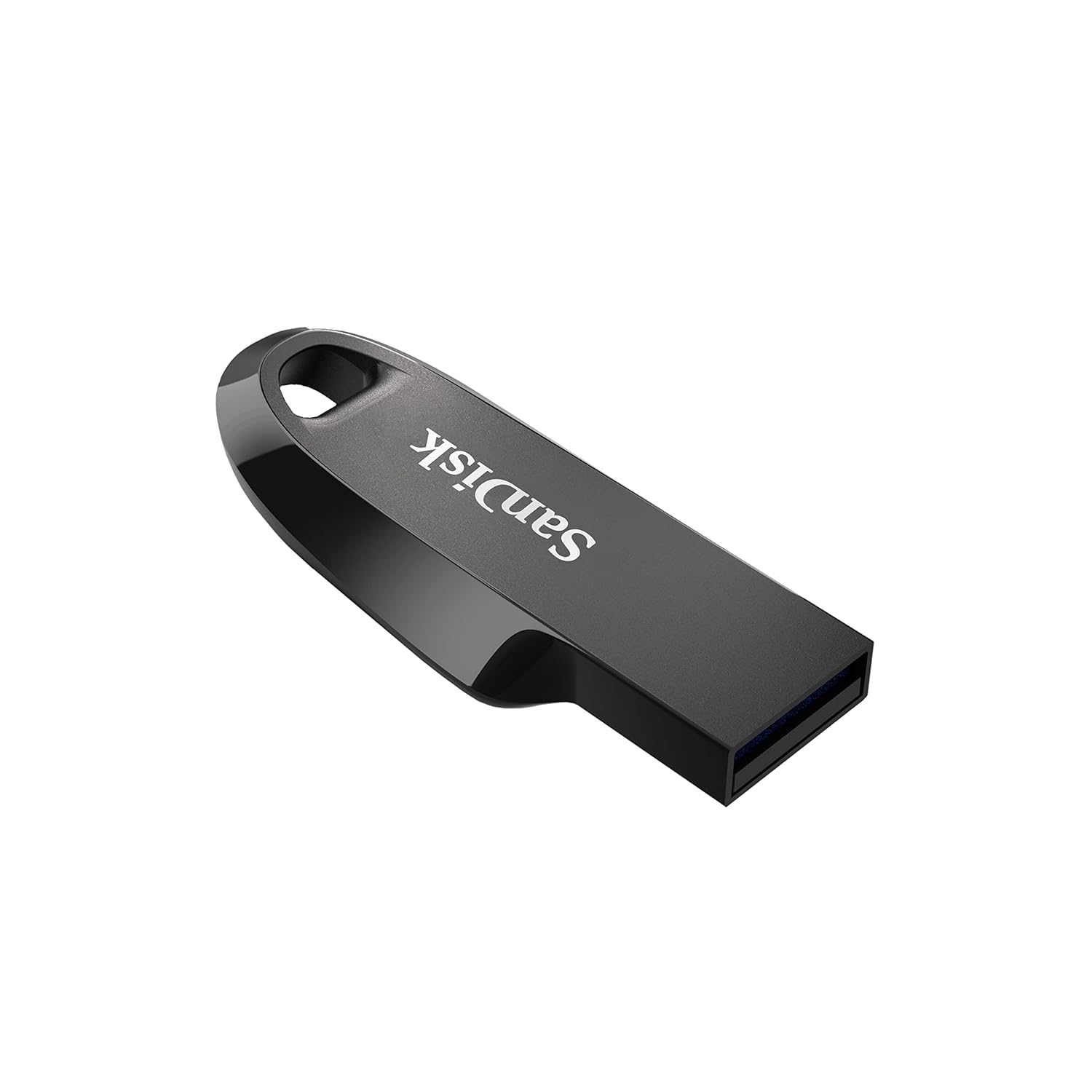
Image 2: Close-up view of the SanDisk Ultra Curve Flash Drive's USB connector, ready for insertion into a compatible port.
3. Operating Instructions
3.1. Transferring Files
- Copying to the Drive: Open the flash drive in your computer's file explorer. Drag and drop files or folders from your computer to the flash drive's window. Alternatively, right-click on files/folders, select 'Copy', then navigate to the flash drive, right-click, and select 'Paste'.
- Copying from the Drive: Open the flash drive. Drag and drop files or folders from the flash drive to a location on your computer. Alternatively, right-click on files/folders on the drive, select 'Copy', then navigate to your desired computer location, right-click, and select 'Paste'.
3.2. Performance
The SanDisk Ultra Curve offers read speeds of up to 100 MB/s and write speeds of up to 20 MB/s. Actual speeds may vary based on host device, file attributes, and other factors.
3.3. SanDisk SecureAccess Software
This drive is compatible with SanDisk SecureAccess software, which allows you to create a password-protected folder on your drive to secure sensitive files. For more information and to download the software, please visit the official SanDisk website: SanDisk SecureAccess.
3.4. Safe Removal
Always safely remove the flash drive from your computer to prevent data corruption. On Windows, click the 'Safely Remove Hardware and Eject Media' icon in the taskbar. On macOS, drag the drive icon to the Trash or right-click and select 'Eject'.

Image 3: The SanDisk Ultra Curve Flash Drive securely connected to a laptop's USB port, ready for data transfer.
4. Maintenance
- Physical Care: Keep the flash drive clean and dry. Avoid exposing it to dust, dirt, or liquids. Do not apply excessive force when inserting or removing the drive.
- Temperature: Operate the drive within the specified temperature range of 0°C to 45°C. Store it between -10°C and 70°C to ensure longevity.
- Data Backup: Regularly back up important data stored on the flash drive to another storage medium to prevent data loss.

Image 4: The SanDisk Ultra Curve Flash Drive shown in a portable work environment, highlighting its compact size and ease of transport.
5. Troubleshooting
- Drive Not Recognized:
- Try inserting the drive into a different USB port on your computer.
- Restart your computer and try again.
- Check your computer's Device Manager (Windows) or Disk Utility (macOS) to see if the drive is listed.
- Slow Transfer Speeds:
- Ensure the drive is connected to a USB 3.2 Gen 1 port for maximum speed.
- Transferring many small files can be slower than transferring one large file of the same total size.
- Close other applications that might be using system resources.
- Drive Heats Up During Use:
- It is normal for flash drives to generate some heat during intensive data transfer operations.
- If the drive becomes excessively hot or stops functioning, disconnect it and allow it to cool down. Ensure it is used within the specified operating temperature range.
- Data Recovery:
- In case of accidental data deletion or corruption, SanDisk offers RescuePRO Deluxe data recovery software. Check the SanDisk website for details on how to obtain and use this software.

Image 5: A laptop screen displaying data recovery software, illustrating the availability of RescuePRO Deluxe for file recovery with the SanDisk Ultra Curve.
6. Specifications
| Brand | SanDisk |
| Model Number | SDCZ550-256G-I35 |
| Memory Storage Capacity | 256 GB |
| Hardware Interface | USB 3.2 Gen 1 |
| Read Speed | Up to 100 MB/s |
| Write Speed | Up to 20 MB/s |
| Compatible Devices | USB-enabled devices (Desktops, Laptops, Game Consoles, etc.) |
| Operating Temperature | 0°C to 45°C |
| Storage Temperature | -10°C to 70°C |
| Item Weight | 3 Grams |
| Box Contents | Flash Drive |
7. Warranty and Support
The SanDisk Ultra Curve USB 3.2 Flash Drive comes with a 5-year limited warranty. For warranty claims, technical support, or further assistance, please visit the official SanDisk support website or contact their customer service. Keep your proof of purchase for warranty validation.
Official SanDisk Support: SanDisk Support


