
1. Introduction
The Redodo 29.2V 20A LiFePO4 Lithium Battery Charger is specifically designed for efficient and safe charging of 24V Lithium Iron Phosphate (LiFePO4) batteries. This manual provides essential information for the proper installation, operation, maintenance, and troubleshooting of your charger. Please read this manual thoroughly before using the product to ensure optimal performance and safety.
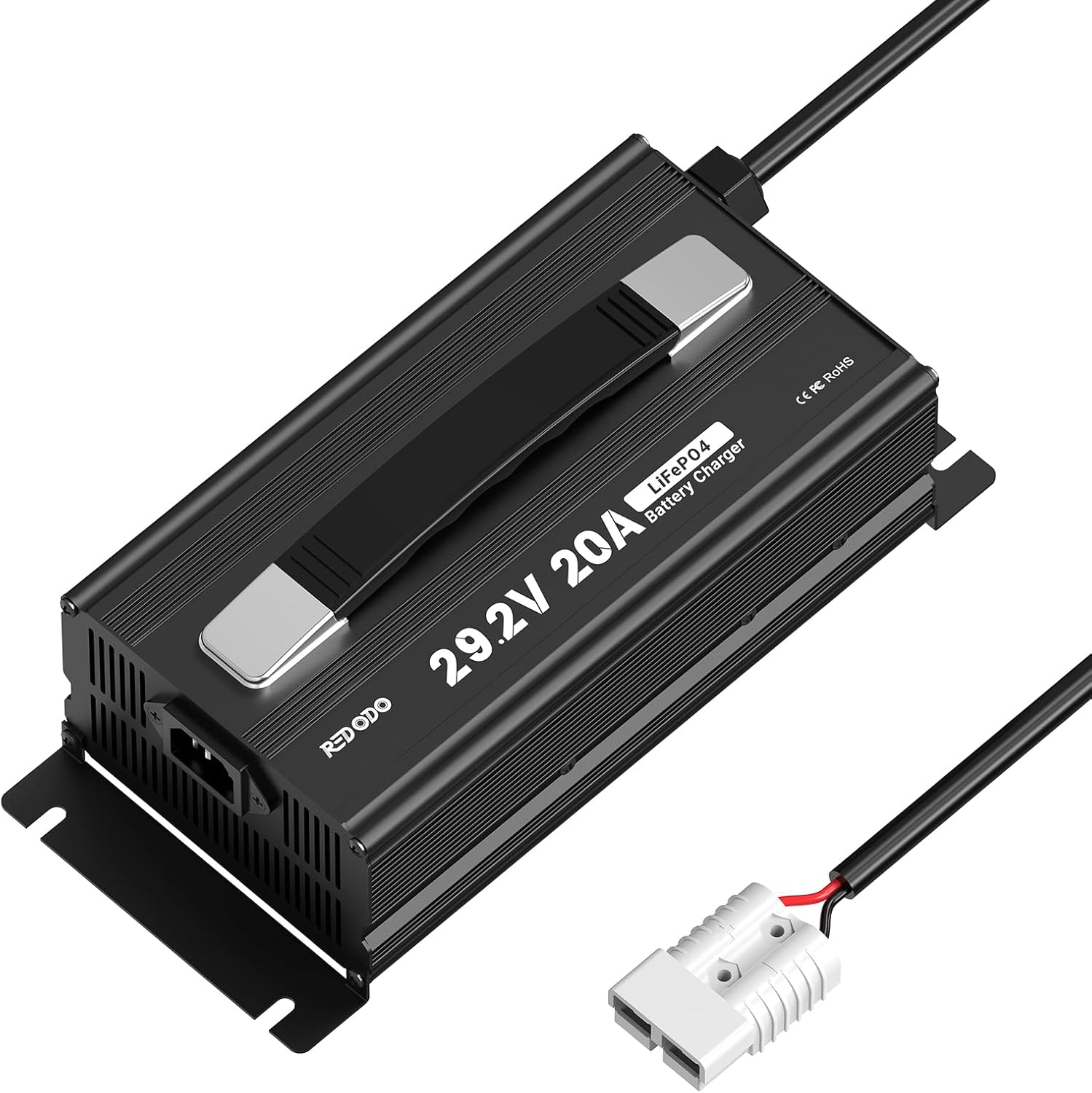
Image 1: Redodo 29.2V 20A LiFePO4 Lithium Battery Charger. This image displays the charger unit with its handle, input power cable, and output cable with an Anderson connector.
2. Safety Instructions
Always adhere to the following safety precautions to prevent injury or damage:
- Read all instructions carefully before operating the charger.
- Ensure the charger is compatible with your battery's voltage and chemistry (29.2V for 24V LiFePO4).
- Operate the charger in a well-ventilated area to prevent overheating.
- Keep the charger away from flammable or explosive materials.
- Do not touch the AC input or DC output terminals during operation to avoid electric shock.
- Do not attempt to disassemble or modify the charger. This voids the warranty and may cause hazards.
- Ensure all connections are secure before applying power.
- Disconnect the AC power before connecting or disconnecting the battery.
3. Product Features
- Fast Charging with High Efficiency: Designed for 24V LiFePO4 batteries, this 20A charger can fully charge a 24V 100Ah LiFePO4 battery in approximately 5 hours, significantly faster than lower amperage chargers.
- Comprehensive Safety Protection: Equipped with multiple protection functions including over-temperature protection, output short-circuit protection, reverse polarity connection protection, and output over-voltage protection to ensure safe charging.
- Exclusive Pre-charge Mode: Features a pre-charge mode that can activate deeply discharged or long-unused batteries, helping to restore and extend battery life.
- High Quality and Reliability: Constructed with military and industrial-grade components, advanced circuit design, and manufactured under ISO9001:2008 quality management standards for durability and low failure rate.
- Portable Design: Includes a convenient handle for easy transport and a control switch at the output end for enhanced user convenience.

Image 2: Fast Charging Efficiency Comparison. This graphic illustrates the charger's ability to fully charge a battery in approximately 5 hours compared to other chargers.

Image 3: Safety Protection Functions. This image highlights the charger's built-in protections: output short-circuit, temperature, output over-voltage, and reverse polarity connection protection.

Image 4: Exclusive Pre-charge Mode. This graphic demonstrates how the pre-charge mode activates a deeply discharged battery, bringing it from 0V to a functional voltage.
4. What's in the Box
Your Redodo 29.2V 20A LiFePO4 Lithium Battery Charger package includes:
- 1 x Redodo 29.2V 20A LiFePO4 Battery Charger
- 1 x AC Power Cord
- 1 x Output Cable with Anderson Connector (and optional M8 O-shaped terminals or alligator clamps)
- 1 x User Manual

Image 5: What's in the Box. This image shows the charger unit, AC power cord, and the output cable with an Anderson connector and M8 O-shaped terminals.
5. Setup Instructions
Follow these steps to set up your charger:
- Connect the DC Output Cable: Connect the DC output cable (with Anderson connector, or attached M8 O-shaped terminals/alligator clamps) to your 24V LiFePO4 battery. Ensure the positive (+) terminal of the charger connects to the positive terminal of the battery, and the negative (-) terminal of the charger connects to the negative terminal of the battery.
- Connect the AC Input Cable: Plug the AC power cord into the charger's AC input port.
- Connect to Power Outlet: Plug the other end of the AC power cord into a standard 100-240V AC wall outlet.
- Verify Connections: Double-check all connections to ensure they are secure and correctly polarized before proceeding.

Image 6: Easy Connection Diagram. This diagram illustrates the correct connection sequence from the power socket to the charger and then to the battery using an Anderson connector.
6. Operating Instructions
Once properly connected, the charger will automatically begin the charging process. Monitor the LED indicators for status updates.
6.1 LED Indicators
The charger features LED indicators to display its operational status:
- LED1 (Red) / LED2 (Red): Charging in progress.
- LED1 (Green) / LED2 (Green): Battery fully charged or charger in standby mode (no battery connected).
- LED1 (Red, flashing) / LED2 (Red, flashing): Charger malfunction or protection function activated.
6.2 Three Charging Stages
The charger utilizes a smart 3-stage charging process to optimize battery life:
- Stage 1: Pre-charge (T1): If the battery is deeply discharged, the charger will apply a gentle trickle charge to activate the battery and safely raise its voltage. This protects both the charger and the battery from sudden stress.
- Stage 2: Constant Current (CC) (T2): Once the battery's voltage is within a safe range, the charger delivers its full rated current (20A) to rapidly charge the battery.
- Stage 3: Constant Voltage (CV) (T3): As the battery approaches full charge, the charger maintains a constant voltage while gradually reducing the charging current. This prevents overcharging and ensures the battery is fully and safely charged.

Image 7: Three Charging Stages Diagram. This graph illustrates the voltage and current curves during the pre-charge, constant current, and constant voltage stages of battery charging.
Video 1: Redodo 29.2V 20A LiFePO4 Battery Charger Overview. This video provides a visual overview of the charger's features and components.
Video 2: Inside a LiFePO4 Charger: What Happens from 0% to 100%. This video explains the internal processes and stages of charging a LiFePO4 battery.
7. Maintenance
To ensure the longevity and optimal performance of your Redodo charger and batteries:
- Keep the charger clean and dry. Avoid exposure to moisture, dust, and extreme temperatures.
- Store the charger in a cool, dry place when not in use.
- If the battery is not used for an extended period, it is recommended to recharge it every 3 months to maintain its health.
- Regularly inspect cables and connectors for any signs of wear or damage. Replace if necessary.
8. Troubleshooting
If you encounter issues with your charger, refer to the following common problems and solutions:
- Charger Not Turning On:
- Check if the AC power cord is securely plugged into both the charger and the wall outlet.
- Verify that the wall outlet is functional.
- Battery Not Charging / Fault LED Flashing:
- Ensure the DC output cable is correctly connected to the battery terminals (positive to positive, negative to negative).
- Check for any loose connections or damaged cables.
- The battery's Battery Management System (BMS) might have shut down due to deep discharge (voltage below 18V for a 24V battery).
- For deeply discharged 24V batteries (below 18V): Disconnect all devices from the battery and let it rest for 30 minutes. If the voltage recovers above 20V, proceed with normal charging. If not, use a charger with a lithium battery activation function (like this Redodo charger's pre-charge mode) or connect it to a solar charge controller for 3-10 seconds to attempt activation.
- Charger Overheating:
- Ensure the charger is in a well-ventilated area and not covered.
- Check if the cooling fan is obstructed.
Video 3: Battery Not Working What to do. This video provides steps to revive a LiFePO4 battery that has entered protection mode due to low voltage. Note: For 24V batteries, double the voltage values mentioned for 12V systems (e.g., if a 12V battery is below 9V, a 24V battery would be below 18V).
9. Specifications
| Parameter | Value |
|---|---|
| Brand | Redodo |
| Model Number | R24V20A-BCHA |
| Input Voltage | 100-240V AC |
| Output Voltage | 29.2V DC |
| Output Current | 20A |
| Compatible Battery Type | 24V LiFePO4 (Lithium Iron Phosphate) |
| Item Weight | 5.07 pounds (approx. 2.3 kg) |
| Product Dimensions (L x W x H) | 10.87 x 4.75 x 3.52 inches (approx. 276 x 121 x 90 mm) |
| Protection Functions | Over Temperature, Output Short-Circuit, Reverse Polarity, Output Over-Voltage |
10. Warranty and Support
Redodo stands by the quality of its products:
- Warranty: This product comes with a 2-year warranty.
- Customer Service: Redodo offers 24-hour one-on-one customer service.
- Technical Support: Lifetime technical support is provided for this product.
For any questions, concerns, or technical assistance, please contact Redodo customer support through the provided channels in your product packaging or on the official Redodo website.


