

Introduction
This instruction manual provides essential information for the safe and effective use of your Kastar BL-5C Lithium-ion Battery 2-Pack. These batteries are designed as replacements for various compatible devices, offering reliable power with a capacity of 1150mAh and a voltage of 3.7V. Please read this manual thoroughly before initial use and retain it for future reference.

Image: Two Kastar BL-5C Lithium-ion Batteries, showing the front with brand, model, and capacity information.
Setup
Battery Installation
- Ensure your device is powered off before attempting battery installation or removal.
- Locate the battery compartment on your compatible device. Refer to your device's specific instruction manual for exact location and opening procedure.
- Carefully insert the Kastar BL-5C battery into the compartment, aligning the gold contacts on the battery with the corresponding terminals in the device. Ensure the battery is oriented correctly according to polarity markings (+ and -).
- Close the battery compartment securely.

Image: A single Kastar BL-5C Lithium-ion Battery, angled view, highlighting the contact points.
Initial Charging
For optimal performance, it is recommended to fully charge the battery before its first use. Connect your device or the battery (if using an external charger) to a power source and allow it to charge until the charging indicator shows a full charge.
Operation
Charging the Battery
The Kastar BL-5C battery can be charged either while installed in a compatible device or using a dedicated external charger. Always use a charger that is compatible with Lithium-ion batteries and meets the voltage and current requirements for the BL-5C.
- In-Device Charging: Connect your device to its original or a compatible power adapter. The device's charging indicator will typically show the charging status.
- External Charger: If using an external universal charger (such as those pictured below), place the battery into the charger, ensuring the contacts align. Plug the charger into a power outlet. The charger's display will indicate charging progress.

Image: A Kastar BL-5C battery inserted into a universal battery charger, showing the charging process.


Image: Front and back views of a Kastar universal battery charger, illustrating its design and specifications.
Battery Life Optimization
- Avoid fully discharging the battery frequently.
- Store batteries in a cool, dry place when not in use.
- Remove the battery from the device if it will not be used for an extended period.
Maintenance
- Cleaning: Gently wipe the battery contacts with a clean, dry cloth if they appear dirty to ensure good electrical connection. Do not use liquids or abrasive cleaners.
- Storage: Store batteries in a cool, dry environment, away from direct sunlight and extreme temperatures. Ideal storage temperature is between 0°C and 25°C (32°F and 77°F).
- Inspection: Periodically inspect the battery for any signs of damage, swelling, or leakage. Discontinue use immediately if any damage is observed.
Safety Information
WARNING: Improper handling of Lithium-ion batteries can lead to fire, explosion, or chemical burns. Please adhere to the following safety guidelines:
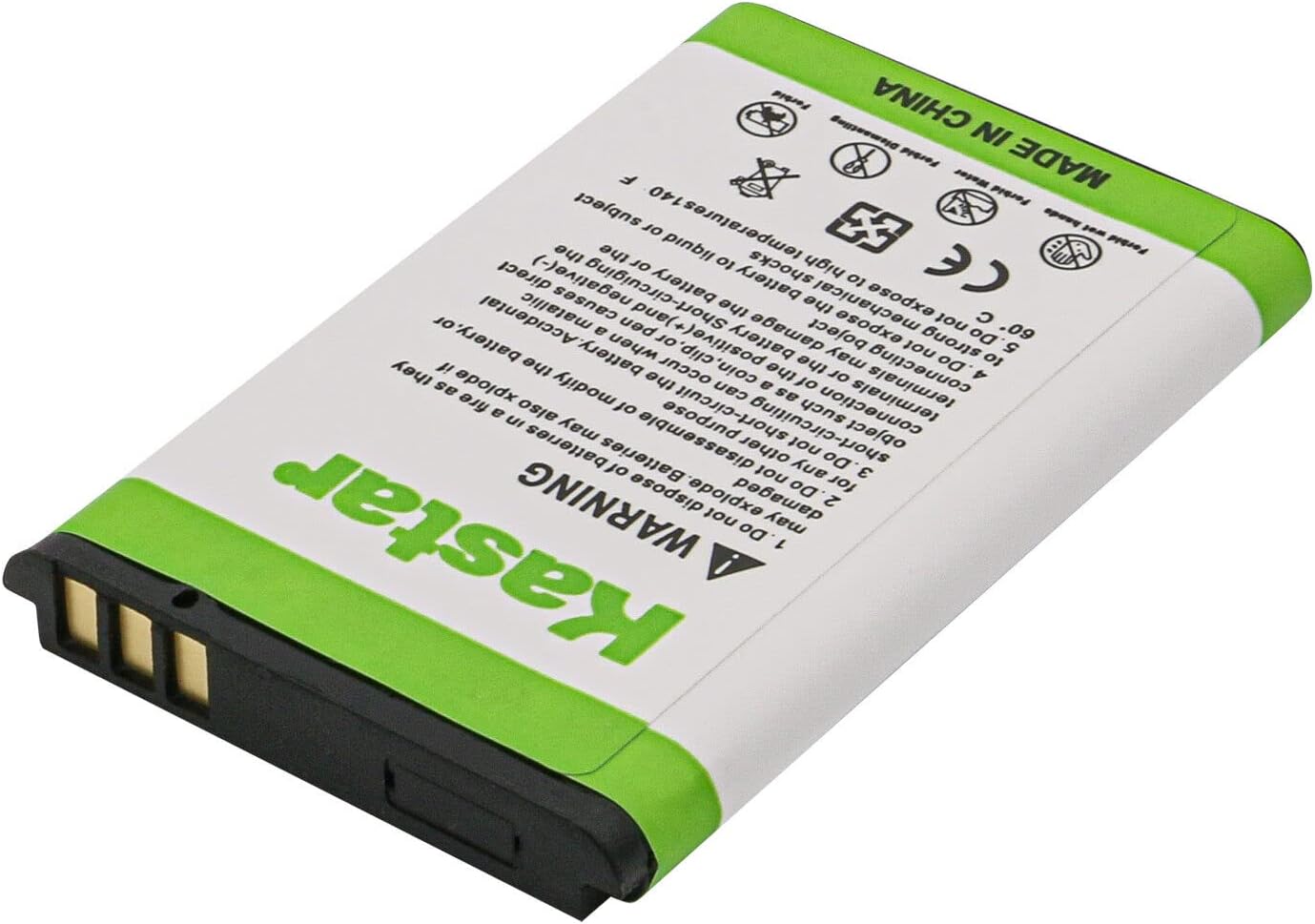
Image: The reverse side of a Kastar BL-5C battery, displaying important safety warnings and certifications.
- Do not dispose of batteries in fire or heat.
- Do not disassemble, modify, or puncture the battery.
- Do not short-circuit the battery terminals with any metal objects.
- Do not expose the battery to liquid or moisture.
- Do not expose to temperatures above 60°C (140°F).
- Keep batteries out of reach of children.
- If the battery leaks, avoid contact with the fluid. If contact occurs, rinse immediately with water and seek medical attention.
- Dispose of used batteries properly according to local regulations. Do not discard with household waste.
Kastar Lithium-ion battery cells meet UL1642 & CE safety standards and include built-in over-charge, over-discharge, over-voltage, over-current, and over-heating protection circuits for enhanced safety.
Troubleshooting
- Battery Not Charging:
- Ensure the battery is correctly inserted and contacts are clean.
- Verify the charger and power source are functioning correctly.
- Check if the charging cable is securely connected.
- Short Battery Life:
- Ensure the battery is fully charged before use.
- Reduce power consumption of the device (e.g., lower screen brightness, disable unnecessary features).
- Battery capacity naturally degrades over time and with charge cycles. Consider replacing if significantly degraded.
- Battery Not Fitting:
- Double-check that your device model is listed as compatible with the BL-5C battery.
- Ensure the battery is oriented correctly according to polarity markings.
Specifications
| Feature | Specification |
|---|---|
| Battery Type | Lithium-ion |
| Battery Voltage | 3.7V |
| Battery Capacity | 1150mAh |
| Item Model Number | BA-2B-BL5C-J |
| Product Dimensions | 2 x 2 x 3 inches |
| Item Weight | 2 ounces |
| Safety Certifications | UL1642 & CE standards |
| Protection Circuit | Built-in over-charge, over-discharge, over-voltage, over-current, over-heating protection |
Warranty & Support
Kastar is committed to providing quality products. For any questions, concerns, or support needs regarding your BL-5C batteries, please contact Kastar customer support. While specific warranty details are not provided in this manual, please refer to the product packaging or the official Kastar website for the most current warranty information.
You can visit the Kastar store on Amazon for more information: Kastar Store