
Important Safety Instructions
Read all instructions carefully before using this battery pack. Failure to follow these instructions may result in electric shock, fire, or serious injury. Keep this manual for future reference.
- DO NOT ATTEMPT TO DISASSEMBLE, OPEN OR SERVICE THE BATTERY PACK. Unauthorized disassembly can lead to electric shock or fire.
- REPLACE ONLY WITH THE BATTERY PACK DESIGNATED FOR THIS PRODUCT. Using an incompatible battery may cause damage or injury.
- DO NOT CRUSH, PUNCTURE, SHORT EXTERNAL CONTACTS OR DISPOSE OF IN FIRE OR WATER. These actions can cause the battery to explode or leak hazardous materials.
- DO NOT STORE ABOVE 60°C (140°F). High temperatures can degrade battery performance and pose a fire risk.
- New battery packs must be fully charged before use.
- Read instructions in the operating guide before using the battery.

Image: Detailed view of the battery's warning label, emphasizing critical safety precautions and product information.
Product Overview
The XLAQ 12.0V Lithium-Ion battery is designed as a compatible power source for various Milwaukee M12 series power tools. It provides reliable and consistent power for your cordless applications.

Image: Side profile of the XLAQ compatible battery, showcasing its compact design.
Setup and Initial Charge
Before first use, it is essential to fully charge the battery pack to ensure optimal performance and longevity.
- Insert the battery pack into a compatible Milwaukee M12 series battery charger.
- Connect the charger to a standard power outlet.
- Allow the battery to charge until the charger indicates a full charge (refer to your charger's manual for specific indicators).
- Once fully charged, remove the battery from the charger.
Note: New battery packs are typically shipped with a partial charge. A full charge cycle before the first use is recommended.
Operating Instructions
Installing the Battery
- Ensure the power tool is turned off before attempting to install or remove the battery.
- Align the battery pack with the battery port on your Milwaukee M12 series tool.
- Slide the battery into the tool until it clicks securely into place. Do not force the battery.
- Verify that the battery is firmly seated before operating the tool.

Image: The connection interface of the battery, designed for secure fit into compatible tools.
Removing the Battery
- Turn off the power tool.
- Locate the battery release button (if applicable) on your tool.
- Press the release button and slide the battery pack out of the tool.
Maintenance and Storage
Proper maintenance and storage will extend the life of your battery pack.
- Cleaning: Keep the battery terminals clean and free of dirt or grease. Use a clean, dry cloth to wipe them if necessary.
- Storage: Store the battery pack in a cool, dry place, away from direct sunlight and extreme temperatures. Avoid storing in temperatures above 60°C (140°F) or below -20°C (-4°F).
- Long-Term Storage: For long-term storage, it is recommended to store the battery with a partial charge (around 50%). Fully discharge and recharge the battery every 3-6 months to maintain its health.
- Avoid Moisture: Do not expose the battery to water or rain.
Troubleshooting
| Problem | Possible Cause | Solution |
|---|---|---|
| Battery not charging | Charger not plugged in; faulty charger; battery too hot/cold; dirty terminals | Check charger connection; try another charger; allow battery to reach room temperature; clean battery terminals. |
| Tool not operating | Battery not fully charged; battery not properly installed; tool malfunction | Ensure battery is fully charged; re-install battery securely; test with another battery if available; consult tool's manual. |
| Reduced run time | Battery aging; extreme operating conditions; improper charging | Battery life naturally decreases over time; avoid extreme temperatures; ensure full charge cycles. |
Specifications
- Battery Voltage: 12.0V
- Capacity: 4000mAh
- Type: Lithium-Ion
- Dimensions: 88.52 x 66.40 x 110.00mm
- Weight: 667.4g
- Manufacturer: XLAQ
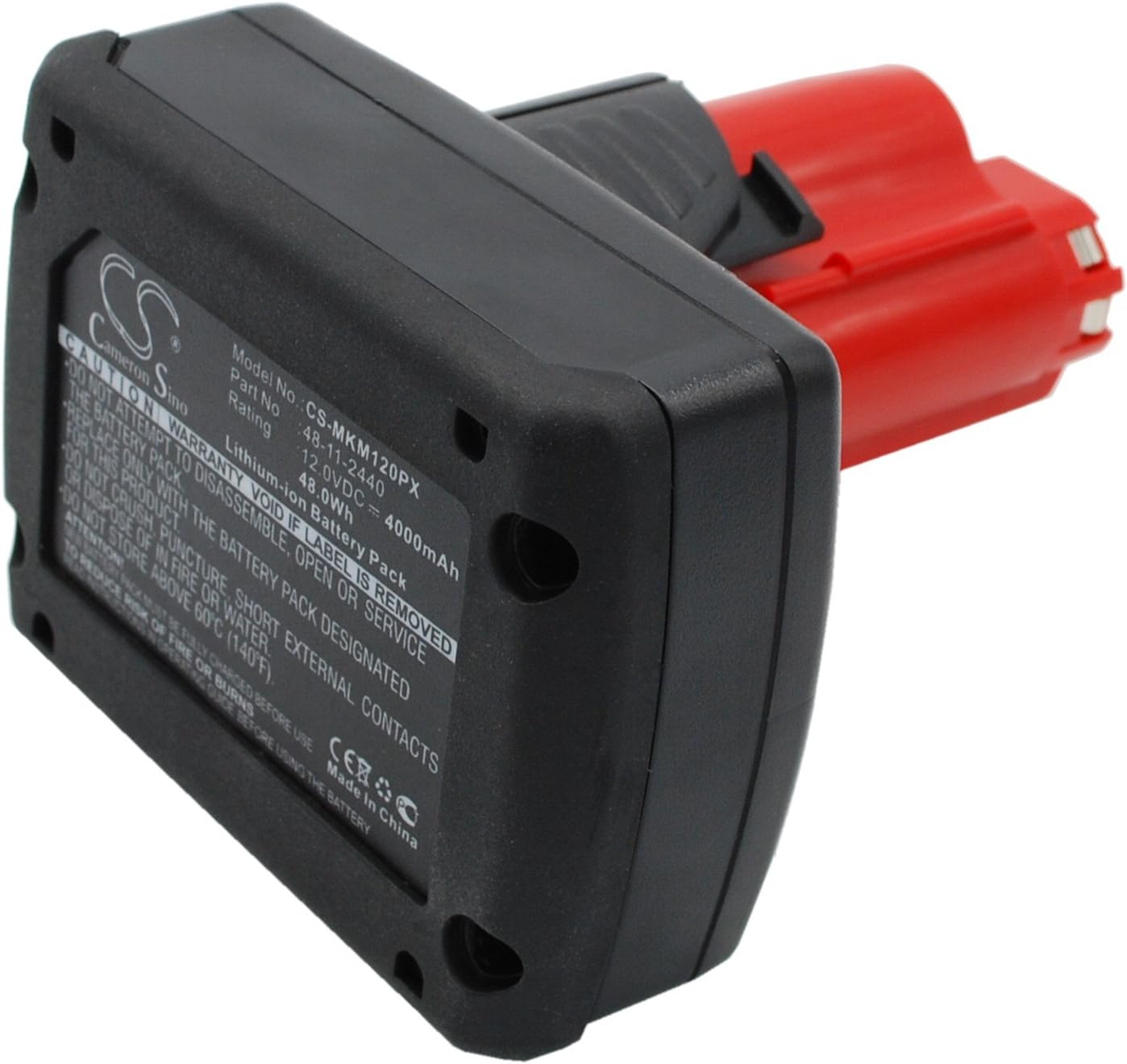
Image: The battery's information label, detailing its model number, voltage, capacity, and type.
Warranty and Customer Support
Your XLAQ compatible battery comes with a commitment to quality and customer satisfaction.
- Warranty: This product includes a 12-month warranty from the date of purchase.
- Money Back Guarantee: A 14-day money-back guarantee is provided for your peace of mind.
- Customer Support: For any questions, concerns, or support needs, please contact our customer service team. We offer 24/7 email support to assist you.
Please refer to your purchase documentation for specific contact details or visit the XLAQ official support page.