
1. Introduction
This manual provides essential information for the installation, operation, and maintenance of your SmartWings Motorized Light Filtering Shades. Please read these instructions carefully before installation and use to ensure proper function and longevity of your product.

Image: SmartWings Motorized Light Filtering Shades installed in a modern living room, demonstrating light filtering capabilities.
2. Safety Information
The SmartWings Motorized Light Filtering Shades feature a cordless design, enhancing safety for children and pets by eliminating hazardous cords.
- Keep the remote control out of reach of children.
- Do not attempt to disassemble or repair the motor or battery components. Contact support for assistance.
- Ensure the shades are installed securely according to the installation guide to prevent accidental detachment.
3. Product Overview
Your SmartWings shades are designed to provide 70% light filtering, reducing glare and blocking harmful UV rays while maintaining privacy. They are equipped with a quiet, rechargeable Li-ion battery motor.
Key Features:
- 70% Light Filtering Fabric: Reduces glare and UV exposure.
- Cordless Design: Enhanced safety and clean aesthetics.
- Rechargeable Battery Motor: Operates for 4-6 months on a single charge.
- Smart Home Compatibility: Supports Matter, Thread, HomeKit, Z-Wave, Alexa, and Google Assistant (depending on motor type).
- Quiet Operation: Motor noise level is less than 35dB.
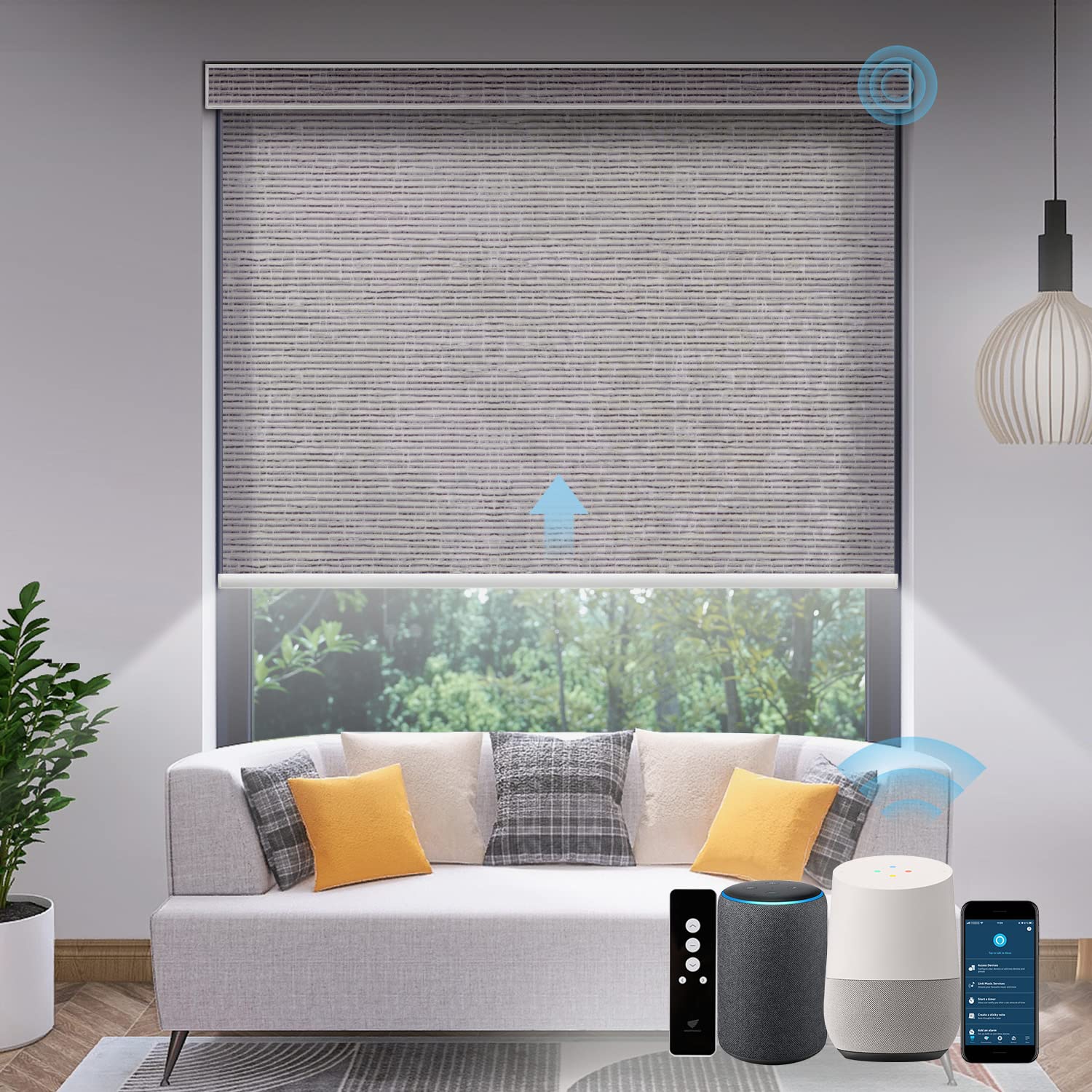
Image: A SmartWings Motorized Light Filtering Shade in Safari Rock Grey, showcasing its sleek design.
4. Motor Types and Compatibility
SmartWings offers various motor types to integrate with different smart home ecosystems:
- SW101 Standard Motor: Requires a separate smart hub (not included) to connect to all versions of Alexa and Google Assistant.
- SW201 Smart Motor (Zigbee Motor): Connects directly to specific Alexa devices (Echo Plus 2nd Gen, Echo Show 2nd Gen, Echo Studio, Echo Show 10, Echo 4th Gen). Other Alexa versions and Google Assistant require a Zigbee hub.
- SW301 Matter Motor: Works with Matter-compatible smart home hubs that have Thread Border Router functionality. Compatible with Alexa, Google Home, Apple Home, etc. Adapting devices include Apple TV 4K (3rd gen, 128 GB), HomePod (2nd gen), Nest Hub (2nd gen), Echo Show 8 (3rd gen), and Echo (4th gen).
- SW401 Z-Wave Motor: Works with Z-Wave hubs like Hubitat.
- SW501 Thread Motor: Works with HomeKit via Thread networking technology.
Regardless of motor type, at least one remote controller is required for initial setup.

Image: Visual guide illustrating the different SmartWings motor types (SW101, SW201, SW501) and their respective smart home compatibility, including required hubs and direct connections.

Image: Detailed diagram of SmartWings motor types (SW301 Matter, SW401 Z-Wave) and their smart home compatibility, highlighting the need for a Matter Hub or Z-Wave network.
5. Installation Guide
5.1. Measuring Your Windows
Accurate measurements are crucial for a perfect fit. Refer to the following guidelines:
- Inside Mount: Measure the exact width of the window opening in three places (top, middle, bottom) and use the smallest measurement. Measure the height in three places (left, center, right) and use the largest measurement. Ensure window depth is at least 2 inches (50.8mm). If less, an outside mount is recommended.
- Outside Mount: Measure the width of the area you wish to cover. For height, measure the area you wish to cover. For optimal light blocking, add at least 6 inches to both width and height.

Image: A diagram showing detailed instructions for measuring windows for both inside and outside mount installations, including depth and width considerations.
5.2. Mounting the Shades
SmartWings shades are designed for easy installation, typically within 10-20 minutes, using a straight line positioning and 4 screws (included).
- Secure the mounting brackets to the wall or ceiling using the provided screws.
- Align the shade headrail with the installed brackets.
- Snap the shade into place on the brackets until it is securely fastened.

Image: A diagram illustrating various installation plans, including inside mount, outside mount, and the use of extension brackets for different window types.
5.3. Waking the Motor
After installation, the motor may be in sleep mode. To wake it:
- Locate the programming button on the motor head.
- Press and hold the programming button until the motor jogs once. This indicates it is awake and ready for operation.
6. Operating Instructions
6.1. Remote Control Operation
Use the provided remote control to operate your shades. A single remote can control up to 15 blinds simultaneously.
- Up Arrow: Raises the shade.
- Down Arrow: Lowers the shade.
- Stop Button: Stops the shade at any desired position.
- Channel Buttons: Select individual shades or groups of shades for control.

Image: A SmartWings remote control shown in a living room with multiple shades, illustrating multi-channel control.
6.2. Smart Home Integration
Depending on your motor type, your shades can be integrated with various smart home systems for voice and app control.
- Voice Control: Use commands like "Alexa, close the shades" or "Hey Google, open the blinds."
- App Control: Manage your shades through the respective smart home app (e.g., Apple Home, Alexa app, Google Home app) for timing control, sunrise/sunset automation, and location-based control.

Image: SmartWings shades shown in a modern home setting, integrated with various smart home devices such as Amazon Alexa, Google Assistant, and Apple HomeKit for automated control.

Image: A man using voice commands to control SmartWings shades with a smart speaker, demonstrating hands-free operation.

Image: A woman controlling SmartWings shades using a smartphone app, highlighting features like timing control, sunrise/sunset, and location control.
6.3. Adjusting Fabric Position
The fabric position can be adjusted to correct any deviations that may occur over time. This process involves using tape to guide the fabric back to its original position.
Video: Instructions on how to adjust the fabric position of SmartWings shades using tape and remote control to correct any alignment issues.
7. Charging and Power
The motorized shades are powered by a rechargeable Li-ion battery. A full charge typically lasts 4-6 months with daily use (approximately 600 operations).
- Charging Cable: Use the included USB-C plug charging cable.
- Optional Solar Panel: For continuous charging and reduced maintenance, an optional solar panel can be purchased separately. One solar panel can connect to one motorized blind.

Image: A diagram illustrating the charging options for SmartWings shades, including direct USB-C charging and the optional solar panel for continuous power.

Image: A diagram detailing considerations for optimal solar panel placement, such as avoiding awnings, deep eaves, north-facing windows, and vegetation blocking light.
8. Maintenance
To maintain the appearance and functionality of your SmartWings shades:
- Cleaning: Spot clean only. Use a soft, damp cloth with mild soap and water for stains. Do not immerse the shades in water.
- Battery: Recharge the battery when the indicator light signals low power.
9. Troubleshooting
If you encounter issues with your shades, try the following:
- Shade Not Responding: Ensure the remote control battery is charged and the shade motor is awake (refer to Section 5.3). Check smart home hub connection if applicable.
- Fabric Misalignment: Refer to Section 6.3 for instructions on adjusting fabric position.
- Motor Noise: The motor operates quietly (<35dB). If unusual or loud noises occur, contact customer support.
- Charging Issues: Ensure the USB-C cable is properly connected. If using a solar panel, verify it receives adequate sunlight and is correctly connected.
10. Specifications
| Feature | Detail |
|---|---|
| Brand | SmartWings |
| Model Number | 728205224297 |
| Material | Polyester |
| Color | Safari Rock Grey |
| Opacity | Semi-Sheer (70% Light Filtering) |
| Operation Mode | Automatic |
| Control Type | Manual (Remote) and Automatic (Smart Home) |
| Smart Home Compatibility | Matter, Thread, HomeKit, Z-Wave, Alexa, Google (motor dependent) |
| Power Source | Rechargeable Li-ion Battery (USB-C, optional Solar Panel) |
| Battery Life | 4-6 months (approx. 600 operations) |
| Noise Level | <35dB |
| Product Dimensions | 1"L x 1"W (Customizable width 16''-110'', height 22''-148'') |
| Mounting Type | Wall Mount, Ceiling Mount |
| Care Instructions | Spot Clean Only |
11. Warranty and Support
SmartWings offers a 24-month warranty on motors and controls from the date of purchase. This warranty covers defects in materials and workmanship under normal use.
For technical support, troubleshooting, or warranty claims, please contact SmartWings customer service through their official website or the retailer where the product was purchased.