1. Introduction
The Stealthcam Wildview WV14 is a high-performance hunting trail camera designed to capture clear images and videos of wildlife. With its 14MP photo capability, 0.7-second trigger speed, and 60 ft detection range, it is an effective tool for scouting and monitoring game.
This manual provides detailed instructions for setting up, operating, and maintaining your Wildview WV14 camera to ensure optimal performance.
2. Product Features
- 14MP Photo Resolution: Captures high-quality still images.
- 1080p Video Recording: Records clear video clips (5/10/20 second options).
- 0.7 Second Trigger Speed: Ensures quick capture of moving subjects.
- 60 ft Detection Range: Monitors a wide area effectively.
- 18 IR LEDs: Provides effective night vision up to 60 feet.
- Burst Mode: Captures 1-3 photos per trigger event.
- Quick Set Programming: Easy setup via the small internal display.
- SD Card Support: Compatible with SD cards up to 32GB (sold separately).
- Integrated Python Lock Latch: For secure mounting.
3. Package Contents
Verify that all items are present in your package:
- Wildview WV14 Camera
- Tree Strap
Note: SD card and 4 AA batteries are not included and must be purchased separately.
4. Setup
4.1. Battery Installation
- Open the camera housing by unlatching the side clips.
- Locate the battery compartment.
- Insert 4 AA batteries, ensuring correct polarity (+/-) as indicated inside the compartment.

Image: The camera's interior, showing the battery slots and the SD card slot. Ensure batteries are inserted with correct polarity.
4.2. SD Card Installation
- With the camera housing open, locate the SD card slot.
- Insert a full-size SD card (up to 32GB) into the slot until it clicks into place. Ensure the card is inserted in the correct orientation.

Image: The camera opened, revealing the internal display, control buttons, and the SD card slot.
4.3. Mounting the Camera
- Select a sturdy tree or post at the desired height and location.
- Thread the included tree strap through the mounting slots on the back of the camera.
- Securely fasten the strap around the tree, ensuring the camera is stable and pointed towards the desired area.
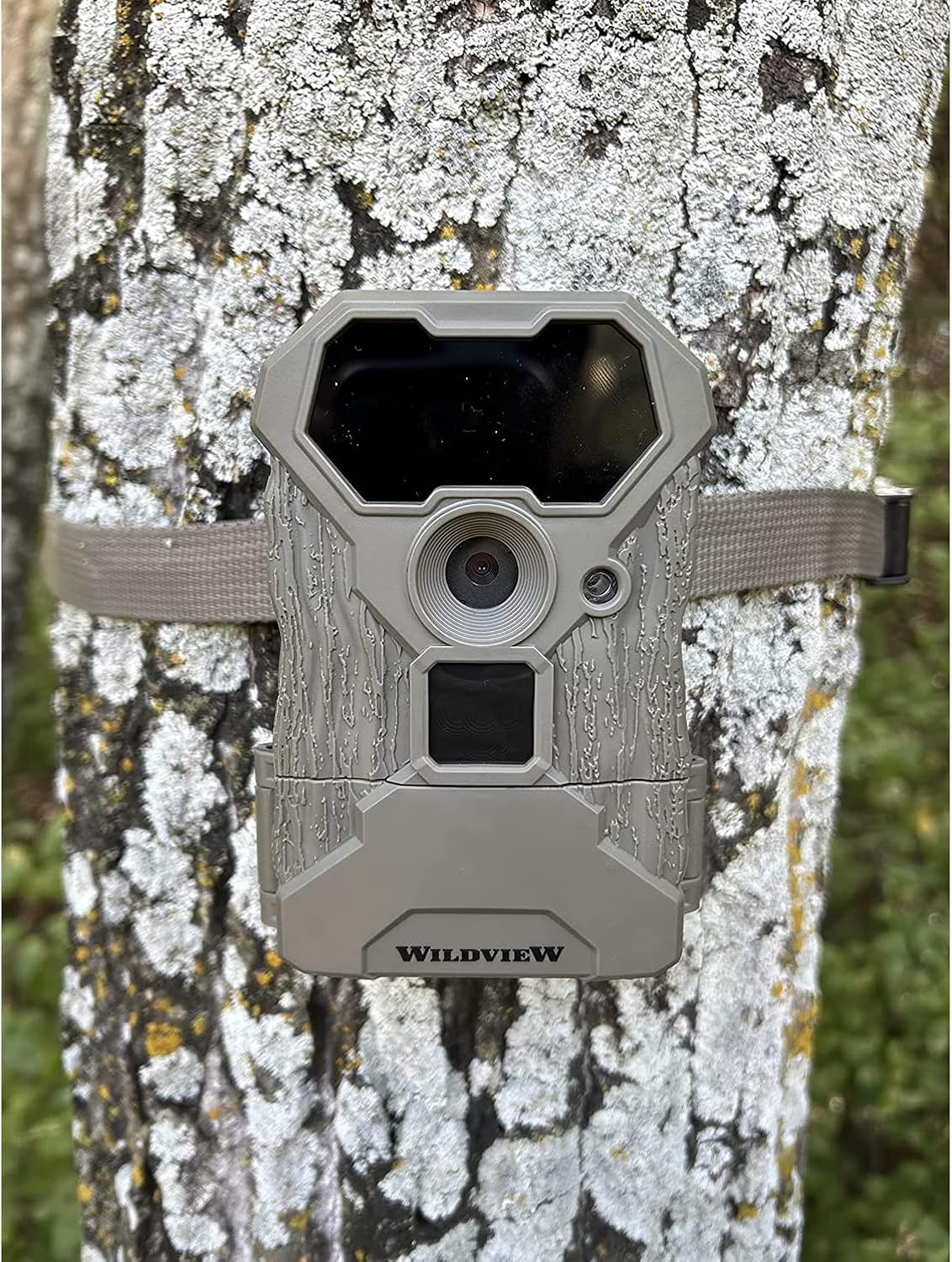
Image: The Wildview WV14 camera securely mounted to a tree trunk using its adjustable strap.
5. Operating Instructions
5.1. Quick Set Programming
The Wildview WV14 features Quick Set Programming for easy configuration. Use the internal display and control buttons (MENU, UP, DOWN, ENTER) to navigate through settings.
- Power On: Open the camera housing and slide the power switch to the ON position. The internal display will activate.
- Select Mode: Use the UP/DOWN buttons to select between Photo, Video, or Photo+Video modes. Press ENTER to confirm.
- Set Delay/Recovery Time: Adjust the delay between captures (5, 10, or 20 seconds) using the UP/DOWN buttons. Press ENTER.
- Set Date/Time: Navigate to the date/time settings and adjust as needed. This information will be stamped on your images.
- Close Housing: Once settings are configured, close the camera housing securely. The camera will enter monitoring mode.

Image: The camera mounted on a tree, with its front panel open to reveal the internal display and control buttons for programming.
5.2. Capturing Images and Videos
Once set up and powered on, the camera will automatically detect motion within its 60 ft range and trigger captures based on your selected mode and settings.
- Photo Mode: Captures 14MP still images. Burst mode allows 1-3 photos per trigger.
- Video Mode: Records 1080p video clips of 5, 10, or 20 seconds in length.
- Photo+Video Mode: Captures a still image followed by a video clip.

Image: An example of a daytime image captured by the Wildview WV14 camera, showing two deer in their natural habitat.

Image: Another example of a clear image captured by the Wildview WV14 camera, featuring a deer near a wildlife feeder.
6. Maintenance
- Battery Replacement: Replace batteries when the low battery indicator appears on the display or when performance degrades. Always use fresh, high-quality AA batteries.
- SD Card Management: Regularly check the SD card capacity. Format the SD card periodically to maintain optimal performance and prevent data corruption. Back up important files before formatting.
- Cleaning: Gently wipe the camera lens and IR LEDs with a soft, clean cloth to remove dirt, dust, or moisture. Do not use abrasive cleaners.
- Storage: When not in use for extended periods, remove batteries and the SD card. Store the camera in a cool, dry place away from direct sunlight.
7. Troubleshooting
| Problem | Possible Cause | Solution |
|---|---|---|
| Camera does not power on. | Low or dead batteries; incorrect battery orientation. | Replace with fresh AA batteries; ensure correct polarity. |
| No images/videos captured. | SD card full or corrupted; camera not in active mode; trigger sensitivity too low. | Format or replace SD card; ensure camera is in ON mode; increase trigger sensitivity. |
| Poor image/video quality. | Dirty lens; low light conditions; subject too far or too close. | Clean lens; ensure adequate lighting; position camera appropriately. |
| Short battery life. | Frequent triggers; low-quality batteries; extreme temperatures. | Reduce trigger frequency; use high-quality alkaline or lithium batteries; consider external power in cold weather. |
8. Specifications

Image: A visual representation of key specifications for the Wildview WV14 camera.
| Feature | Detail |
|---|---|
| Model Name | Wildview Stealth Came 14MP Trail Camera |
| Effective Still Resolution | 14 MP |
| Video Capture Resolution | 1080p |
| Trigger Speed | 0.7 Seconds |
| Night Vision Range | 60 Feet |
| Recovery Time | 5/10/20 seconds |
| Burst Mode | 1-3 Photos Per Trigger |
| SD Card Support | Up to 32GB |
| Power Source | 4 AA Batteries (not included) |
| Included Components | WV14 Camera, Tree Strap |
| Item Dimensions (L x W x H) | 2.28 x 3.86 x 5.35 inches |
| International Protection Rating | IP54 |
9. Warranty Information
The Stealthcam Wildview WV14 camera comes with a 1 Year Warranty from the manufacturer. Please retain your proof of purchase for warranty claims.
10. Support
For additional support, frequently asked questions, or to explore other Stealth Cam products, please visit the official Stealth Cam store:
Visit the Stealth Cam Store on Amazon
Manufacturer: Stealth Cam


