
1. Introduction
Thank you for choosing the MECHEN D51 MP3 Player. This device is designed to provide a versatile and enjoyable audio experience with its multi-functional capabilities. Please read this manual carefully to understand how to operate your new MP3 player and utilize all its features.
What's in the Box
- 1 x MECHEN D51 MP3 Player
- 1 x Earphone
- 1 x Audio Cable
- 1 x Charging Cable
- 1 x User Manual (this document)
2. Product Overview
The MECHEN D51 MP3 Player features a 2.4-inch screen and responsive touch controls for easy navigation. It integrates multiple functions including music playback, FM radio, voice recording, and e-book reading.

Image: Front view of the MECHEN D51 MP3 Player, showcasing its 2.4-inch screen and touch-sensitive control buttons.

Image: The MECHEN D51 MP3 Player displaying its main interface with icons for various functions like music, Bluetooth, recording, and more.
Key Features
- Multi-functional: Music player, recorder, FM radio, e-books (TXT format only), and various tools.
- HiFi Lossless Sound Quality: Supports multiple audio formats and customizable equalizers.
- 32GB Built-in Memory: Expandable up to 128GB via Micro TF card.
- Wireless Bluetooth 5.0 Technology: For stable connection with Bluetooth earphones or speakers.
- Responsive Touch Control: Precise and sensitive keys for smooth operation.
3. Setup
3.1 Charging the Device
Connect the MP3 player to a computer or a USB wall adapter using the provided charging cable. The battery icon on the screen will indicate charging status. A full charge typically takes a few hours.
3.2 Powering On/Off
- To Power On: Press and hold the power button until the screen lights up.
- To Power Off: Press and hold the power button until the power-off option appears on the screen, then confirm.
3.3 Inserting a Micro SD Card
The device supports Micro SD cards up to 128GB for expanded storage. Locate the Micro SD card slot on the side of the player. Gently insert the card until it clicks into place. To remove, push the card in slightly until it springs out.
Note: Format your Micro SD card as exFAT for best performance. NTFS format may result in a "disk error" message. A 16KiB file allocation size is recommended for audio files.
3.4 Transferring Music Files
Connect the MP3 player to your computer using the USB cable. The player will appear as a removable disk. You can drag and drop music files (MP3, WMA, WAV, FLAC, APE, OGG) directly into the player's internal storage or the Micro SD card folder.
For audiobooks with multiple files or artists with multiple albums, organize them into separate folders for easier navigation. After transferring files, you may need to use the "Update Playlist" option in the player's settings to ensure new items appear correctly.
4. Operating Instructions
4.1 Basic Navigation
The MECHEN D51 uses touch-sensitive buttons below the screen for navigation:
- Left/Right Arrows: Navigate through menus or skip tracks.
- Up/Down Arrows: Scroll through lists or adjust volume.
- Center Button: Select an option or play/pause.
- Back Button (Curved Arrow): Return to the previous screen.
- Menu Button (Three Lines): Access options within an application (e.g., equalizer settings during music playback).
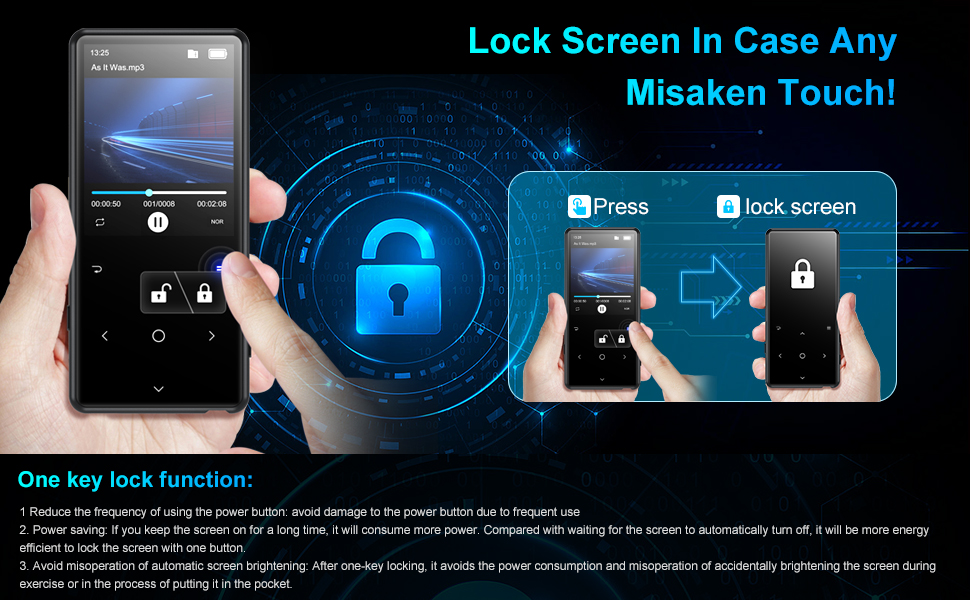
Image: A hand demonstrating the one-key lock function on the MECHEN D51 MP3 Player to prevent accidental touches.
4.2 Music Playback
From the main menu, select "Music" to browse your audio files. The player supports MP3, WMA, WAV, FLAC, APE, and OGG formats.
- Equalizer: While a song is playing, press the Menu button to access Sound Settings and adjust the equalizer (Rock, Funk, Hip-hop, Jazz, Classical, Techno, Custom, or Off). If audio quality sounds distorted, set the EQ to "Off" or "Custom".
- Playlists: The player recognizes up to 4,000 files in a single list. Grouping songs in folders and using those as custom "playlists" under the "Folder" or "Card Folder" section is often more convenient.

Image: The MECHEN D51 MP3 Player displaying the music playback interface, showing track information and progress.

Image: A diagram illustrating the MECHEN D51 MP3 Player's support for various audio formats including MP3, WMA, WAV, FLAC, APE, and OGG.
4.3 Bluetooth Connection
The D51 features Bluetooth 5.0 for connecting to wireless earphones or speakers.
- From the main menu, select "Bluetooth".
- Turn on Bluetooth on the MP3 player.
- Ensure your Bluetooth earphones or speaker are in pairing mode.
- The MP3 player will scan for available devices. Select your device from the list to pair.
Important: The MECHEN D51 MP3 player cannot directly connect to mobile phones or car audio systems via Bluetooth.
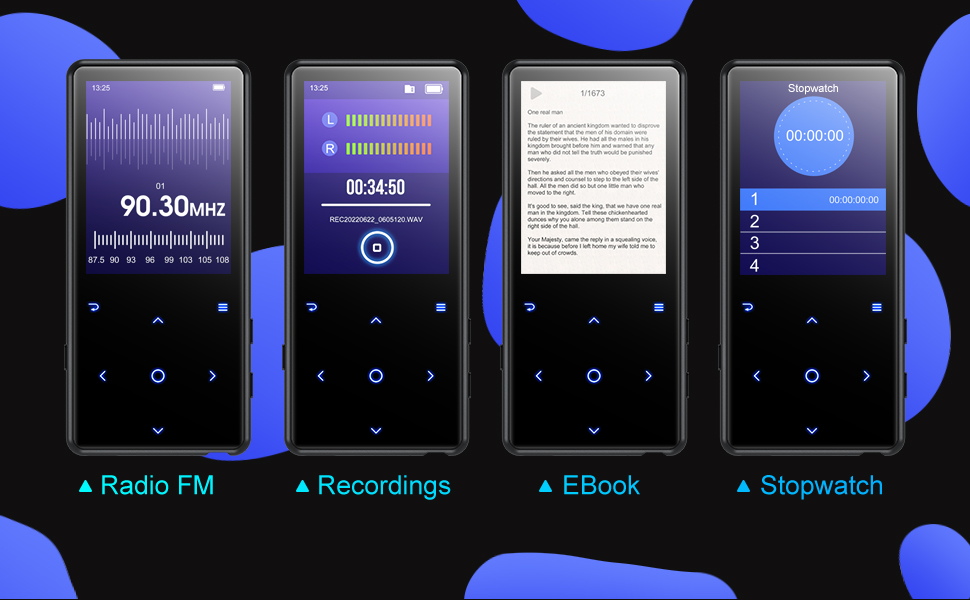
Image: A graphic highlighting the Bluetooth 5.0 technology of the MECHEN D51 MP3 Player, showing improved transfer speed, signal stability, and reduced power consumption.
4.4 FM Radio
Plug in the wired earphones (they act as an antenna). From the main menu, select "FM Radio". You can auto-scan for stations or manually tune.
4.5 Voice Recorder
Select "Recording" from the main menu. The player supports both built-in microphone recording (Mic-in) and line-in recording (via audio cable). Press the center button to start/stop recording.

Image: The MECHEN D51 MP3 Player displaying its voice recording interface with a waveform visualization and recording controls.
4.6 E-book Reader
Select "E-book" from the main menu. The player supports TXT format files. You can read e-books while listening to music simultaneously.
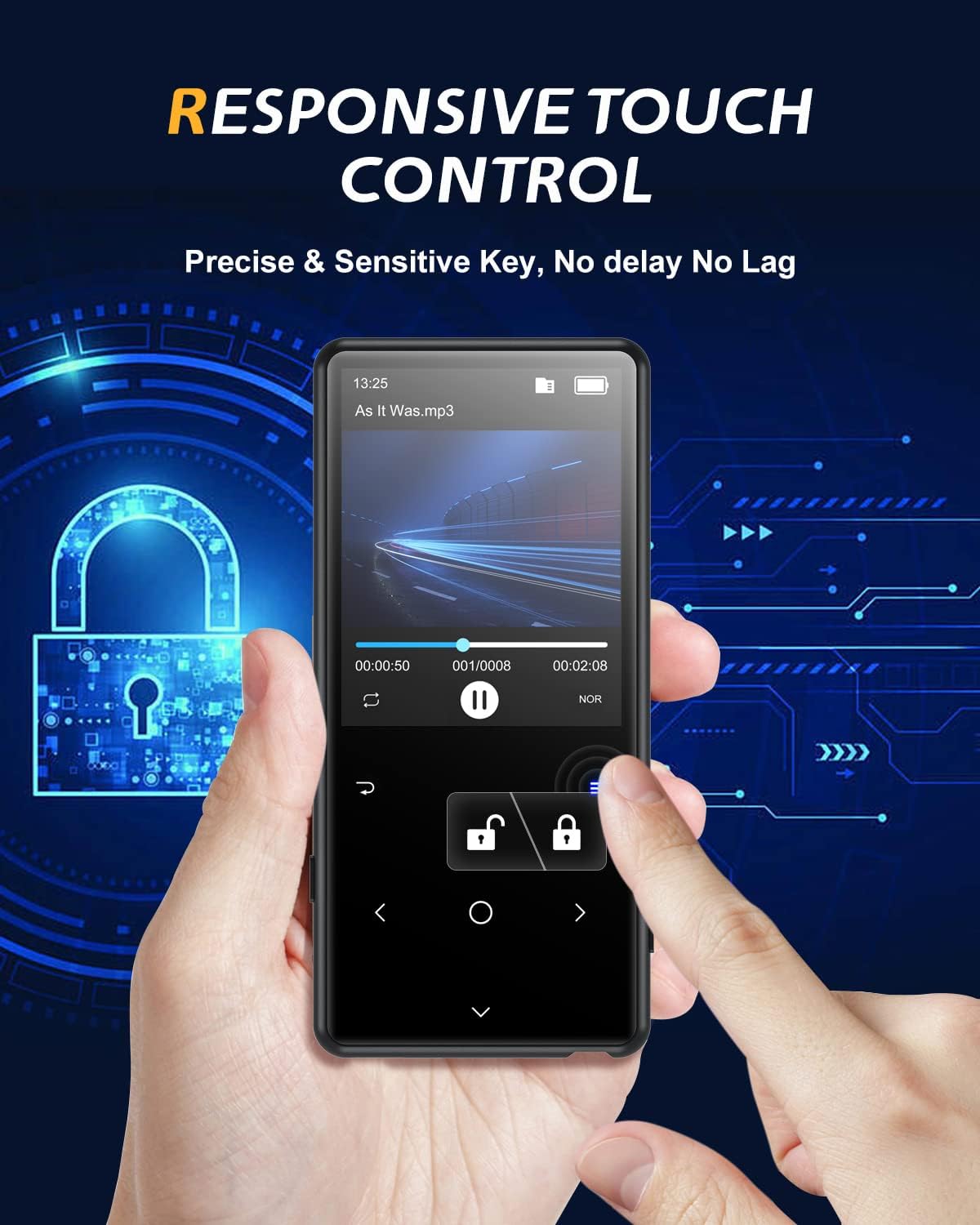
Image: The MECHEN D51 MP3 Player displaying text on its screen, indicating the e-book reading function.
4.7 Tools
The "Tools" section includes additional utilities such as a Stopwatch and Alarm Clock.

Image: A composite image showing the MECHEN D51 MP3 Player displaying its Radio FM, Recordings, EBook, and Stopwatch interfaces.
5. Maintenance
5.1 Cleaning
Use a soft, dry, lint-free cloth to clean the device. Avoid using abrasive cleaners or solvents. For the screen, a microfiber cloth is recommended to remove fingerprints.
5.2 Battery Care
To prolong battery life, avoid fully discharging the device frequently. Charge the player regularly, even if not in use for extended periods. Store the device in a cool, dry place.
6. Troubleshooting
If you encounter issues with your MECHEN D51 MP3 Player, please refer to the following common solutions:
- Device Not Turning On: Ensure the battery is charged. Connect the player to a power source and try again.
- Music Files Not Appearing: After transferring files, go to the player's settings and select "Update Playlist". Ensure your Micro SD card is formatted as exFAT.
- "Disk Error" Message: This usually indicates an incorrectly formatted Micro SD card. Reformat the card to exFAT.
- Poor Sound Quality/Distortion: Check the equalizer settings. Set the EQ to "Off" or "Custom" as some preset modes (e.g., "Rock") can cause distortion with heavy bass. Ensure your earphones are fully plugged in and functional.
- Bluetooth Connection Issues: Ensure both the MP3 player and the target Bluetooth device are in pairing mode and within range (up to 8-10m in open areas). Confirm the MP3 player is not attempting to connect to an unsupported device like a mobile phone or car system.
- Keypad Too Sensitive: Use the one-key lock function to prevent accidental touches during use.
- Headphone Jack Not Working: If the headphone jack stops working, first try a different pair of headphones to rule out headphone malfunction. If the issue persists, it may indicate a hardware problem.
- Settings Not Retained: If the player does not hold settings from day to day, ensure the device is powered off correctly rather than just letting the screen turn off.
7. Specifications
| Feature | Detail |
|---|---|
| Brand | MECHEN |
| Model Name | D51 (mp3 player with bluetooth) |
| Connectivity Technology | Bluetooth 5.0 |
| Memory Storage Capacity | 32 GB (Built-in) |
| Expandable Memory | Up to 128 GB (Micro SD) |
| Screen Size | 2.4 Inches |
| Supported Audio Formats | MP3, WMA, WAV, FLAC, APE, OGG |
| Supported E-book Format | TXT |
| Special Features | Equalizer, FM Radio, Voice Recorder |
| Battery Average Life | 5 years (estimated) |
| Item Weight | 70 Grams |
8. Warranty and Support
8.1 Product Warranty
The MECHEN D51 MP3 Player comes with a 2-year product quality guarantee. If the machine fails within 60 days of purchase, you are eligible for a free replacement.
8.2 Customer Support
For any questions or assistance regarding your MP3 player, please contact MECHEN customer service. We aim to reply to all inquiries within 24 hours.
Please refer to the contact information provided with your purchase or visit the official MECHEN website for support details.


