
BrickBling 21172
BrickBling Light Kit for LEGO Minecraft The Ruined Portal 21172: Instruction Manual
Brand: BrickBling | Model: 21172
Introduction
This instruction manual provides detailed guidance for the installation and operation of your BrickBling LED light kit, specifically designed for the LEGO Minecraft The Ruined Portal set (model 21172). This product is an LED lighting accessory and does not include the LEGO model itself. It is intended for users aged 18 and above.
The light kit enhances the visual appeal of your LEGO set, bringing it to life with dynamic illumination. Please read all instructions carefully before beginning the installation process.

Image: The BrickBling light kit illuminates the LEGO Minecraft The Ruined Portal 21172 set, highlighting the portal, lava, and other elements.
Product Features
- Safe and Durable Design: Constructed from high-grade ABS materials and copper, ensuring safety and longevity. The light wires are lightweight and designed to be discreetly concealed within the model, preventing damage during installation.
- Vivid Illumination: Powers the lights using a power bank, computer, wall socket, or any other USB port device. Alternatively, an AAA battery box can be used (batteries not included). This feature transforms your model from static to dynamically lit.
- Clear Installation Guidance: Includes a comprehensive printed instruction guide and access to step-by-step video instructions to assist with the assembly process.
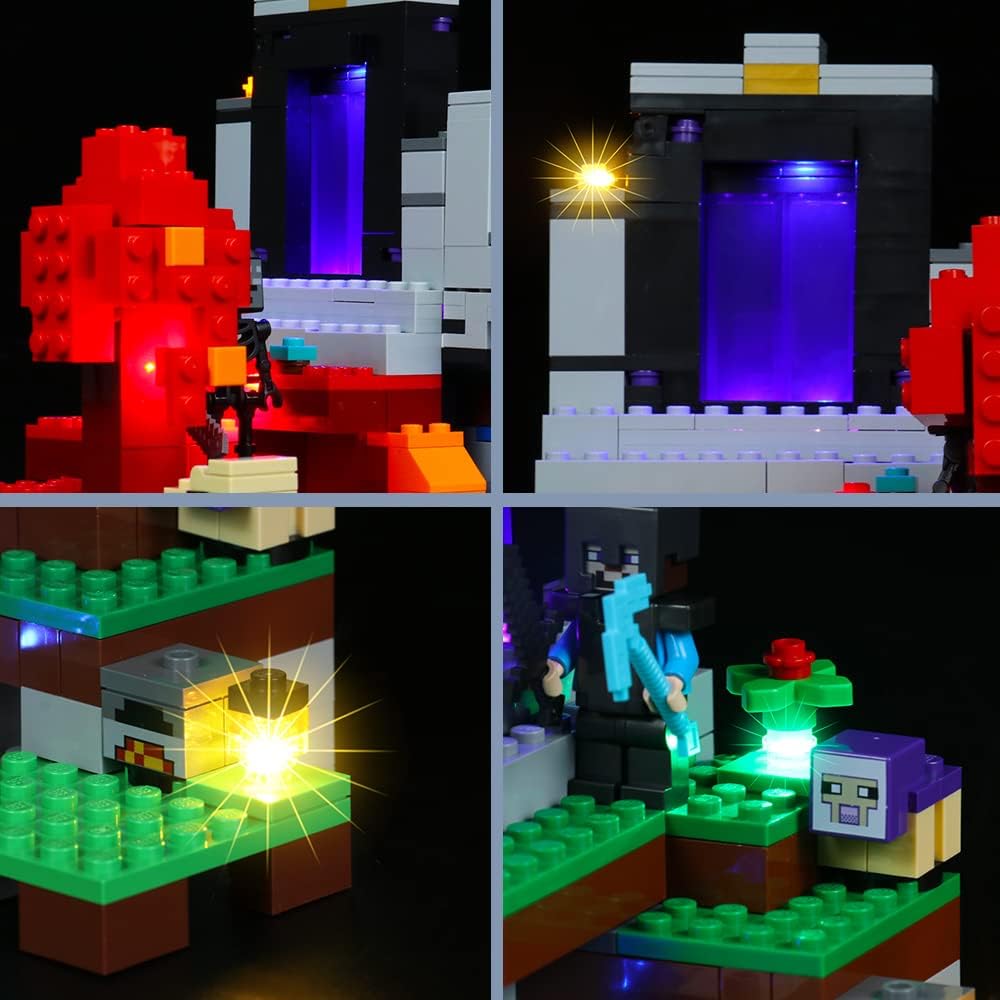
Image: A visual representation of the light kit's features, emphasizing its ability to bring the LEGO model to life.
Package Contents
Please verify that all components listed below are present in your package before beginning installation. If any parts are missing or damaged, please contact customer support.
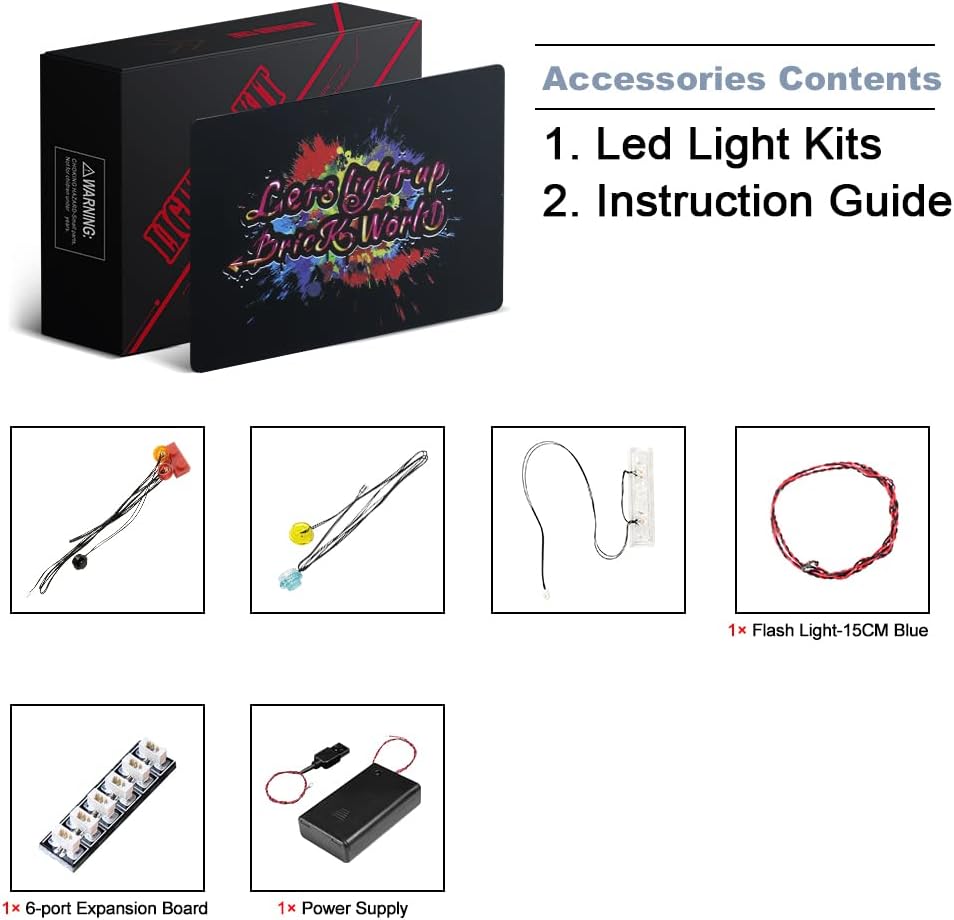
Image: A detailed view of the accessories included in the BrickBling light kit package.
- LED Light Kits (various types and colors)
- Instruction Guide
- Connection Wires
- Expansion Boards (e.g., 6-port expansion board)
- Power Supply Unit (USB cable or battery box)
- Additional small components as required for specific lighting effects (e.g., flash lights)
Installation Guide
Before starting, ensure your LEGO Minecraft The Ruined Portal 21172 set is fully assembled. The light kit installation requires careful handling of small components and wires. It is recommended to follow the instructions sequentially.
- Review Instructions: Carefully read the included printed instruction guide from beginning to end to familiarize yourself with the steps.
- Watch Video Tutorial: For visual assistance, refer to the official installation video provided by BrickBling. This video demonstrates each step, making the process clearer.
- Prepare Your Workspace: Ensure you have a clean, well-lit area to work on your LEGO model.
- Gentle Handling: The light wires are delicate. Handle them gently to avoid damage. Avoid sharp bends or excessive pulling.
- Connect Components: Follow the guide to connect the LED lights to the expansion boards and then to the power supply. Ensure all connections are secure.
- Integrate Lights: Carefully integrate the lights and wires into your LEGO model as instructed, ensuring they are concealed where possible for a clean look.
Video: Official BrickBling installation guide for the LEGO Minecraft The Ruined Portal 21172 light kit. This video demonstrates the step-by-step process of adding lights to your model.
Powering the Light Kit
The BrickBling light kit offers flexible power options:
- USB Power: Connect the provided USB power cable to any standard USB port, such as those found on a power bank, computer, or wall adapter (not included). The recommended voltage is 3-5V.
- AAA Battery Box: For portable power, use the included AAA battery box. Insert 3 AAA batteries (not included) into the battery box and connect it to the light kit. Ensure correct battery polarity.
Always ensure the power source provides the recommended voltage to prevent damage to the LED components.

Image: This image demonstrates the BrickBling light kit illuminating a LEGO Minecraft set, enhancing its visual details.
Maintenance
To ensure the longevity and optimal performance of your BrickBling light kit, follow these maintenance guidelines:
- Dust Removal: Regularly dust your LEGO model and light kit using a soft brush or compressed air to prevent dust buildup, which can affect light brightness and component lifespan.
- Handle with Care: Avoid dropping or subjecting the model to strong impacts, as this can dislodge wires or damage LED components.
- Power Off When Not in Use: Disconnect the power source when the light kit is not in use to conserve energy and extend the life of the LEDs.
- Avoid Moisture: Keep the light kit and LEGO model away from water and high humidity to prevent electrical damage.
Troubleshooting
If you encounter issues with your light kit, please refer to the following common troubleshooting steps:
| Problem | Possible Cause | Solution |
|---|---|---|
| Lights do not turn on. |
|
|
| Some lights are not working. |
|
|
| Lights are dim or flickering. |
|
|
If these steps do not resolve the issue, please contact BrickBling customer support for further assistance.
Specifications
- Brand: BrickBling
- Model Number: 21172
- Compatible LEGO Set: LEGO Minecraft The Ruined Portal 21172
- Material Type: Acrylonitrile Butadiene Styrene (ABS)
- Power Source: DC power supply (USB or AAA battery box)
- Recommended Voltage: 3-5V
- Assembly Required: Yes
- Operation Mode: Manual
- Target Audience: Adult (18+ years)
Warranty and Support
BrickBling is committed to providing high-quality products. While specific warranty details are not provided in this manual, please retain your proof of purchase. For any product-related inquiries, technical support, or to report missing/damaged parts, please contact BrickBling customer service through the retailer where the product was purchased or visit the official BrickBling website for support contact information.
We value your satisfaction and are here to assist you with any questions or concerns regarding your light kit.
Related documents21172


Ask a question about this manual
Ask about setup, troubleshooting, compatibility, parts, safety, or missing instructions. Manuals+ will review the question and use this page’s manual context to help answer it.