
Introduction
This manual provides essential information for the safe and effective use of your Accutime Rainbow High Kids Smart Watch, Model RNB4017AZ. Designed for children, this smartwatch offers a range of interactive features in a secure, internet-free environment.
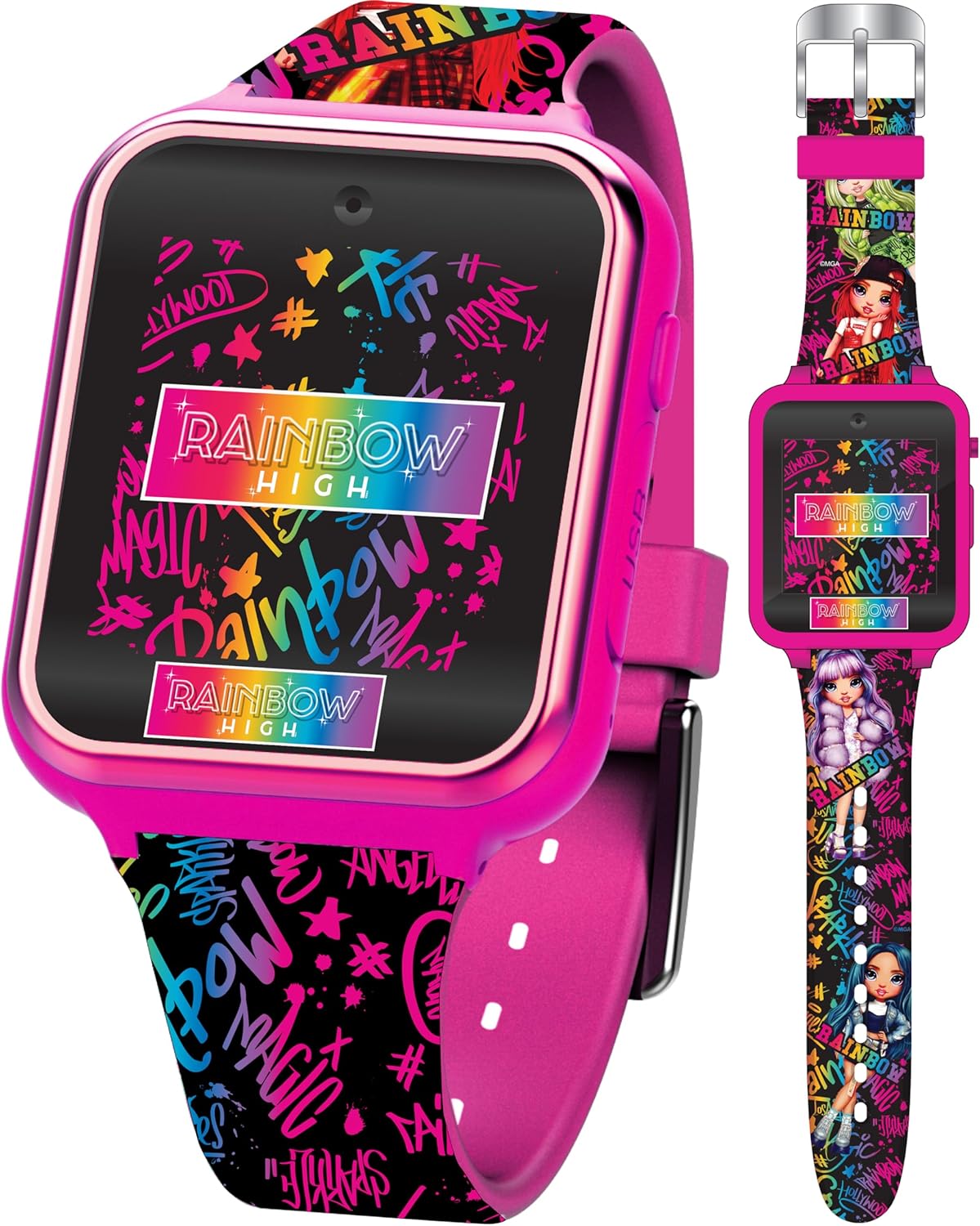
Image: Front view of the Accutime Rainbow High Kids Smart Watch, showcasing its vibrant multicolor strap and digital display.
Important Safety Note: This smartwatch does not connect to the internet, Wi-Fi, or Bluetooth, ensuring a secure experience for children without compromising their safety.
Package Contents
Please verify that all items are present in the package:
- Accutime Rainbow High Kids Smart Watch (Model: RNB4017AZ)
- USB Charging Cable
- Instruction Manual (this document)
Setup
Initial Charging
Before first use, fully charge the smartwatch. Connect the included USB charging cable to the watch and a compatible USB power source (e.g., computer USB port, USB wall adapter). A full charge takes approximately two to three hours.
- Connect the small end of the USB cable to the charging port on the side of the watch.
- Connect the large end of the USB cable to a USB power source.
- The screen may remain blank during charging for the first three hours.
Power On/Off
- To Power On: Press and hold the power button (usually on the side of the watch) until the screen illuminates.
- To Power Off: Press and hold the power button until the power-off option appears on the screen, then confirm.
Setting Time and Date
Access the 'Settings' menu on the watch's touchscreen. Navigate to 'Time' or 'Date' settings to adjust as needed. Follow the on-screen prompts to set the current time and date.
Operating Instructions
The Accutime Rainbow High Smart Watch features an intuitive touchscreen display for easy navigation.
Touchscreen Navigation
- Tap: Select an icon or option.
- Swipe: Move between screens or menus.
Key Features Overview
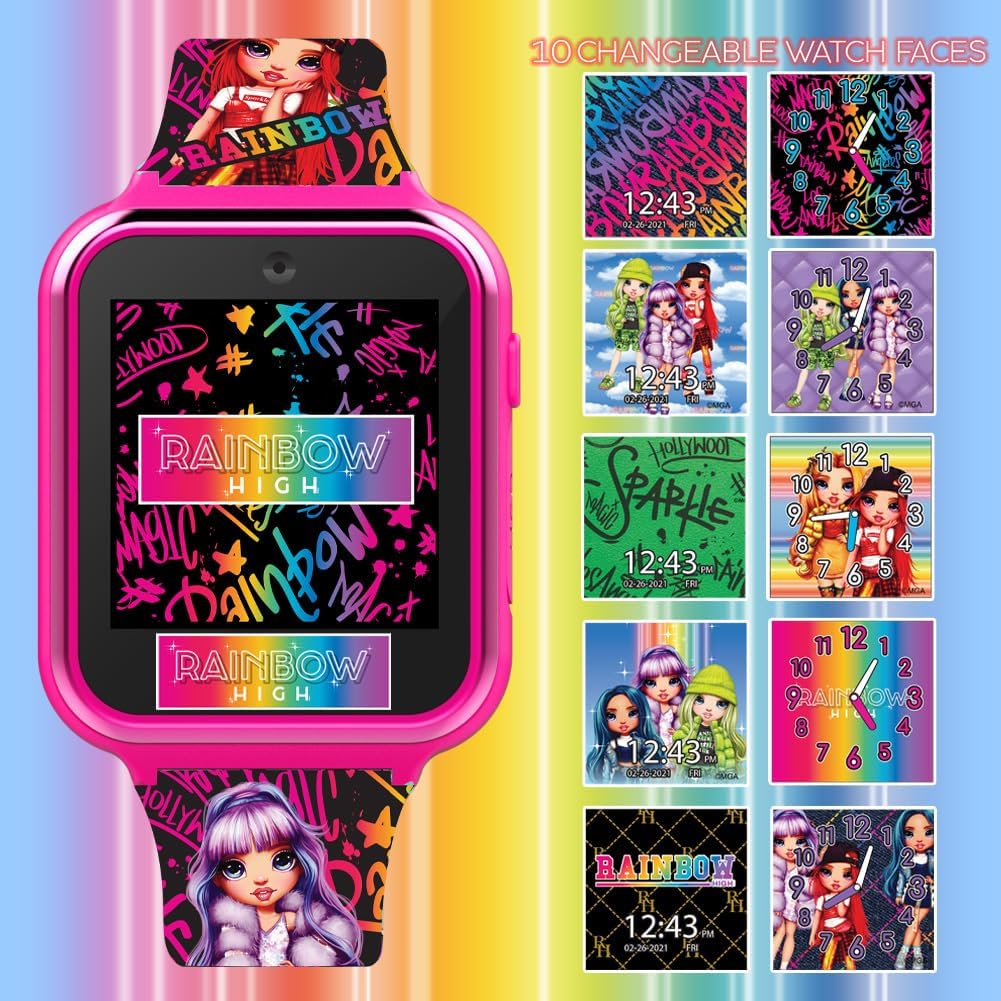
Image: The smartwatch display with icons for camera, video, games, calculator, voice recorder, clock dials, alarm, settings, pedometer, and album viewer.
- Selfie Camera: Tap the camera icon to activate. Take photos directly from your wrist.
- Photo Album Viewer: Access the album icon to browse saved pictures.
- Video Player: Select the video icon to watch recorded videos.
- Voice Recorder: Use the voice recorder to capture audio notes.
- Calculator: Perform basic arithmetic operations.
- Alarm Clock: Set alarms for reminders or wake-up calls.
- Pedometer Step Counter: Track daily steps.
- Games: Engage with various pre-loaded interactive games.
- Changeable Watch Faces: Customize the watch display by selecting different watch faces from the settings or dedicated icon.

Image: The smartwatch screen showcasing a selection of changeable watch faces, offering various designs and clock formats.
Features
The Accutime Rainbow High Kids Smart Watch is equipped with the following features:
- Kid-Friendly Design: Features popular Rainbow High characters and a vibrant aesthetic.
- Touchscreen Display: Easy-to-read and navigate interface.
- Selfie Camera: Capture photos directly from the watch.
- Photo Album Viewer: Review and manage captured images.
- Video Player: Play back recorded video clips.
- Voice Recorder: Record and listen to audio.
- Calculator: Basic arithmetic functions for educational play.
- Alarm Clock: Set multiple alarms.
- Pedometer Step Counter: Encourages physical activity by tracking steps.
- Interactive Games: Pre-loaded games for entertainment.
- Changeable Watch Faces: Personalize the watch's appearance.
- Rechargeable Battery: Built-in long-lasting battery, charged via USB.
- No Internet Connectivity: Designed without Wi-Fi, Bluetooth, or cellular capabilities for enhanced child safety.
Video: A product overview demonstrating the features and functionality of a similar Accutime Kids Smart Watch. This video highlights the interactive elements and ease of use.
Maintenance
- Cleaning: Wipe the watch with a soft, dry cloth. Avoid using harsh chemicals or abrasive cleaners.
- Water Resistance: This watch is not waterproof. Avoid submerging it in water or exposing it to heavy rain.
- Storage: Store the watch in a cool, dry place when not in use.
- Battery Care: To prolong battery life, avoid fully discharging the battery frequently. Charge regularly.
Troubleshooting
- Watch not turning on: Ensure the battery is fully charged. If the issue persists after charging, contact customer support.
- Screen unresponsive: Try restarting the watch by holding down the power button. If unresponsive, allow the battery to fully drain and then recharge.
- Features not working: Check the settings menu for any disabled features. Ensure the watch has sufficient battery.
Specifications
| Model Number | RNB4017AZ |
| Product Dimensions | 10 x 2 x 2 inches |
| Item Weight | 8.47 ounces |
| Battery Type | 1 Lithium Ion battery (included) |
| Manufacturer | Accutime Watch Corp. |
| Minimum Age Recommendation | 3+ years |
Warranty and Support
This Accutime Rainbow High Kids Smart Watch comes with a one-year warranty from Accutime Watch. For warranty claims, technical support, or any product-related inquiries, please contact Accutime Watch customer service.
Please refer to the Accutime Watch official website or product packaging for the most current contact information.


