
1. Introduction
This manual provides essential information for the safe and effective use, installation, and maintenance of your Archer Metal Brush Cutter Blade AT0404 3mm. Please read this manual thoroughly before using the product and retain it for future reference.
The Archer AT0404 3mm is a durable metal blade designed for brush cutters, suitable for clearing tough vegetation. Proper handling and maintenance are crucial for optimal performance and user safety.
2. Safety Information
Always prioritize safety when handling and operating cutting tools. Failure to follow these safety instructions may result in serious injury or property damage.
- Wear Personal Protective Equipment (PPE): Always wear safety glasses, hearing protection, heavy-duty gloves, long pants, and sturdy footwear when operating a brush cutter with this blade.
- Inspect Blade Before Use: Before each use, check the blade for cracks, bends, dullness, or any other damage. Do not use a damaged blade.
- Proper Installation: Ensure the blade is correctly and securely installed on your brush cutter according to the brush cutter's manufacturer instructions.
- Clear Work Area: Ensure the work area is free of bystanders, pets, and obstacles that could be struck by the blade or flying debris.
- Maintain Control: Always maintain a firm grip on the brush cutter and operate it with both hands.
- Avoid Kickback: Be aware of potential kickback when the blade strikes a hard object.
- Storage: Store the blade in a dry, secure location, out of reach of children and unauthorized users.
3. Product Overview
The Archer AT0404 3mm Metal Brush Cutter Blade is designed for efficient cutting of dense grass, weeds, and light brush. Its robust construction ensures durability and performance.

Figure 1: Front view of the Archer AT0404 3mm Metal Brush Cutter Blade. This image shows the overall shape and central mounting hole of the blade.

Figure 2: The Archer AT0404 3mm blade displayed next to a measuring tape, indicating its length and thickness. The blade is marked with "Archer", "Part No. AT0404", and dimensions "12" x 1" x 3.0mm".

Figure 3: A close-up view of the Archer AT0404 3mm blade, highlighting the sharpened cutting edge and its robust construction.
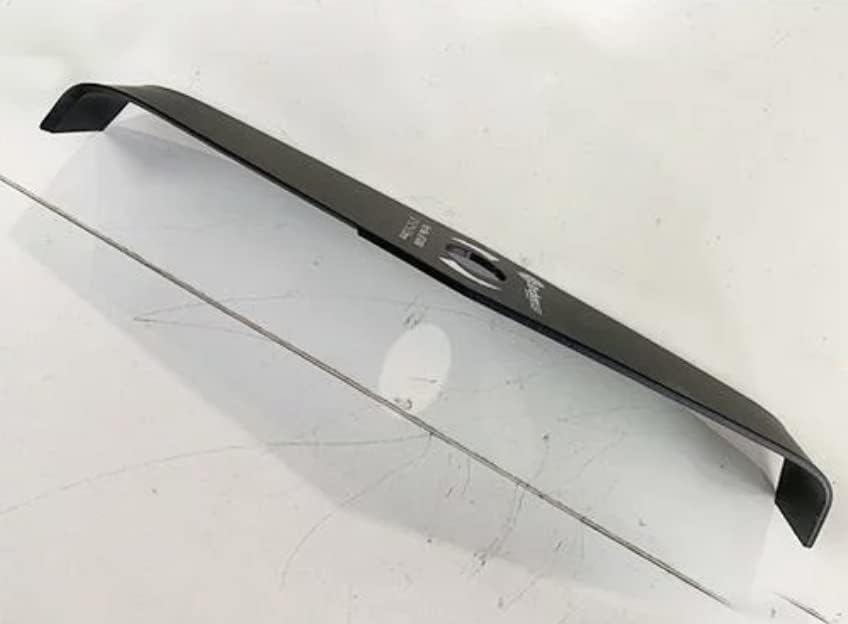
Figure 4: An angled perspective of the Archer AT0404 3mm blade, showcasing its slight curvature designed for efficient cutting and debris deflection.
4. Setup and Installation
This blade is designed for use with compatible brush cutters. Refer to your brush cutter's instruction manual for specific blade installation procedures.
- Ensure Power is Off: Before attempting any installation, ensure your brush cutter's engine is off and the spark plug cap is disconnected (for gasoline models) or the battery is removed (for electric/cordless models).
- Remove Old Blade (if applicable): Follow your brush cutter's manual to safely remove any existing blade or cutting attachment.
- Position the Blade: Place the Archer AT0404 3mm blade onto the brush cutter's spindle, ensuring the central hole aligns perfectly with the mounting mechanism.
- Secure the Blade: Use the appropriate washers, nuts, and tools provided with your brush cutter to securely fasten the blade. Tighten all fasteners to the manufacturer's specified torque.
- Verify Security: Gently try to move the blade by hand to ensure it is firmly attached and does not wobble.
Important: Incorrect installation can lead to blade detachment during operation, causing severe injury. If unsure, consult a qualified technician.
5. Operation
Once the blade is securely installed and all safety precautions are observed, you can begin operation.
- Start the Brush Cutter: Follow your brush cutter's manufacturer instructions for starting the engine/motor.
- Maintain Proper Stance: Stand firmly with feet apart, maintaining balance. Hold the brush cutter with both hands, keeping the blade away from your body and legs.
- Cutting Technique: Use a sweeping motion to cut vegetation. Avoid forcing the blade through thick material. Allow the blade to do the work.
- Watch for Debris: Be aware of flying debris and ensure no one is in the immediate vicinity.
- Stop Operation: If the blade becomes jammed, or if you need to clear debris, immediately turn off the brush cutter and wait for the blade to come to a complete stop before approaching it.
6. Maintenance
Regular maintenance extends the life of your blade and ensures safe operation.
- Cleaning: After each use, clean the blade thoroughly to remove sap, dirt, and debris. Use a stiff brush and appropriate cleaning agents if necessary. Dry the blade completely to prevent rust.
- Sharpening: A sharp blade cuts more efficiently and safely. Sharpen the blade regularly using a suitable file or grinding tool, maintaining the original cutting angle. Ensure both cutting edges are sharpened evenly to maintain balance.
- Inspection: Periodically inspect the blade for signs of wear, cracks, or deformation. Replace the blade if any significant damage is observed.
- Rust Prevention: Apply a light coat of oil to the blade after cleaning and drying, especially before long-term storage, to prevent rust.
- Storage: Store the blade in a protective sheath or cover in a dry, cool place, away from moisture and corrosive materials.
7. Troubleshooting
This section addresses common issues you might encounter with your brush cutter blade.
| Problem | Possible Cause | Solution |
|---|---|---|
| Poor cutting performance | Dull blade; Incorrect cutting angle; Blade clogged with debris | Sharpen the blade; Ensure correct installation; Clean the blade thoroughly |
| Excessive vibration | Blade unbalanced; Loose installation; Bent or damaged blade | Check for even sharpening; Re-tighten mounting nut; Replace damaged blade |
| Blade overheating | Dull blade; Forcing the cut; Prolonged use without breaks | Sharpen the blade; Reduce cutting speed; Take breaks to allow cooling |
If you encounter issues not listed here, or if solutions do not resolve the problem, consult a qualified service technician.
8. Specifications
- Model: AT0404 3mm
- Brand: Archer
- Material: Metal
- Thickness: 3.0mm
- Length: Approximately 12 inches (as indicated in image)
- ASIN: B0B45R65S2
- First Available on Amazon.co.jp: 2022/06/15
9. Warranty and Support
Specific warranty information for this Archer product may vary. Please refer to the original purchase documentation or contact your retailer for details regarding warranty coverage and support services.
For technical assistance or inquiries, please contact the seller or manufacturer through your purchase platform.