
LOVELEDI P11
LOVELEDI Portable Power Bank User Manual
Model: P11
Introduction
This user manual provides detailed instructions for the LOVELEDI Portable Power Bank, Model P11. This device features a 15000 mAh ultra-high capacity, dual USB output ports, and a Type-C input/output port, designed for fast and efficient charging of multiple devices simultaneously. Its durable design and intelligent safety features ensure a reliable power source for your mobile devices.
Product Overview

Image: The LOVELEDI Portable Power Bank in black and white, highlighting its compact form factor and LED battery indicators.
The LOVELEDI Portable Power Bank (Model P11) is designed for convenience and high performance. It comes in a compact size with a durable, imitation metal wire drawing process shell. Key features include:
- 15000 mAh Capacity: Provides extended battery life for your devices.
- Dual USB-A Output Ports: Allows charging of two devices simultaneously.
- Type-C Input/Output Port: Versatile port for both charging the power bank and charging devices.
- Micro USB Input Port: Additional option for recharging the power bank.
- Intelligent Controlling IC: Ensures safe charging with protection against overcharge, overvoltage, overcurrent, and short circuit.
- LED Indicator Lights: Display remaining battery level.

Image: Universal compatibility of the power bank with a wide range of smartphones, tablets, and other USB-powered devices.
Setup
Initial Charging of the Power Bank
Before first use, it is recommended to fully charge your LOVELEDI Portable Power Bank. This ensures optimal performance and battery longevity.
- Connect to Power Source: Use a compatible USB cable (Type-C or Micro USB) to connect the power bank's input port to a USB wall charger (not included) or a computer's USB port.
- Charging Time: The power bank will fully charge within 4-5 hours when connected to a 5V 2.0A power adapter.
- Monitor Charge Level: The LED indicator lights on the power bank will illuminate to show the charging progress. All lights will be solid when fully charged.

Image: The power bank showing its versatile recharging options with both Type-C (15W input) and Micro USB (10W input) ports.
Operating Instructions
Charging Your Devices
The LOVELEDI Portable Power Bank can charge up to three devices simultaneously using its dual USB-A output ports and the Type-C port (when used as an output).
- Connect Device: Use your device's charging cable to connect it to one of the power bank's USB-A output ports or the Type-C port.
- Automatic Charging: The power bank will automatically detect your device and begin charging. The intelligent IC will adjust the current and voltage to provide the fastest possible charge for your device.
- Monitor Device Charge: Your device's screen will indicate that it is charging.

Image: The power bank charging three devices at once, showcasing its ability to power multiple gadgets simultaneously.
Fast Charging Capability
The power bank supports 15W fast charging, intelligently identifying your device to deliver optimal charging speed.

Image: The power bank providing 15W fast charging to connected devices.
Type-C Port Functionality
The Type-C port on the power bank functions as both an input for recharging the power bank and an output for charging compatible devices.

Image: Illustration of the Type-C port's dual input and output functionality.
Checking Battery Level
The power bank features LED indicator lights to show its remaining battery capacity. Press the power button (if available, or simply connect a device) to activate the indicators.
- Each illuminated LED typically represents a percentage of the total charge. Refer to the product's specific LED pattern for exact percentages.
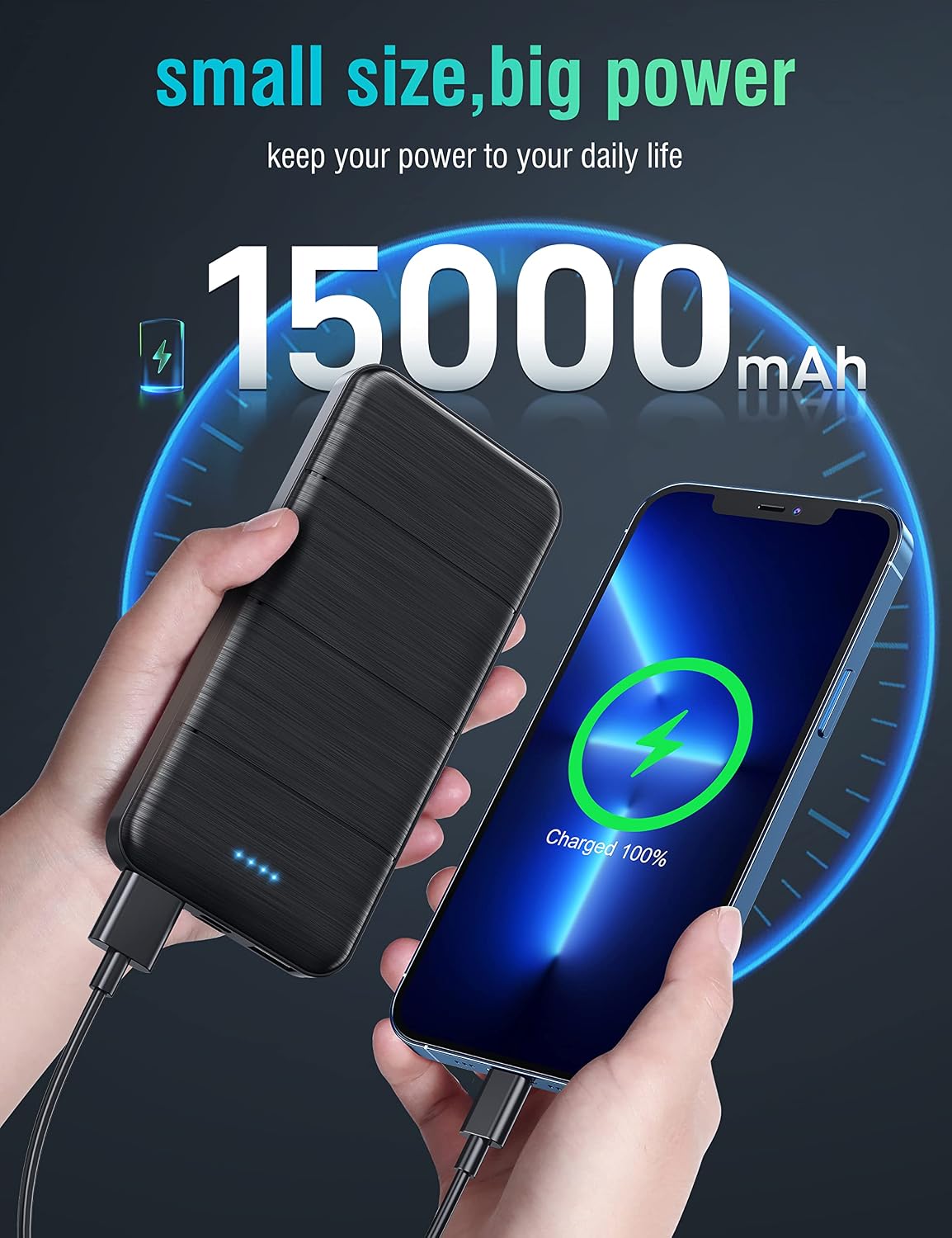
Image: The power bank's 15000mAh capacity being used to charge a smartphone, illustrating its high power output.
Maintenance
Proper maintenance ensures the longevity and optimal performance of your power bank.
- Storage: Store the power bank in a cool, dry place away from direct sunlight and extreme temperatures.
- Cleaning: Use a soft, dry cloth to clean the exterior of the power bank. Do not use liquid cleaners or abrasive materials.
- Battery Health: To maintain battery health, fully charge and discharge the power bank at least once every three months if not in regular use.
- Avoid Drops: Protect the power bank from drops and impacts, which can damage internal components.
Troubleshooting
| Problem | Possible Cause | Solution |
|---|---|---|
| Power bank not charging | Cable or adapter issue; power bank fully charged; faulty port. | Try a different charging cable and adapter. Ensure the power bank is not already full. Try a different input port (Type-C or Micro USB). |
| Device not charging from power bank | Power bank battery low; device cable issue; incompatible device. | Recharge the power bank. Try a different charging cable for your device. Ensure your device is compatible with USB charging. |
| Slow charging | Cable quality; device input limit; multiple devices charging. | Use a high-quality charging cable. Some devices have charging limits. Charging multiple devices simultaneously may reduce individual charging speed. |
| LED indicators not working | Power bank is off; internal issue. | Press the power button to activate indicators. If problem persists, contact customer support. |
Specifications
| Feature | Detail |
|---|---|
| Model Number | P11 |
| Battery Capacity | 15000 Milliamp Hours |
| Input Ports | USB Type C, Micro USB |
| Output Ports | Dual USB Type-A, USB Type-C (shared) |
| Output Voltage/Current | 5V 3.1A (Max) |
| Dimensions | 5.5 x 2.5 x 0.5 inches |
| Item Weight | 1.15 pounds |
| Special Features | LED Indicator Lights, Fast Charger Portable Charger, Slim, Over Charging Protection, Short Circuit Protection |
| Manufacturer | Shenzhen jincheng Electronic Technology Co., Ltd |
| Date First Available | June 15, 2022 |
Warranty and Support
For warranty information and customer support, please refer to the contact details provided with your product packaging or visit the official LOVELEDI website. Keep your purchase receipt for warranty claims.
Manufacturer: Shenzhen jincheng Electronic Technology Co., Ltd
Brand: LOVELEDI
Return Policy: This product is subject to a 30-day refund/replacement policy from the date of purchase.
Ask a question about this manual
Ask about setup, troubleshooting, compatibility, parts, safety, or missing instructions. Manuals+ will review the question and use this page’s manual context to help answer it.