
SPINTSO S1
SPINTSO S1 Referee Smartwatch User Manual
Model: S1
1. Introduction
Thank you for choosing the SPINTSO S1 Referee Smartwatch. This device is designed to assist referees in various sports with precise timekeeping, activity tracking, and game management features. It combines essential referee functionalities with health monitoring capabilities, all within a durable and user-friendly design.
Please read this manual carefully before using your smartwatch to ensure proper operation and to maximize its lifespan. Keep this manual for future reference.

Image: Front view of the SPINTSO S1 Referee Smartwatch, displaying the time, heart rate, calories burned, and steps taken on its square screen.
2. Safety Information
- Do not attempt to disassemble or modify the smartwatch. This may cause damage, fire, or electric shock.
- Keep the device away from extreme temperatures, direct sunlight, and high humidity.
- Use only the provided charging cable or a certified USB charger.
- Avoid exposing the smartwatch to strong impacts or dropping it.
- If you experience skin irritation or discomfort, discontinue use and consult a doctor.
- The smartwatch is designed to be water-resistant for typical referee use (rain, sweat). Do not submerge it in water or use it for swimming.
3. Package Contents
Please check the box for the following items:
- SPINTSO S1 Referee Smartwatch
- USB Charging Cable
- User Manual (this document)
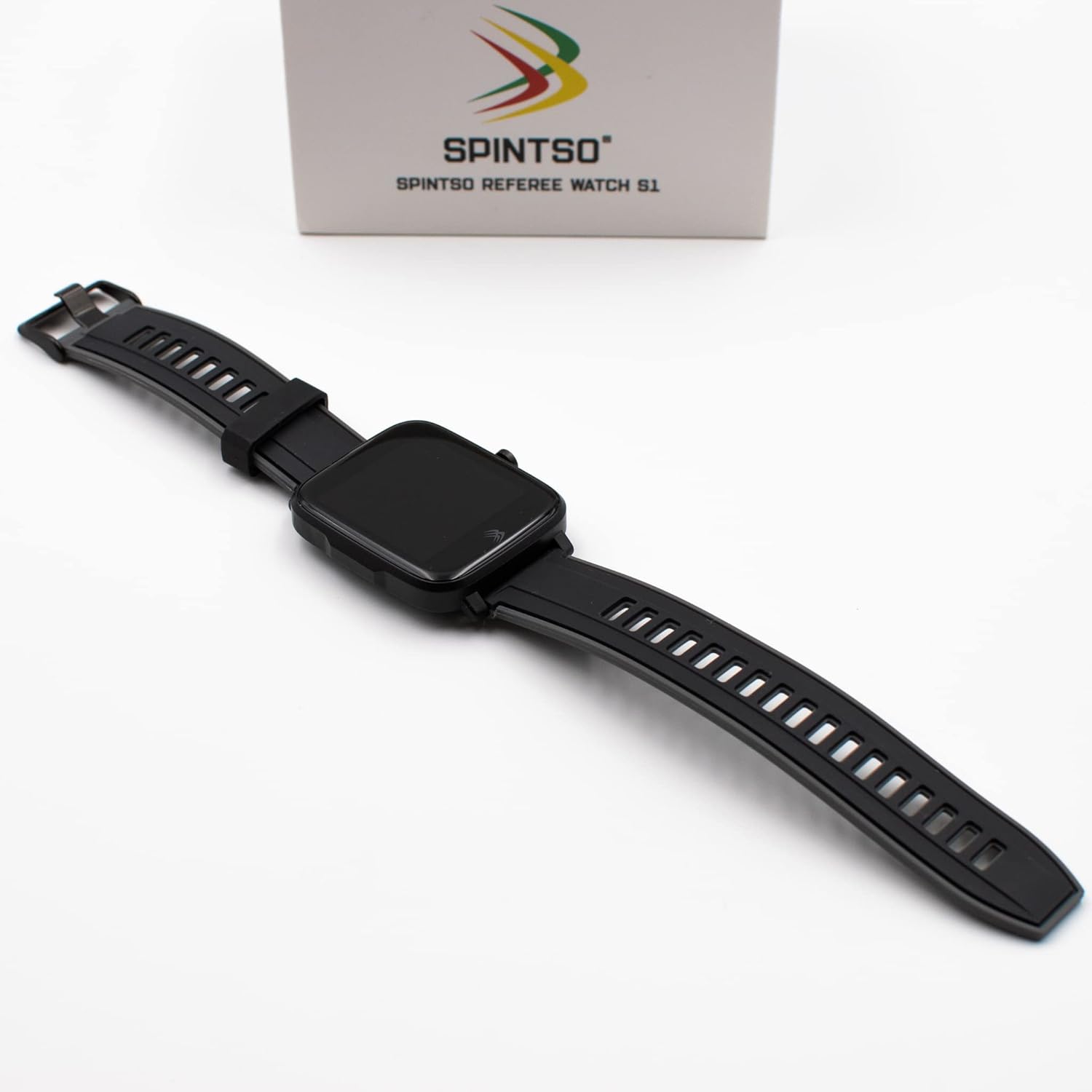
Image: The retail box for the SPINTSO S1 Referee Smartwatch, showing the watch and its features on the packaging.
4. Setup
4.1. Charging the Smartwatch
Before first use, fully charge your SPINTSO S1 smartwatch. Connect the USB charging cable to the charging port on the back of the watch and plug the other end into a USB power adapter (not included) or a computer's USB port.
- A full charge takes approximately 2 hours.
- The battery icon on the screen will indicate charging status.
4.2. Power On/Off
- To Power On: Press and hold the side button until the SPINTSO logo appears.
- To Power Off: From the watch face, swipe down or navigate to the settings menu, then select 'Power Off' or 'Shutdown'. Confirm your selection.
4.3. App Installation and Pairing
To unlock the full potential of your SPINTSO S1, download and install the 'Spintso Watch' application on your smartphone.
- Search for "Spintso Watch" in the Apple App Store (for iOS devices) or Google Play Store (for Android devices).
- Download and install the application.
- Open the 'Spintso Watch' app on your smartphone.
- Ensure Bluetooth is enabled on your smartphone and the smartwatch.
- Follow the in-app instructions to pair your SPINTSO S1 smartwatch. This typically involves selecting your device from a list of nearby Bluetooth devices.

Image: Two smartphones displaying the 'Spintso Watch' application interface, showing user profile and activity data screens.
5. Operating the Smartwatch
5.1. Basic Navigation
- Touchscreen: Swipe left/right, up/down to navigate through menus and features. Tap to select.
- Side Button: Press to return to the previous screen or watch face. Long press for power options.
5.2. Referee Match Function
The SPINTSO S1 is optimized for refereeing, featuring dedicated match modes and controls.

Image: The SPINTSO S1 watch face displaying icons for 'Interval Training', 'Stop Watch', 'Activity Record', and 'Referee Watch' modes.
- Activating Match Mode: Select the 'Referee Watch' option from the main menu.
- Touchscreen Lock: Once a match is started, the touchscreen automatically locks. This prevents accidental touches due to rain, sweat, or contact during play.
- One-Button Control: All match timing functions are controlled via the side button when in match mode.
- Pause/Stop Game: Press the side button once to pause the game timer. Press it again to resume.
- End Game: Long press the side button for a few seconds to stop the game timer.
- Quick Pause/Stop: Double-press the side button for faster pause or stop actions.
- Vibration Alerts: The watch provides vibrations at the start, stop, during game pauses, and at the end of the game.
- Three-Clock Display: In match mode, the screen displays three clocks simultaneously: a countdown timer, an extra time clock, and a total game time clock.
5.3. Youth Mode
The Youth Mode is designed for youth games where goal tracking is often required. In this mode, you can easily track goals for each team directly on the watch, simplifying scorekeeping.
5.4. Activity Tracking
The SPINTSO S1 monitors various health and activity metrics:
- Pedometer: Tracks your daily steps.
- Heart Rate Monitor: Measures your heart rate throughout the day or during specific activities.
- Blood Pressure Monitor: Provides blood pressure readings.
- Sleep Monitor: Analyzes your sleep patterns.
- Activity Logging: Records activities like running, cycling, and walking. Data can be viewed in the 'Spintso Watch' app.

Image: The back of the SPINTSO S1 smartwatch, showing the optical heart rate sensor and charging contacts.
5.5. Notifications and Interval Training
- Message Notifications: Receive message alerts from your connected smartphone directly on your watch.
- Interval Training: An interval training program can be managed and initiated from your smartphone via the 'Spintso Watch' app.
6. Maintenance
6.1. Cleaning
Regularly clean your smartwatch to ensure optimal performance and hygiene.
- Wipe the screen and strap with a soft, damp, lint-free cloth.
- Do not use harsh chemicals or abrasive cleaners.
- Ensure the charging contacts on the back of the watch are clean and dry before charging.
6.2. Battery Care
- Avoid fully discharging the battery frequently.
- Charge the watch regularly, even if not in constant use, to maintain battery health.
- Store the watch in a cool, dry place if not used for extended periods.
7. Troubleshooting
If you encounter issues with your SPINTSO S1 smartwatch, try the following solutions:
| Problem | Possible Solution |
|---|---|
| Smartwatch won't turn on | Ensure the battery is charged. Connect to the charger for at least 15 minutes. |
| Cannot pair with smartphone | Ensure Bluetooth is enabled on both devices. Restart both the watch and phone. Make sure the watch is not already paired with another device. |
| Inaccurate heart rate/step readings | Ensure the watch is worn snugly on your wrist, about one finger's width above the wrist bone. Clean the sensor on the back of the watch. |
| Touchscreen unresponsive | If in match mode, the touchscreen is locked; use the side button. Otherwise, restart the watch. |
| Short battery life | Reduce screen brightness. Turn off unnecessary notifications. Avoid using 'Always On' display mode if not needed. |
8. Specifications
| Feature | Detail |
|---|---|
| Model Name | S1 |
| Brand | SPINTSO |
| Color | Black |
| Operating System | Proprietary Operating System |
| Screen Size | 33 Millimeters (diagonal) |
| Connectivity | USB (charging), Bluetooth (wireless communication) |
| Special Features | Time display, Pedometer, Heart Rate Monitor, Blood Pressure Monitor, Sleep Monitor, Activity Tracking, Message Notifications, Vibration Alerts, One-Button Game Control, Touchscreen Lock in Match Mode. Note: This model (S1) does not include GPS functionality. |
| Compatible Devices | PC, Laptop, Tablet, Smartphone |
| Battery Composition | Lithium-ion |
| Charging Time | Approx. 2 hours (to 100%) |
| Battery Life | 10-15 days (standby), 3-4 days (regular use), 12 hours (with 'Always On' display during play) |
| ASIN | B0B42MXBNJ |
| Item Model Number | 4250390719457 |
9. Warranty and Support
SPINTSO products are manufactured to high-quality standards. For information regarding warranty coverage, technical support, or service, please refer to the warranty card included with your product or visit the official SPINTSO website. Please have your product model number and ASIN ready when contacting support.
Related documentsS1


Ask a question about this manual
Ask about setup, troubleshooting, compatibility, parts, safety, or missing instructions. Manuals+ will review the question and use this page’s manual context to help answer it.