
1. Introduction
Thank you for choosing the pTron Basspods 882 True Wireless Stereo (TWS) Earbuds. This manual provides detailed instructions to help you set up, operate, and maintain your earbuds for an optimal audio experience. Please read this manual thoroughly before use and retain it for future reference.
2. Package Contents
Ensure all items listed below are present in your package:
- pTron Basspods 882 Earbuds (Left & Right)
- Charging Case
- USB Charging Cable
- Ear Cushions (various sizes)
- User Manual
3. Product Overview
The pTron Basspods 882 earbuds are designed for wireless audio with a focus on immersive sound and clear calls. They feature Bluetooth 5.1 connectivity, 10mm dynamic drivers, and IPX4 water resistance.

Figure 3.1: pTron Basspods 882 Earbuds securely placed in their charging case. The case features LED indicators for battery status.

Figure 3.2: Key features of the Basspods 882, including Bluetooth 5.1 for stable connection, 10-meter wireless range, 1-step pairing, and auto-reconnect functionality.

Figure 3.3: Illustration highlighting the dual HD microphones for clear stereo calls and the 10mm dynamic drivers for immersive audio.

Figure 3.4: The earbuds are rated IPX4 for water and sweat resistance, making them suitable for workouts. They are lightweight and feature passive noise cancellation.
4. Setup
4.1. Charging the Earbuds and Case
Before first use, fully charge the earbuds and the charging case.
- Place the earbuds into the charging case. Ensure they are correctly seated; the earbuds will show an indicator light when charging.
- Connect the USB charging cable to the charging port on the case and the other end to a DC5V/1A power source.
- The charging case indicators will illuminate to show charging status. A full charge for the case takes approximately 1.5 hours, and for the earbuds, it takes about 1 hour.
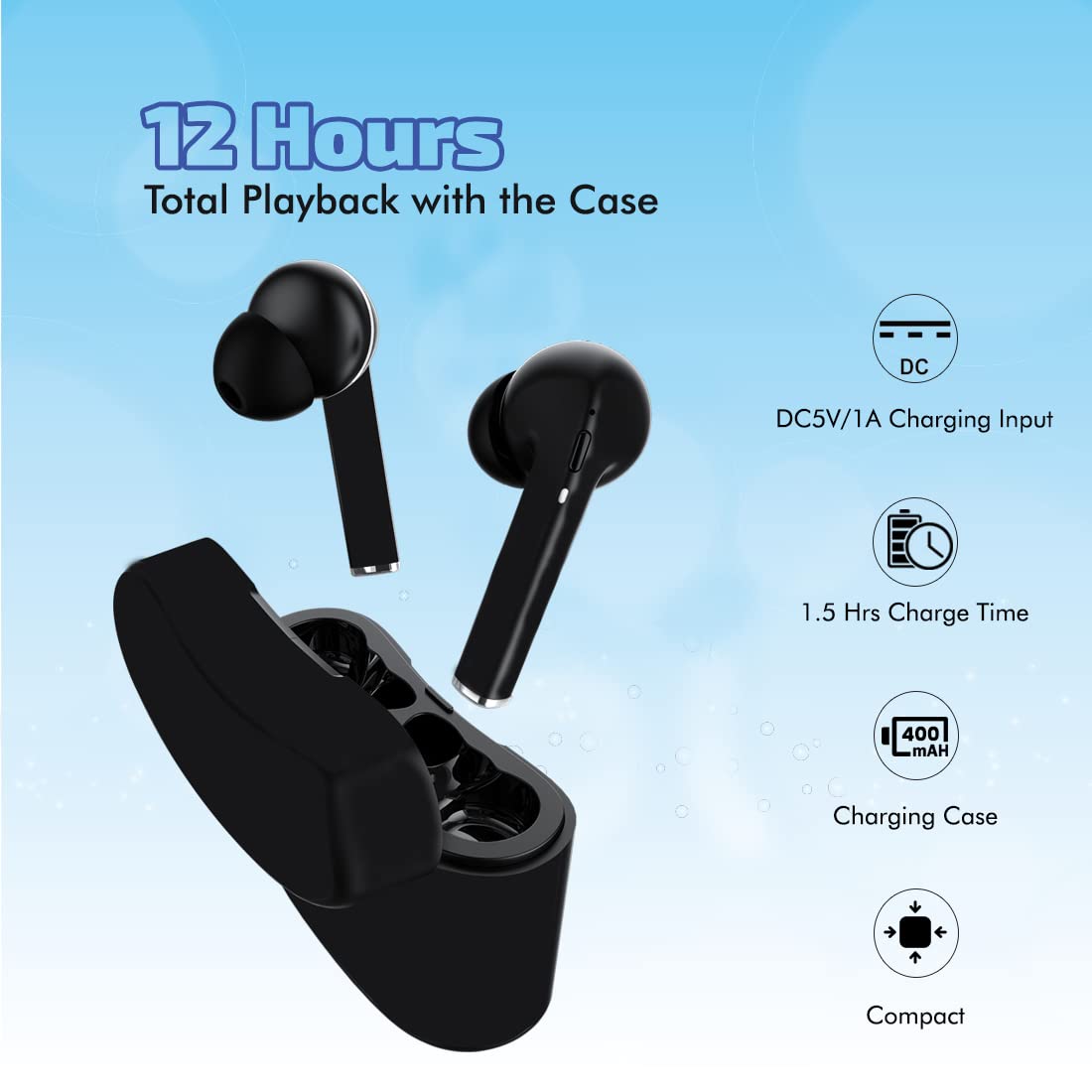
Figure 4.1: Charging details for the Basspods 882, showing 12 hours total playback with the case, 1.5 hours case charge time, and DC5V/1A input.
4.2. Pairing with a Device
The Basspods 882 earbuds feature 1-step pairing and auto-reconnect for convenience.
- Initial Pairing:
- Open the charging case and remove both earbuds. They will automatically power on and connect to each other.
- Enable Bluetooth on your smartphone or other device.
- Search for "pTron Basspods 882" in the list of available Bluetooth devices and select it to pair.
- Once paired, you will hear a confirmation tone, and the earbuds will be ready for use.
- Auto-Reconnect: After initial pairing, the earbuds will automatically connect to the last paired device when removed from the charging case, provided Bluetooth is enabled on the device.
- Single Earbud Use (Mono Mode): Either earbud can be used independently. Simply remove one earbud from the case, and it will enter pairing mode.
5. Operating Instructions
5.1. Power On/Off
- Power On: Earbuds power on automatically when removed from the charging case.
- Power Off: Place earbuds back into the charging case to power off automatically.
5.2. Music Control
The earbuds feature multi-function touch controls:
- Play/Pause: Single tap on either earbud.
- Next Track: Double tap the right earbud.
- Previous Track: Double tap the left earbud.
5.3. Call Management
- Answer/End Call: Single tap on either earbud.
- Reject Call: Press and hold either earbud for 2 seconds.
5.4. Voice Assistant
Activate your device's voice assistant (e.g., Google Assistant, Siri, Alexa) directly from the earbuds.
- Activate Voice Assistant: Triple tap on either earbud.

Figure 5.1: The Basspods 882 offer instant access to voice assistants like Google Assistant, Siri, and Alexa with a simple tap.
6. Maintenance
- Cleaning: Regularly clean the earbuds and charging case with a soft, dry cloth. Avoid using harsh chemicals or abrasive materials.
- Water Resistance: The earbuds are IPX4 water-resistant, meaning they are protected against splashing water from any direction. They are not designed for submersion in water. Do not expose them to heavy rain or immerse them.
- Storage: When not in use, store the earbuds in their charging case to protect them and ensure they remain charged. Store in a cool, dry place away from extreme temperatures.
- Battery Care: To prolong battery life, avoid fully discharging the earbuds and charging case frequently. Charge them regularly, even if not in constant use.
7. Troubleshooting
| Problem | Possible Solution |
|---|---|
| Earbuds not pairing with device. |
|
| No sound from one or both earbuds. |
|
| Charging case not charging. |
|
| Earbuds frequently disconnect. |
|
8. Specifications
| Feature | Detail |
|---|---|
| Model Name | Basspods 882 |
| Item Model Number | 140318034 |
| Connectivity Technology | Wireless (Bluetooth 5.1) |
| Wireless Range | Up to 10 meters |
| Driver Size | 10mm Dynamic Drivers |
| Microphone | Dual HD Mic |
| Playback Time | Up to 12 hours (with charging case) |
| Charging Case Battery | 400mAh |
| Earbud Battery | 40mAh x 2 |
| Charging Time (Case) | Approx. 1.5 hours |
| Charging Time (Earbuds) | Approx. 1 hour |
| Charging Input | DC5V/1A (Micro USB) |
| Water Resistance Rating | IPX4 (Sweat & Water Resistant) |
| Control Method | Touch, Voice |
| Item Weight | 40 grams (total) |
| Product Dimensions | 6 x 5.2 x 2.2 cm |
| Material | Plastic |
9. Warranty and Support
The pTron Basspods 882 comes with a 1-year manufacturer warranty from the date of purchase. This warranty covers manufacturing defects only.
For warranty claims, technical support, or any product-related inquiries, please contact pTron customer care:
- Email: support@ptron.in
- Phone: 040-67138888
Please retain your purchase receipt as proof of purchase for warranty services.


