
Tronsmart Trip
Tronsmart Trip Portable Bluetooth Speaker User Manual
Model: Trip
1. Introduction
This user manual provides detailed instructions for the safe and effective operation of your Tronsmart Trip Portable Bluetooth Speaker. Please read this manual thoroughly before using the product and retain it for future reference.
2. Safety Information
- Do not expose the speaker to extreme temperatures or direct sunlight for prolonged periods.
- Avoid dropping or subjecting the speaker to strong impacts.
- Keep the speaker away from medical devices, as its magnetic components may interfere with their operation.
- Do not attempt to disassemble, repair, or modify the speaker. This will void the warranty and may cause damage or injury.
- Ensure all port covers are securely closed when exposing the speaker to water to maintain its IPX7 waterproof rating.
3. Product Overview
3.1 What's in the Box
- 1 x Tronsmart Trip Speaker
- 1 x Type-C Cable
- 1 x Aux-in Cable
- 1 x User Manual
3.2 Speaker Components and Controls

Figure 1: Tronsmart Trip Portable Bluetooth Speaker. This image shows the speaker in a splash of water, highlighting its waterproof design. The speaker is black with a prominent 'Tronsmart' logo and control buttons on the side.
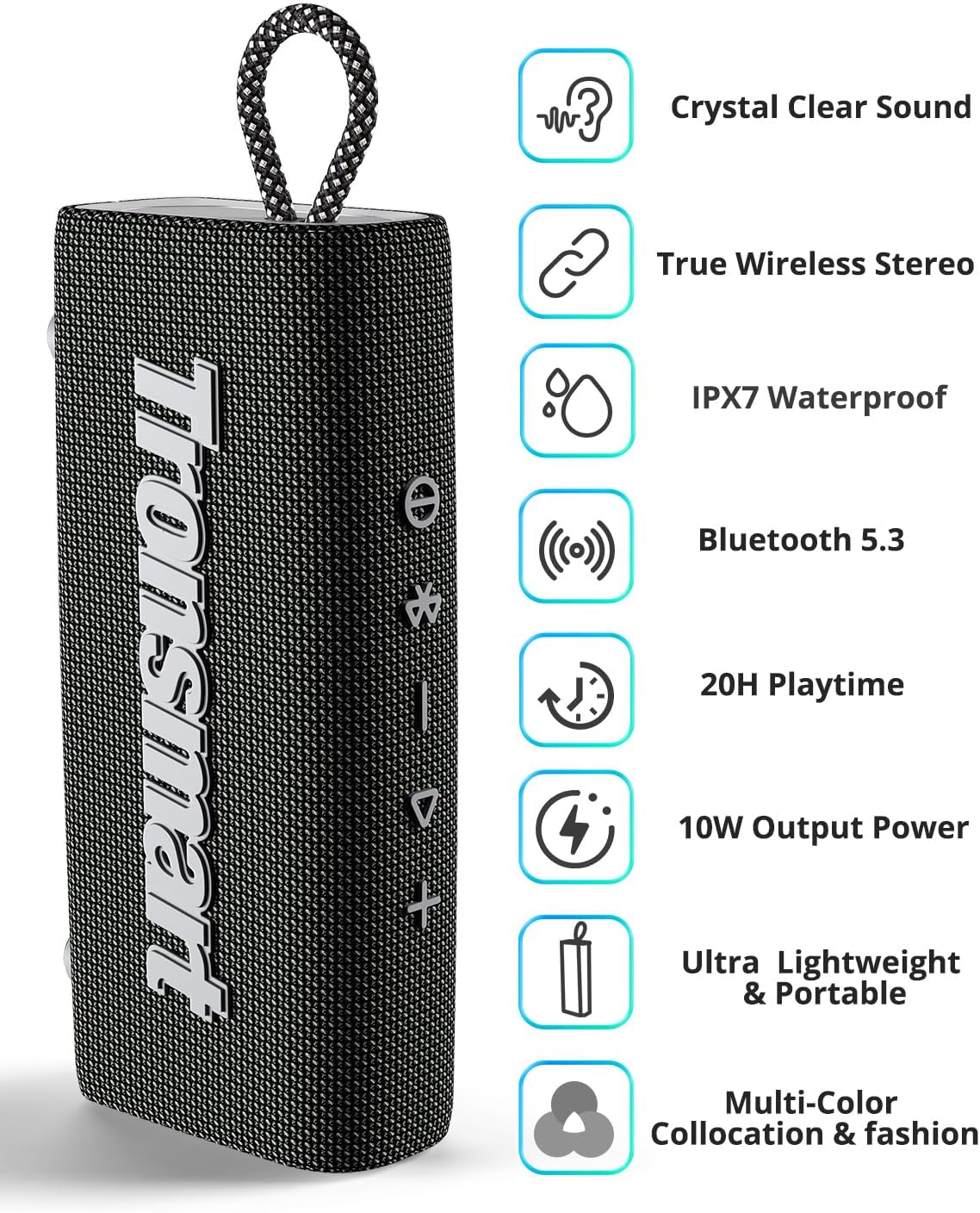
Figure 2: Key Features of Tronsmart Trip Speaker. This image displays the speaker alongside icons representing its main features: Crystal Clear Sound, True Wireless Stereo, IPX7 Waterproof, Bluetooth 5.3, 20H Playtime, 10W Output Power, Ultra Lightweight & Portable, and Multi-Color Collocation & Fashion.

Figure 3: Top View of Tronsmart Trip Speaker Controls. This image provides a close-up of the speaker's top surface, showing the integrated control buttons for power, Bluetooth pairing, volume up/down, and play/pause.
Familiarize yourself with the buttons and ports:
- Power Button: Press and hold to power on/off.
- Bluetooth Button: Press to enter pairing mode.
- Volume Down (-): Decrease volume.
- Play/Pause Button: Play or pause audio, answer/end calls.
- Volume Up (+): Increase volume.
- Mode Button: Switch between Bluetooth and AUX modes.
- Type-C Charging Port: For charging the speaker.
- AUX-in Port: For wired audio connection.
4. Setup
4.1 Charging the Speaker
Before first use, fully charge the speaker. Connect the provided Type-C cable to the speaker's charging port and a USB power adapter (not included). The charging time is approximately 3 hours for a full charge.
4.2 Bluetooth Pairing
- Power on the speaker by pressing and holding the Power button. The Bluetooth indicator will flash, indicating it's in pairing mode.
- Enable Bluetooth on your device (smartphone, tablet, etc.).
- Search for 'Tronsmart Trip' in your device's Bluetooth list and select it to connect.
- Once connected, the Bluetooth indicator will remain solid blue.
4.3 True Wireless Stereo (TWS) Pairing
To achieve authentic stereo sound, you can pair two Tronsmart Trip speakers together:
- Ensure both Tronsmart Trip speakers are powered on and not connected to any other Bluetooth device.
- On one speaker (this will be the primary speaker), press the Bluetooth button twice. It will enter TWS pairing mode.
- The two speakers will automatically connect to each other. Once connected, the primary speaker's Bluetooth indicator will flash, and the secondary speaker's indicator will be solid blue.
- Now, connect your device to the primary speaker via Bluetooth as described in section 4.2.

Figure 4: True Wireless Stereo (TWS) Pairing Setup. This image illustrates two Tronsmart Trip speakers wirelessly connected to a laptop, demonstrating the TWS functionality for enhanced stereo sound.
4.4 Instructional Videos
Video 1: How to Operate Trip? This video provides a step-by-step guide on operating the Tronsmart Trip speaker, including basic functions and features.
Video 2: Introduction of Tronsmart Trip. This video offers an overview of the Tronsmart Trip speaker, showcasing its design and key selling points.
5. Operating Instructions
5.1 Basic Playback
- Play/Pause: Press the Play/Pause button once.
- Volume Up: Press the '+' button.
- Volume Down: Press the '-' button.
- Next Track: Press and hold the '+' button.
- Previous Track: Press and hold the '-' button.
5.2 Hands-Free Calls
The Tronsmart Trip speaker features a built-in microphone for hands-free calling.
- Answer Call: Press the Play/Pause button once.
- End Call: Press the Play/Pause button once during a call.
- Reject Call: Press and hold the Play/Pause button.

Figure 5: Hands-Free Calling with Built-in Mic. This image shows two individuals, one on the phone and another with the speaker attached to a backpack, illustrating the convenience of hands-free calls with the Tronsmart Trip speaker's built-in microphone.
5.3 Voice Assistant
Quickly access your phone's Siri or Google Assistant by pressing the Voice Assistant button (usually the Play/Pause button pressed twice, or a dedicated button if available).
6. Maintenance
- Cleaning: Use a soft, damp cloth to clean the speaker. Do not use harsh chemicals or abrasive materials.
- Waterproof Care: While IPX7 rated, ensure all port covers are sealed tightly before exposing to water. After exposure to water, wipe the speaker dry before charging.
- Storage: Store the speaker in a cool, dry place when not in use for extended periods.
7. Troubleshooting
If you encounter issues with your Tronsmart Trip speaker, refer to the following common problems and solutions:
| Problem | Possible Cause | Solution |
|---|---|---|
| Speaker does not power on | Low battery | Charge the speaker fully. |
| Cannot pair with device | Bluetooth not enabled/Speaker not in pairing mode/Device too far | Ensure Bluetooth is on, speaker is in pairing mode (flashing blue light), and device is within 59ft. Try restarting both devices. |
| No sound | Volume too low/Incorrect input mode | Increase volume on both speaker and device. Press the Mode button to switch input modes. |
| Poor sound quality | Interference/Low battery | Move closer to the paired device. Ensure speaker is fully charged. Avoid obstacles between speaker and device. |
For more detailed troubleshooting or persistent issues, please refer to the official user manual PDF: Tronsmart Trip User Manual (PDF).
8. Specifications
| Feature | Specification |
|---|---|
| Brand | Tronsmart |
| Model Name | Trip |
| Connectivity Technology | Bluetooth 5.3 |
| Speaker Maximum Output Power | 10 Watts |
| Water Resistance Level | IPX7 Waterproof |
| Battery Life | Up to 20 Hours (at 50% volume) |
| Battery Capacity | 2000 Milliamp Hours |
| Charging Time | Within 3 hours |
| Product Dimensions | 6.67"D x 3.19"W x 1.6"H |
| Item Weight | 11.6 Ounces |
| Special Features | Built-in Microphone, Dustproof, True Wireless Stereo (TWS) |
| Maximum Range | 18 Meters (59 feet) |
9. Warranty and Support
The Tronsmart Trip Portable Bluetooth Speaker comes with a Limited Warranty. For specific warranty terms and conditions, please refer to the warranty card included in the product packaging or visit the official Tronsmart website.
For technical support or customer service inquiries, please contact Tronsmart customer support through their official channels. You can often find contact information on the Tronsmart website or within the product packaging.
Related documentsTrip


Ask a question about this manual
Ask about setup, troubleshooting, compatibility, parts, safety, or missing instructions. Manuals+ will review the question and use this page’s manual context to help answer it.