
1. Introduction
Thank you for choosing the Kaidi TWS Smart Touch Wireless Earbuds KD-771. These earbuds feature Bluetooth V5.1 for stable connectivity, Smart Touch controls for easy operation, and an IPX4 splash-resistant design, making them suitable for various activities. This manual provides detailed instructions to help you get the most out of your new earbuds.
Package Contents:
- 1 Pair of Kaidi KD-771 Wireless Earbuds
- 1 Charging Case
- 1 USB Charging Cable (Type-C, typically)
- 1 User Manual
2. Setup
2.1 Charging the Earbuds and Charging Case
Before first use, fully charge the earbuds and the charging case. The charging case acts as a portable power bank for your earbuds.
- Charging the Earbuds: Place the earbuds into their respective slots in the charging case. Ensure the charging contacts align. The indicator lights on the earbuds will show their charging status.
- Charging the Case: Connect the USB charging cable to the charging port on the case and the other end to a USB power adapter (not included) or a computer USB port. The charging case indicator will illuminate to show charging status. A full charge for the case and earbuds typically takes approximately 4 hours.
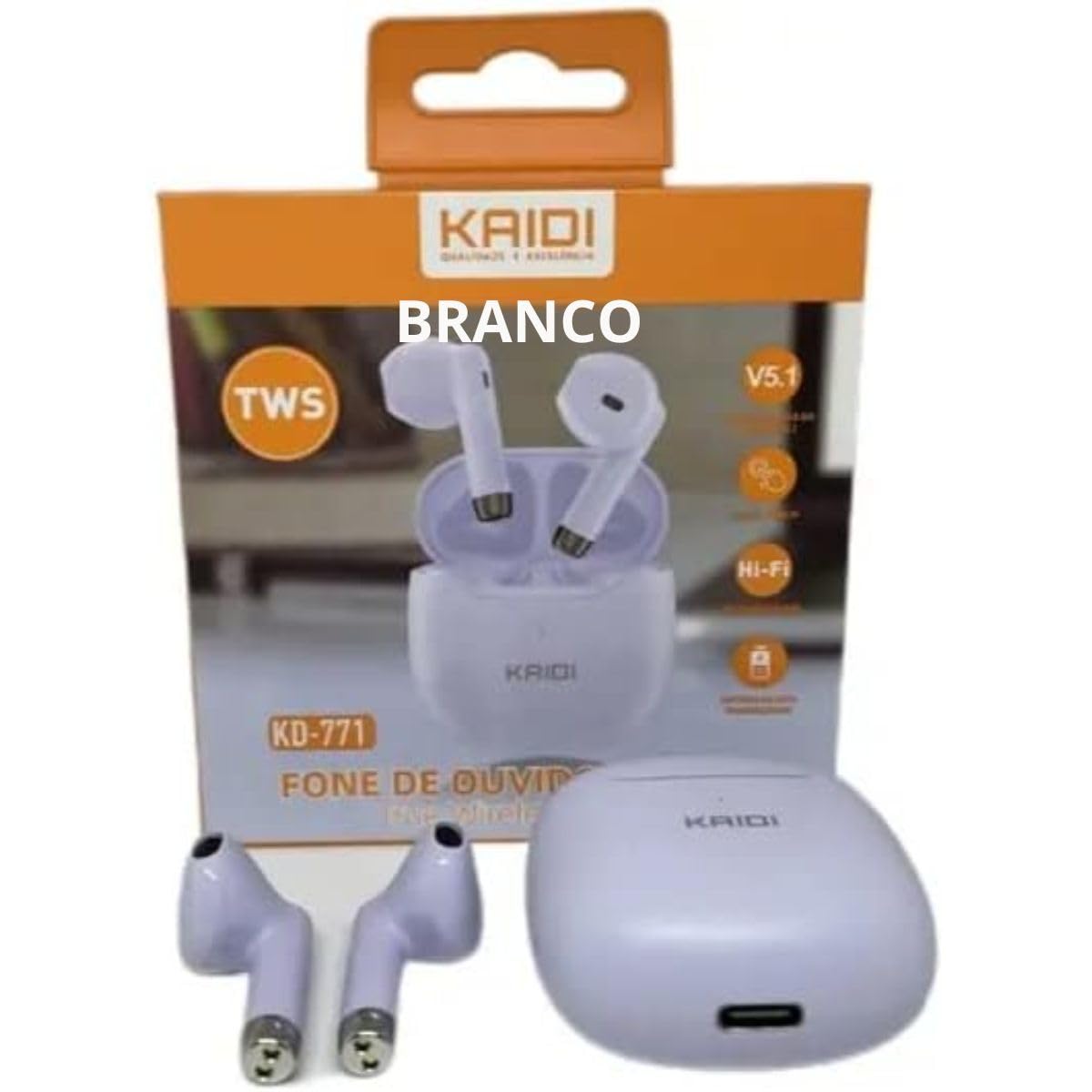
Image: Kaidi KD-771 Earbuds in their charging case. The earbuds are white and sit securely in the case, which is also white. This image illustrates the product's appearance and how the earbuds are stored.
2.2 Pairing with Your Device
Follow these steps to pair your Kaidi KD-771 earbuds with your smartphone or other Bluetooth-enabled device:
- Power On: Open the charging case. The earbuds will automatically power on and enter pairing mode. You will hear an audible prompt, and the indicator lights on the earbuds will flash (typically blue and red alternately).
- Activate Bluetooth: On your device, go to the Bluetooth settings and ensure Bluetooth is turned on.
- Select Earbuds: In the list of available Bluetooth devices, look for "KD-771" or a similar name and select it to connect.
- Confirmation: Once connected, you will hear a confirmation sound from the earbuds, and the indicator lights will stop flashing or flash slowly.
Note: The earbuds will automatically reconnect to the last paired device when taken out of the case, if Bluetooth is enabled on the device.
3. Operating Instructions
The Kaidi KD-771 earbuds feature Smart Touch controls for convenient operation.
3.1 Power On/Off
- Power On: Open the charging case, or long-press the touch area on both earbuds for approximately 3 seconds.
- Power Off: Place the earbuds back into the charging case and close the lid, or long-press the touch area on both earbuds for approximately 5 seconds.
3.2 Music Playback
- Play/Pause: Tap the touch area on either the left or right earbud once.
- Next Track: Double-tap the touch area on the right earbud.
- Previous Track: Double-tap the touch area on the left earbud.
3.3 Call Management
- Answer/End Call: Tap the touch area on either earbud once during an incoming call or during an active call.
- Reject Call: Long-press the touch area on either earbud for approximately 2 seconds during an incoming call.
3.4 Voice Assistant
- Activate Voice Assistant: Triple-tap the touch area on either earbud.
3.5 Volume Control
- Increase Volume: Long-press the touch area on the right earbud.
- Decrease Volume: Long-press the touch area on the left earbud.
4. Maintenance
4.1 Cleaning
- Use a soft, dry, lint-free cloth to clean the earbuds and charging case.
- Do not use abrasive cleaners, solvents, or aerosol sprays.
- Gently clean the charging contacts on both the earbuds and the case with a dry cotton swab to ensure proper charging.
4.2 Storage
- When not in use, store the earbuds in their charging case to protect them and keep them charged.
- Store the device in a cool, dry place, away from extreme temperatures and direct sunlight.
4.3 Water Resistance (IPX4)
The Kaidi KD-771 earbuds are rated IPX4, meaning they are splash-resistant. This protects them from splashing water from any direction. They are suitable for light rain or sweaty workouts.
- Do not submerge the earbuds in water.
- Avoid exposing them to high-pressure water jets.
- Ensure the earbuds are dry before placing them back into the charging case to prevent damage to the charging contacts.
5. Troubleshooting
5.1 Earbuds Not Pairing
- Ensure both earbuds are charged.
- Turn off Bluetooth on your device and turn it back on.
- Delete "KD-771" from your device's Bluetooth list and try pairing again.
- If only one earbud connects, try resetting the earbuds (refer to the full reset instructions if available in a separate guide, or try placing them back in the case and taking them out again).
5.2 No Sound or Low Volume
- Check the volume level on both your device and the earbuds.
- Ensure the earbuds are properly connected to your device.
- Clean any debris from the earbud speaker mesh.
5.3 Charging Issues
- Ensure the charging cable is securely connected to both the case and the power source.
- Verify that the power source is working.
- Clean the charging contacts on the earbuds and inside the case.
6. Specifications
| Feature | Specification |
|---|---|
| Model Number | KD-771 |
| Bluetooth Version | V5.1 |
| Battery Life (Earbuds) | Approx. 4 hours (talk time/music playback) |
| Charging Time | Approx. 4 hours (for full charge of case and earbuds) |
| Water Resistance | IPX4 (Splash-resistant) |
| Impedance | 32 Ohms |
| Frequency Range | 2.400 - 2.485 GHz |
| Audio Driver Type | Balanced Armature Driver |
| Control Method | Touch |
| Components Included | Earbuds, Charging Case |
| ANATEL Certification | 18583-21-14467 |
7. Warranty and Support
7.1 Warranty Information
This Kaidi KD-771 product is covered by a 3-month warranty from the date of purchase against manufacturing defects. Please retain your proof of purchase for warranty claims.
The warranty does not cover damage caused by:
- Improper use or handling.
- Unauthorized repairs or modifications.
- Accidental damage, drops, or extreme temperatures.
- Water damage beyond the IPX4 rating (e.g., submersion).
7.2 Support
For further assistance, troubleshooting, or warranty inquiries, please contact the retailer or the manufacturer (KAIDI) directly. Refer to your purchase documentation for specific contact details.