Introduction
The Coleman OneSource Rechargeable 200L Lantern is designed to provide versatile lighting for outdoor activities. This lantern features an interchangeable rechargeable battery system that can also power other compatible Coleman OneSource devices. It offers adjustable brightness levels and is built for durability in various outdoor conditions.

Image: The Coleman OneSource 200L Lantern, its packaging, and the included USB charging cable.
Safety Information
WARNING: This product contains chemicals known to the State of California to cause cancer and birth defects or other reproductive harm. Always read and follow all safety instructions provided with the product. Keep out of reach of children. Do not disassemble or modify the product. Use only the specified charging cable and power sources. Avoid exposure to extreme temperatures or direct sunlight for prolonged periods. Ensure the battery compartment is securely closed before use, especially in wet conditions.
What's in the Box
- Coleman OneSource Rechargeable 200L Lantern
- 1 OneSource Lithium-Ion Battery
- USB Charging Cord (USB-A to USB-C)
Setup
- Battery Installation: The OneSource battery is typically pre-installed. To access or replace the battery, twist the top section of the lantern counter-clockwise and lift it off. Insert the OneSource battery into the compartment, ensuring proper alignment. Replace the top section and twist clockwise to secure.
- Initial Charge: Before first use, fully charge the battery. Connect the supplied USB charging cord to the USB-C port on the lantern's battery unit. Plug the other end (USB-A) into a compatible USB power source (e.g., wall adapter, power bank, computer USB port). The charging indicator light will show charging status.
- Charging Port Access: The charging ports (USB-A and USB-C) are located on the top of the battery unit, protected by a rubber cover. Lift the cover to access the ports.
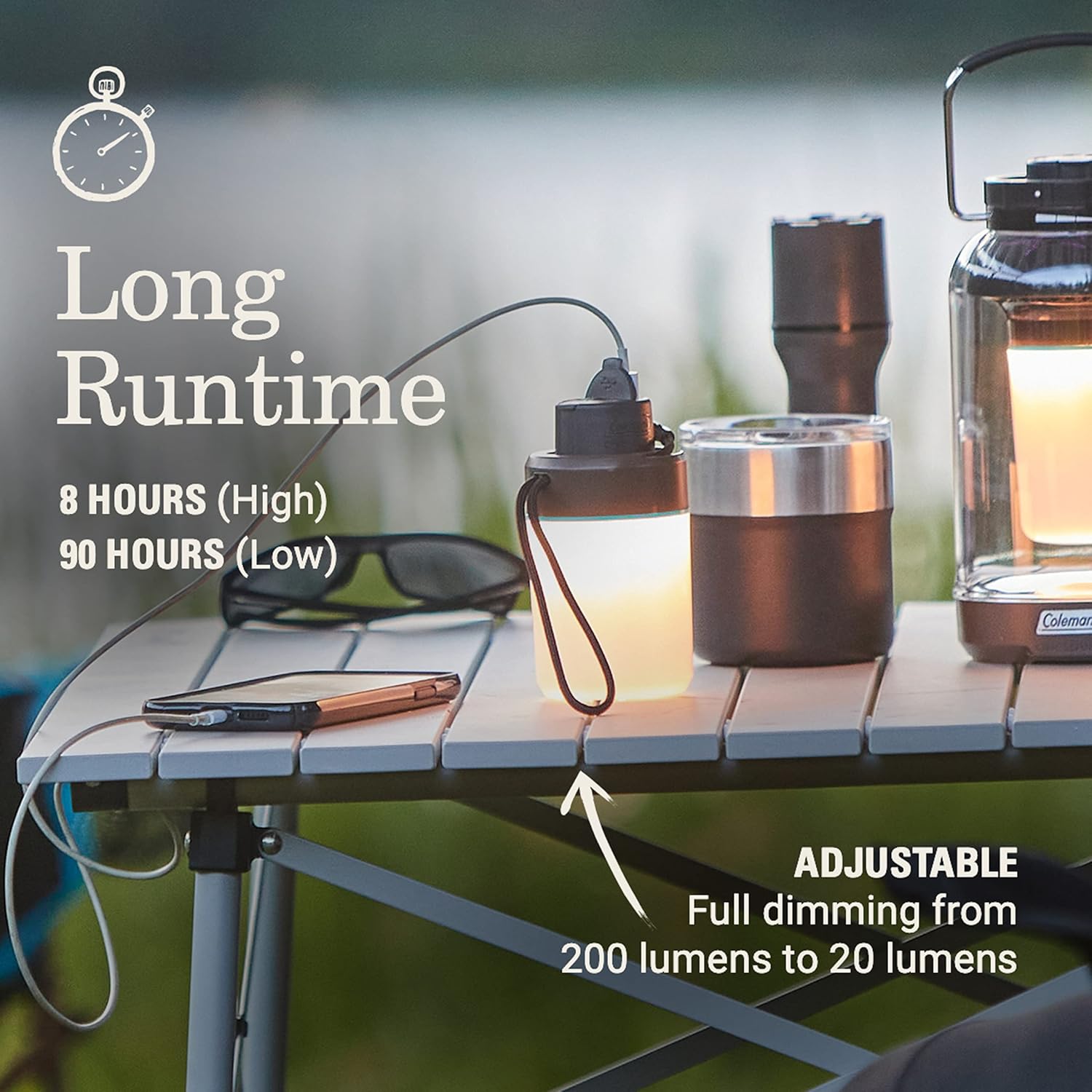
Image: A hand inserting the red Coleman OneSource battery into the lantern's base. The battery is interchangeable with other OneSource products.
Operating Instructions
- Power On/Off: Press the power button located on the side of the lantern to turn it on. Press again to cycle through brightness modes or turn off.
- Adjust Brightness: The lantern features full dimming capabilities from 200 lumens down to 20 lumens. To adjust brightness, press and hold the power button. The light will gradually dim or brighten. Release the button at your desired brightness level.
- Carrying and Hanging: Use the integrated fabric lanyard for easy carrying or hanging the lantern. The lanyard has a quick-snap opening for convenient attachment to tents, branches, or other fixtures.
- Charging External Devices: The OneSource battery can be used as a power bank. Connect your phone or other USB-powered devices to the USB-A output port on the battery unit using your device's charging cable. You can charge devices even while the battery is powering the lantern.

Image: The Coleman OneSource lantern providing light on a campsite table, demonstrating its adjustable brightness and ability to charge devices.

Image: A person demonstrating the easy carry feature by hanging the Coleman OneSource lantern from a tent pole using its fabric lanyard.

Image: A person connecting a charging cable to the Coleman OneSource lantern to charge a smartphone, highlighting its device charging capability.
Maintenance
- Cleaning: Wipe the lantern with a damp cloth to remove dirt and debris. Do not use harsh chemicals or abrasive cleaners. Ensure all ports are covered when cleaning to maintain water resistance.
- Storage: Store the lantern in a cool, dry place away from direct sunlight. For long-term storage, ensure the battery is partially charged (around 50%) to prolong its lifespan. Recharge the battery every 3-6 months if not in use.
- Water Resistance: The lantern is IPX4 water-resistant, meaning it is protected against splashing water from any direction. It is not designed for submersion. Ensure the rubber covers for the charging ports are securely closed when exposed to moisture.

Image: A hand holding the Coleman OneSource lantern, illustrating its compact and durable design, which is impact- and IPX4 water-resistant.
Troubleshooting
- Lantern Not Turning On:
- Ensure the battery is properly installed and fully charged.
- Check if the battery is securely twisted into place. Some users have reported issues if the battery lid is not tightly screwed in.
- If the battery is completely drained, it may take a few minutes of charging before the lantern responds.
- Light Flickering or Dim:
- The battery might be low. Recharge the battery.
- Ensure the battery connection is secure.
- The clear plastic cover may be scratched, which can dim the light. Consider protecting the cover during transport and storage.
- Device Not Charging from Lantern:
- Ensure the lantern's battery is sufficiently charged.
- Verify that the charging cable is correctly connected to both the lantern's USB-A output port and your device.
- Try a different charging cable or device to rule out cable or device issues.
Specifications
| Model Name | OneSource Series |
| Model Number | 2156362 |
| Brightness | 200 Lumens (adjustable down to 20 lumens) |
| Runtime (High) | 8 hours |
| Runtime (Low) | 90 hours |
| Battery Type | Lithium-Ion (OneSource interchangeable) |
| Water Resistance | IPX4 (Water Resistant) |
| Item Weight | 13.12 ounces |
| Dimensions (LxWxH) | 4.91 x 2.91 x 4.69 inches |
| Light Source Type | Light Emitting Diode (LED) |
Warranty
This Coleman OneSource Rechargeable 200L Lantern comes with a 3-year warranty from the date of purchase. This warranty covers defects in materials and workmanship under normal use. Please retain your proof of purchase for warranty claims. For full warranty details and terms, refer to the official Coleman website or contact customer support.
Support
For technical assistance, troubleshooting, or to inquire about replacement parts, please visit the official Coleman website or contact Coleman customer service. Contact information can typically be found on the product packaging or the brand's official website.


