Introduction
Thank you for choosing the Dripex Ergonomic L-Shaped Gaming Desk. This manual provides essential information for the safe assembly, operation, and maintenance of your new desk. Please read these instructions carefully before beginning assembly and retain them for future reference.

Image: A person seated at the Dripex L-shaped gaming desk, which is set up with a computer monitor, keyboard, and mouse, demonstrating its use in a home office environment.
Safety Information
To ensure safe use and prevent injury or damage, please adhere to the following safety guidelines:
- Always ensure the desk is assembled correctly and all fasteners are securely tightened before use.
- Place the desk on a flat, stable surface to prevent wobbling or tipping.
- Do not exceed the maximum load capacity of 90 kg (198 lbs). Overloading can compromise stability and cause damage.
- Keep small parts and packaging materials away from children to avoid choking hazards.
- Avoid placing hot items directly on the desktop surface without protective coasters.
- Do not stand or sit on the desk.

Image: A graphic illustrating the maximum weight capacity of 198 lbs (approximately 90 kg) for the desk.
Package Contents
Before assembly, verify that all components listed below are present and undamaged. If any parts are missing or damaged, please contact customer support.
- L-shaped desktop sections (carbon steel material)
- Trapezoidal leg frames
- Steel support bars
- Adjustable non-slip feet (4 units)
- Cable management compartment
- Cable holes (2 units)
- Cup holder
- Headphone holder
- Gamepad holder
- Large mouse pad
- Assembly hardware (screws, wrench, etc.)
- Assembly instructions
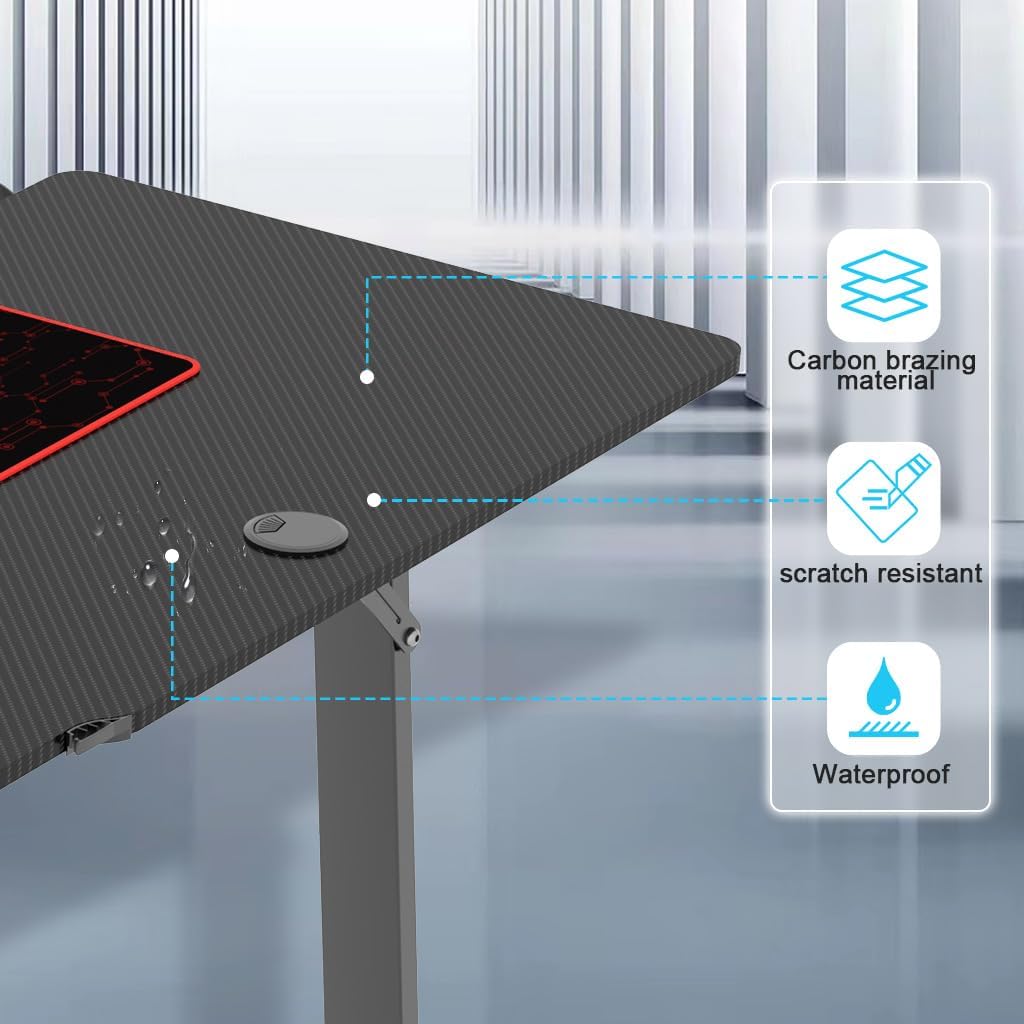
Image: A detailed view of the included accessories: a cup holder, a headphone holder, a gamepad holder, two cable holes, and a cable management system, all designed to attach to the desk.
Setup and Assembly
Assembly typically takes approximately 30 minutes with two people. Follow the step-by-step instructions provided in the included assembly guide. Ensure all screws are tightened firmly but do not overtighten.
- Unpack Components: Carefully remove all parts from the packaging and lay them out on a clean, soft surface to prevent scratches.
- Assemble Leg Frames: Attach the steel support bars to the trapezoidal leg frames according to the diagrams in the assembly guide.
- Attach Adjustable Feet: Screw the four adjustable non-slip feet into the bottom of the leg frames. Adjust them later to level the desk.
- Mount Desktop Sections: Secure the L-shaped desktop sections to the assembled leg frames using the provided hardware. Ensure the sections are aligned correctly to form the L-shape.
- Install Accessories: Attach the cup holder, headphone holder, gamepad holder, and cable management compartment to the designated locations on the desk. Insert the cable hole covers into the desktop openings.
- Final Check: Verify that all connections are secure and the desk is stable. Adjust the feet as needed to eliminate any wobbling.

Image: A close-up view of one of the adjustable non-slip feet, designed to provide stability and protect flooring.
Features
The Dripex Ergonomic L-Shaped Gaming Desk is designed with several features to enhance your gaming and work experience:
- Large L-Shaped Desktop: Provides ample space for multiple monitors, gaming peripherals, and work essentials. Dimensions are approximately 160 cm x 100 cm (63 inches x 39.4 inches) with a height of 75 cm (29.5 inches).
- Durable Desktop Material: The carbon steel desktop is waterproof and scratch-resistant, ensuring longevity and easy cleaning.
- Stable Trapezoidal Structure: Supported by robust trapezoidal legs and reinforced with steel bars for exceptional stability and a maximum load capacity of 90 kg.
- Adjustable Non-Slip Feet: Four adjustable feet allow for leveling the desk on uneven floors and prevent slipping.
- Integrated Cable Management: Two cable holes and a dedicated compartment help keep your cables organized and your workspace tidy.
- Convenient Accessories: Includes a cup holder, headphone holder, and gamepad holder for easy access and organization of your essentials.
- Large Mouse Pad: A full-size mouse pad is included to cover a significant portion of the desktop, providing a smooth surface for mouse movement.
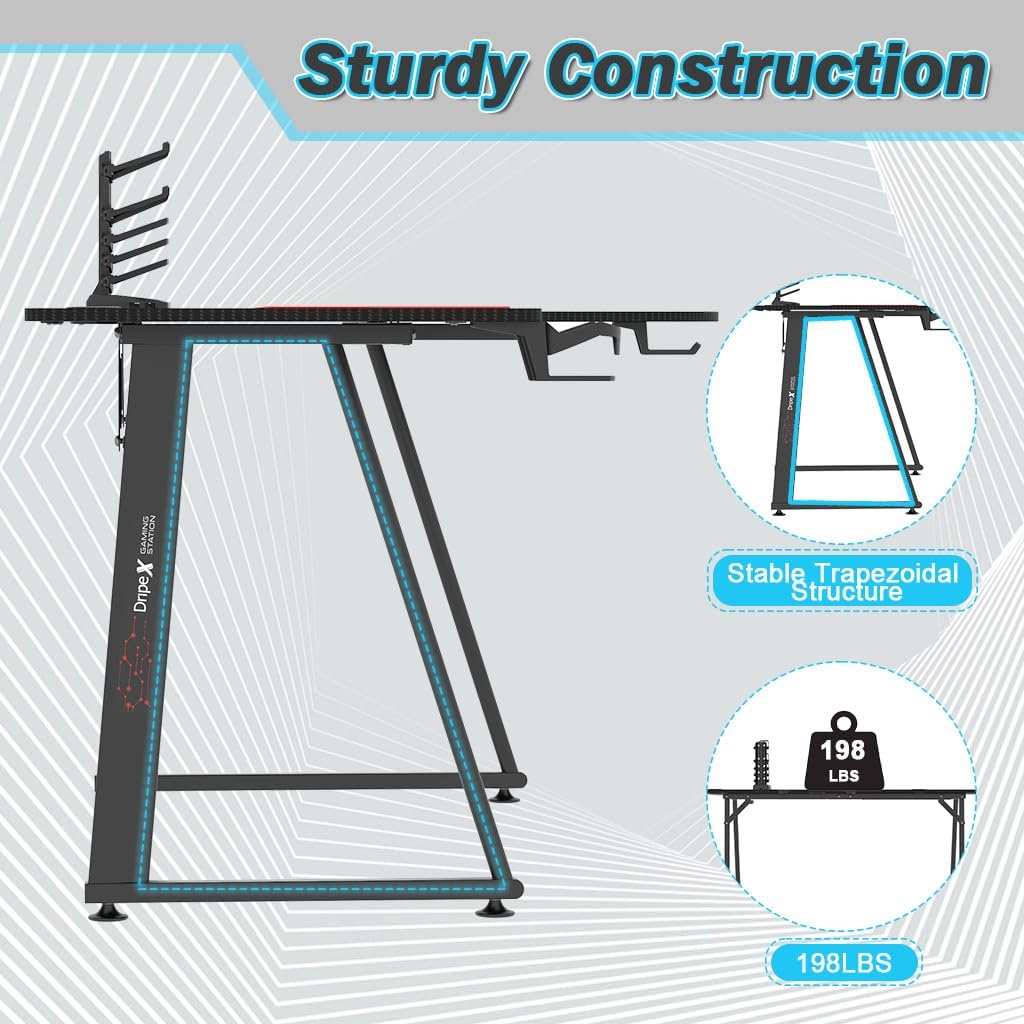
Image: A diagram illustrating the overall dimensions of the L-shaped desk, showing a length of 160 cm, a width of 100 cm, and a height of 75 cm.

Image: A close-up of the desk surface, emphasizing its carbon brazing material, scratch-resistant coating, and waterproof characteristics with water droplets visible.
Operating Instructions
The Dripex Gaming Desk is designed for straightforward use. Once assembled, it provides a stable and organized workspace.
- Workspace Organization: Utilize the L-shaped design to arrange your monitors, keyboard, mouse, and other peripherals efficiently. The corner section is ideal for a primary monitor setup.
- Cable Management: Route power and data cables through the two cable holes on the desktop and into the cable management compartment underneath to maintain a clean and clutter-free surface.
- Accessory Use: Place your beverage in the cup holder, hang your headphones on the headphone holder, and store game controllers on the gamepad holder for easy access during use.
- Mouse Pad: Position the large mouse pad on the desktop for optimal mouse tracking and comfort.

Image: The Dripex L-shaped gaming desk configured in a contemporary office setting, showcasing its capacity for multiple monitors, a gaming chair, and various accessories.
Maintenance
Regular maintenance will help prolong the life and appearance of your desk:
- Cleaning: Wipe the desktop surface with a soft, damp cloth. For stubborn stains, a mild detergent can be used, followed by drying with a clean cloth. Avoid abrasive cleaners or harsh chemicals.
- Spills: Due to its waterproof surface, spills can be easily wiped away. Clean up liquids promptly to prevent any potential damage.
- Fasteners: Periodically check all screws and bolts to ensure they remain tight. Retighten if necessary to maintain desk stability.
- Avoid Direct Sunlight: Prolonged exposure to direct sunlight may cause material degradation over time.
Troubleshooting
If you encounter any issues with your Dripex Gaming Desk, refer to the following common problems and solutions:
| Problem | Possible Cause | Solution |
|---|---|---|
| Desk is wobbly | Uneven floor; loose fasteners | Adjust the non-slip feet to level the desk. Check and tighten all assembly screws. |
| Parts do not fit during assembly | Incorrect orientation of parts; wrong parts used | Refer to the assembly guide diagrams carefully. Ensure you are using the correct parts for each step. Do not force parts together. |
| Scratches on desktop | Sharp objects; abrasive cleaning | While the surface is scratch-resistant, it is not scratch-proof. Avoid dragging sharp objects. Use soft cloths for cleaning. |
If the issue persists or is not listed here, please contact Dripex customer support.
Specifications
| Feature | Detail |
|---|---|
| Brand | Dripex |
| Model | 1 |
| Color | Black |
| Product Dimensions (L x W x H) | 160 cm x 100 cm x 75 cm (63 in x 39.4 in x 29.5 in) |
| Material | Carbon Steel (desktop), Alloy Steel (frame) |
| Special Features | Anti-slip feet, Waterproof, Scratch-resistant, Cable Management |
| Maximum Recommended Weight | 90 kg (198 lbs) |
Warranty and Support
Dripex is committed to providing quality products. For any questions, concerns, or assistance with your product, please contact our customer support team. We aim to provide feedback within 24 hours.
If the desk arrives damaged, please contact us as soon as possible for assistance.
For further support, please visit the official Dripex store or contact your retailer.


