
PDP 052-016-WH
PDP Gaming PlayStation 5 METAVOLT Dual Charging Station User Manual
Brand: PDP | Model: 052-016-WH
Introduction
The PDP Gaming PlayStation 5 METAVOLT Dual Charging Station provides an efficient and secure way to charge two PS5 DualSense Wireless Controllers simultaneously. Designed for convenience and speed, this charging station ensures your controllers are always ready for extended gaming sessions. Its sleek design complements your PlayStation 5 setup, and integrated safety features protect your devices during charging.
What's in the Box
- PDP Gaming PlayStation 5 METAVOLT Dual Charging Station
- Integrated USB Type-C Cable

Image: The retail packaging for the PDP Gaming PlayStation 5 METAVOLT Dual Charging Station, showcasing the white charging station and two DualSense controllers.
Setup
1. Connect the Charging Station
Locate an available USB Type-C port on your PlayStation 5 console. Insert the integrated USB Type-C cable from the charging station firmly into the console's USB-C port. The charging station draws power directly from the console.

Image: Side view of the charging station showing the attached USB-C cable ready for connection.
2. Place the Charging Station
Position the charging station on a flat, stable surface. The anti-slip rubber grips on the bottom of the unit will help keep it securely in place.

Image: The underside of the charging station, showing the anti-slip rubber pads.
Operating Instructions
Charging Your Controllers
To charge your PS5 DualSense Wireless Controllers, simply align the controller with one of the two charging ports on the station and gently drop it into place. The controller will make contact with the charging pins and begin charging automatically. The charging process is designed to be one-handed and intuitive.
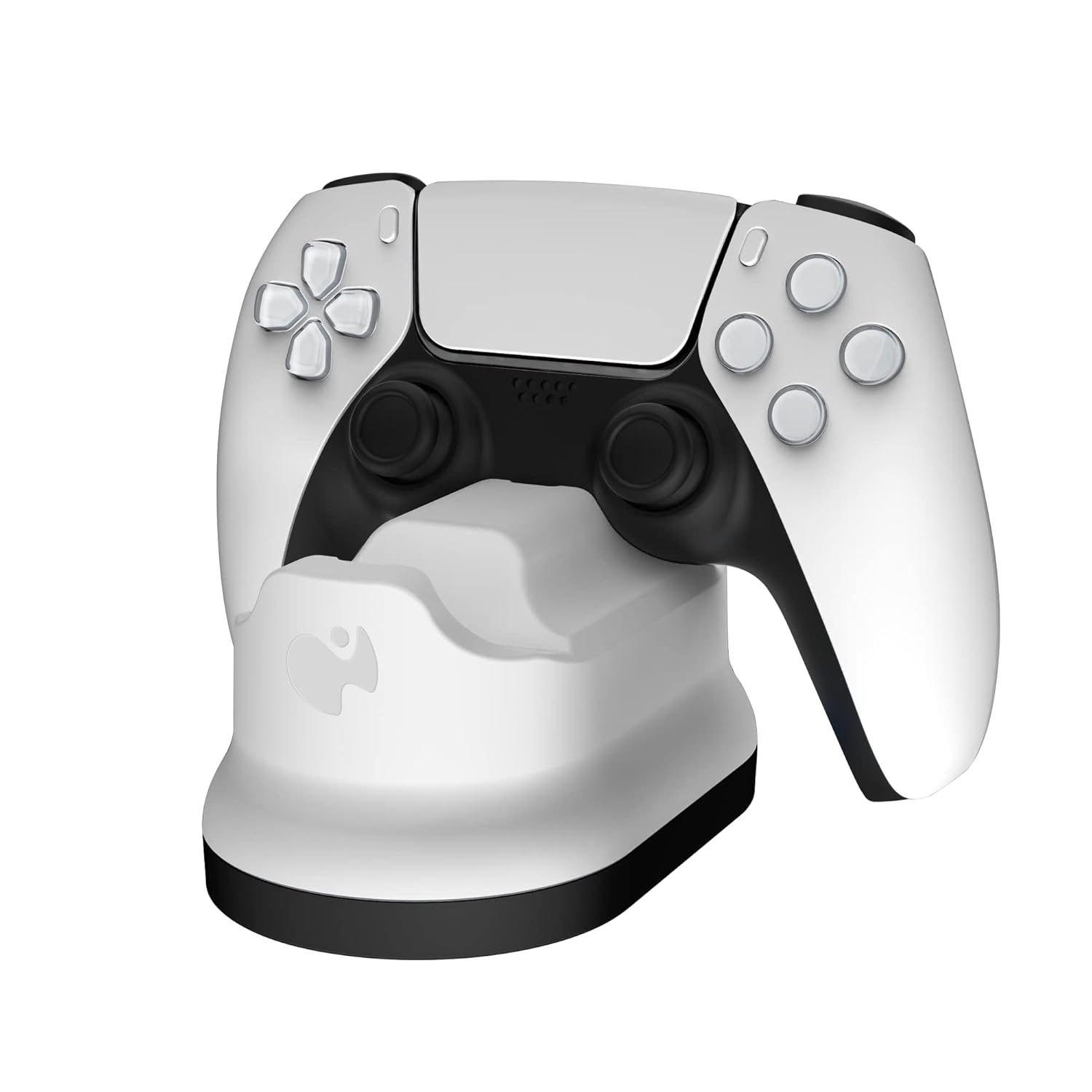
Image: A PlayStation 5 DualSense controller correctly placed in one of the charging slots.
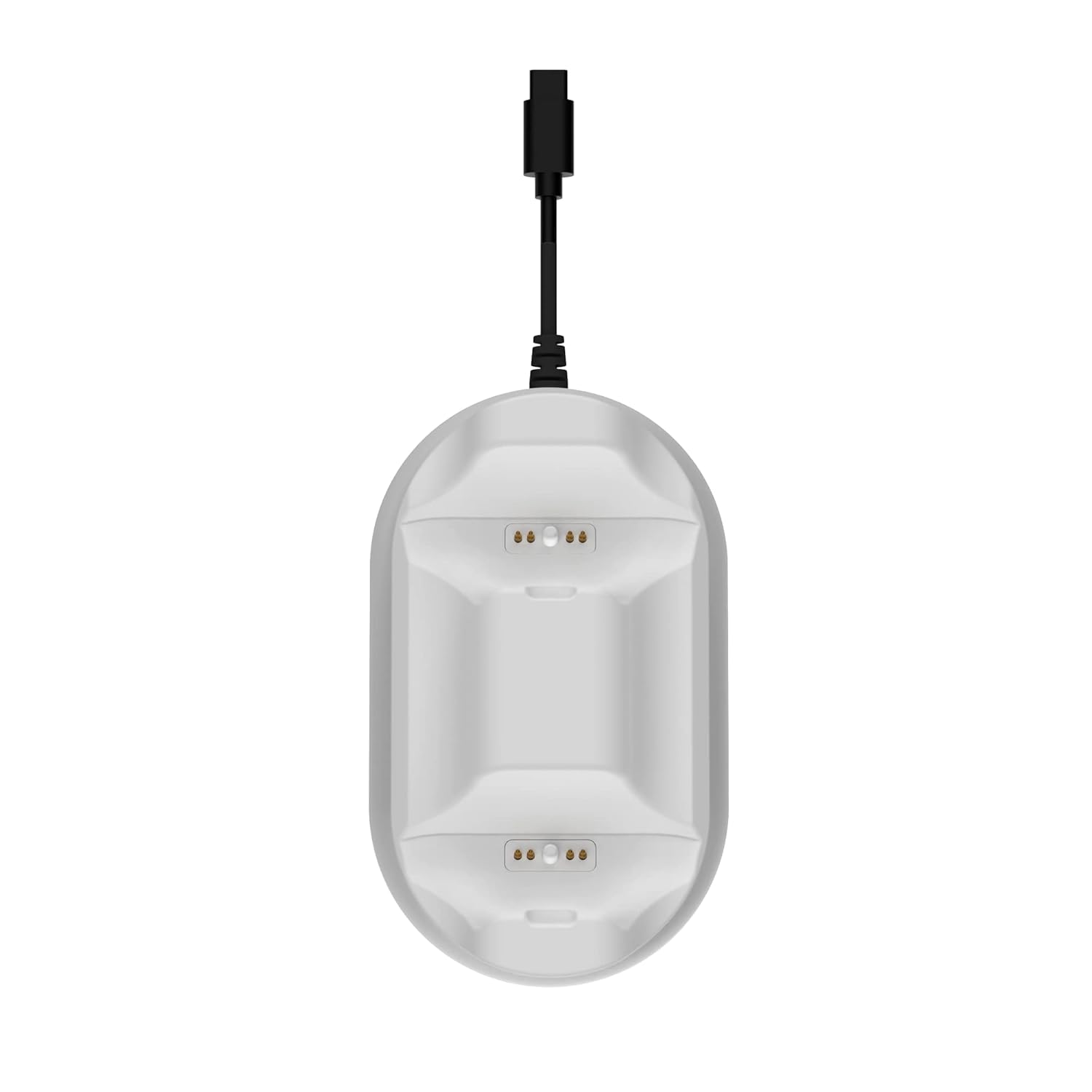
Image: Close-up top view of the charging station's ports, showing the contact pins where the controller connects.
The controllers will be fully charged in under four hours. The charging station is designed to display your controllers neatly while they charge.
Maintenance
To ensure the longevity and optimal performance of your PDP Gaming PlayStation 5 METAVOLT Dual Charging Station, follow these simple maintenance guidelines:
- Keep the charging station clean by wiping it with a soft, dry cloth.
- Avoid using abrasive cleaners or solvents, as these can damage the surface.
- Ensure the charging pins are free from dust or debris to maintain proper contact with the controllers.
- Store the charging station in a cool, dry place when not in use.
Troubleshooting
Controller Not Charging
- Ensure the USB Type-C cable is securely connected to both the charging station and the PS5 console.
- Verify that the PS5 console is powered on or in Rest Mode with USB power supply enabled.
- Check that the controller is properly seated in the charging port, ensuring the contact pins align.
- Inspect the charging pins on both the station and the controller for any obstructions or damage.
Charging Station Appears Unstable
- Ensure the charging station is placed on a flat, level surface.
- Check the anti-slip rubber grips on the bottom of the unit to ensure they are clean and intact.
Safety Features
The charging station includes built-in over current and over voltage protection to prevent damage to your controllers and the charging station itself. If you suspect an issue related to power, disconnect the unit and reconnect it after a few moments.
Specifications
| Feature | Detail |
|---|---|
| Model Number | 052-016-WH |
| Compatibility | PlayStation 5 DualSense Wireless Controllers |
| Charging Time | Under 4 hours for two controllers |
| Connection | Integrated USB Type-C cable |
| Power Source | PS5 Console USB Port |
| Dimensions (L x W x H) | 2.68 x 5.43 x 6.26 inches |
| Weight | 6.07 ounces |
| Safety Features | Over current and over voltage protection |
| Manufacturer | PDP |
| Country of Origin | China |
Warranty and Support
For warranty information and technical support, please refer to the official PDP website or contact their customer service directly. Keep your proof of purchase for any warranty claims.
You can visit the official PDP store for more information and support resources: PDP Official Store
Ask a question about this manual
Ask about setup, troubleshooting, compatibility, parts, safety, or missing instructions. Manuals+ will review the question and use this page’s manual context to help answer it.