
Pyle PLTLD24
PYLE 23.6" 1080p ELED RV Television User Manual
Model: PLTLD24 | Brand: Pyle
Introduction
This manual provides comprehensive instructions for the installation, operation, and maintenance of your Pyle 23.6" 1080p ELED RV Television. Designed for versatility, this flat screen monitor features a full HD display, built-in multimedia disk combo, and multiple input/output interfaces, making it suitable for various applications including RVs and home use. Please read this manual thoroughly before using the product to ensure proper and safe operation.

Image: The Pyle 23.6" ELED RV Television, showcasing its sleek design, included remote control, and power adapter. A DVD disc is also visible, highlighting the built-in multimedia capabilities.

Image: The Pyle RV Television screen displaying a vibrant image, illustrating its capability for a more expansive spectrum of colors and realistic picture quality.
Safety Information
Always observe the following safety precautions to prevent electric shock, fire, or damage to the unit.
- Do not expose the unit to rain or moisture.
- Do not open the cabinet. Refer all servicing to qualified personnel.
- Ensure proper ventilation. Do not block ventilation openings.
- Use only the power adapter supplied with the unit.
- Protect the power cord from being walked on or pinched.
- Clean only with a dry cloth.
- Unplug the unit during lightning storms or when unused for long periods.
What's in the Box
Verify that all components are present before proceeding with installation.
- 23.6'' ELED RV Digital TV
- Full Function Remote Control
- 2 x 'AAA' Batteries (for remote control)
- Power Adapter (100/240V, 50/60Hz)
- Removable Base Stands

Image: A visual representation of the items included in the product packaging, such as the television unit, remote control, power supply, and various cables.
Product Overview
Front and Side Features
The front of the television features the 23.6-inch ELED display. The side panel includes essential control buttons and the slot-in DVD player.

Image: The Pyle RV Television with its full-function remote control. An inset shows the side profile of the TV, highlighting the slot for the built-in DVD player.
Side Panel Button Controls
The side panel provides convenient access to basic TV functions.
- PLAY/PAUSE: Play/pause disc playing.
- EJECT: Eject disc.
- VOL+/VOL-: Adjust the volume. Use to move left/right in the OSD menu screen. VOL+ button can be used to skip forward to next menu.
- CH+/CH-: Press to scan through channels. Use to move down/up in the OSD menu screen.
- MENU: Press to display the OSD menu, Press again to exit the menu.
- SOURCE: Press to select the input source.
- POWER: Turn on/off the TV set.

Image: A detailed view of the television's side panel, clearly labeling the functions of each button: Play/Pause, Eject, Volume Up/Down, Channel Up/Down, Menu, Source, and Power.
Back Inputs/Outputs Interface
The rear panel provides various connectivity options for external devices.
- Input Interfaces: HDMI, CVBS (Composite Video Broadcast Signal), RCA (L/R) Audio, VGA/PC, PC Audio, RF (Antenna)
- Output Interfaces: Coax (Digital) Audio, Headphones, Line out (Analogue) Audio
- USB Port: For multimedia playback.

Image: The back panel of the Pyle RV Television, with labels indicating the various input and output ports including USB, HDMI, VGA, PC Audio, TV Earphone, Audio Out, Left/Right RCA, AV, and Coax.
Setup
Attaching the Base Stand
If you plan to place the TV on a flat surface, attach the included base stands. Align the stand with the slots on the bottom of the TV and secure with screws if provided.
Wall Mounting
The television features universal VESA mounting compatibility (100mm x 100mm) for wall mounting. Ensure you use a compatible VESA mount (sold separately) and follow the mount manufacturer's instructions for safe installation. The removable base stand facilitates wall mounting.

Image: A person is shown in the process of installing the Pyle RV Television onto a wall mount, demonstrating the ease of wall-mounting this unit.
Connecting Power
Connect the provided power adapter to the DC input port on the TV and then plug the adapter into a suitable power outlet (100-240V, 50/60Hz). This TV also supports 12V/24V car adapter for RV use.
Connecting External Devices
Use the appropriate input ports (HDMI, CVBS, VGA, RF) on the back of the TV to connect external devices such as DVD players, gaming consoles, or antennas. For PC connectivity, use the VGA port and PC Audio input.
Operating
Power On/Off
Press the POWER button on the remote control or the side panel to turn the TV on or off.
Input Source Selection
Press the SOURCE button on the remote or side panel to cycle through available input sources (HDMI, AV, VGA, TV, Media).
Menu Navigation
Press the MENU button to access the On-Screen Display (OSD) menu. Use the arrow buttons on the remote or CH+/CH- and VOL+/VOL- buttons on the side panel to navigate, and ENTER or SOURCE to confirm selections.
Built-in DVD Player
Insert a DVD disc into the slot on the side of the TV. The TV will automatically switch to DVD mode. Use the remote control for playback functions (Play, Pause, Stop, Skip, Eject).

Image: A hand is shown inserting a DVD disc into the integrated slot-in DVD player located on the side of the television unit.
Special Features
- V-Chip: Allows parental control over programming based on content ratings.
- Closed Caption: Displays on-screen text of the audio portion of a program.
- Sleep Timer: Sets the TV to automatically turn off after a specified period.
- Display Modes: Selectable multi-viewing display modes including 16:9, 4:3, Zoom, and Cinema.
PC Connectivity
The TV is compatible with both Mac and PC. Connect your computer using a VGA cable for video and a 3.5mm audio cable for sound. Select the VGA input source on the TV.
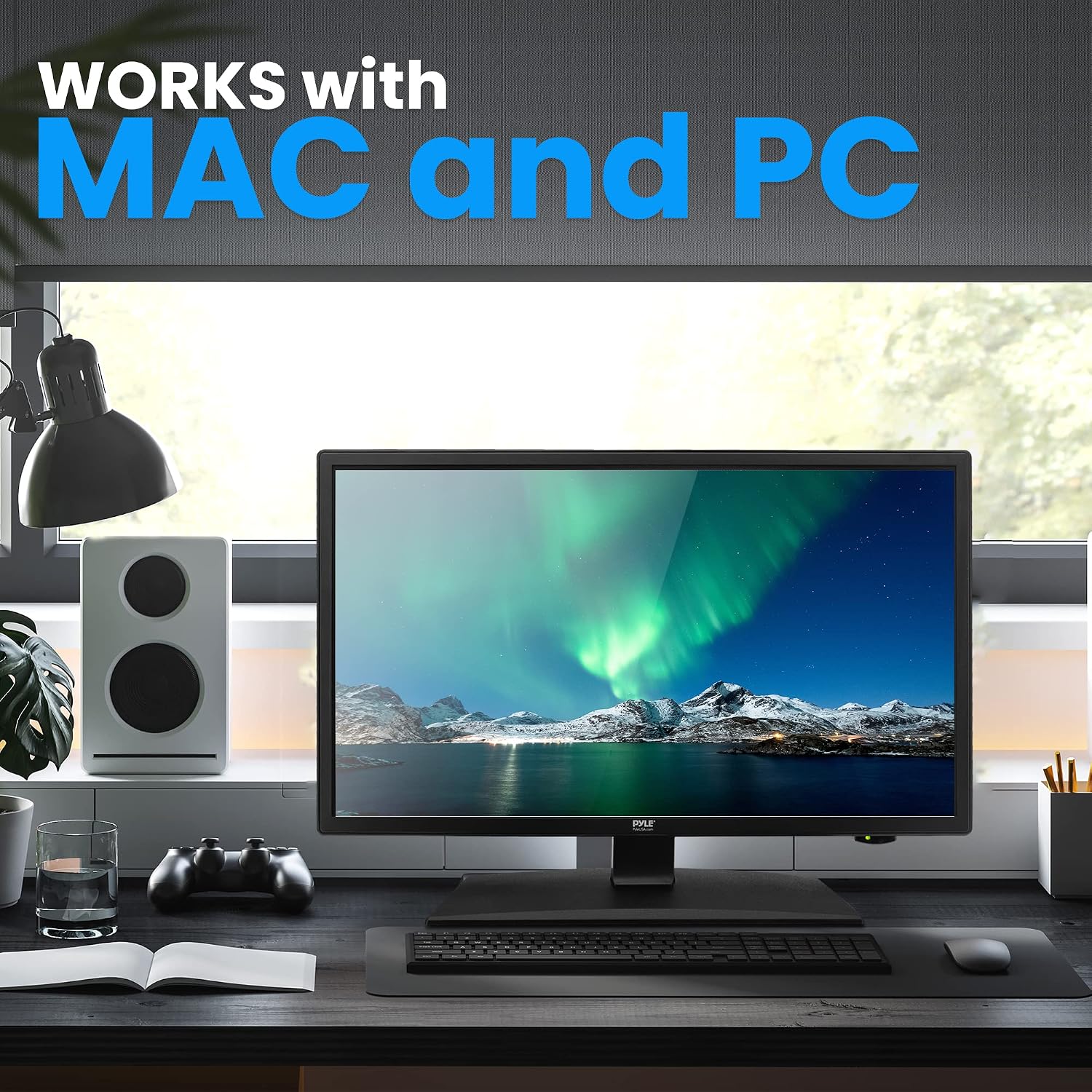
Image: The Pyle RV Television integrated into a desktop computer setup, demonstrating its compatibility with both Mac and PC systems for use as a monitor.
Maintenance
Proper care ensures the longevity of your television.
- Cleaning the Screen: Gently wipe the screen with a soft, lint-free cloth. For stubborn marks, dampen the cloth with a small amount of water or a screen cleaner specifically designed for LED displays. Do not spray liquid directly onto the screen.
- Cleaning the Cabinet: Use a soft, dry cloth to clean the TV cabinet. Avoid using abrasive cleaners or solvents.
- Ventilation: Keep the ventilation openings clear of dust and debris to prevent overheating.
- Storage: If storing the TV for an extended period, unplug it and store it in a cool, dry place, ideally in its original packaging.
Troubleshooting
Refer to this section for common issues and their solutions.
| Problem | Possible Cause | Solution |
|---|---|---|
| No power | Power cord not connected; Power outlet not working | Ensure power cord is securely plugged in; Test outlet with another device. |
| No picture, but sound is present | Incorrect input source selected; Loose video cable connection | Press SOURCE button to select correct input; Check video cable connections. |
| No sound, but picture is present | Volume too low or muted; Incorrect audio cable connection | Increase volume or unmute; Check audio cable connections. |
| Remote control not working | Batteries are dead or incorrectly inserted; Obstruction between remote and TV | Replace batteries, ensure correct polarity; Remove any obstructions. |
| DVD disc not playing or ejecting | Disc is dirty or damaged; Incorrect disc format; Player malfunction | Clean disc, try another disc; Ensure disc is compatible; Contact support if issue persists. |
Specifications
| Feature | Detail |
|---|---|
| Screen Size | 23.6 inches (Diagonal) |
| Display Type | E-LED Backlight |
| Display Resolution | 1920 x 1080 Pixels (Full HD 1080p) |
| Signal Support | 1080p, 1080i, 720p, 480p, 480i |
| Display Modes | 16:9, 4:3, Zoom, Cinema |
| Viewing Angle | 178° Vertical, 178° Horizontal |
| Speaker Power | (2) 3 Watt, 4Ω |
| Refresh Rate | 60Hz |
| TV Tuner | ATSC/NTSC |
| Response Time | 6.5ms |
| Max. Color | 16.7M |
| Contrast | 3000:1 (30,000:1 Dynamic) |
| Brightness | 220 cd/m2 |
| VESA Mounting | 100mm x 100mm |
| Power Input | 100/240V, 50/60Hz (also 12V/24V compatible) |
| Power Consumption | 36W |
| Product Dimensions (With Stand) | 21.7'' x 7.1'' x 14.53'' -inches (L x W x H) |
| Product Dimensions (Without Stand) | 21.7'' x 1.8'' x 12.85'' -inches (L x W x H) |
| Weight | 11.48 lbs. |

Image: A diagram illustrating the key dimensions of the Pyle RV Television, including its width, height, and depth, along with its weight.
Warranty and Support
For warranty information and technical support, please refer to the official Pyle website or contact their customer service department. Keep your purchase receipt as proof of purchase for warranty claims.
Official Pyle Website: www.pyleusa.com
You can also find additional support and FAQs on the product's Amazon page: Amazon Product Page
Related documentsPLTLD24


Ask a question about this manual
Ask about setup, troubleshooting, compatibility, parts, safety, or missing instructions. Manuals+ will review the question and use this page’s manual context to help answer it.