
Tommie Copper SM9187
Tommie Copper TENS Therapy Device User Manual
Brand: Tommie Copper | Model: SM9187
Introduction
The Tommie Copper TENS Therapy Device is designed to provide temporary relief of pain associated with sore and aching muscles in the shoulder, waist, back, neck, upper extremities (arm), and lower extremities (leg) due to strain from exercise or normal household and work activities. This device utilizes Transcutaneous Electrical Nerve Stimulation (TENS) technology, which delivers small electrical impulses through electrodes placed on the skin to stimulate nerves and block pain signals.
Package Contents
Before beginning, please ensure all components are present in your package:
- 1 x Tommie Copper TENS Therapy Device Controller
- 2 x Reusable Electrode Pads
- 1 x USB Power Cord

Image: The complete package contents of the Tommie Copper TENS Therapy Device, showing the circular controller, two blue reusable electrode pads, and the USB charging cable.
Setup and Charging
- Initial Charge: Before first use, fully charge the device. Connect the USB power cord to the charging port on the TENS device controller and plug the other end into a standard USB power adapter (not included) or a computer USB port. The indicator light will show charging status.
- Attach Electrode Pads: Ensure the device is turned off. Snap the two reusable electrode pads onto the metal studs on the TENS device controller. The pads are designed to securely attach to the controller.
- Prepare Skin: Clean and dry the skin area where you intend to apply the pads. Avoid applying over broken skin, rashes, or irritated areas.
Operating Instructions
- Apply to Body: Carefully remove the protective film from the electrode pads. Apply the pads firmly to the desired area of the body. Ensure good contact with the skin for effective therapy.
- Power On: Press and hold the power button on the controller to turn the device on.
- Select Mode: Press the 'M' (Mode) button to cycle through the 6 available therapy modes. Each mode offers a different pulse pattern for varied sensation:
- 1. Scraping
- 2. Tapping
- 3. Acupuncture
- 4. Cupping
- 5. Tai-Chi
- 6. Kneading
- Adjust Intensity: Use the '+' button to increase the intensity level and the '-' button to decrease it. Start with a low intensity and gradually increase until you feel a comfortable, yet effective, sensation. The device offers 20 intensity levels.
- Session Duration: The device is designed for specific session durations. Do not use for excessively long periods. Consult a healthcare professional for recommended usage times.
- Power Off: Press and hold the power button to turn the device off when your session is complete.


Image: Examples of device application on the upper back/shoulder and lower back.

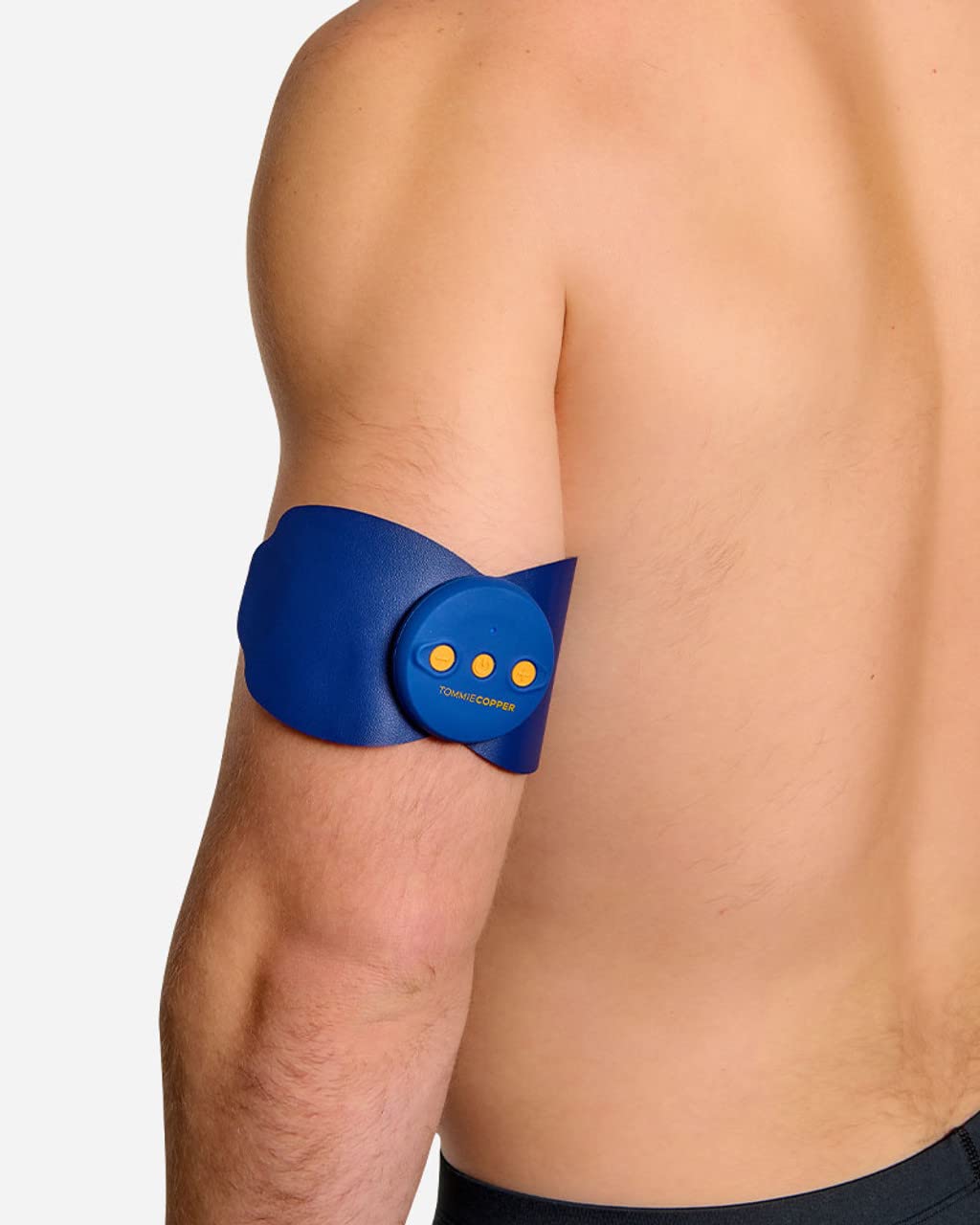
Image: Further examples of device application on the shoulder and arm.
Maintenance and Care
- Cleaning Pads: After each use, gently wipe the adhesive side of the electrode pads with a damp cloth to remove any skin oils or debris. Allow them to air dry completely before reattaching the protective film. Do not use harsh chemicals or abrasive cleaners.
- Storing Pads: Always reattach the protective film to the adhesive side of the pads after use to preserve their stickiness and extend their lifespan. Store the pads and device in a cool, dry place away from direct sunlight.
- Device Cleaning: Wipe the controller unit with a soft, dry cloth. Do not immerse the device in water or any other liquid.
- Battery Care: Recharge the device when the battery is low. Avoid completely draining the battery frequently to prolong its life. If storing for an extended period, charge the device periodically.
Troubleshooting
| Problem | Possible Cause | Solution |
|---|---|---|
| Device does not turn on. | Low battery or device is not charged. | Charge the device fully using the provided USB cable. |
| No sensation or weak sensation. | Pads not making good skin contact; intensity too low; pads are worn out. | Ensure pads are firmly applied to clean, dry skin. Increase intensity gradually. Replace electrode pads if they no longer adhere well. |
| Pads do not stick to skin. | Pads are dirty or worn out. | Clean the adhesive side of the pads with a damp cloth and let air dry. If stickiness is not restored, replace the pads. |
Specifications

Image: Visual representation of the device's dimensions and key features like intensity levels and therapy modes.
- Model Number: SM9187
- Power Source: 1 Lithium Metal battery (included)
- Intensity Levels: 20
- Therapy Modes: 6 (Scraping, Tapping, Acupuncture, Cupping, Tai-Chi, Kneading)
- Item Weight: 0.26 Kilograms
- Parcel Dimensions: 14.5 x 12.09 x 3.91 cm
- Special Feature: Adjustable intensity and modes
- Age Range: Adult
Warranty and Support
Specific warranty details for the Tommie Copper TENS Therapy Device are not provided within this manual. Please refer to the warranty card included with your product packaging or visit the official Tommie Copper website for comprehensive warranty information and terms.
For further assistance, technical support, or inquiries regarding your device, please contact Tommie Copper customer support through their official channels. Contact information can typically be found on the product packaging or their official website.
Related documentsSM9187

Ask a question about this manual
Ask about setup, troubleshooting, compatibility, parts, safety, or missing instructions. Manuals+ will review the question and use this page’s manual context to help answer it.