
Introduction
Welcome to the user manual for your KXD M5 Dual SIM 2G Mobile Phone. This guide provides essential information to help you set up, operate, maintain, and troubleshoot your device. Please read this manual carefully to ensure proper use and to fully utilize all features of your KXD M5 phone.
Product Overview
The KXD M5 is a reliable 2G mobile phone designed for essential communication and multimedia functions. It features a compact design, dual SIM capability, and a long-lasting battery.
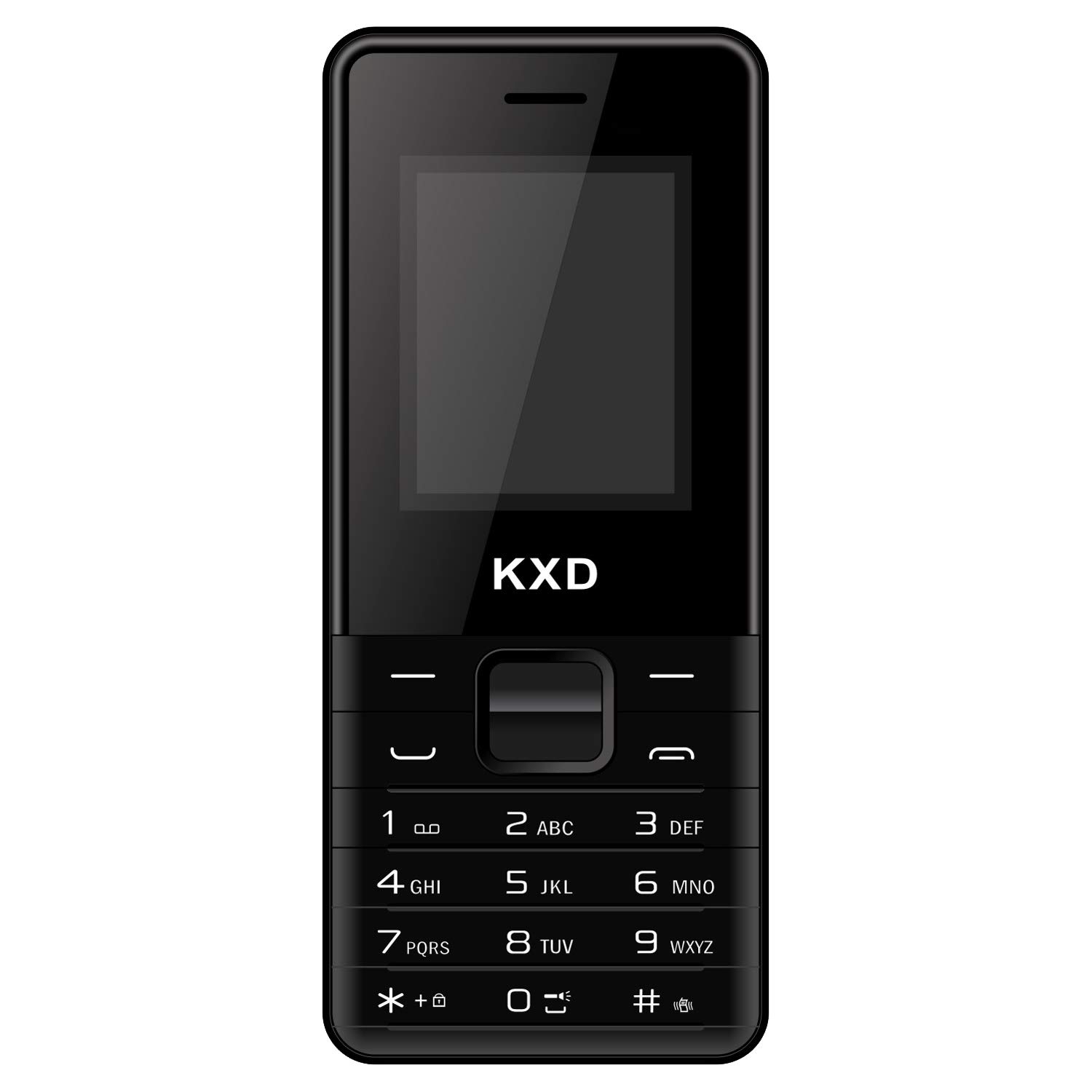
Figure 1: Front view of the KXD M5 mobile phone. This image displays the phone's front, including the display screen, physical keypad, and the earpiece at the top. The KXD logo is visible at the bottom.

Figure 2: Side view of the KXD M5 mobile phone. This image highlights the phone's slim profile and the placement of any side buttons or ports, if present.
Setup
1. Inserting SIM Cards
The KXD M5 supports two Micro SIM cards for dual network connectivity.
- Carefully remove the back cover of the phone.
- Remove the battery if it is already inserted.
- Locate the SIM card slots. Insert your Micro SIM cards into the designated slots with the gold contacts facing down.
- Ensure the SIM cards are securely seated.
2. Inserting the Battery
- Align the battery's contacts with the phone's contacts.
- Gently press the battery into place.
- Replace the back cover, ensuring it clicks into position.
3. Charging the Phone
Before first use, fully charge the phone's battery.
- Connect the charger to the phone's charging port.
- Plug the charger into a power outlet.
- The charging indicator will appear on the screen. A full charge takes approximately 45 minutes.
- Once fully charged, disconnect the charger.
4. Powering On/Off
- To Power On: Press and hold the Power/End Call button until the screen lights up.
- To Power Off: Press and hold the Power/End Call button until the power-off options appear, then select 'Power Off'.
Operating Instructions
Basic Navigation
- Use the navigation keys (up, down, left, right) to scroll through menus.
- Press the 'OK' or 'Select' key (usually the center key) to confirm a selection.
- Press the 'Back' or 'Clear' key to go back to the previous screen or delete characters.
Making and Receiving Calls
- To Make a Call: Enter the phone number using the keypad and press the 'Call' button (usually green).
- To Receive a Call: Press the 'Call' button when the phone rings.
- To End a Call: Press the 'End Call' button (usually red).
Sending and Receiving SMS
- Navigate to 'Messages' from the main menu.
- Select 'Write Message' or 'New SMS'.
- Enter your message and the recipient's number.
- Press 'Send'.
Multimedia Features
- Camera: Access the rear VGA camera from the menu to capture photos.
- Music Player: Play MP3 audio files stored on your phone.
- Video Player: View supported video formats.
- FM Radio: Tune into FM radio stations. You can also record your favorite FM programs.
Connectivity
- Bluetooth: Enable Bluetooth from the settings menu to connect with compatible devices like headsets or other phones for file transfer.
- Internet Browser: Use the built-in browser for basic internet access via 2G network.
Additional Features
- Call Recording: Record phone conversations (check local laws regarding consent).
- Speed Dial: Assign frequently called numbers to specific keys for quick dialing.
- Mobile Tracker: A feature to help locate your phone if lost or stolen.
- Games: Enjoy pre-installed games for entertainment.
- Multi-language Support: The phone supports multiple languages for user interface.
Maintenance
Battery Care
- Use only KXD-approved chargers and batteries.
- Avoid exposing the battery to extreme temperatures.
- Do not puncture or damage the battery.
- If the phone will not be used for an extended period, charge it partially before storing.
Cleaning the Device
- Wipe the phone with a soft, dry cloth.
- Avoid using harsh chemicals or abrasive cleaners.
Water Resistance
The KXD M5 is designed to be water resistant, offering protection against minor splashes. It is not intended for immersion in water or exposure to high-pressure water jets. Ensure all ports are closed when exposed to moisture.
Troubleshooting
| Problem | Solution |
|---|---|
| Phone does not power on | Ensure the battery is correctly inserted and fully charged. Try charging the phone for at least 15 minutes before attempting to power on again. |
| No network signal | Check if SIM cards are properly inserted. Move to an area with better network coverage. Contact your service provider if the issue persists. |
| Battery not charging | Verify that the charger is correctly connected to both the phone and the power outlet. Try using a different charger or power outlet. Ensure the charging port is clean and free of debris. |
| Cannot make/receive calls | Check network signal strength. Ensure your SIM card is active and has sufficient balance/credit. Verify that call barring or flight mode is not enabled. |
| Keypad unresponsive | Restart the phone. If the issue continues, contact customer support. |
Specifications
| Feature | Detail |
|---|---|
| Brand | KXD |
| Model Name | M5 |
| Cellular Technology | 2G (GSM) |
| SIM Card Slots | Dual SIM |
| SIM Card Size | Micro |
| Internal Storage | 32 MB |
| RAM | 32 MB |
| Connectivity | Bluetooth |
| Display Type | LCD |
| Rear Camera | VGA |
| Headphone Jack | 3.5 mm |
| Battery Capacity | 2500 mAh Lithium Ion |
| Talk Time | Up to 12 hours |
| Standby Time | Up to 12 hours |
| Charging Time | Approximately 45 minutes |
| Water Resistance | Basic splash resistant |
| Color | Black |
Warranty and Support
KXD offers a standard one-year warranty on its mobile phones. This warranty covers manufacturing defects under normal use conditions. Please retain your purchase receipt as proof of purchase for warranty claims.
For technical support, service, or warranty inquiries, please refer to the contact information provided with your product packaging or visit the official KXD website. Ensure all accessories are KXD certified for optimal performance and to maintain warranty validity.