1. Product Overview
The LEGRAND 694511 is a rotative 4-outlet power strip designed for flexible device connection and installation. It features patented 45-degree angled outlets for dust protection and a modern aesthetic, with one outlet specifically angled at 90 degrees to accommodate larger power adapters. The power strip includes integrated surge protection with an LED indicator and a manual on/off switch. This manual provides essential information for the safe and efficient use of your power strip.
- Rotary Design: The flexible body allows for convenient positioning and connection of devices.
- Angled Outlets: Four outlets, three angled at 45 degrees and one at 90 degrees, optimize space and protect against dust.
- Integrated Surge Protection: Protects connected devices from power surges and lightning strikes, indicated by an LED.
- Manual On/Off Switch: For easy control of power to all connected devices.
- Easy Installation: Can be mounted using screws or adhesive tape.
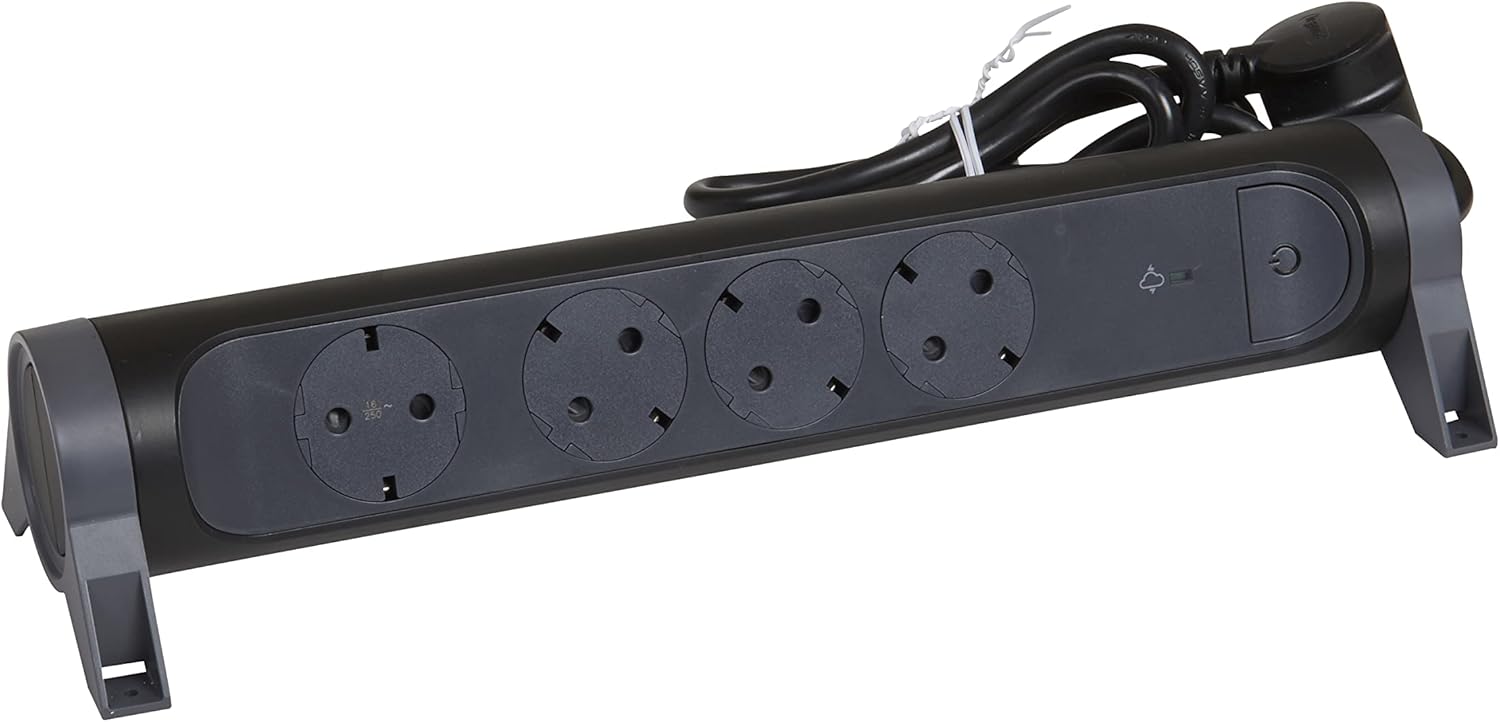
Figure 1: Front view of the LEGRAND 694511 Rotative 4-Outlet Power Strip, showing the four outlets, on/off switch, and surge protection indicator.
2. Safety Information
Please read and understand all safety instructions before using this product. Failure to follow these instructions may result in electric shock, fire, or serious injury.
- Do not exceed the maximum load capacity of 3680 W (16 A, 230 V).
- Do not connect multiple power strips together.
- Do not use in wet or damp conditions. This product is for indoor use only.
- Keep out of reach of children.
- Do not open or modify the power strip. There are no user-serviceable parts inside.
- Ensure the power plug is fully inserted into a grounded wall outlet.
- If the surge protection LED is off, the surge protection function is no longer active. The power strip will still function as a standard extension cord, but without surge protection.
3. Setup and Installation
The LEGRAND 694511 power strip offers flexible placement options.
3.1 Initial Placement
- Unpack the power strip and inspect it for any damage. Do not use if damaged.
- Choose a dry, indoor location away from heat sources and direct sunlight.
- Ensure the 1.5-meter cable can reach the wall outlet without being stretched or obstructed.

Figure 2: The power strip with its 1.5-meter power cable and plug.
3.2 Mounting Options
The power strip can be mounted for a more permanent setup:
- Screw Mounting: Use appropriate screws (not included) through the designated mounting holes on the base of the power strip. Ensure the mounting surface is suitable.
- Adhesive Tape Mounting: Apply strong double-sided adhesive tape (not included) to the base of the power strip and press firmly onto a clean, dry surface.
4. Operating Instructions
4.1 Connecting to Power
- Plug the power strip's main plug into a grounded 230V wall outlet.
- Press the On/Off switch (marked with a power symbol) to turn on the power strip. A blue LED indicator will illuminate when the power strip is active.
- Observe the Surge Protection LED (marked with a lightning bolt symbol). A green light indicates that the surge protection is active and functioning.
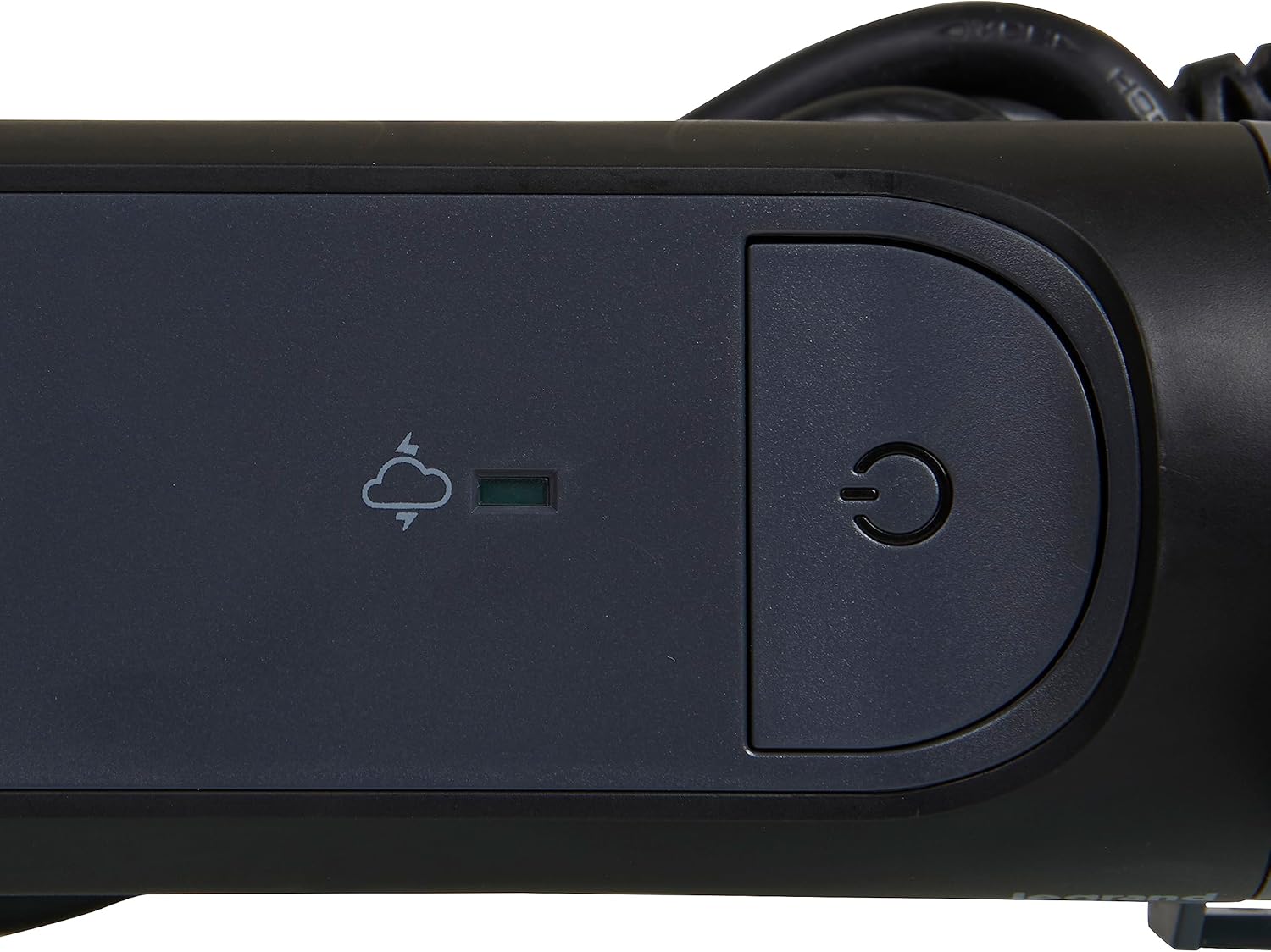
Figure 3: Detail of the On/Off switch and the green surge protection indicator LED.
4.2 Connecting Devices
- Plug your electronic devices into the available outlets. The rotative design allows you to adjust the orientation of the power strip for optimal access.
- Utilize the 90-degree angled outlet for larger power adapters to prevent blocking adjacent outlets.
- Ensure that the total power consumption of all connected devices does not exceed 3680 W.
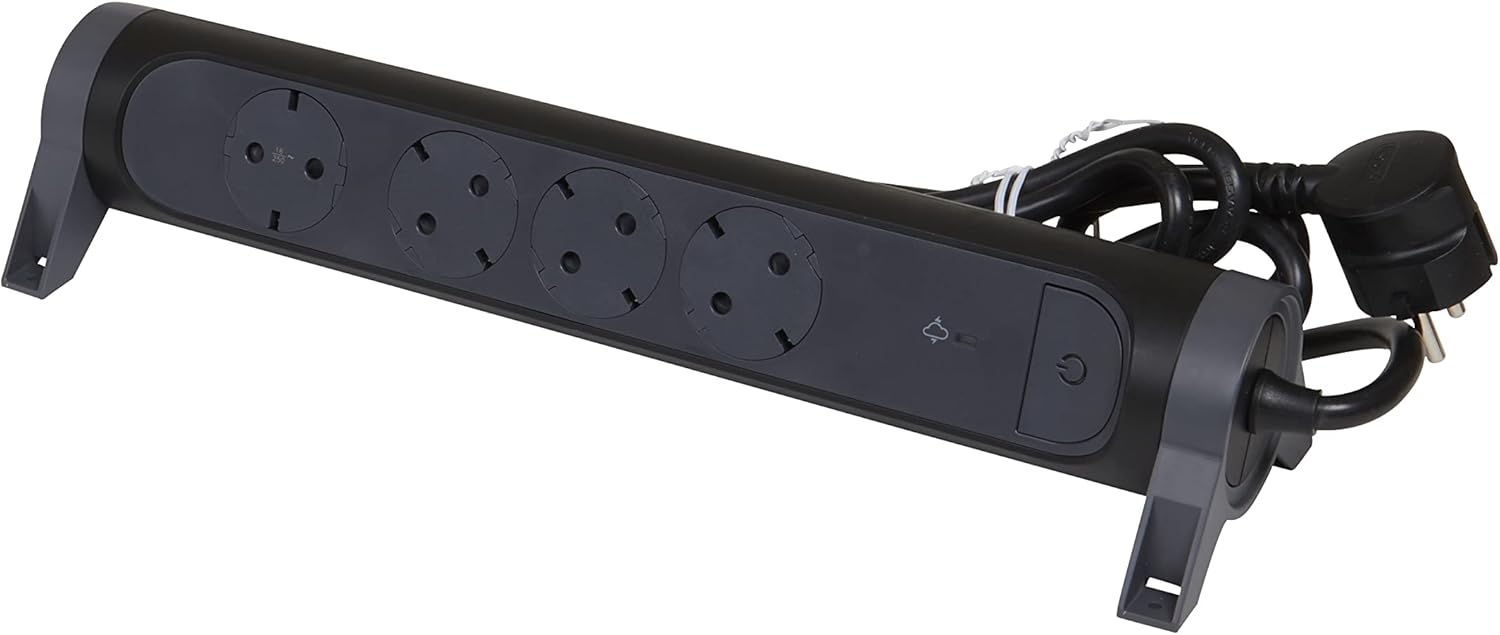
Figure 4: The power strip demonstrating the angled outlets, designed to accommodate various plug sizes efficiently.
4.3 Powering Off
To turn off power to all connected devices, press the On/Off switch again. The blue LED indicator will turn off.
5. Maintenance
- Always unplug the power strip from the wall outlet before cleaning.
- Wipe the exterior with a soft, dry cloth. Do not use liquid cleaners or abrasive materials.
- Regularly check the power cord and plug for any signs of damage. If damaged, discontinue use and replace the unit.
- Ensure outlets are free from dust and debris to maintain optimal contact and prevent overheating.
6. Troubleshooting
| Problem | Possible Cause | Solution |
|---|---|---|
| Power strip does not turn on (blue LED off). | Not plugged into wall outlet; wall outlet has no power; On/Off switch is off. | Ensure power strip is fully plugged in. Check wall outlet with another device. Press the On/Off switch. |
| Surge protection LED is off (green LED off). | Surge protection has been activated due to a power surge and is no longer functional. | The power strip will continue to function as a standard extension cord, but without surge protection. For continued surge protection, the unit must be replaced. |
| Devices plugged in are not receiving power. | Power strip is off; device is off; device is faulty; total load exceeds maximum capacity. | Ensure power strip is on. Check device's power switch. Test device in another outlet. Reduce the number of connected devices or their total power consumption. |
7. Specifications
| Feature | Detail |
|---|---|
| Brand | Legrand |
| Model Number | 694511 |
| Color | Black/Dark Grey |
| Total Outlets | 4 (Schuko Type F) |
| Voltage | 230 Volts |
| Max Current | 16 A |
| Max Power | 3680 W |
| Cable Length | 1.5 meters |
| Special Features | On/Off Switch, Surge Protection (SPD) with LED Indicator, Rotative Design, 45°/90° Angled Outlets |
| Product Dimensions (L x W) | 33.8 cm x 10 cm |
| Item Weight | 550 Grams |
| Recommended Use | General Use (Indoor) |
| Country of Origin | China |
8. Warranty and Support
For warranty information and customer support, please refer to the documentation included with your purchase or visit the official Legrand website. Keep your proof of purchase for warranty claims.
Manufacturer: Legrand
Website: www.legrand.com