
QCY T20
QCY T20 AilyPods Wireless Earbuds User Manual
Model: T20
1. Introduction
Thank you for choosing the QCY T20 AilyPods Wireless Earbuds. These earbuds are designed to provide a superior audio experience with advanced Bluetooth 5.3 technology, clear call quality, and a comfortable, lightweight design. This manual will guide you through the setup, operation, and maintenance of your new earbuds.
2. Package Contents
- QCY T20 AilyPods Wireless Earbuds (Left and Right)
- Charging Case
- USB-C Charging Cable
- User Manual
3. Setup
3.1 Initial Charging
Before first use, fully charge the earbuds and the charging case. Connect the USB-C charging cable to the charging port on the case and to a power source. The indicator light on the case will show charging status.

Image: The QCY T20 AilyPods earbuds resting inside their white charging case, ready for use or charging.
3.2 Bluetooth Pairing
- Ensure the earbuds are in the charging case and the case has power.
- Open the charging case lid. The earbuds will automatically enter pairing mode.
- On your device (smartphone, tablet, etc.), enable Bluetooth.
- Search for "QCY AilyPods" in the list of available Bluetooth devices.
- Select "QCY AilyPods" to connect. Once connected, the earbuds will automatically reconnect to your device when taken out of the case for subsequent uses.

Image: A graphic highlighting the benefits of Bluetooth 5.3, including lower power consumption, faster transfer speed, longer communication distance, longer battery life, 68ms ultra-low latency, and more stable connection.
4. Operating Instructions
4.1 Touch Controls
The QCY T20 AilyPods feature sensitive touch controls on each earbud. The following table outlines the default touch functions:
| Action | Function |
|---|---|
| Single Tap (Left/Right) | Play/Pause Music, Answer/End Call |
| Double Tap (Right) | Next Track |
| Double Tap (Left) | Previous Track |
| Triple Tap (Left/Right) | Activate Voice Assistant |
| Long Press (2s) | Reject Call |
Note: Volume adjustment via touch control must be enabled through the QCY app. This function is for music playback only, not for calls.
4.2 Call Management
- Answer/End Call: Single tap either earbud.
- Reject Call: Long press either earbud for 2 seconds.

Image: A man smiling while wearing QCY T20 earbuds, illustrating the clear call experience with built-in 4 microphones. A diagram shows the primary and secondary microphone locations on the earbuds.
4.3 QCY App Functions
Enhance your experience by downloading the official QCY app. The app allows for:
- Customizable control settings
- EQ Free Adjustment for personalized sound
- Gaming mode activation for ultra-low latency
- Sleeping Mode
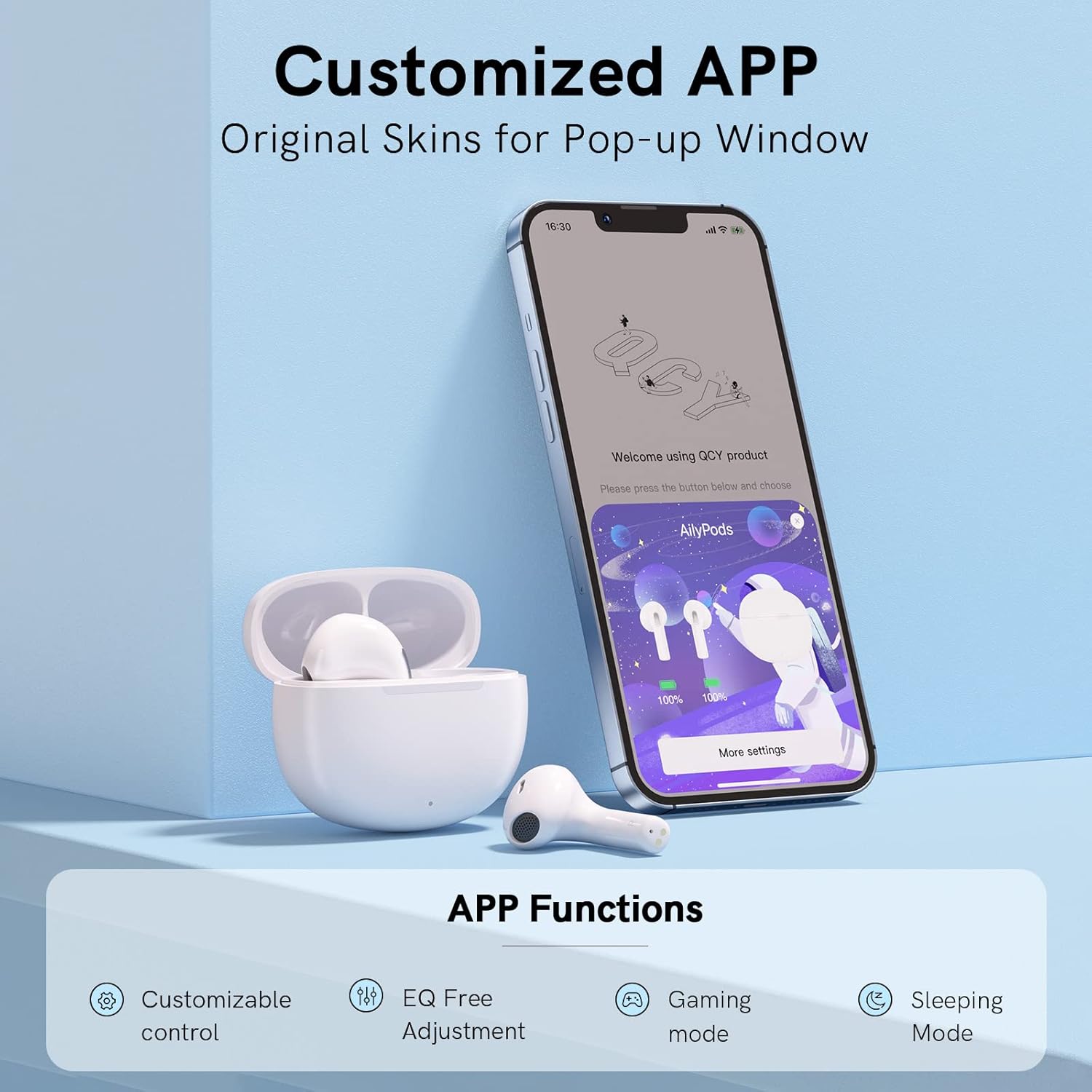
Image: A smartphone displaying the QCY app interface, showing options for customizable control, EQ adjustment, gaming mode, and sleeping mode, with the earbuds and charging case visible next to it.
5. Maintenance
5.1 Cleaning
- Regularly clean the earbuds and charging case with a soft, dry, lint-free cloth.
- Do not use abrasive cleaners, alcohol, or chemical solvents.
- Keep the charging contacts on the earbuds and in the case clean and dry.
5.2 Storage
- Store the earbuds in their charging case when not in use to protect them and keep them charged.
- Avoid exposing the earbuds to extreme temperatures, humidity, or dust.
6. Troubleshooting
6.1 Connection Issues
- Earbuds not connecting: Ensure Bluetooth is enabled on your device and the earbuds are charged. Try turning Bluetooth off and on again on your device.
- Only one earbud working: Place both earbuds back into the charging case, close the lid, wait a few seconds, then open the lid and try connecting again.
- Cannot find "QCY AilyPods" in Bluetooth list: Ensure the earbuds are in pairing mode (open case lid). If issues persist, try resetting the earbuds (refer to QCY app or manufacturer's website for specific reset instructions).
6.2 Sound Issues
- No sound or low volume: Check the volume level on both your device and through the QCY app. Ensure earbuds are properly seated in your ears.
- Poor call quality: Ensure the microphones are not obstructed. Check for strong Bluetooth signal.

Image: A detailed cross-section diagram of the earbud's 13mm LCP-composite-diaphragm driver, emphasizing its role in delivering high-quality sound.
7. Specifications
| Feature | Detail |
|---|---|
| Model Name | QCY T20 AilyPods |
| Connectivity Technology | Wireless (Bluetooth 5.3) |
| Ear Placement | In Ear |
| Headphones Form Factor | In Ear |
| Noise Control | None (ANC for calls only) |
| Headphone Jack | USB-C (for charging case) |
| Color | White |
| Product Dimensions | 3.25 x 1.83 x 2.03 cm |
| Item Weight | 80 grams (total) |
| Earbud Weight | Approx. 4 grams per earbud |
| Battery | 1 Lithium Ion battery (included) |
| Playtime (single charge) | Up to 5.5 hours |
| Total Playtime (with case) | Up to 20 hours |
| Fast Charging | 10 min charge for 1.5 hours playtime |

Image: A woman wearing the QCY T20 earbuds, emphasizing their super mini and comfortable wear design. An inset diagram shows the compact dimensions of the charging case and the light semi in-ear style of the earbuds.
8. Warranty and Support
QCY products are manufactured to high quality standards. For warranty information, technical support, or service inquiries, please refer to the official QCY website or contact your local distributor. Keep your purchase receipt as proof of purchase.
Manufacturer: QCY