Introduction
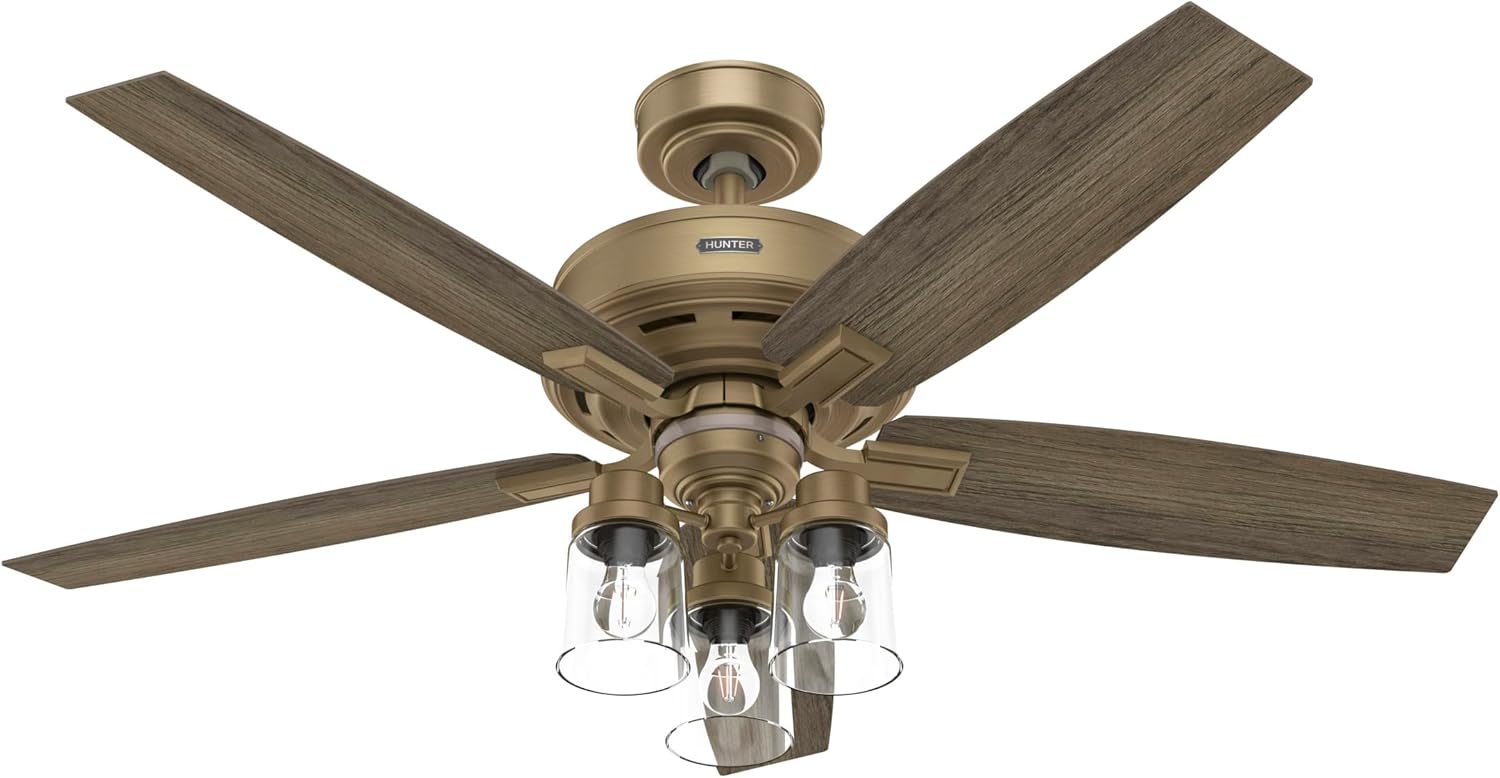
The Hunter Ananova Ceiling Fan is designed to provide optimal airflow and lighting for your living spaces. This smart, Wi-Fi enabled fan integrates seamlessly with popular smart home systems such as Amazon Alexa, Apple HomeKit, and Google Home, offering convenient control. Its classic design, featuring a trio of bulbs enclosed in clear glass, complements various interior aesthetics. Engineered with Hunter's SureSpeed Guarantee, it delivers high-speed airflow while maintaining quiet and stable operation, making it suitable for larger rooms like game rooms, great rooms, and master bedrooms.
Setup and Installation
Before beginning installation, ensure all components are present and accounted for. Refer to the detailed installation manual provided with your fan for step-by-step instructions and safety guidelines. Professional installation is recommended if you are unfamiliar with electrical wiring.

Included Components: The package contains 3 LED bulbs, a handheld remote, two downrods (4-inch and 2-inch), and 5 fan blades.

Installation Manual: Always consult the dedicated installation manual for detailed wiring and mounting instructions specific to your model.
Fan Dimensions and Mounting Options
The Ananova fan offers various mounting options to suit different ceiling heights and room configurations. The included downrods allow for standard and low-profile installations. An angled mount is also possible with a longer downrod (not included).

Fan Dimensions: This diagram provides key measurements for low profile (2in downrod), standard (4in downrod), and angled installations, aiding in proper placement and clearance.
- Low Profile: A: 18.93", B: 10.77" (with 2-inch downrod)
- Standard: A: 20.93", B: 12.77" (with 4-inch downrod)
- Angled: A: 52.93", B: 44.77" (requires 36-inch downrod, not included)
Operating Instructions
The Ananova ceiling fan can be controlled via the included handheld remote or through smart home integration using the Hunter SimpleConnect app and voice assistants.
Handheld Remote Control

Remote Control: The included remote allows for convenient adjustment of fan speed and light settings.
- Light Dimming: Use the light button to turn the light on/off and hold to dim.
- Change Speed: Use the up and down arrow buttons to adjust the fan speed (4 speeds available).
- Power: Turn the fan on or off.
- The remote requires batteries (included) and comes with a wall cradle for storage.
Smart Home Integration (SIMPLEconnect®)
The Ananova fan features SIMPLEconnect® technology, allowing control via the Hunter app and voice commands through Amazon Alexa, Google Home, and Apple HomeKit. Follow the instructions in the Hunter app to connect your fan to your home Wi-Fi network.
- Download the Hunter SIMPLEconnect app from your device's app store.
- Follow the in-app instructions to pair your fan and connect it to your Wi-Fi network.
- Once connected, you can control fan speed, light on/off, and dimming from your smartphone or through compatible voice assistants.
Reversible Motor Function (WhisperWind®)
The fan is equipped with a WhisperWind® reversible motor, allowing you to change the direction of the fan blades for optimal performance in both summer and winter. In summer, the fan should rotate counter-clockwise to create a downdraft that cools the room. In winter, it should rotate clockwise at a low speed to create an updraft that circulates warm air trapped near the ceiling.
To reverse the blade direction, locate the reverse switch on the motor housing (typically above the light kit) and slide it to the opposite position. Ensure the fan is completely stopped before changing the direction.
Maintenance
Regular maintenance ensures the longevity and optimal performance of your Ananova ceiling fan.
Cleaning
- Always turn off the power to the fan at the circuit breaker before cleaning.
- Use a soft, lint-free cloth to wipe down the fan blades and motor housing. Avoid abrasive cleaners that could damage the finish.
- For the glass light shades, remove them carefully and wash with mild soap and water. Dry thoroughly before reattaching.
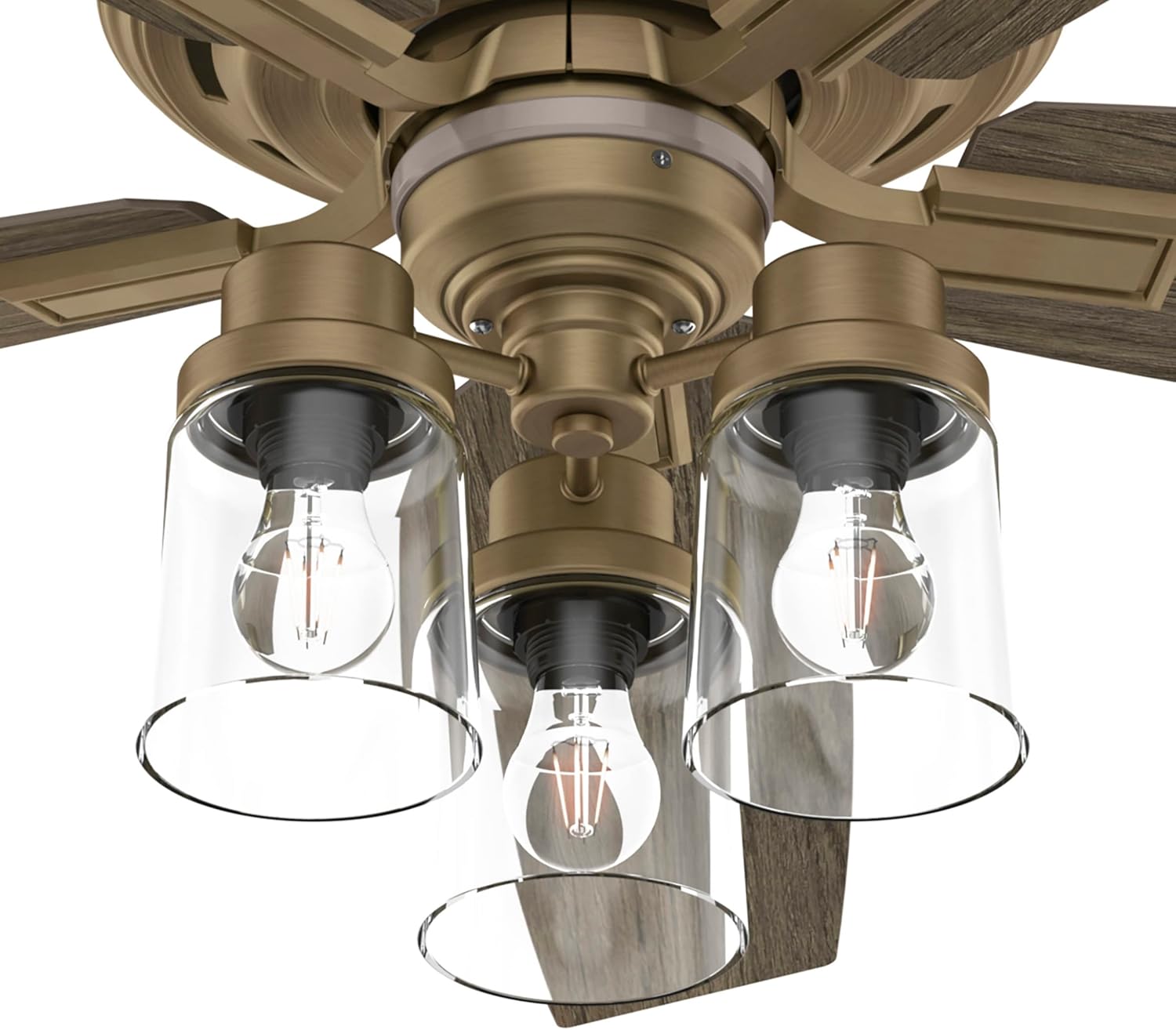
Light Fixtures: The clear glass shades can be removed for cleaning or bulb replacement.

Motor Housing: Wipe the motor housing gently to remove dust and maintain its appearance.
Bulb Replacement
The Ananova fan uses 3 LED bulbs. When replacing bulbs, ensure the power is off. Use bulbs of the same type and wattage (60 watts max per socket, 3000 Kelvin color temperature) to maintain optimal performance and light quality.
Troubleshooting
If you encounter issues with your Ananova ceiling fan, refer to the following common troubleshooting steps:
| Problem | Possible Cause | Solution |
|---|---|---|
| Fan does not turn on. | No power to the fan; loose wiring; remote battery dead. | Check circuit breaker. Ensure all wiring connections are secure. Replace remote batteries. |
| Light does not work. | Bulb loose or burnt out; wiring issue. | Check bulbs and replace if necessary. Verify light kit wiring. |
| Fan wobbles. | Loose blades; unbalanced blades; improper mounting. | Ensure all blade screws are tight. Use a balancing kit (often included or sold separately). Recheck mounting bracket. |
| Remote not responding. | Dead batteries; remote not paired. | Replace batteries. Refer to the installation manual for remote pairing instructions. |
| Smart features not working. | Wi-Fi connectivity issues; app not configured correctly. | Check Wi-Fi signal strength. Restart router and fan. Reconfigure fan in the Hunter app. |
For more detailed troubleshooting or issues not listed here, please consult the full installation manual or contact Hunter customer support.
Specifications
| Feature | Detail |
|---|---|
| Brand | Hunter |
| Model Name | Ananova |
| Model Number | 51693 |
| UPC | 049694516930 |
| Color | Burnished Brass |
| Electric Fan Design | Ceiling Fan |
| Power Source | AC |
| Style | Traditional |
| Product Dimensions | 52"D x 52"W x 20.93"H |
| Room Type | Bedroom (also suitable for Large Rooms, Game Rooms, Great Rooms) |
| Special Feature | SIMPLEconnect® technology for easy smart home integration |
| Recommended Uses | Cooling |
| Wattage | 60 watts |
| Number of Blades | 5 |
| Voltage | 120 Volts |
| Item Weight | 22.5 Pounds |
| Indoor/Outdoor Usage | Indoor |
| Control Method | App, Voice, Remote |
| Light Type | LED light |
| Blade Material | Plastic |
| Efficiency | 74 CFM / Watt |
| Number of Power Levels | 4 |
| Batteries Included? | Yes |
| Battery Cell Type | Alkaline |
Warranty and Support
Warranty Information
The Hunter Ananova Ceiling Fan comes with a Limited Lifetime Motor Warranty. This warranty is backed by Hunter Fan Company, a manufacturer with over 135 years of experience in the fan business, ensuring reliability and long-term support for the motor component of your fan.
Customer Support
For further assistance, technical support, or warranty claims, please contact Hunter Fan Company customer service. Refer to the contact information provided in your product packaging or visit the official Hunter Fan Company website for the most up-to-date support details.
You can also visit the Hunter Store on Amazon for additional product information and resources.


