
1. Introduction
The Rossetta 3D Galaxy Projector is designed to transform your space with immersive 3D themes, combining a planetarium projector, 3D effect projector, night light, and Bluetooth speaker into one device. This manual provides essential information for safe and effective use of your projector.
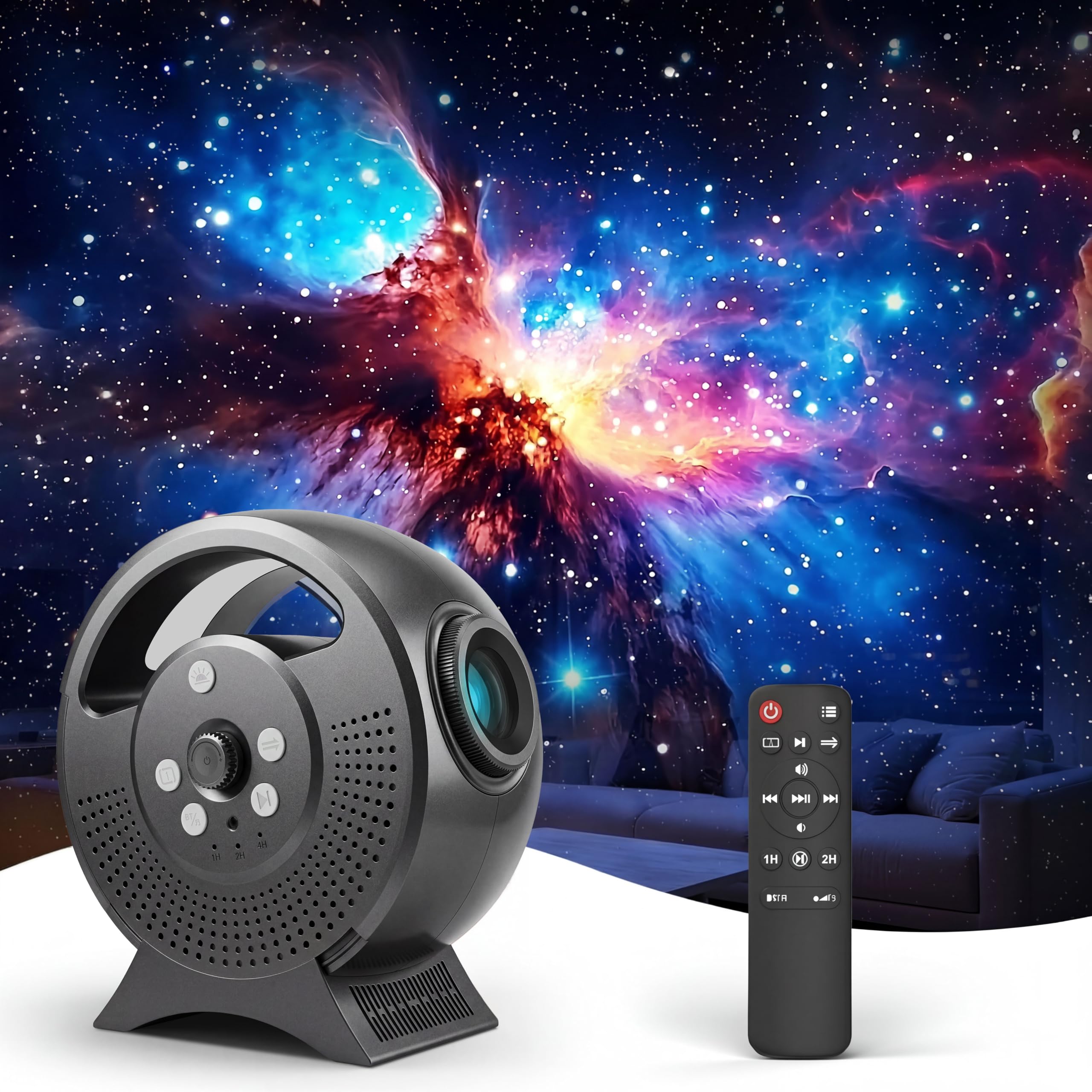
Image: The Rossetta 3D Galaxy Projector in Gray.
2. What's in the Box
Please check the package contents upon unboxing:
- 3D Projector
- Remote Control
- Power Adapter
- User Manual (this document)
3. Product Overview
The Rossetta 3D Galaxy Projector offers a range of features for an enhanced visual and auditory experience:
- Dynamic 3D Effects: Projects stunning and immersive 3D themes onto walls or ceilings.
- 60 Immersive 3D Theme Scenes: A rich variety of scenes covering planets, nebulae, natural landscapes, animals, oceans, and holidays.
- Bluetooth Speaker: Connect devices to play music or podcasts.
- Auto-Off Timer: Preset 1H/2H timer options and a built-in 4H auto-shutoff function.
- HD Projection Lens and Adjustable Focal Length: Ensures clear image clarity at various projection distances.
- Adjustable Projection Angle: Allows for optimal placement and viewing.

Image: Overview of the projector's dynamic 3D effects and scene variety.
4. Setup Instructions
- Power Connection: Connect the provided power adapter to the projector's DC IN port and plug it into a standard electrical outlet. The projector uses a USB-C connection for power.
- Remote Control Batteries: Insert two AAA batteries (not included) into the remote control, observing correct polarity.
- Placement: Place the projector on a stable, flat surface. Consider the distance to the projection surface (wall or ceiling) to achieve the desired image size.
- Adjust Projection Angle: The projector features a 90-degree adjustable projection angle. Tilt the projector to direct the projection to your preferred area.
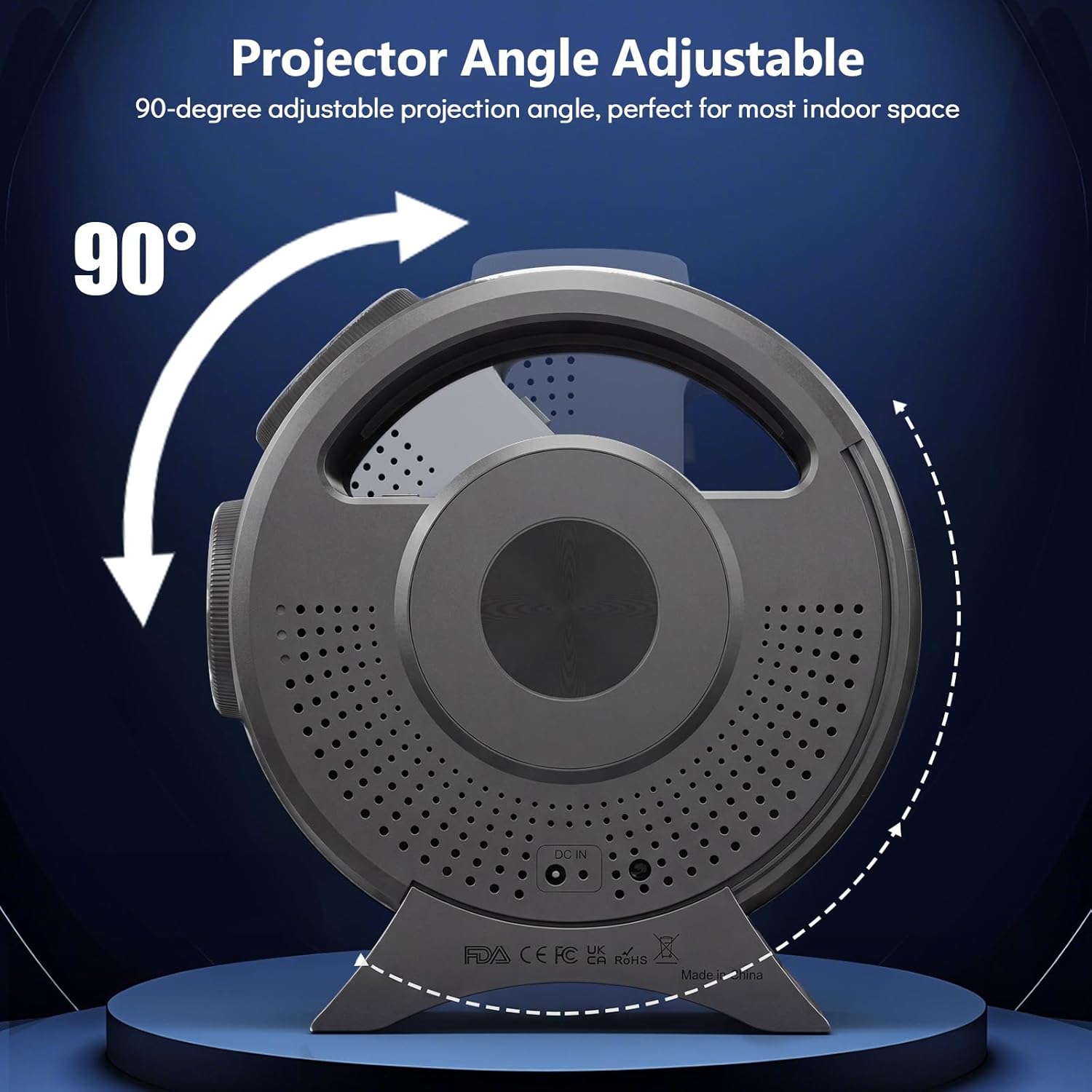
Image: Adjusting the projector's angle.
- Adjust Focus: Use the focus wheel on the projector to achieve optimal image clarity. Rotate the wheel until the projected image appears sharp.

Image: Adjusting the focus wheel for clarity.
5. Operating Instructions
5.1 Basic Operation with Remote Control
The remote control allows for easy adjustment of various settings:

Image: Remote control functions.
- Power Button: Turns the projector on or off.
- Brightness: Adjusts the intensity of the projected light.
- Auto Timer: Sets the automatic shut-off timer to 1 or 2 hours.
- Music: Controls playback of built-in sounds or connected Bluetooth audio.
- Night Light: Activates a dim night light mode.
- Bluetooth: Toggles Bluetooth pairing mode.
- Focus Wheel: Electronically adjusts the focus of the projection.
- Scene Selection: Cycle through the 60 available projection themes.
5.2 Bluetooth Speaker Functionality
To connect your device to the built-in Bluetooth speaker:
- Ensure the projector is powered on.
- Activate Bluetooth on your smartphone or other audio device.
- Select "Rossetta Projector" (or similar name) from the list of available Bluetooth devices.
- Once connected, audio from your device will play through the projector's speaker.

Image: Using the built-in Bluetooth speaker.
5.3 Automatic Shut-off Timer
The projector includes an automatic shut-off feature:
- Preset Timers: Use the remote control to set a 1-hour or 2-hour timer. The projector will turn off automatically after the selected duration.
- Default Auto-Shutoff: If no timer is set, the projector will automatically turn off after 4 hours of continuous operation to conserve energy.

Image: The projector's timer function for sleep.
5.4 Official Product Video
Watch this video for a visual guide on the Rossetta 3D Theme Projector with Bluetooth Speaker:
Video: An official overview of the Rossetta 3D Theme Projector's features and operation, including its Bluetooth speaker functionality.
6. Maintenance
To ensure the longevity and optimal performance of your Rossetta 3D Galaxy Projector, follow these maintenance guidelines:
- Cleaning: Use a soft, dry cloth to wipe the exterior of the projector. Do not use liquid cleaners or abrasive materials.
- Lens Care: Gently clean the projection lens with a lens cleaning cloth to avoid scratches and maintain image clarity.
- Storage: When not in use for extended periods, store the projector in a cool, dry place away from direct sunlight and extreme temperatures.
- Ventilation: Ensure the projector's ventilation openings are not blocked to prevent overheating. The unit may run warm during operation, which is normal, but proper airflow is essential.
7. Troubleshooting
| Problem | Possible Cause | Solution |
|---|---|---|
| Projector does not turn on. | No power supply; power adapter not connected correctly. | Ensure the power adapter is securely connected to the projector and a working power outlet. |
| Image is blurry. | Focus not adjusted; projector too far/close to surface. | Rotate the focus wheel until the image is clear. Adjust the distance of the projector from the projection surface. |
| Remote control not working. | Batteries are dead or incorrectly inserted. | Replace the AAA batteries in the remote control, ensuring correct polarity. |
| Projector automatically turns off after 4 hours, even without timer set. | Built-in energy-saving feature. | This is a standard safety and energy-saving feature. To continue use, simply turn the projector back on. There is no option to disable this 4-hour auto-shutoff. |
| Bluetooth connection issues. | Interference; device not in pairing mode. | Ensure no other devices are connected. Restart the projector and your Bluetooth device. Try unplugging and replugging the device if issues persist. |
| Projector runs warm. | Normal operation; obstructed ventilation. | It is normal for the projector to generate some heat. Ensure adequate ventilation around the unit and that no objects are blocking the air vents. |
8. Specifications
| Brand | Rossetta |
| Model Number | B0GWZVF66F |
| Product Dimensions (L x W x H) | 7.87"L x 4.21"W x 8.46"H |
| Color | Gray |
| Connectivity Technology | Bluetooth |
| Wattage | 38 watts |
| Voltage | 19 volts |
| Controller Type | Push Button, Remote Control |
| Mounting Type | Tabletop |
| Special Features | 3D Theme Effects, Bluetooth Speaker, HD Projection Lens, Adjustable Focus, Adjustable Projection Angle, Remote Control, Auto Timer, Night Light Mode |

Image: Product dimensions.
9. Warranty and Support
Your Rossetta 3D Galaxy Projector comes with a 1-year limited warranty and service included. For warranty claims or technical support, please refer to the contact information provided with your purchase or visit the official Rossetta store online.
For additional information and support, you may visit the Rossetta Brand Store.
