Introduction
The Shark HZ600C Ultralight Pet Pro Corded Stick Vacuum is designed for powerful and versatile cleaning, especially effective for pet owners. Featuring PowerFins™ technology and a self-cleaning brushroll, it efficiently picks up pet hair and debris from various surfaces. This manual provides detailed instructions to help you assemble, operate, and maintain your vacuum for optimal performance.
What's in the Box
Carefully unpack all components and ensure you have the following parts:
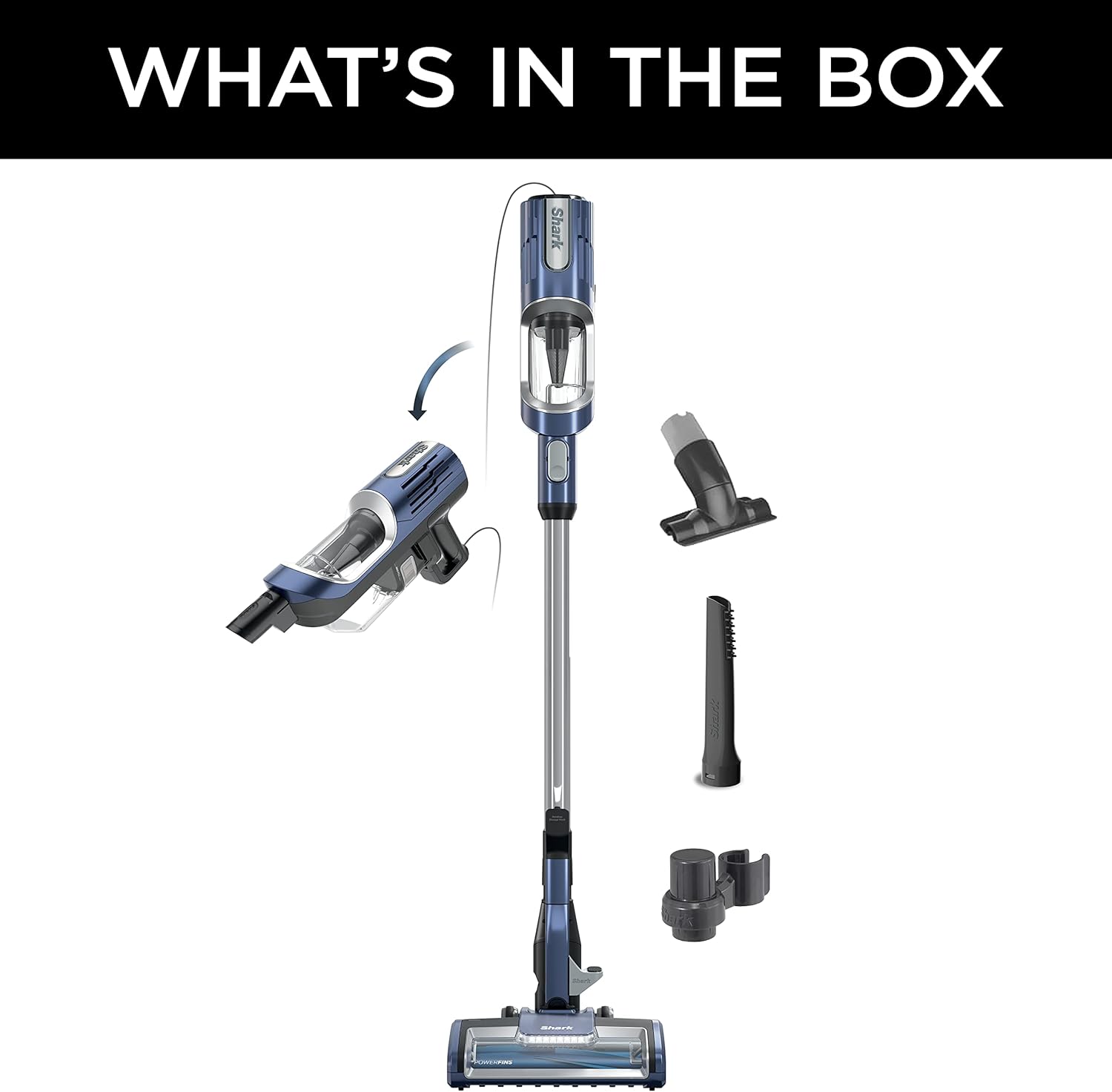
Image: All components of the Shark HZ600C vacuum laid out, including the main unit, floor nozzle, wand, handheld vacuum, and various attachments.
- Main Vacuum Unit (Handheld)
- PowerFins Floor Nozzle with LED Headlights
- Wand
- Pet Power Brush
- Crevice Tool
- Upholstery Tool
Setup and Assembly
Follow these steps to assemble your Shark HZ600C vacuum:
- Attach the Wand: Insert the wand into the PowerFins Floor Nozzle until it clicks securely into place.
- Attach the Handheld Vacuum: Slide the handheld vacuum unit onto the top of the wand until it clicks securely.
- Store Accessories: Attach the accessory holder to the wand if desired, and store your crevice and upholstery tools for easy access.
Your vacuum is now ready for use. Ensure all connections are firm before plugging in the unit.
Operating Instructions
The Shark HZ600C offers versatile cleaning modes for different needs.
Using as a Stick Vacuum
Plug the power cord into a wall outlet. Press the Power button on the handheld unit to turn on the vacuum. The PowerFins brushroll will activate, providing continuous cleaning contact on both carpets and hard floors.

Image: The PowerFins floor nozzle of the Shark HZ600C vacuum cleaning a surface that transitions from carpet to hard floor, highlighting its dual-surface capability.
The low-profile design of the nozzle allows for easy reach under furniture, effectively removing hidden dust and pet hair.

Image: The Shark HZ600C vacuum's floor nozzle extending under a sofa, demonstrating its low-profile design for reaching tight spaces.
Using as a Handheld Vacuum
To convert to a handheld vacuum, press the release button on the wand to detach the handheld unit. This lightweight unit (under 3 lbs) is ideal for cleaning stairs, upholstery, and car interiors.

Image: A person using the Shark HZ600C in handheld mode to vacuum the interior of a car, emphasizing its portability and ease of use for small spaces.
Attach the Pet Power Brush, Crevice Tool, or Upholstery Tool directly to the handheld unit for specialized cleaning tasks.
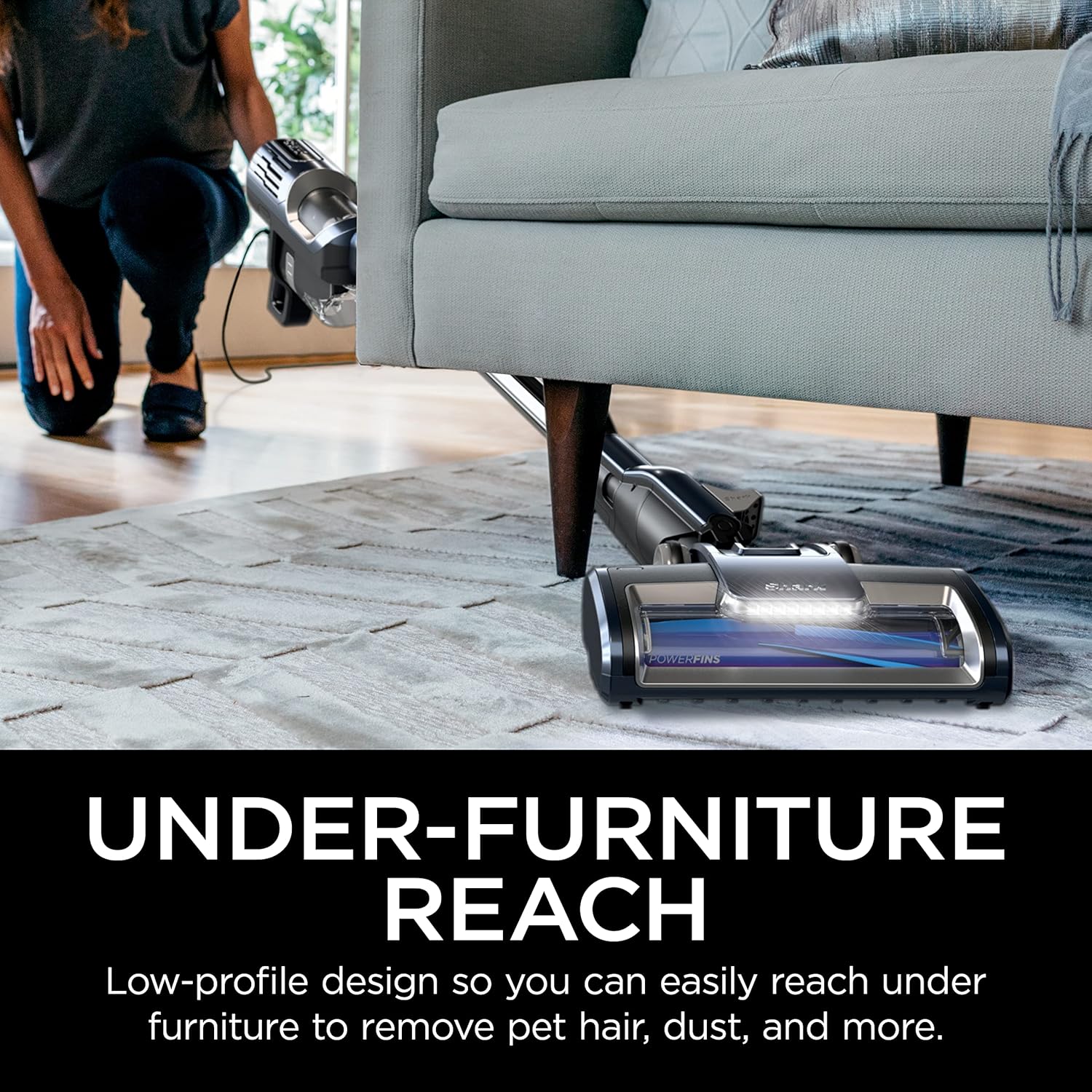
Image: A person using the Shark HZ600C handheld vacuum with an attachment to clean pet hair from a sofa, with a small dog nearby.
Extended Reach Cleaning
For high-up areas or tight spaces, detach the handheld unit and attach an accessory directly to the end of the wand. This provides extended reach without needing to lift the entire vacuum.

Image: A person using the Shark HZ600C with the handheld unit attached to the wand for extended reach, cleaning stairs.
Maintenance
Regular maintenance ensures your Shark HZ600C performs at its best.
Emptying the Dust Cup
Empty the dust cup after each use or when debris reaches the MAX fill line. To empty, detach the handheld unit, hold it over a trash bin, and press the dust cup release button. The easy-empty design minimizes mess.

Image: A hand emptying the dust cup of the Shark HZ600C handheld vacuum into a trash bin, showing the ease of disposal.
Cleaning the Filters
The vacuum uses foam filters. For optimal suction, rinse the foam filters with water monthly. Allow them to air dry completely for at least 24 hours before reinstalling. Do not operate the vacuum without filters in place.
Self-Cleaning Brushroll
The PowerFins brushroll is designed to be self-cleaning, minimizing hair wrap. Periodically inspect the brushroll for any remaining debris or blockages and remove them if necessary.
Troubleshooting
If you encounter issues with your vacuum, refer to the following common problems and solutions:
- Vacuum not picking up debris or no suction:
- Check if the dust cup is full and empty it.
- Inspect filters for clogging and clean them.
- Check for blockages in the nozzle, wand, or hose.
- Ensure all connections are securely clicked into place.
- Vacuum turns off on its own:
- The vacuum may have overheated. Turn it off, unplug it, and allow it to cool for at least 60 minutes. Clear any blockages and clean filters before restarting.
- Brushroll not spinning:
- Ensure the vacuum is powered on and in the correct mode for floor cleaning.
- Check the nozzle for any obstructions preventing the brushroll from rotating.
If problems persist, contact Shark customer support for further assistance.
Specifications
| Feature | Detail |
|---|---|
| Brand | Shark |
| Model Name | SRKHZ600CRB (HZ600C) |
| Special Feature | Bagless |
| Filter Type | Foam |
| Included Components | PowerFins LED Headlights on Floor Nozzle, Pet Power Brush, Crevice Tool, Upholstery Tool |
| Is Cordless? | No (Corded) |
| Capacity | 3 Pounds (Dust Cup) |
| Wattage | 680 watts |
| Recommended Uses | Pet Hair, Hard Floors, Carpets |
| Form Factor | Stick, Handheld |
| Color | Blue Jean |
| Product Dimensions | 10.19"L x 8.84"W x 45.49"H |
| Item Weight | 8.05 pounds |
| UPC | 622356588379 |
Warranty and Support
For warranty information and customer support, please refer to the official Shark website or the warranty card included with your product. You can also find FAQs and additional troubleshooting tips on their support pages.
For direct assistance, please visit SharkClean Support.


