
Introduction
The ESR HaloLock Magnetic Car Phone Mount is engineered for superior stability and ease of use, providing a reliable way to keep your smartphone accessible and secure while driving. Its powerful magnetic connection and versatile mounting options make it an ideal accessory for a wide range of vehicles and MagSafe-compatible devices.
What's Included
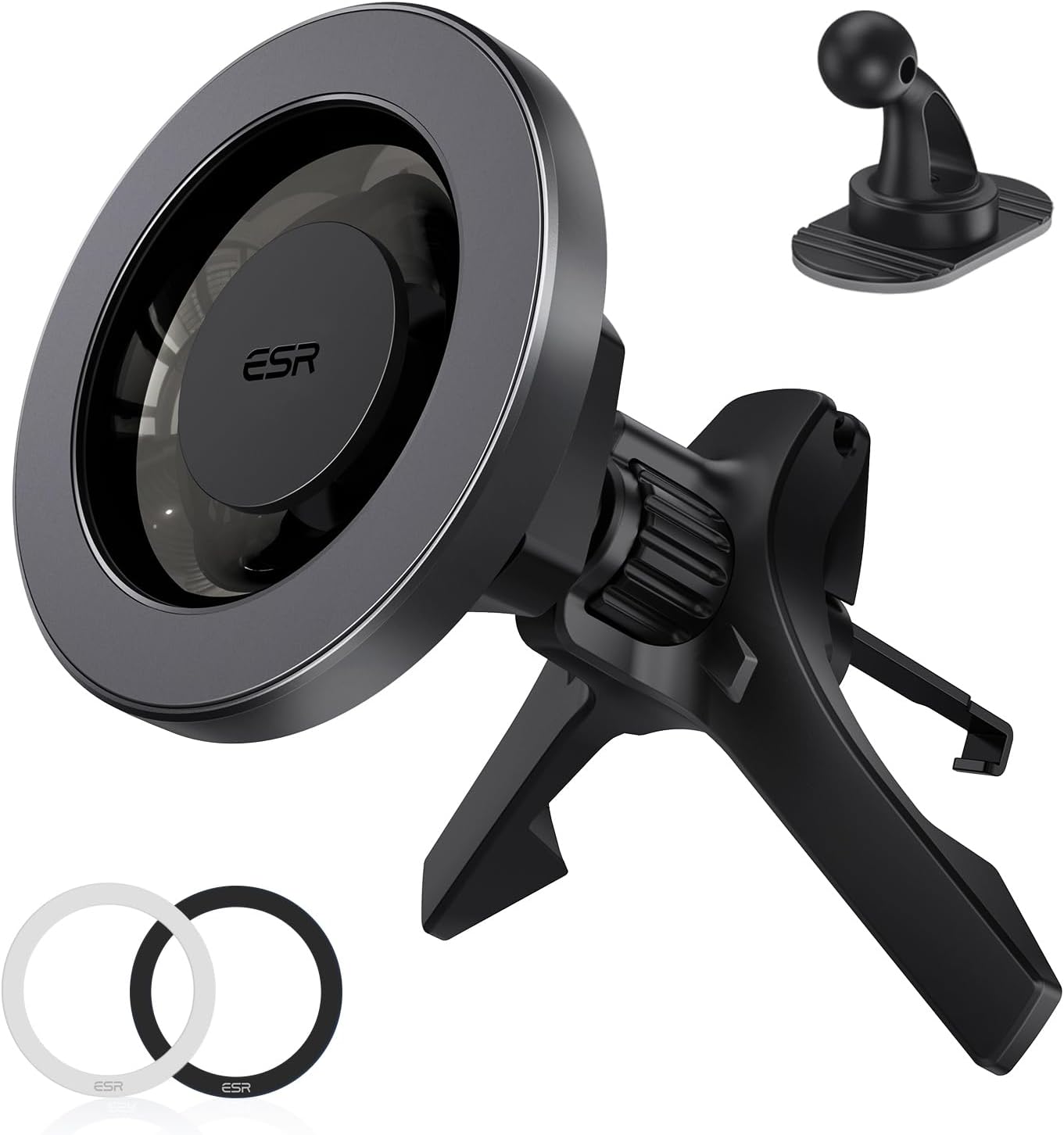
- ESR HaloLock Magnetic Car Phone Mount (main unit with air vent clip)
- Dashboard Anchor (for alternative mounting)
- 2 Metal Rings (for non-MagSafe compatible phones/cases)
Setup & Installation
Air Vent Installation
- Prepare the Vent Clip: Rotate the knob on the back of the mount counter-clockwise to extend the hook of the air vent clip.
- Attach to Air Vent: Carefully insert the extended hook into a suitable air vent blade in your car. Ensure the mounting arms rest securely against the vent.
- Secure the Mount: Rotate the knob clockwise to retract the hook, firmly locking the mount onto the vent blade. The mounting arms will provide additional stability.

The unique design with mounting arms ensures unshakeable stability on various air vent types, including horizontal, vertical, circular, and cross-hatch vents. Ensure the vent is sturdy enough to support the weight of your phone.
Dashboard Installation (Optional)
- Clean Surface: Choose a smooth, flat surface on your dashboard. Wipe the surface thoroughly with the provided alcohol wipe and allow it to dry completely.
- Apply Anchor: Remove the protective film from the adhesive on the dashboard anchor.
- Secure Anchor: Firmly press the dashboard anchor onto the cleaned surface for at least 30 seconds. Allow the adhesive to cure for 24 hours before attaching the mount.
- Attach Mount: Once the anchor is secure, attach the main unit of the car mount to the ball joint of the dashboard anchor.
Note: The dashboard anchor uses strong adhesive and is designed for single-use. It is compatible with plastic, wood, PVC, and carbon fiber surfaces. Avoid using on leather, fabric, dirty, or curved surfaces.

Using Metal Rings for Non-MagSafe Phones
If your smartphone or phone case is not MagSafe compatible, you can use the included metal rings to enable magnetic attachment. These rings adhere to the back of your phone case, providing a secure magnetic connection to the mount.

Operating Instructions
Attaching Your Phone
Simply bring your MagSafe-compatible iPhone (12 series or later) or a phone with an ESR HaloLock case/universal metal ring close to the magnetic surface of the mount. The 360° ring of magnets will automatically align and securely attach your phone with a single tap.
Adjusting the View
The mount allows for full 360° rotation and tilt adjustment. You can easily switch between portrait view for hands-free calls and landscape view for navigation, ensuring the perfect angle for your needs.

Maintenance & Care
- Clean the mount regularly with a soft, dry cloth to remove dust and debris.
- Avoid exposing the mount to extreme temperatures, especially prolonged direct hot air from car vents, as this may affect the adhesive or material integrity over time.
- Ensure the magnetic surface is free of metal shavings or small objects that could interfere with the magnetic connection.
Troubleshooting
Phone Not Sticking Securely
- Ensure your phone or case is genuinely MagSafe compatible or has an ESR HaloLock Universal Ring properly applied.
- Check for any foreign objects or debris between the phone/case and the mount's magnetic surface.
- Verify that the metal rings (if used) are correctly positioned and adhered to your phone case.
Mount Not Stable on Vent/Dashboard
- For Air Vent: Ensure the vent hook is fully tightened and securely latched onto the vent blade. The mounting arms should be resting firmly against the vent.
- For Dashboard: Confirm the dashboard anchor was applied to a clean, smooth, and flat surface and allowed to cure for 24 hours before use. The adhesive is not reusable once removed.
Specifications
| Model Number | 2K604 |
| Product Dimensions | 3.56 x 3.39 x 2.72 inches |
| Item Weight | 2.82 ounces |
| Magnet Type | N52H |
| Magnetic Holding Force | 2,300 gf |
| Compatibility | iPhone 12 series or later, ESR HaloLock cases, Official MagSafe cases, Galaxy S25 Ultra/S25+/S25 with magnetic case, all smartphones with magnetic case using ESR HaloLock Universal Rings. |
Warranty & Support
ESR provides a comprehensive 12-month warranty for this product. For detailed setup videos, FAQs, and personalized assistance, please visit the official ESR website or contact their customer support. Lifetime support is available for all ESR products.
Manufacturer: Electronic Silk Road Corp


