
Product Overview
The Kewig M14C Motorcycle Phone Mount is designed to securely hold your smartphone during rides, minimizing vibration and offering convenient one-handed operation. Its robust construction and versatile mounting options ensure compatibility with various vehicles and phone sizes.
- Shockproof Protection: Integrated vibration dampener reduces motorcycle-induced vibrations by up to 90%, protecting your phone and camera. Silicone pads further prevent scratches and absorb shock.
- One-handed Operation: Features a one-click lock and release switch for easy phone insertion and removal.
- Sturdy and Safe: Special design securely wraps phone corners. Constructed with stainless steel telescopic arms and an aluminum alloy handlebar mount base for durability on bumpy roads.
- Wide Compatibility: Supports cellphones from 4 to 7 inches, with a thickness of less than 16 mm (including cases). Handlebar mounting base fits diameters of 0.87'' (22 mm), 1.0'' (25.4 mm), and 1.26'' (32 mm).
Setup & Installation
The Kewig M14C mount offers two primary installation methods: handlebar and rearview mirror frame. Ensure you select the appropriate method and components for your vehicle.
Components Overview
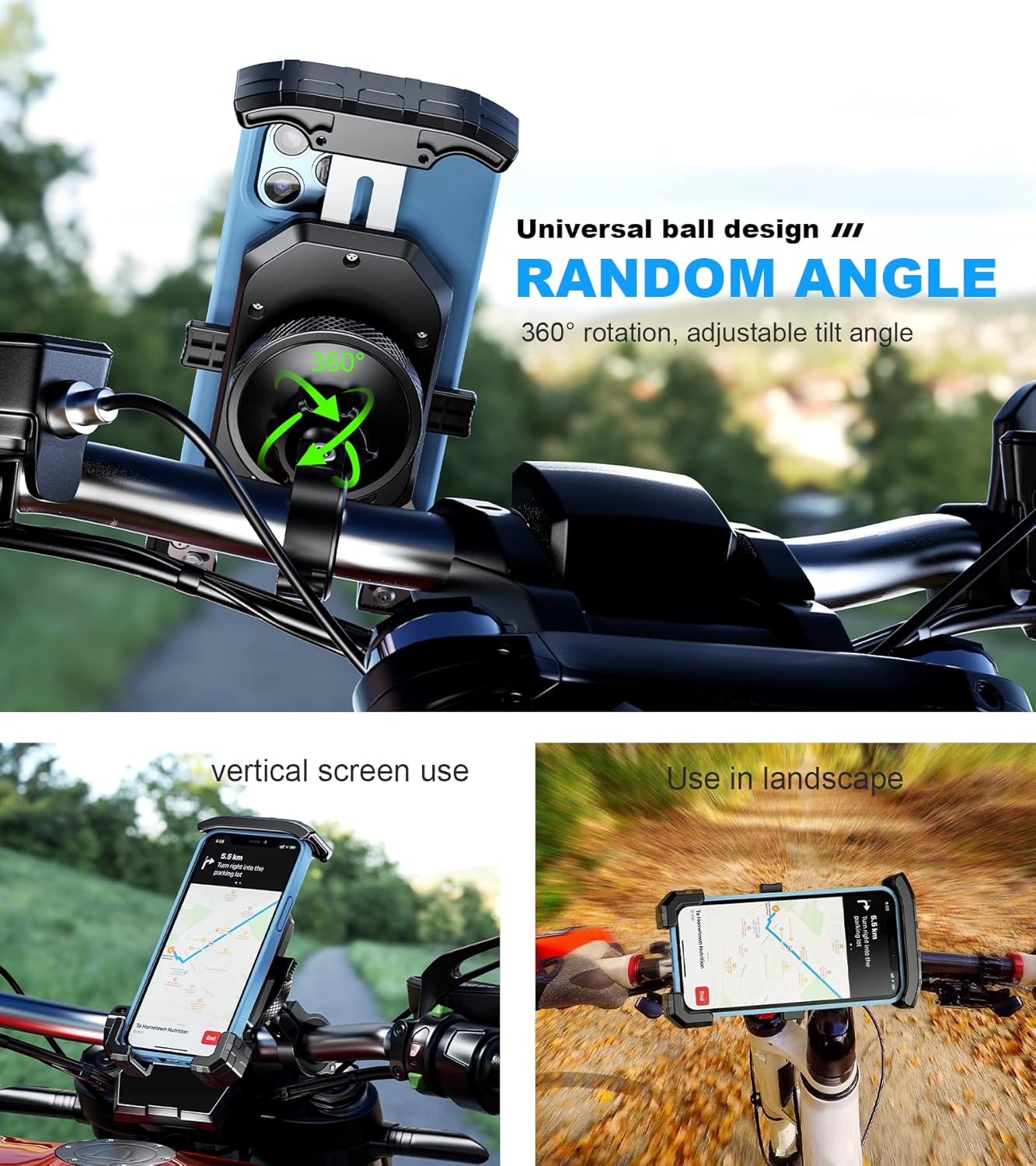
Image: Exploded view of the mount components, showing the phone holder, vibration dampener, aluminum alloy handlebar mounting base, and various rubber ring inserts.
Handlebar Installation
- Select Rubber Insert: Choose the correct rubber ring insert (0.87'', 1.0'', or 1.26'') that matches your handlebar's diameter. This ensures a snug fit and protects the handlebar surface.
- Attach Handlebar Clamp: Open the aluminum alloy handlebar mounting base. Place the selected rubber insert around your handlebar, then secure the mounting base around it. Use the provided security wrench to tighten the screw until the clamp is firm.
- Connect Phone Holder: Loosen the knob on the middle piece of the phone holder. Press the ball joint of the phone holder into the socket of the handlebar clamp. Tighten the knob to secure the connection.
Rearview Mirror Installation (Optional)
The mount includes a rearview mirror mounting base for alternative installation.
- Attach Mirror Base: Unscrew your rearview mirror from its mounting point. Place the rearview mirror mounting base over the mirror's stem, then re-attach and tighten your rearview mirror.
- Connect Phone Holder: Similar to handlebar installation, loosen the knob on the middle piece of the phone holder. Press the ball joint of the phone holder into the socket of the mirror base. Tighten the knob to secure the connection.
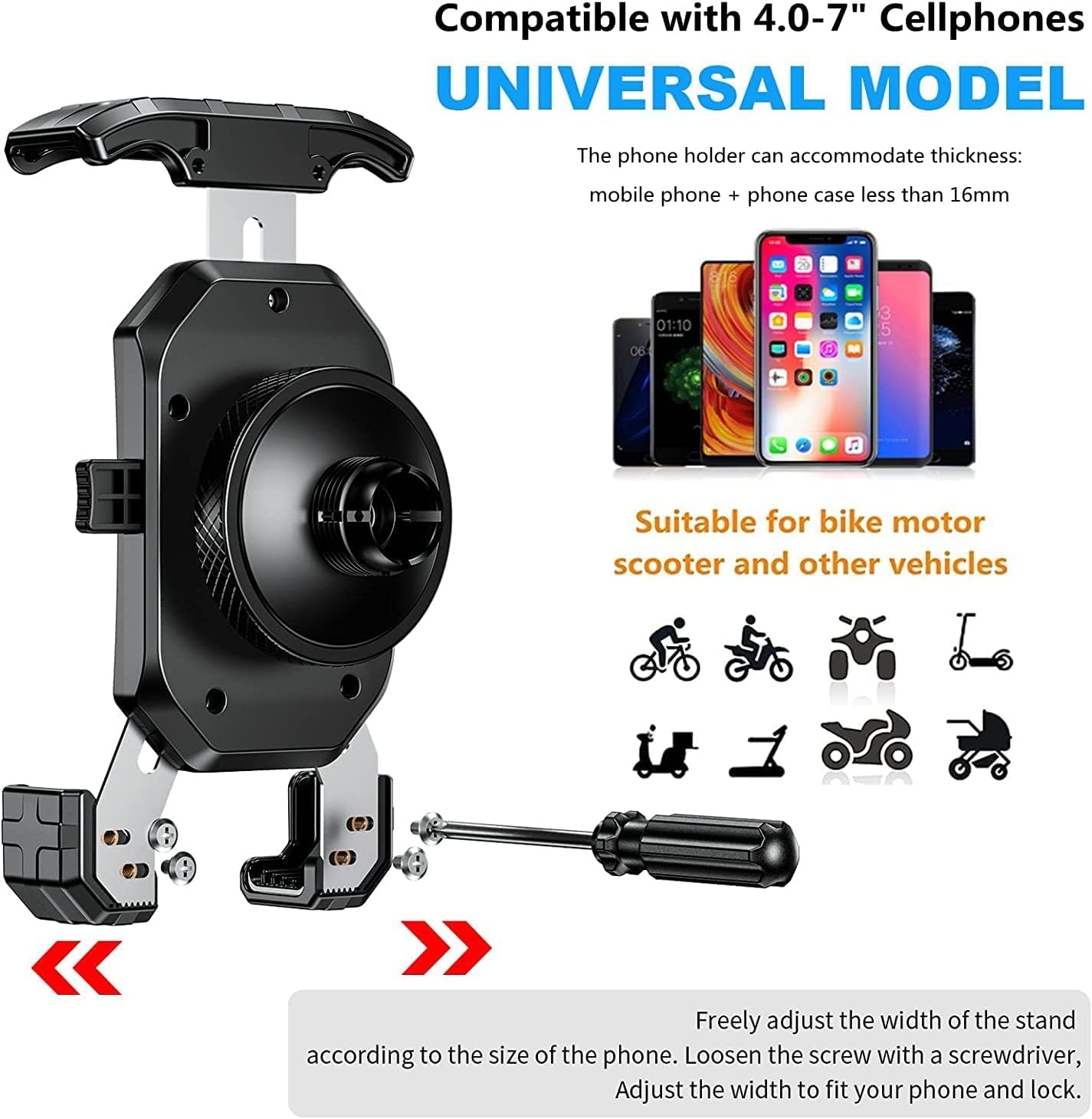
Image: Demonstrates the two installation methods: on a rearview mirror (left) and on a handlebar (right).
Operating Instructions
Using your Kewig M14C phone mount is designed for simplicity and security.
Inserting Your Phone
- Expand Holder: Gently pull the top arm of the phone holder upwards to expand the grip.
- Place Phone: Position your phone into the holder, ensuring it rests on the bottom support arms.
- Secure Phone: Push the top arm down until it firmly grips your phone. The one-click lock mechanism will engage automatically, securing your device.

Image: A gloved hand inserting a smartphone into the mount, highlighting the one-handed operation.
Removing Your Phone
- Quick Release: Press the quick release button located on the side of the phone holder. The top arm will automatically extend, releasing the phone.
- Retrieve Phone: Carefully remove your phone from the holder.
Adjusting Viewing Angle
The universal ball design allows for 360-degree rotation and adjustable tilt.
- Loosen Knob: Slightly loosen the large knob on the back of the phone holder where it connects to the mounting base.
- Adjust Angle: Rotate or tilt your phone to the desired vertical or horizontal viewing position.
- Tighten Knob: Firmly tighten the knob to lock the phone in place.
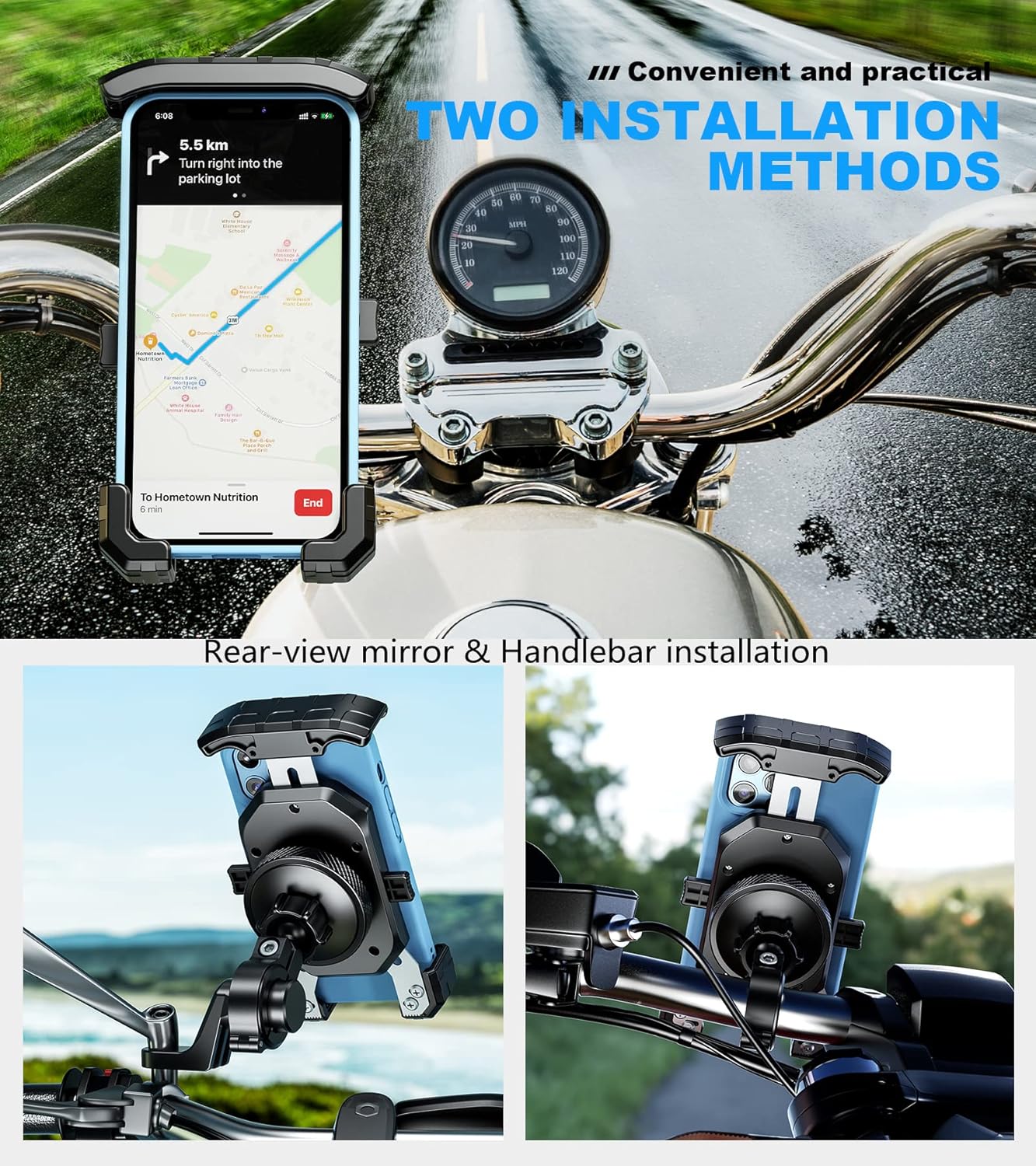
Image: The phone mount illustrating its universal ball design for 360-degree rotation, with examples of vertical and landscape phone orientations on a motorcycle handlebar.
Maintenance
To ensure the longevity and optimal performance of your Kewig M14C phone mount, follow these simple maintenance guidelines:
- Regular Cleaning: Wipe the mount regularly with a soft, damp cloth to remove dust and grime. Avoid harsh chemicals that may damage the materials.
- Check Tightness: Periodically inspect all screws and knobs to ensure they are securely tightened, especially after riding on rough terrain.
- Inspect Rubber Components: Check the silicone pads and rubber inserts for any signs of wear or damage. Replace if necessary to maintain grip and vibration dampening.
- Storage: When not in use for extended periods, store the mount in a cool, dry place away from direct sunlight.
Troubleshooting
If you encounter any issues with your Kewig M14C phone mount, refer to the following common solutions:
- Phone feels loose: Ensure the top arm is fully engaged and the one-click lock mechanism has clicked into place. Verify that the bottom support arms are adjusted correctly for your phone's length and securely tightened with the screwdriver.
- Excessive Vibration: Confirm that the vibration dampener is correctly installed between the phone mount and the handlebar base. Ensure all mounting screws are tight and the rubber inserts are properly seated.
- Mount slides on handlebar: Check that the correct size rubber ring insert is used for your handlebar diameter. Tighten the handlebar clamp screw firmly with the security wrench.
- Difficulty adjusting angle: Loosen the large knob on the back of the phone holder sufficiently before attempting to adjust the viewing angle.
If problems persist, please contact Kewig customer support.
Specifications
| Feature | Detail |
|---|---|
| Model Number | M14C |
| Compatible Phone Sizes | 4.0 to 7.0 inches |
| Max Phone Thickness | 16 mm (including phone cases) |
| Handlebar Diameter Compatibility | 0.87'' (22 mm), 1.0'' (25.4 mm), 1.26'' (32 mm) |
| Mounting Type | Handlebar & Rear-view mirror frame |
| Special Features | Vibration dampener, Antishake function, One-handed operation, 6061-T6 aluminum alloy handlebar mounting base, 360-degree rotation, Non-slip ball head design |
| Item Weight | 12.3 ounces |
| Package Dimensions | 7.2 x 4.53 x 3.23 inches |
Warranty & Support
For warranty information or technical support regarding your Kewig M14C Motorcycle Phone Mount, please refer to the product packaging or contact Kewig customer service directly through their official website or the retailer where the product was purchased.


