
Introduction
Thank you for choosing the Pursonic Whitening USB Rechargeable Sonic Toothbrush. This manual provides essential information for the proper setup, operation, and maintenance of your new sonic toothbrush. Please read these instructions carefully before first use and retain them for future reference.
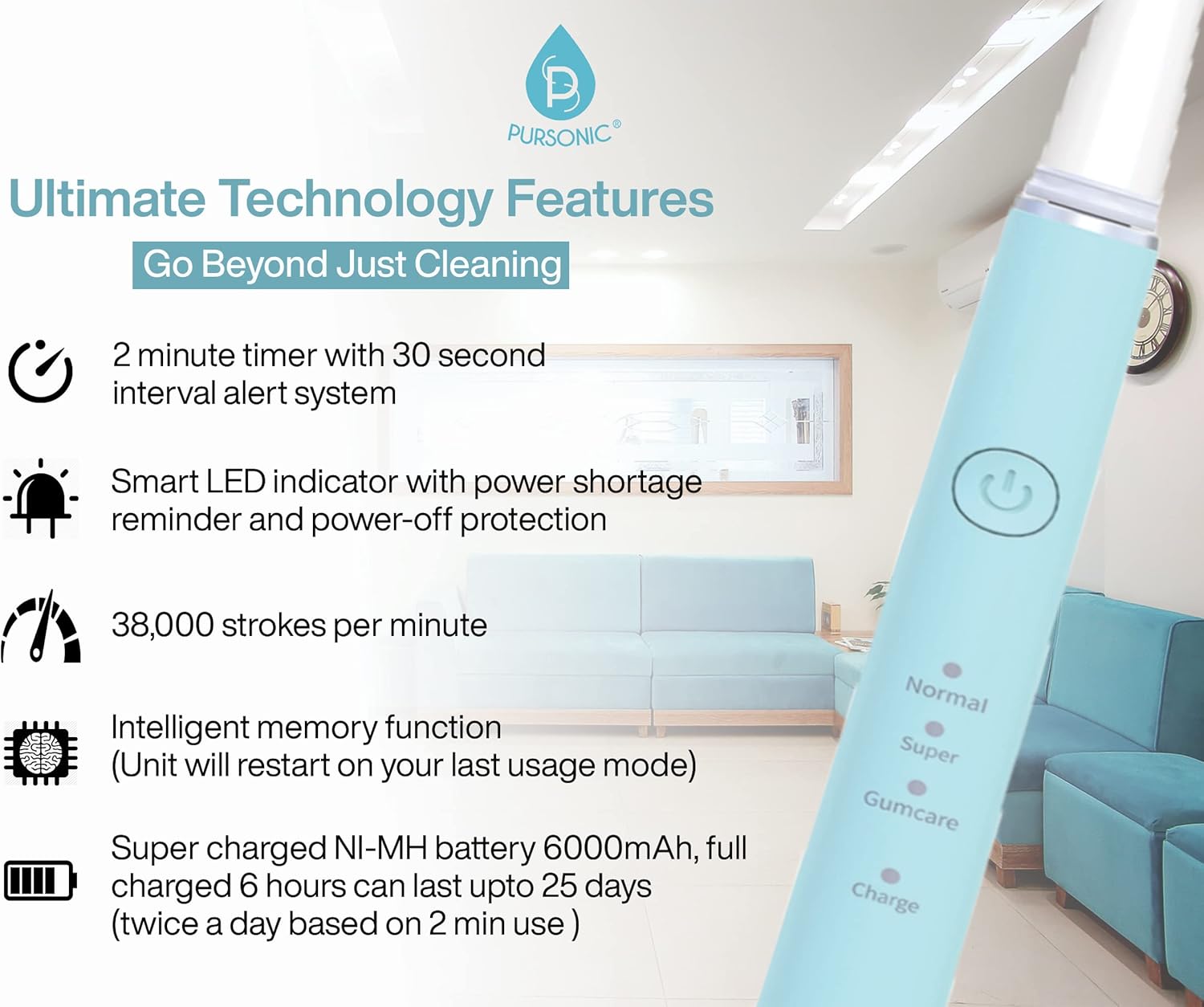
Image: The Pursonic sonic toothbrush handle, showcasing its sleek design and control button.
Product Features
The Pursonic Sonic Toothbrush is designed to provide an effective and comfortable brushing experience with advanced features:
- High-Frequency Vibrations: Delivers up to 38,000 brush strokes per minute for thorough cleaning.
- Multiple Brushing Modes: Three distinct modes (Normal, Super, Gumcare) to cater to various oral care needs.
- Smart Timer: Features a 2-minute auto-timer with 30-second interval alerts to ensure balanced brushing across all quadrants of your mouth.
- Long-Lasting Battery: A 6-hour charge provides up to 25 days of use, based on brushing twice a day for 2 minutes each time.
- Smart LED Indicator: Provides power shortage reminders and power-off protection.
- Intelligent Memory Function: The unit restarts on your last used brushing mode.
- Generous Brush Head Supply: Includes 12 brush heads, providing a 3-year supply.

Image: An infographic highlighting the key technological features of the Pursonic sonic toothbrush, including its timer, LED indicator, brush strokes per minute, memory function, and battery life.
Setup
- Initial Charge: Before first use, fully charge the toothbrush for approximately 6 hours. The LED indicator will show charging status.
- Attach Brush Head: Align the brush head with the metal shaft on the toothbrush handle and push it down firmly until it clicks into place. Ensure it is securely attached.
- Moisten Brush Head: Wet the bristles and apply a small amount of toothpaste.

Image: The Pursonic toothbrush handle with an attached brush head, accompanied by a supply of 12 replacement brush heads, illustrating the product's components.
Operating Instructions
- Power On/Off: Press the power button once to turn the toothbrush on. Press it again to cycle through brushing modes. To turn off, press and hold the power button for 2 seconds, or it will automatically turn off after 2 minutes of operation.
- Select Brushing Mode: With the toothbrush on, press the power button repeatedly to cycle through the 'Normal', 'Super', and 'Gumcare' modes. The corresponding LED indicator will illuminate.
- Brushing Technique: Place the brush head against your teeth at a slight angle towards the gum line. Gently move the brush head slowly across each tooth, allowing the sonic vibrations to do the cleaning. Do not scrub.
- Quadrant Timer: The toothbrush will pause briefly every 30 seconds to indicate when to move to the next quadrant of your mouth. After 2 minutes, the toothbrush will automatically turn off.
Brushing Modes
Your Pursonic toothbrush offers three distinct brushing modes:
- Normal Mode: For regular daily cleaning, effectively removing plaque and maintaining oral hygiene.
- Super Mode: Provides a more intense cleaning action, ideal for eliminating stubborn stains and enhancing teeth brightness.
- Gumcare Mode: Offers a gentle massage-style brushing experience, suitable for sensitive gums and promoting gum health.
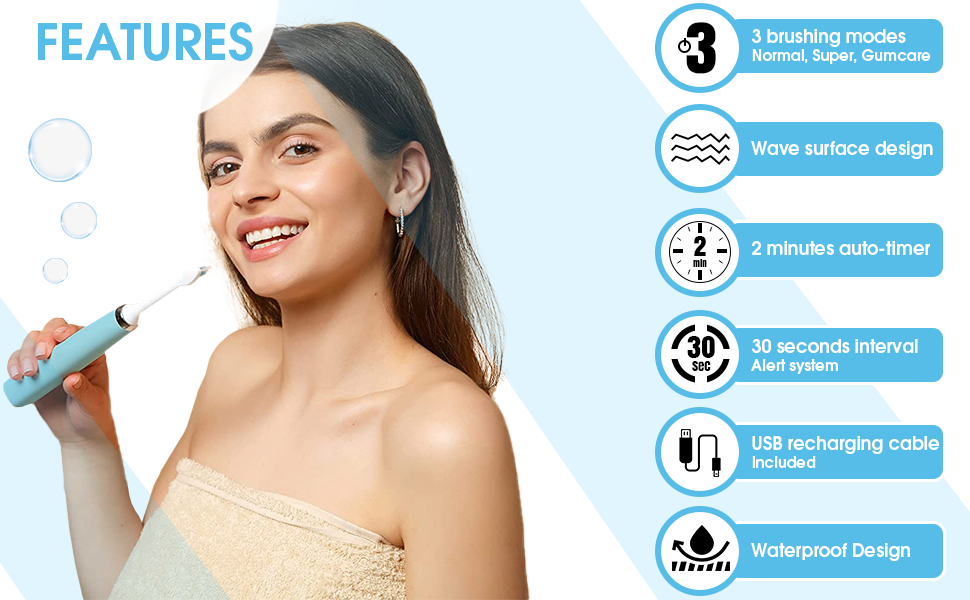
Image: An illustration detailing the three brushing modes (Normal, Super, Gumcare) with their respective functions and icons, providing a visual guide to mode selection.
Charging
To charge your toothbrush:
- Ensure the toothbrush handle is dry before charging.
- Connect the USB charging cable to the charging port on the bottom of the toothbrush handle.
- Plug the other end of the USB cable into a compatible USB power adapter (not included) or a USB port.
- The charge indicator light will illuminate to show that the toothbrush is charging.
- A full charge takes approximately 6 hours and provides up to 25 days of use.
Maintenance
- Cleaning the Brush Head: After each use, rinse the brush head thoroughly under running water.
- Cleaning the Handle: Wipe the toothbrush handle with a damp cloth. Do not immerse the handle in water.
- Replacing Brush Heads: For optimal oral hygiene and effectiveness, replace the brush head every 3 months, or sooner if the bristles become frayed. To replace, pull the old brush head off and push a new one onto the shaft until it clicks.
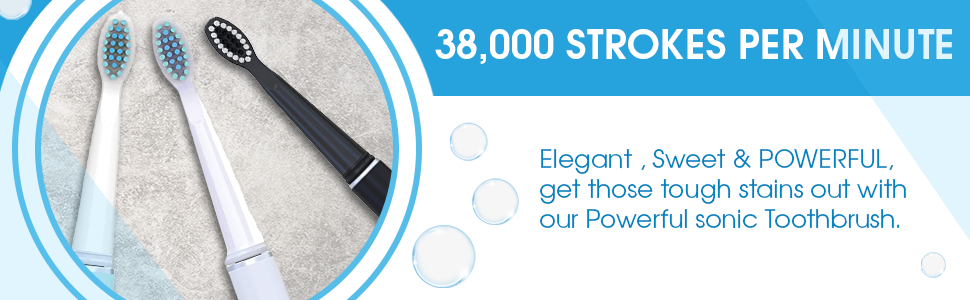
Image: A visual representation of 12 brush heads, emphasizing that this quantity provides a 3-year supply for the user.
Troubleshooting
| Problem | Possible Cause | Solution |
|---|---|---|
| Toothbrush does not turn on. | Battery is depleted. | Charge the toothbrush for 6 hours. |
| Weak vibrations or reduced performance. | Low battery or worn-out brush head. | Recharge the toothbrush. Replace the brush head if it's older than 3 months. |
| Brush head feels loose. | Brush head not properly attached. | Remove and re-attach the brush head, ensuring it clicks firmly into place. |
Specifications
- Model Number: TBUSB200-12
- Product Dimensions: 13.78 x 9.84 x 1.97 inches
- Item Weight: 0.19 Kilograms (6.53 ounces)
- Power Source: Battery Powered (USB Rechargeable)
- Battery Life: Up to 25 days on a 6-hour charge
- Brush Strokes: 38,000 strokes per minute
- Brushing Modes: 3 (Normal, Super, Gumcare)
- Timer: 2-minute auto-timer with 30-second interval alerts
- Bristle Material: Dupont Nylon
- Handle Material: Plastic
- Color: Mint Green
- Included Components: Toothbrush handle, 12 brush heads, USB charging cable
Safety Information
- This product is intended for adult use.
- Do not use if you have severe gum disease or have recently undergone oral surgery without consulting your dentist.
- Replace brush heads every 3 months for optimal oral hygiene and safety.
- Keep the charging port dry when not charging.
- Do not attempt to disassemble or repair the device yourself.
Warranty and Support
For any questions, concerns, or support regarding your Pursonic Whitening USB Rechargeable Sonic Toothbrush, please contact Pursonic customer service. Refer to the product packaging or the official Pursonic website for contact details and warranty information.
