
Introduction
Thank you for choosing the Vault Buds Duo Dual Driver Headphones. These in-ear headphones are engineered to deliver a rich and immersive audio experience, featuring dual dynamic drivers for enhanced sound clarity and bass. Designed for comfort and durability, they are compatible with a wide range of devices, making them ideal for everyday listening, gaming, and communication.
Product Overview
The Vault Buds Duo headphones feature a lightweight, in-ear design with a durable cable and an integrated in-line microphone for convenient control and communication.

The Vault Buds Duo headphones, showcasing their sleek black design and in-ear form factor.

A close-up view of the dual 6mm dynamic drivers within the earbud housing, responsible for the enhanced audio quality.

The 45-degree angled gold-plated 3.5mm audio jack, designed for durability and optimal connection.
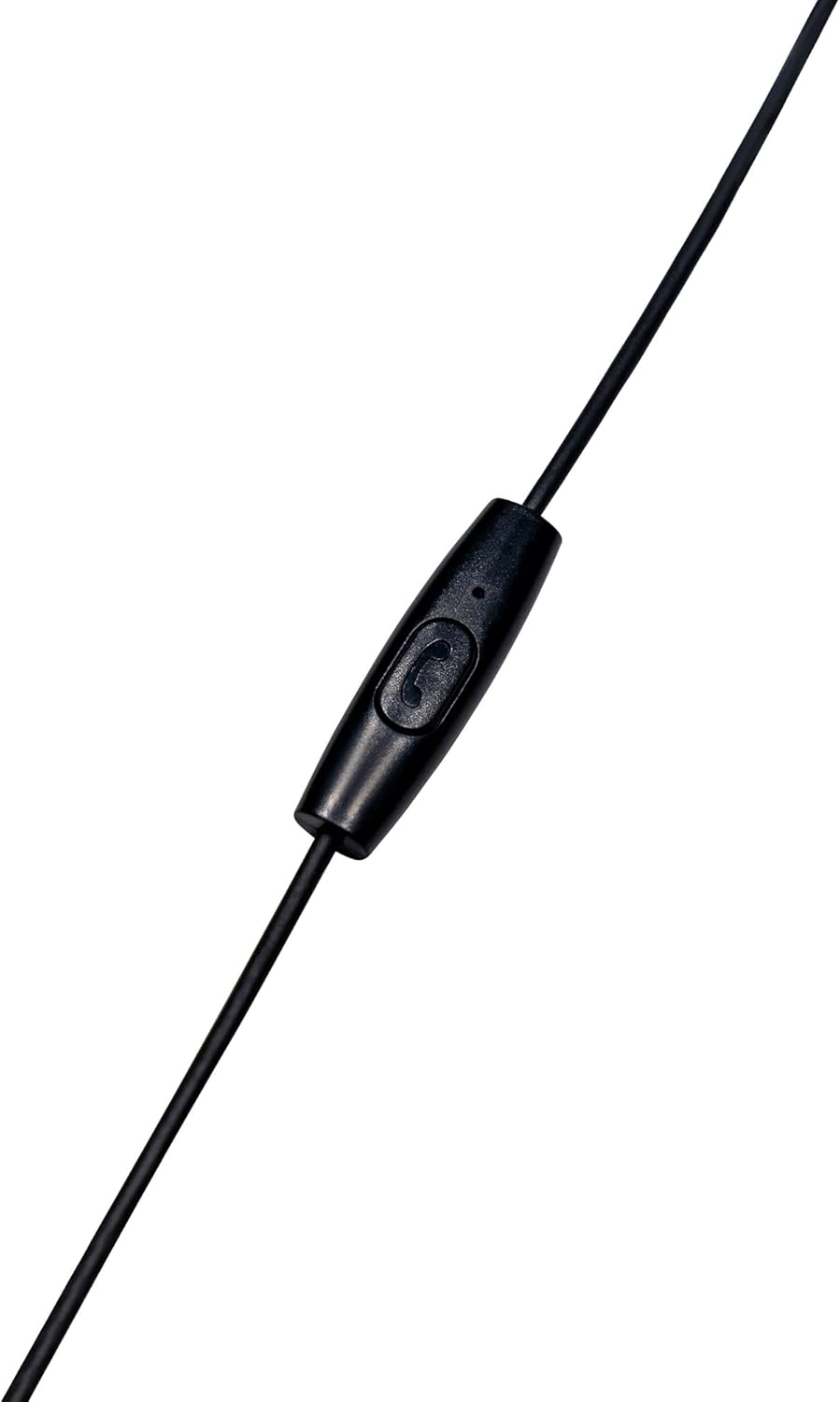
The in-line microphone and control button, allowing for hands-free calls and media management.
Official Product Video
This video provides an overview of the Vault Buds Duo Dual Driver Headphones, highlighting key features and design elements.
Setup
- Select Ear Tips: Choose the ear tip size that provides the most comfortable and secure fit for your ears. Multiple sizes are included to ensure optimal comfort and sound isolation.
- Insert Earbuds: Gently insert the earbuds into your ears. Ensure a snug fit to maximize sound quality and bass response.
- Connect to Device: Plug the 3.5mm audio jack into the compatible audio port of your smartphone, tablet, PC, or laptop.
Operating Instructions
The in-line microphone and control button allow for easy management of calls and media playback.
- Play/Pause Music: Press the control button once to play or pause audio playback.
- Answer/End Call: Press the control button once to answer an incoming call or end an ongoing call.
- Reject Call: Press and hold the control button for approximately 2 seconds to reject an incoming call.
- Next Track: Press the control button twice quickly to skip to the next audio track.
- Previous Track: Press the control button three times quickly to go back to the previous audio track.
Maintenance
- Cleaning: Regularly clean the ear tips with a soft, dry cloth. For deeper cleaning, remove the ear tips and wash them with mild soap and water, ensuring they are completely dry before reattaching. Do not use harsh chemicals or abrasive materials on the earbuds.
- Storage: When not in use, store the headphones in a clean, dry place, preferably in a protective pouch, to prevent tangling and damage to the cable or earbuds.
- Cable Care: Avoid excessive pulling, twisting, or bending of the cable, especially near the connectors, to prolong its lifespan.
Troubleshooting
- No Sound:
- Ensure the 3.5mm jack is fully inserted into your device's audio port.
- Check your device's volume settings.
- Test the headphones with another device to rule out a device-specific issue.
- Poor Sound Quality:
- Ensure ear tips are correctly sized and seated for a proper seal in your ear canal.
- Clean any debris from the earbud grilles.
- Microphone Not Working:
- Ensure the 3.5mm jack is fully inserted. Some devices require a TRRS (Tip-Ring-Ring-Sleeve) jack for microphone functionality, which these headphones provide.
- Check your device's microphone input settings.
Specifications
| Feature | Description |
|---|---|
| Model Name | EP-1182 |
| Audio Driver Type | Dual Dynamic Driver |
| Audio Driver Size | 2 * 6 Millimeters |
| Frequency Response | 20Hz-20KHz |
| Impedance | 32 Ohms |
| Connectivity Technology | Wired |
| Headphones Jack | 3.5 mm Jack |
| Cable Feature | Durable TPE Rubber, 1.2m length |
| Control Type | Media Control (In-line microphone) |
| Compatible Devices | Smartphones, Tablets, PC, Laptop (with 3.5mm audio input) |
| Item Weight | 1.13 ounces |
Warranty & Support
This Vault Buds Duo Dual Driver Headphones product comes with a 2-year warranty from Vault, covering damages and defects. For further assistance, troubleshooting, or warranty claims, please refer to the contact information provided on the product packaging or visit the official Vault website.
For additional information and support, please visit the product detail page on Amazon: Amazon Product Page