
DWEII ESP32 S2 Mini V1.0.0 WiFi Board User Manual
Model: ESP32 S2 Mini | Brand: DWEII
1. Introduction
The DWEII ESP32 S2 Mini V1.0.0 WiFi Board is a compact and powerful development board based on the ESP32-S2FN4R2 Wi-Fi IC. Designed for a wide range of IoT applications, this board offers robust connectivity and extensive I/O capabilities, making it suitable for both hobbyists and professional developers. It comes pre-installed with MicroPython firmware, providing an accessible platform for rapid prototyping and development.
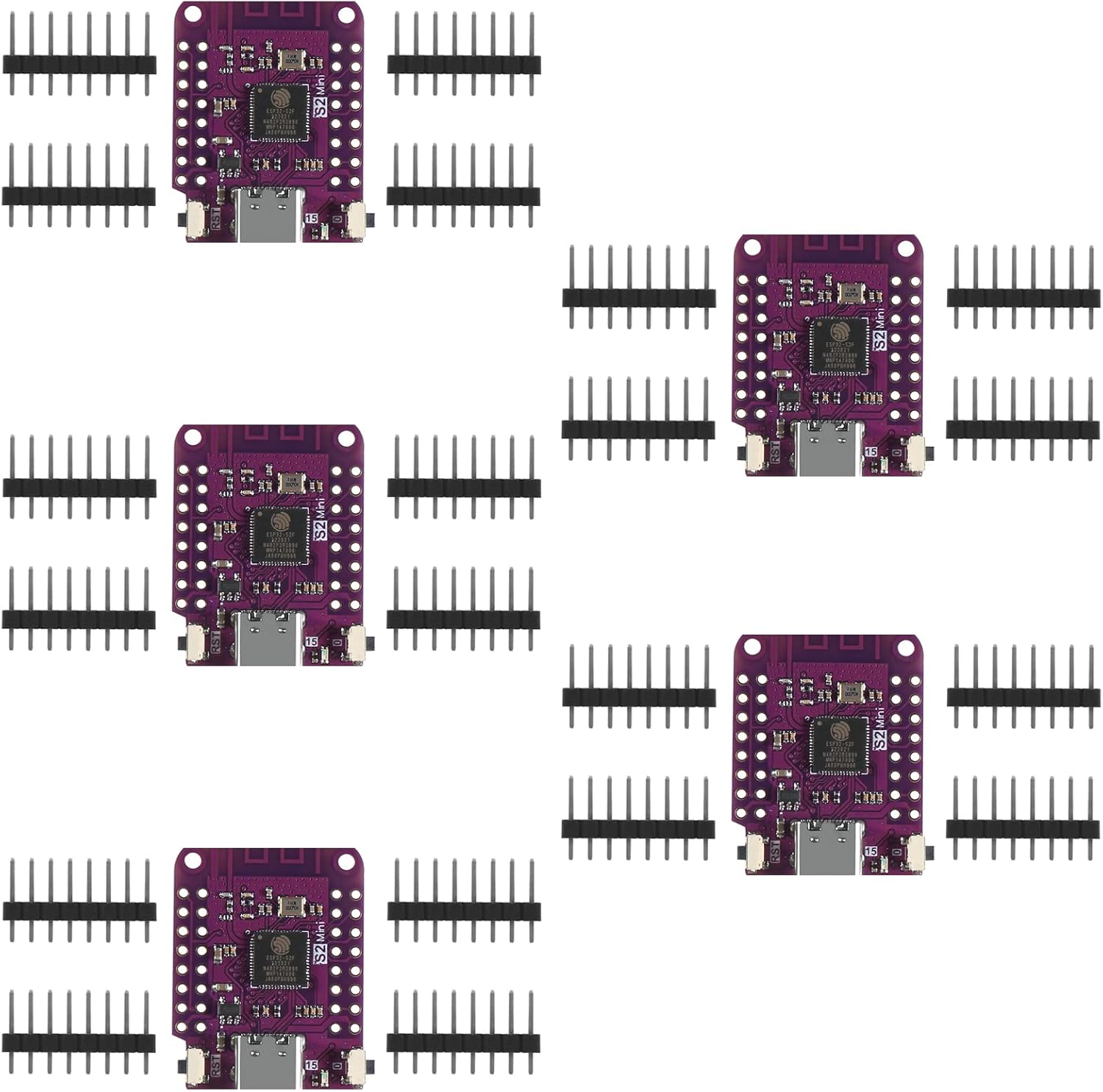
Figure 1: Overview of the DWEII ESP32 S2 Mini V1.0.0 WiFi Boards and included pin headers.
2. Key Features
- Processor: Based on ESP32-S2FN4R2 Wi-Fi IC.
- Connectivity: Integrated Wi-Fi, Type-C USB for power and data.
- GPIO Pins: 27 digital input/output pins, supporting interrupt, PWM, I2C, and one-wire protocols.
- Peripherals: Includes ADC (Analog-to-Digital Converter), DAC (Digital-to-Analog Converter), I2C, SPI, UART, and USB OTG capabilities.
- Firmware: Compatible with MicroPython, with default firmware pre-installed.
- Compatibility: Designed to be compatible with LOLIN D1 mini shields.
- Memory: 4MB Flash memory.


Figure 2: Top and bottom views of the ESP32 S2 Mini board, highlighting the compact design and components.
3. Setup Guide
3.1. Hardware Connection
- Attach Pin Headers: Solder the included pin headers to the board if you intend to use it with a breadboard or custom circuitry. Ensure proper orientation.
- Connect USB: Use a Type-C USB cable to connect the ESP32 S2 Mini board to your computer. This provides power and establishes a serial communication link.
3.2. Driver Installation
For Windows, macOS, or Linux, your operating system may automatically install the necessary USB serial drivers. If the board is not recognized (e.g., no new COM port appears in Device Manager on Windows), you may need to manually install the appropriate drivers for the USB-to-serial chip on the board (often CP210x or CH340 series). These drivers are typically available from the chip manufacturer's website (e.g., Silicon Labs for CP210x, WCH for CH340).
3.3. Development Environment Setup
The ESP32 S2 Mini is compatible with various development environments. Two common options are MicroPython and Arduino IDE.
3.3.1. MicroPython Setup (Default Firmware)
Since the board comes with MicroPython pre-installed, you can interact with it directly using a serial terminal or an IDE like Thonny. Ensure you have Python installed on your computer.
- Install Thonny IDE: Download and install Thonny from thonny.org.
- Configure Thonny: In Thonny, go to Tools > Options > Interpreter. Select "MicroPython (ESP32)" as the interpreter and choose the correct COM port for your board.
- Connect: Click "OK" and Thonny should connect to your board, allowing you to run MicroPython code.
3.3.2. Arduino IDE Setup
To program the ESP32 S2 Mini using the Arduino IDE:
- Install Arduino IDE: Download and install the Arduino IDE from arduino.cc.
- Add ESP32 Board Manager URL: Go to File > Preferences and add
https://raw.githubusercontent.com/espressif/arduino-esp32/gh-pages/package_esp32_index.jsonto "Additional Board Manager URLs". - Install ESP32 Boards: Go to Tools > Board > Board Manager, search for "ESP32", and install the "esp32 by Espressif Systems" package.
- Select Board: Go to Tools > Board > ESP32 Arduino and select "LOLIN S2 Mini" as your board.
- Select Port: Go to Tools > Port and select the COM port corresponding to your ESP32 S2 Mini.

Figure 3: Pinout diagram for the ESP32 S2 Mini board, showing digital I/O, power, and special function pins.
4. Operating Instructions
4.1. Uploading Code
To upload code (e.g., Arduino sketch or MicroPython script) to the ESP32 S2 Mini:
- Prepare Code: Write or open your desired code in your chosen IDE (Thonny for MicroPython, Arduino IDE for C++).
- Enter Programming Mode: The ESP32 S2 Mini typically has two buttons: a "Boot" button (often labeled "0" or "IO0") and a "Reset" button (often labeled "RST" or "EN"). To enter programming mode for uploading, press and hold the "Boot" button, then briefly press and release the "Reset" button, and finally release the "Boot" button. Some IDEs might handle this automatically.
- Upload: Click the "Upload" button in your IDE. The IDE will compile the code and transfer it to the board.
- Reset After Upload: After a successful upload, the board will typically reset and begin running the new firmware. If not, you can manually press the "Reset" button.
4.2. Basic Functionality
Once programmed, the ESP32 S2 Mini can perform various tasks based on your code:
- Wi-Fi Connectivity: Connect to Wi-Fi networks, host access points, or communicate with other devices over Wi-Fi.
- GPIO Control: Control external components like LEDs, sensors, and motors using the digital I/O pins.
- Analog Readings: Read analog sensor data using the ADC pins.
- Serial Communication: Communicate with other devices or your computer via UART, I2C, or SPI.
- USB OTG: Utilize USB On-The-Go capabilities for advanced USB functionalities.
5. Specifications
| Feature | Detail |
|---|---|
| Model Name | ESP32 S2 Mini |
| Processor | ESP32-S2FN4R2 Wi-Fi IC |
| Flash Memory | 4 MB |
| Connectivity | Wi-Fi, USB (Type-C), I2C |
| Digital I/O Pins | 27 (supporting interrupt, PWM, I2C, one-wire) |
| Analog Capabilities | ADC, DAC |
| Other Peripherals | SPI, UART, USB OTG |
| Dimensions (L x W x H) | 34.2mm x 25.4mm x ~6.7mm (approx. 1.34 x 1.0 x 0.26 inches) |
| Item Weight | 1.13 ounces (approx. 32 grams) |
| Country of Origin | China |

Figure 4: Physical dimensions of the ESP32 S2 Mini board.
6. Troubleshooting
- Board Not Recognized / Driver Issues:
If your computer does not detect the board or assign a COM port, ensure you have the correct USB-to-serial drivers installed. Check Device Manager (Windows) or
ls /dev/tty*(Linux/macOS) for new serial ports when connecting the board. Reinstalling drivers or trying a different USB port/cable can help. - Failed to Enter Programming Mode / Upload Errors:
Ensure you are correctly pressing the "Boot" and "Reset" buttons to enter programming mode before uploading. Some users report needing multiple attempts to get the board into programming mode. Verify that the correct board type ("LOLIN S2 Mini" for Arduino IDE) and COM port are selected in your IDE.
- Wi-Fi Connectivity Issues:
Check your code for correct Wi-Fi credentials (SSID, password). Ensure the Wi-Fi signal strength is adequate. Verify that the ESP32-S2's Wi-Fi antenna (the PCB trace antenna on the board) is not obstructed or damaged.
- Board Gets Hot / Unstable Operation:
Excessive heat or instability can indicate a short circuit or faulty component. Visually inspect the board for any solder bridges, especially around the main IC. If found, carefully remove them (e.g., with a soldering iron). Ensure your power supply is stable and within the board's operating voltage range.
- MicroPython Not Responding:
If the MicroPython REPL (Read-Eval-Print Loop) is unresponsive, try pressing the "Reset" button on the board. If still unresponsive, ensure your serial terminal settings (baud rate) are correct, typically 115200. You might need to re-flash the MicroPython firmware if it becomes corrupted.
7. Maintenance
- Storage: Store the board in a dry, anti-static environment, away from direct sunlight and extreme temperatures.
- Cleaning: If necessary, gently clean the board with a soft, dry brush or compressed air to remove dust. Avoid using liquids or abrasive materials.
- Handling: Handle the board by its edges to avoid touching components, especially the sensitive ICs, which can be damaged by static electricity.
- Firmware Updates: Periodically check for updated firmware (MicroPython or Arduino core for ESP32) to benefit from bug fixes and new features.
8. Warranty and Support
For warranty claims, technical support, or further assistance with your DWEII ESP32 S2 Mini V1.0.0 WiFi Board, please contact the seller or manufacturer directly through the platform where the product was purchased. Retain your proof of purchase for any warranty-related inquiries.
For community support and resources, you can refer to online forums and documentation for ESP32-S2 and MicroPython/Arduino development.